Repository navigation

2.0.0 was a test release; this section lists everything new since 1.1.3.
Added
Audio tracks
Choose Audio in a track's Instmt/Dest picker.
- Record straight from the Move's microphone or line input into a clip — press Rec on an
Audio track. Record a new take or layer over what the clip already plays, and monitor the
input through the track as you go, with input gain, stereo or mono, and a level meter on the
new INPUT bank. - Play a sample in every clip, in time with the project — WAV or AIFF, auditioned as you
browse. - Warp to the project's tempo keeping the pitch, retune with it, or chop it like an old
sampler (Vintage). - Loop points as fine as a single sample, with the loop's length set in bars.
- Loop or one-shot clips, played forwards, backwards or ping-pong.
- Free timing: let a sample run at its own speed, off the grid.
- Pitch, detune, gain and offset per clip, and trim and normalize samples on the Move.
- Samples up to 30 minutes long.
- Automate a sample's gain, pitch, detune, tempo and direction.
- Turn any track into an Audio track, its clips resampled as they sound.
Slicer tracks
Choose Slicer in a track's Instmt/Dest picker.
- Chop one sample across the pads — evenly, at its transients, tapped in as it plays, or by
hand — into up to 128 slices, and play and sequence them like a drum track. - Shape every slice: pitch, detune, gain, reverse, attack, decay, and how it plays.
- Give each step its own sound: pitch, length, start and direction.
- Warp the sample to the project's tempo at its own pitch, with the slices still hitting
instantly. - Convert to kit: turn the slices into a native Move drum rack.
- LIVE ARP plays slices, and templates keep a Slicer whole.
Audio and Slicer tracks, both
- Copy and paste clips between Audio and Slicer tracks.
- Follow the Conductor, which repitches them.
- Undo every sample change except an overwrite.
- Purge samples (Project Settings) clears out the ones nothing uses.
REMIX
A loop remixer for Audio and Slicer tracks, on the FX column of the bank map.
- Rearrange a loop live, from gentle to wild: cut the bar up and reorder it, then add
shuffle, reverse, stutter, gaps and pitch. - 80 ready-made remixes to start from.
- Each clip keeps its own, and changes land on the next bar.
- Bake a remix into the clip.
Resample and Flatten
From the Sample menu and TRACK CONFIG.
- Resample a scene into a sample that loops exactly, with optional warm-up and tail bars. It
lands in your sample library, where Move's sampler can use it too. - Resample a clip, as you hear it or dry, or in place on an Audio track.
- Flatten a track into an Audio track, recording before or after its effects, on Schwung
and Move instruments alike. Undo brings the original back. - Faster than real time wherever the sound allows.
Live merge
- Audio tracks join a Live merge, each recording what it plays into its own sample.
Export to Ableton
- Audio and Slicer tracks export as Live audio tracks, every clip recorded as it sounds,
REMIX and the Conductor included. - Faster, with each take's progress shown.
Mixing
- A channel strip on every track: a one-knob compressor and a 3-band EQ with a sweepable
mid. On MIX's second page, and in Session View on the map's EQ and COMPRESS columns.
It is automatable, in snapshots and SnapMorph, editable in the browser, and exports to Live. - Mute Mode, in each track's settings: mute the notes (as before), or mute the sound and
keep the notes playing, so tails and delays are there the moment you unmute.
Macros
- Ranged macros step across their own range on a dAVEBOx bank knob or a sample setting,
with Lo and Hi shown in the setting's units (BPM, dB…).
The HUD
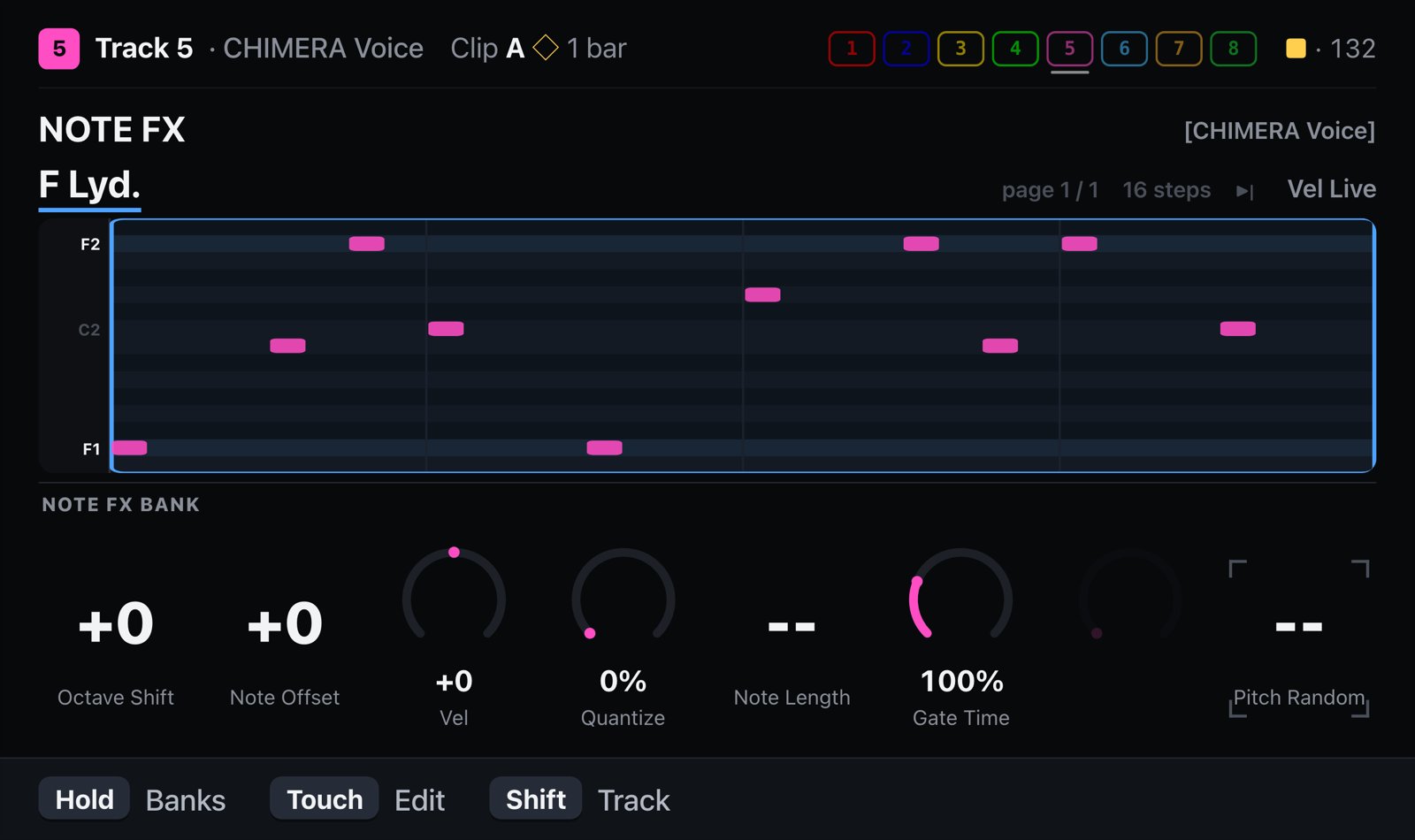
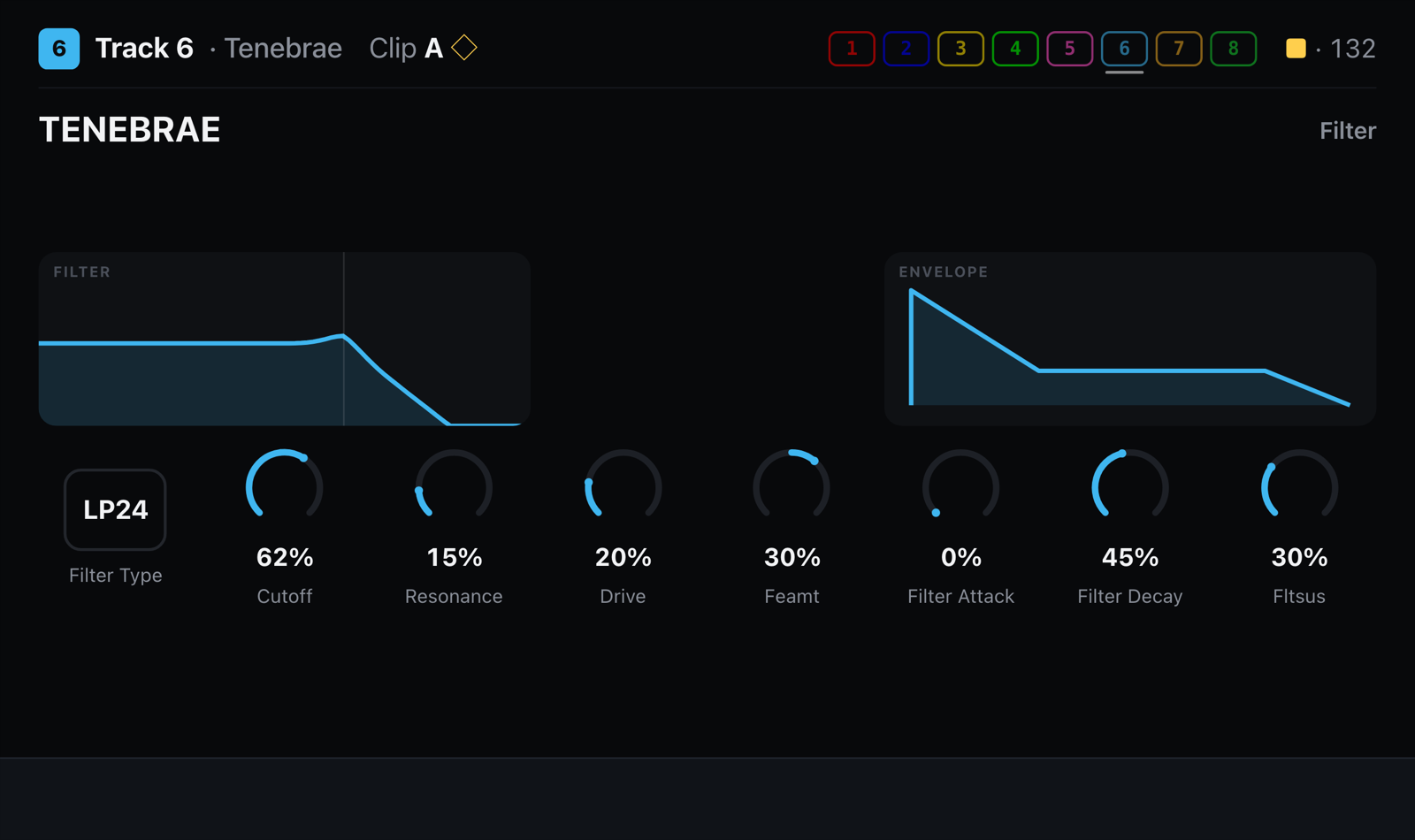
A full-colour companion to the Move's screen in the browser, opened from the web manager or a
tablet's home screen.
- Follows what you do on the Move, and shows more than the OLED has room for: every knob
with its value, waveforms with a playhead, every automation lane with its curve, and which
page of a bank you're on. - Work from it: turn knobs, switch tracks and press the bank map's pads.
- Shows Move's own screen while you edit a Move instrument, and a module's own drawn pages.
The browser editor
- Works on a tablet or a phone held sideways, and can run full screen from the home
screen. - Knows Audio and Slicer tracks: a Slicer's roll shows its slices.
- Editors stay loaded: coming back to a track shows its instrument and effect editors as
you left them, instantly. - Effects' own editors open as an instrument's do (Tape Echo 2, 4K EQ).
On the Move
- Dictation: hold Rec on any on-screen keyboard and say the name. It runs entirely on the
Move, in English, from the mic or line input. An optional download (about 113 MB) from
Project Settings. - Battery level in Project Settings, and a warning card when the battery runs low.
- The bank map follows you between Track and Session View.
- A comma on the on-screen keyboard.
Changed
Banks and menus
- Arp Steps and RPT GROOVE's Nudge are jog pages. Turn the jog on SEQ ARP or LIVE ARP for
each step's pitch and velocity, and on RPT GROOVE for Nudge. The header shows the page. - The Sample button opens a menu of what it can do in each view (Bake, Resample, Live
merge). Shift + Sample no longer starts a Live merge. - DRUM LANE and ALL LANES are one box on a drum track's bank map.
- Modules are named in full (NuSaw, Freeverb) instead of by a two-letter mark.
Playback
- Launch Now picks up at the song position when the clips differ in length, as a quantized
launch does.
Projects and versions
- A new project format. 1.1.3 and earlier can't open projects this version saves (answer
No when one asks to erase); this version opens everything 1.1.3 saved. A project from a
newer dAVEBOx is never erased. - The version is easy to find: on the loading screen and the web manager's System page.
Manual
- Rewritten and reorganised into seven parts in plain, step-by-step language, with new
chapters, pad maps and diagrams, and a new HTML layout. Links to the old manual's numbered
sections no longer land in the same place.
Fixed
Timing and playback
- Move's own instruments play in time with everything else. They trailed the other tracks
by about 9 ms. - A fast spin of the volume knob no longer stutters Move instruments.
- A knob turned while playing sets where its automation rests when you stop.
- Step conditions (Iter, Random, Ratchet) survive a save on a clip whose loop doesn't start
at step 1. - Undoing a scene bake with Apply Conductor shows the responders as on again.
Modules
- Aftertouch reaches a track's MIDI effect, Pre and Post.
- Locks on DR32's synth-engine pads take the value you set.
- Delete + knob clears automation on a drum module's pad pages (DR32).
- A module with several drawn pages shows each one, not the first one everywhere.
- Touch + click on a module's text parameter opens the keyboard.
Screens and hints
- Footer hints say what a gesture does — the Shift + click on each screen and row — and no
longer name gestures that do nothing there. - No "Move crashed" flash when you open dAVEBOx SA from the Tools menu.
The browser editor
- Module editors open in a fraction of a second (a large instrument took 10–27 s).
- No slowdown with several module editors open.
- Keeps up with the transport: Play / Stop and the session grid follow the Move.
- A clip's ≡ menu no longer closes by itself while playing, a click on the session grid is no
longer lost, and Fit and Snap no longer cover the step band on a narrow window.
Download: davebox-sa-module.tar.gz (install from Schwung Manager) · Manual: https://legsmechanical.github.io/dbxhost/