Repository navigation
Releases: luiscarlosjayk/tiza
Release list
v0.2.0

Tiza v0.2.0
Draw on top of code in your terminal to explain, debug and teach.
This release adds enter effects, the scroll move and a better presentation mode. It also adds defaults and personal styles in the config file, and many images to the docs. A document of v0.1.2 opens in v0.2.0. See Before you update for one exception.
Report a bug that you can reproduce with the bug report form. Put feedback, ideas and terminal reports in Discussions.
What is new
- Enter effects (experimental). An annotation can come in with an effect.
drawdraws the stroke of a box, a callout, an arrow, an underline, brackets or a strike, then its text comes in.fadefades the annotation in. On a spotlight,fadefades the dim in and out. Set"effect": "draw"or"effect": "fade"in the document, or addeffect=drawat the end of an annotation command. The GIF, WebP, MP4 and WebM exports show the effects. See Enter effects. - The
scrollmove. A step can move the view to a line, a text or an annotation, before its annotations come in. Thus an effect never plays out of the view. A step with only ascrollmove is a camera step.:scrolladds one at the step on screen. See Scroll. - Presentation mode.
- The step counter has its own row, so it never covers the code.
- When you go to a step, its new annotations come into the view.
- With the live pointer off,
j,k,J,K,gandGmove the view, as in a web browser. Tabgoes through the annotations that the view shows, and the view does not move.- Each frame goes to the terminal in one update. In a terminal that supports it, a big move of the view never shows half of the old frame.
- Defaults and personal styles.
[defaults]in the config file sets the values that each session starts with, for examplenumbers,mouse,layoutand thewidthoftiza render.[styles]holds your own mark styles for all your documents.tiza configshows the file, each value and its source. See Config file. - Follow mode pauses only at a step that applies a
code.patch. The status bar shows⟳ paused, and one message tells you the step that loads the change. - Files from a newer version open. Tiza skips a move or an effect that this version does not know, and
tiza checknames each one. - The docs show more. Real exports show the moves, the enter effects, the spotlights, the kinds and the colors. Images of the TUI show presentation mode, the live pointer, the panels, the status bar and a
scrollmove. - Exports use less memory. A GIF of 22 frames of a 300-line document uses 163 MB of memory, not 2.2 GB, and less than half of the time.
Changes and fixes
- A spotlight with lines also dims the annotations that do not touch its lines. The annotations in
ids, and the annotations on the lines of the live pointer, keep their colors. - A label of a highlight or a mark that goes under its line starts under its span. When the code column has room, the label of an arrow goes beside the code of the line that the arrow goes to.
bracketson a span of one column with no space on either side draws⊔. Before, it looked the same asunderline.- In a terminal that draws
⚠,↪,⏸or▶two cells wide, the status bar fits its row. Tiza shows!,>or||in their place outside the code. - Without a width,
tiza renderof the live instance,:exportandexport_imagedraw at the width of the code area of the screen. tiza checkgives the warningclipped_codewhen a code line is cut at the width of the check, sotiza check --strictfails.get_codenames the characters that the screen does not show as they are, for example a zero-width space, with their column.- A position or a move with a key that Tiza does not know is an error over the socket and MCP. The message names the key that is near, for example
Did you mean `col`?.
The CHANGELOG has the full list.
Install
On macOS, and on Linux x86_64 with glibc 2.35 or later, run this command:
curl -fsSL https://raw.githubusercontent.com/luiscarlosjayk/tiza/main/install.sh | shThe script checks the SHA-256 checksum of the download. Then it puts tiza in ~/.local/bin. To update from an earlier version, run the same command.
To install an archive yourself, use the file for your system:
| System | File |
|---|---|
| macOS, Apple Silicon | tiza-v0.2.0-aarch64-apple-darwin.tar.gz |
| macOS, Intel | tiza-v0.2.0-x86_64-apple-darwin.tar.gz |
| Linux x86_64 (glibc 2.35 or later: Ubuntu 22.04, Debian 12, Fedora 36 or later) | tiza-v0.2.0-x86_64-unknown-linux-gnu.tar.gz |
- Download the file for your system and its
.sha256file. - Check the file:
shasum -a 256 -c tiza-v0.2.0-<target>.tar.gz.sha256. On Linux, you can usesha256sum -c. - Extract the file:
tar -xzf tiza-v0.2.0-<target>.tar.gz - Make a folder in your PATH if you do not have one:
mkdir -p ~/.local/bin - Copy
tizato that folder:cp tiza-v0.2.0-<target>/tiza ~/.local/bin/
macOS: The binaries do not have an Apple Developer ID signature. If you download the file with a web browser, macOS stops Tiza the first time and shows "tiza" Not Opened. To fix this, run this command one time: xattr -d com.apple.quarantine ~/.local/bin/tiza. A download with curl or with the install script does not have this problem.
From source (Rust 1.88 or later): run cargo install tiza. The tiza binary contains libwebp, a C library, so cargo install also needs a C compiler. On macOS, install the Xcode Command Line Tools. On Debian and Ubuntu, install the build-essential package.
Tiza does not support Windows in version 0.x.
Before you update
- A document that has a
scrollmove does not open in Tiza 0.1.2 or older. - A
findof aselector arebindis now an error when its text starts or ends inside a character (a grapheme). Then the document does not open, andtiza checknames the move. Before, Tiza made a guess. - Tiza 0.1.2 and older open a document with an enter effect, but they show no effect and remove it when they save.
Known limits
- Enter effects are an experiment. They can change or go away in a later version.
- We tested Tiza on macOS in the Zed terminal and in Herdr. Other terminals with 24-bit color and box-drawing characters should work. We did not test tmux and other terminals (Terminal support).
- Use
findto target a code change in a step, not a line number. If you edit the file while Tiza is closed, a change by line number applies to the lines that are at that number now.
More information
To get a notice of new versions, watch the repository on GitHub (Watch → Custom → Releases).
Docs · README · Agent setup · CHANGELOG
v0.1.2
Tiza v0.1.2
Draw on top of code in your terminal to explain, debug and teach.
This release fixes the bugs that we found after v0.1.1. Most of them are in the TUI, in the exports and in the messages. It has few new features. It changes how Tab, :set text= on a callout and tiza render work. A document of v0.1.1 opens in v0.1.2 with no change.
Report a bug that you can reproduce with the bug report form. Put feedback, ideas and terminal reports in Discussions.
What is new
Tabselects only what the screen draws. The cursor goes to the line where Tiza draws each annotation. To select an annotation of another file or a spotlight of an earlier step, pressL, go to its row and pressEnter. Before,Tabalso selected them. The cursor went to their line number in the file on the screen.:set ID text=…changes the paragraph of a callout.label=andtitle=change its title. Before,text=changed the title of a callout. On a note,text=still changes its text.tiza render FILE:A-Bdraws the document of that range. WhenFILE.A-B.tizaexists, the export shows its annotations, astiza FILE:A-Bdoes. Tiza tells you so on stderr. Before, the export showed only the lines.tiza render FILEwith no--stepexports the last step. If the last step has a spotlight, the export shows it. Before, the export showed all the annotations of the document, with no spotlight.- The
statusreply hassave_error.tiza api statusand the MCP toolstatustell why the last save of the document failed. The value isnullwhen the last save worked. Thus an agent can see that its changes are not saved. - The docs site. The navigation has one entry, "Release notes", for the notes of all the releases. The pages of the
:commands are in a group. Each page has a link preview with the Tiza card and the title of the page.
Fixes
- A paste while the help, the annotation list or the review is open changes nothing. A paste in presentation mode also changes nothing. The status bar tells you what to do. Before, the paste replaced the code under the panel.
- A paste on the command line adds only the first line of the pasted text. Before, the next lines also went into the command.
- In a terminal narrower than about 80 columns, the footer of the review shows
y/n one · a/d all · j/k. Before, a narrow terminal cutd reject alland thena accept allfrom the footer. - When a command or an MCP tool gets no reply from the live instance, the message tells why. The instance did not answer within 75 s, or it closed the connection. Before, the message was
no Tiza instance is listeningfor these cases too. tiza --versionof the Linux release archive shows the commit of the release. Before, it showedunknownin place of the commit.--margin-colsalso changes a GIF, an animated WebP, an MP4, a WebM and a.cast. Before, only the export of one step used it.- A
.tapewith--skip-zerostarts the TUI at step 1. A.tapealso passes--theme,--theme-fileand--langto the TUI. It refuses--numbers,--no-numbersand--margin-colswhen they change the document, because the TUI takes these from the document. Before, the tape dropped all these flags. tiza render --all-stepsrefuses an--outwith an extension, such astalk.pdf, because--outis a folder. Give a folder, for examplesteps/. Before, Tiza made a folder of that name for some extensions.- With
skip_zero, the reply ofexport_imagegivesstepsfrom step 1, for example1-7. On the new empty step after the last one,step_labelsaysstep 2/2. Before, they said0-7andstep 2/1.
The CHANGELOG has the full list.
Install
On macOS, and on Linux x86_64 with glibc 2.35 or later, run this command:
curl -fsSL https://raw.githubusercontent.com/luiscarlosjayk/tiza/main/install.sh | shThe script checks the SHA-256 checksum of the download. Then it puts tiza in ~/.local/bin. To update from an earlier version, run the same command.
To install an archive yourself, use the file for your system:
| System | File |
|---|---|
| macOS, Apple Silicon | tiza-v0.1.2-aarch64-apple-darwin.tar.gz |
| macOS, Intel | tiza-v0.1.2-x86_64-apple-darwin.tar.gz |
| Linux x86_64 (glibc 2.35 or later: Ubuntu 22.04, Debian 12, Fedora 36 or later) | tiza-v0.1.2-x86_64-unknown-linux-gnu.tar.gz |
- Download the file for your system and its
.sha256file. - Check the file:
shasum -a 256 -c tiza-v0.1.2-<target>.tar.gz.sha256. On Linux, you can usesha256sum -c. - Extract the file:
tar -xzf tiza-v0.1.2-<target>.tar.gz - Make a folder in your PATH if you do not have one:
mkdir -p ~/.local/bin - Copy
tizato that folder:cp tiza-v0.1.2-<target>/tiza ~/.local/bin/
macOS: The binaries do not have an Apple Developer ID signature. If you download the file with a web browser, macOS stops Tiza the first time and shows "tiza" Not Opened. To fix this, run this command one time: xattr -d com.apple.quarantine ~/.local/bin/tiza. A download with curl or with the install script does not have this problem.
From source (Rust 1.88 or later): run cargo install tiza. The tiza binary contains libwebp, a C library, so cargo install also needs a C compiler. On macOS, install the Xcode Command Line Tools. On Debian and Ubuntu, install the build-essential package.
Tiza does not support Windows in version 0.x.
Known limits
- We tested Tiza on macOS in the Zed terminal and in Herdr. Other terminals with 24-bit color and box-drawing characters should work. We did not test tmux and other terminals (Terminal support).
- Use
findto target a code change in a step, not a line number. If you edit the file while Tiza is closed, a change by line number applies to the lines that are at that number now.
More information
To get a notice of new versions, watch the repository on GitHub (Watch → Custom → Releases).
Docs · README · Agent setup · CHANGELOG
v0.1.2-rc.1
v0.1.1
Tiza v0.1.1
Draw on top of code in your terminal to explain, debug and teach.
This release adds the WebP export and a docs website. It also fixes the bugs that we found after v0.1.0. Most of them are in the local API, in supervised mode and in the theme files.
Report a bug that you can reproduce with the bug report form. Put feedback, ideas and terminal reports in Discussions.
What is new
- WebP export.
tiza render demo.tiza --out demo.webpwrites a lossless animation of all the steps, with the frames and the times of the GIF. With--step N, it writes a still of one step, with the pixels of the PNG.:export,--all-stepsand the MCP toolexport_imagealso write WebP. A WebP is usually smaller than the PNG or the GIF of the same steps. - A docs website. The docs of the latest release are at tiza.luisk.dev. The site has a search box, a dark and a light theme, and a link on each heading.
- A page for each group of commands. Each
:command has its own section, with its options, their values and their defaults. Real Tiza frames show what the annotation commands draw. - Prompts for your agent. The agent pages have prompts to copy. One prompt sets up the Tiza MCP server. The others show what to ask an agent.
- Codex. The setup page tells how to add the Tiza MCP server to Codex:
codex mcp add tiza -- tiza mcp.
Fixes
- In supervised mode, an agent cannot turn supervised mode off with no review now. A request for a method that does not exist gets its error at once.
- The socket method
scene.clearrefuses parameters that it cannot read. Before, such a request deleted every annotation. - Tiza does not remove a file at the socket path. It changes permissions only of its own runtime folder.
- In the config file and in a theme file, a wrong value leaves out only that token. Before, Tiza ignored the whole file.
tiza FILE:A-Bopens the document of that range from an earlier session. Before, autosave wrote over it.- The MCP tools end their own refusals with
(invalid_argument), so an agent can tell them apart. - An image export of a very long document stops with a clear message before it uses much memory. Before, Tiza used gigabytes of memory and then failed.
The CHANGELOG has the full list.
Install
On macOS, and on Linux x86_64 with glibc 2.35 or later, run this command:
curl -fsSL https://raw.githubusercontent.com/luiscarlosjayk/tiza/main/install.sh | shThe script checks the SHA-256 checksum of the download. Then it puts tiza in ~/.local/bin. To update from v0.1.0, run the same command.
To install an archive yourself, use the file for your system:
| System | File |
|---|---|
| macOS, Apple Silicon | tiza-v0.1.1-aarch64-apple-darwin.tar.gz |
| macOS, Intel | tiza-v0.1.1-x86_64-apple-darwin.tar.gz |
| Linux x86_64 (glibc 2.35 or later: Ubuntu 22.04, Debian 12, Fedora 36 or later) | tiza-v0.1.1-x86_64-unknown-linux-gnu.tar.gz |
- Download the file for your system and its
.sha256file. - Check the file:
shasum -a 256 -c tiza-v0.1.1-<target>.tar.gz.sha256. On Linux, you can usesha256sum -c. - Extract the file:
tar -xzf tiza-v0.1.1-<target>.tar.gz - Make a folder in your PATH if you do not have one:
mkdir -p ~/.local/bin - Copy
tizato that folder:cp tiza-v0.1.1-<target>/tiza ~/.local/bin/
macOS: The binaries do not have an Apple Developer ID signature. If you download the file with a web browser, macOS stops Tiza the first time and shows "tiza" Not Opened. To fix this, run this command one time: xattr -d com.apple.quarantine ~/.local/bin/tiza. A download with curl or with the install script does not have this problem.
From source (Rust 1.88 or later): run cargo install tiza. The tiza binary now contains libwebp, a C library, so cargo install also needs a C compiler. On macOS, install the Xcode Command Line Tools. On Debian and Ubuntu, install the build-essential package.
Tiza does not support Windows in version 0.x.
Known limits
- We tested Tiza on macOS in the Zed terminal and in Herdr. Other terminals with 24-bit color and box-drawing characters should work. We did not test tmux and other terminals (Terminal support).
- Use
findto target a code change in a step, not a line number. If you edit the file while Tiza is closed, a change by line number applies to the lines that are at that number now.
More information
To get a notice of new versions, watch the repository on GitHub (Watch → Custom → Releases).
Docs · README · Agent setup · CHANGELOG
v0.1.1-rc.1
v0.1.0
Tiza v0.1.0
Draw on top of code in your terminal to explain, debug and teach.
Open a source file in Tiza. Draw boxes, arrows, highlights, notes and marks on the code. Put the annotations into steps. Then show the steps live, or export them as images or video. AI agents can also draw, through a local API and an MCP server.
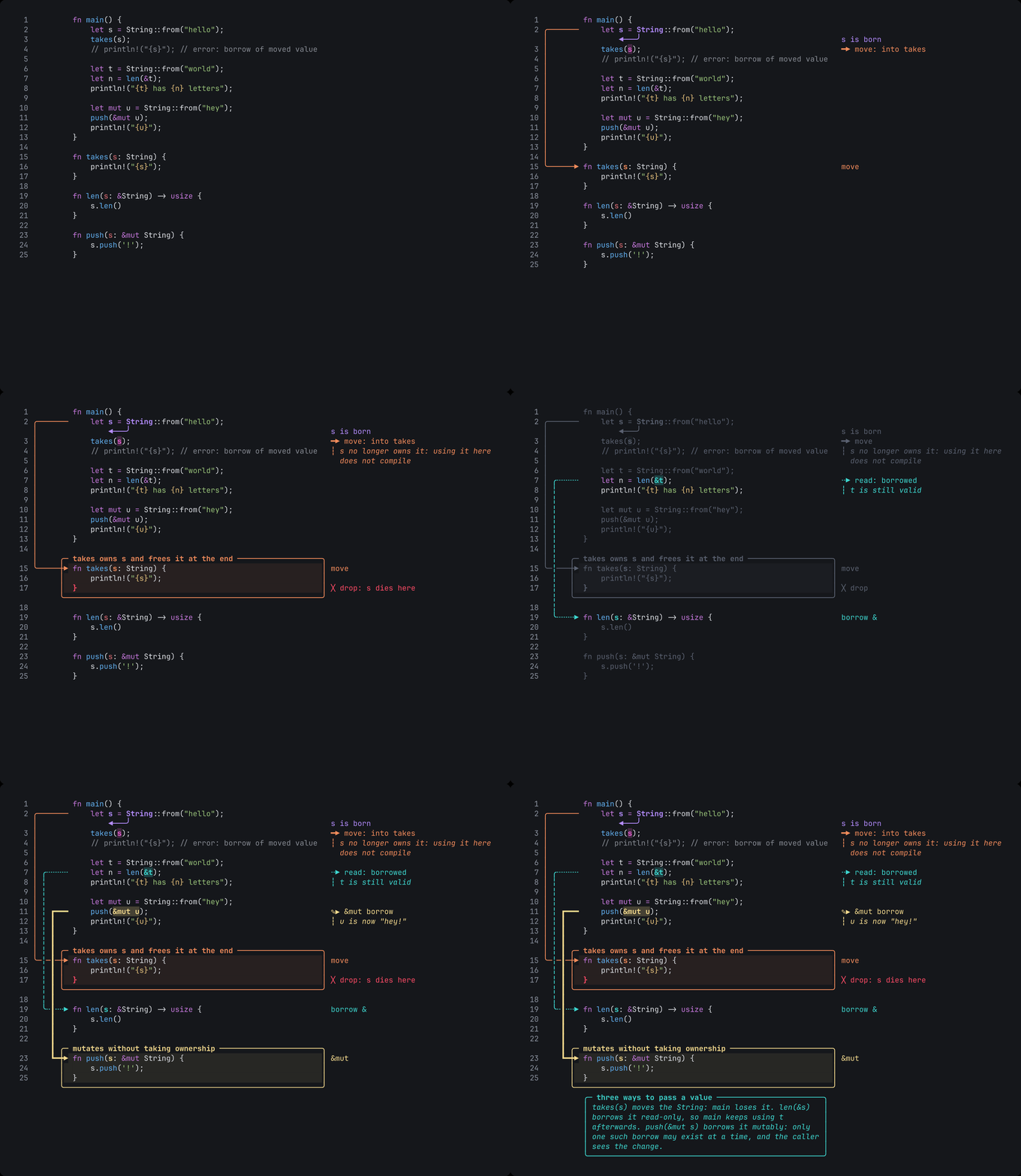
This is the first release for other people. Report a bug that you can reproduce with the bug report form. Put feedback, ideas and terminal reports in Discussions.
What you can do
- Annotate code. Each annotation is attached to the text of the code, not to a screen position. It stays in the correct place when you scroll, resize the terminal or change the theme.
- Present in steps. Run
tiza demo.tiza --presentand pressnfor the next step. Steps can have names and can go to the next step automatically. The layout of the code does not move between steps. - Follow a file. Run
tiza src/main.rs --follow. When you save the file in your editor, Tiza loads it again. The annotations move with their text. - Change the code in a step. A step can add, replace or delete lines. Tiza can type the new lines letter by letter. When you go back one step, Tiza removes the change.
- Export. Tiza exports text, Markdown, ANSI, SVG, PNG and animated GIF with no other tools. With ffmpeg installed, it also exports MP4 and WebM. It also writes asciicast and VHS files. Use
--all-stepsto get one image for each step. - Check a document.
tiza checkfinds problems before you record, for example a label that is cut. It also tells you the smallest terminal width with no cut labels. - Let an agent draw. Run
tiza mcpfor Claude Code or a different MCP client. The local API has a published JSON Schema. In supervised mode, you approve each change that an agent asks for. - Record clear video. The dark and light themes keep text easy to read after video compression. Tiza can also use the colors of your terminal (
--theme terminal). - Keep your code private. Tiza does not send data. It has no telemetry, no update check and no network code.
Install
| System | File |
|---|---|
| macOS, Apple Silicon | tiza-v0.1.0-aarch64-apple-darwin.tar.gz |
| macOS, Intel | tiza-v0.1.0-x86_64-apple-darwin.tar.gz |
| Linux x86_64 (glibc 2.35 or later: Ubuntu 22.04, Debian 12, Fedora 36 or later) | tiza-v0.1.0-x86_64-unknown-linux-gnu.tar.gz |
- Download the file for your system and its
.sha256file. - Check the file:
shasum -a 256 -c tiza-v0.1.0-<target>.tar.gz.sha256. On Linux, you can usesha256sum -c. - Extract the file:
tar -xzf tiza-v0.1.0-<target>.tar.gz - Make a folder in your PATH if you do not have one:
mkdir -p ~/.local/bin - Copy
tizato that folder:cp tiza-v0.1.0-<target>/tiza ~/.local/bin/
macOS: The binaries do not have an Apple Developer ID signature. If you download the file with a web browser, macOS stops Tiza the first time and shows "tiza" Not Opened. To fix this, run this command one time: xattr -d com.apple.quarantine ~/.local/bin/tiza. A download with curl does not have this problem.
From source (Rust 1.88 or later): run cargo install tiza. To build this tag from Git, run cargo install --git https://github.com/luiscarlosjayk/tiza --tag v0.1.0 tiza.
Tiza does not support Windows in version 0.x.
Known limits
- We tested Tiza on macOS in the Zed terminal and in Herdr. Other terminals with 24-bit color and box-drawing characters should work. We did not test tmux and other terminals (Terminal support).
- Use
findto target a code change in a step, not a line number. If you edit the file while Tiza is closed, a change by line number applies to the lines that are at that number now.
More information
To get a notice of new versions, watch the repository on GitHub (Watch → Custom → Releases).
v0.0.1

Tiza v0.0.1
Installation: download the tar.gz for your platform, verify the .sha256 and copy tiza into your PATH, or cargo install --git https://github.com/luiscarlosjayk/tiza tiza --tag v0.0.1.
Changes
- Renombrar el proyecto a Tiza: crates y binario tiza, TIZA_*, sidecar .tiza, MCP, fuentes, docs y CI (t-108) (88f6f19)
- Ignorar el ratón en modo presentación (t-033) (4b0cb6a)
- Desanclar anclas de columna en líneas reemplazadas y añadir
occurrencea los destinos de moves (t-098) (924b704) - Aplicar al ADR 0007 las correcciones de Luis y el criterio de producto; nota de investigación al día (t-084) (629c9be)
- Reanclar por hunk: rangos sin estirar, reflow de rustfmt, nota en línea reemplazada y un solo
u(t-011) (84774e7) - Pasar a AGENTS.md las reglas de trabajo del board y de los pushes (be08c75)
- Documentar la regla de releases en AGENTS.md: tag estable solo con todo en done (3e09dae)
- Compilar el binario x86_64 de macOS en el runner arm64: GitHub retiró macos-13 (a488f4c)
- Añadir moves code.patch con tipeo y reanclaje determinista entre pasos (t-098) (f0c871f)
- Corregir el id de la tarjeta de follow con moves en el ADR 0007: t-106, t-104 ya existe (t-084) (d84db8d)
- Alinear la lista de implementación del ADR 0007 con las tarjetas reales del board (t-084) (ebd019a)
- Anclar rangos por dos marcadores de texto: find_start / find_end (t-097) (393d7bb)
- Aceptar el ADR 0007 con los tres cambios de la revisión de Luis (t-084) (6ca57b5)
- Agregar soporte de ratón opcional: clic mueve, arrastre selecciona, rueda desplaza (t-033) (7642290)
- Medir la legibilidad a 1080p tras compresión tipo YouTube en ambos temas (t-072) (f89f129)
- Usar CodeDraw Serif (subconjunto de Libron) para notas y etiquetas en SVG/PNG (t-068) (2b233d7)
- Generar grabaciones asciicast v3 y tapes de VHS desde los pasos (t-051) (58d52e0)
- Agregar modo supervisado: confirmar en la TUI los cambios de un agente (t-045) (19382cb)
- Exponer recursos MCP con la escena, el código y el render actual (t-044) (822f0ff)
- Dejar al carril vertical el color de los cruces, sin importar el orden de dibujo (t-091) (c8db10e)
- Agregar scene put y scene patch contra la instancia viva (t-039) (78dfbf5)
- Comparar rutas canónicas en modo seguir (FSEvents en macOS) y anotar los tests que fallan en CI (t-103) (77e7750)
- Bajar el frame de 220 ms a 7 ms con 2,000 líneas y 200 anotaciones (t-054) (320de91)
- Fuzzear parser, comandos y socket con proptest; smoke de use-dev-tty en CI (t-074) (896ceca)
- Mostrar el commit de compilación y avisar cuando el binario del MCP quedó viejo (t-082) (b7e846f)
- Exportar a texto, Markdown y ANSI desde render, :export y el MCP (t-049) (defef76)
- Detectar el lenguaje por extensión, nombre de archivo, shebang y modeline, con :lang auto (t-013) (48e8f88)
- Agregar énfasis de highlights y marks: fill, underline, brackets, strike (t-096) (8530353)
- Subir el contraste del tema oscuro y cerrar menores de QA (t-091) (93c11a4)
- Re-anclar por diff de líneas y misma aparición, nunca la primera coincidencia (t-011) (8e010f7)
- Agregar modo seguir archivo: recarga al guardar conservando anotaciones (t-011) (72db6c1)
- Las etiquetas del margen no se desplazan junto a otra línea (t-091) (5a37cf7)
- Alias Migration para la tabla de migraciones (clippy) (t-073) (19429fa)
- Compatibilidad hacia atrás del .codedraw: migraciones, fixtures versionados y round-trip (t-073) (cfb93e5)
- Tests de integración del MCP con un cliente real y validación contra el schema (t-070) (21f4c8a)
- Snapshots del render con TestBackend + insta: símbolos y estilos por caso (t-053) (4156a06)
- JSON Schema del documento y de la API, y
-como stdin en todos los subcomandos (t-040) (089624a) - Documenta los bordes de cajas y callouts (t-095) (3012235)
- Bordes de cajas y callouts: trazo, esquinas y relleno (t-095) (765baa0)
- README con GIF del ejemplo ownership generado desde las exportaciones PNG (t-057) (2327b90)
- Pulidos de QA: flecha sin destino tras pegar se descarta, --padding valida V,H, ADR 0004 al día (t-010 t-090 t-052) (2a8353c)
- Corrige la segunda ronda de QA: re-anclaje al pegar, overlay con scroll, proptest (t-004 t-010 t-012 t-025 t-035 t-047 t-052 t-057 t-064 t-090) (a2f58f7)
- Corrige los hallazgos del pase de QA (t-008 t-010 t-014 t-016 t-025 t-028 t-035 t-047 t-048 t-062 t-064 t-090) (94e105c)
- Estilos de flecha: trazo, esquinas y puntas en ambos extremos (t-094) (ca513de)
- ADR 0007 (propuesto): moves y pasos con nombre para demos guionadas sin editor (t-084) (2ede06f)
- Investiga Demo Time y mapea sus features a CodeDraw (t-083) (4fd4c40)
- Corrige lints de clippy en la línea de estado (t-064) (a1d3e3a)
- Avisa en la línea de estado cuando el terminal es pequeño o el código se recorta (t-064) (f8f8d68)
- Añade qa/: un crate de pruebas por ticket, con fixtures e instancia headless (4bcab62)
- Dibuja el callout inferior fuera de los boxes que no contienen su rango (t-092) (f39612a)
- Exporta a SVG y PNG con fuentes embebidas (t-050) (2caad4a)
- Permite mover anotaciones con update_annotation / annotation.update move (t-093) (859763c)
- Añade la anotación callout: bloque de texto multilínea con borde (t-092) (61741db)
- Tab selects annotations for quick edits; command-line completion and history (t-025, t-035) (67eb379)
- Padding around the drawing: --padding V[,H] and :pad, stored in the document (f9cab2c)
- Keyboard selection (vim style) to annotate without typing coordinates (t-020, t-025) (ab2e768)
- Example: reusable custom style borrow_mut in ownership.rs.codedraw (3d07917)
- Generic marks and custom styles: built-in kinds for any language, inline and reusable styles (t-077) (8443f37)
- Switch all user-facing text to English (94c7fb1)
- Simplifica la unión de trazos en put_line (clippy) (2cf1fe6)
- Render: etiquetas del margen se parten y apilan; cruces de flechas con ┼ (4b7f10f)
- Spotlight: pasos que dirigen la atención a líneas o a un grupo de anotaciones (aae5463)
- Ejemplo stack-impl: code desde archivo con subdirectorio y rango; README de ejemplos (33a95c9)
- Formato: code como objeto {file, lines} con rutas absolutas o relativas (218aa0d)
- Paso 0 = solo el código; el ejemplo de ownership arranca limpio (aad9ad3)
- Vaciar anotaciones de golpe: :clear, scene.clear y clear_annotations (MCP) (c7d8f23)
- Color por anotación elegido por el usuario; flechas rotan paleta por defecto (e945e73)
- Configura Dependabot semanal para cargo y GitHub Actions (t-066) (649e183)
- Primer demo funcional de CodeDraw (v0.0.1) (b6c7e2e)
- Agrega README inicial (8ceb1ac)
- Prueba de acceso de escritura (5da68b6)