Repository navigation

The first public release of Window Swipe, a Cinnamon extension by Mohamed Ghareeb
(@m7ghareeb): swipe sideways with three or four fingers on your
touchpad to slide between the windows of the current workspace.
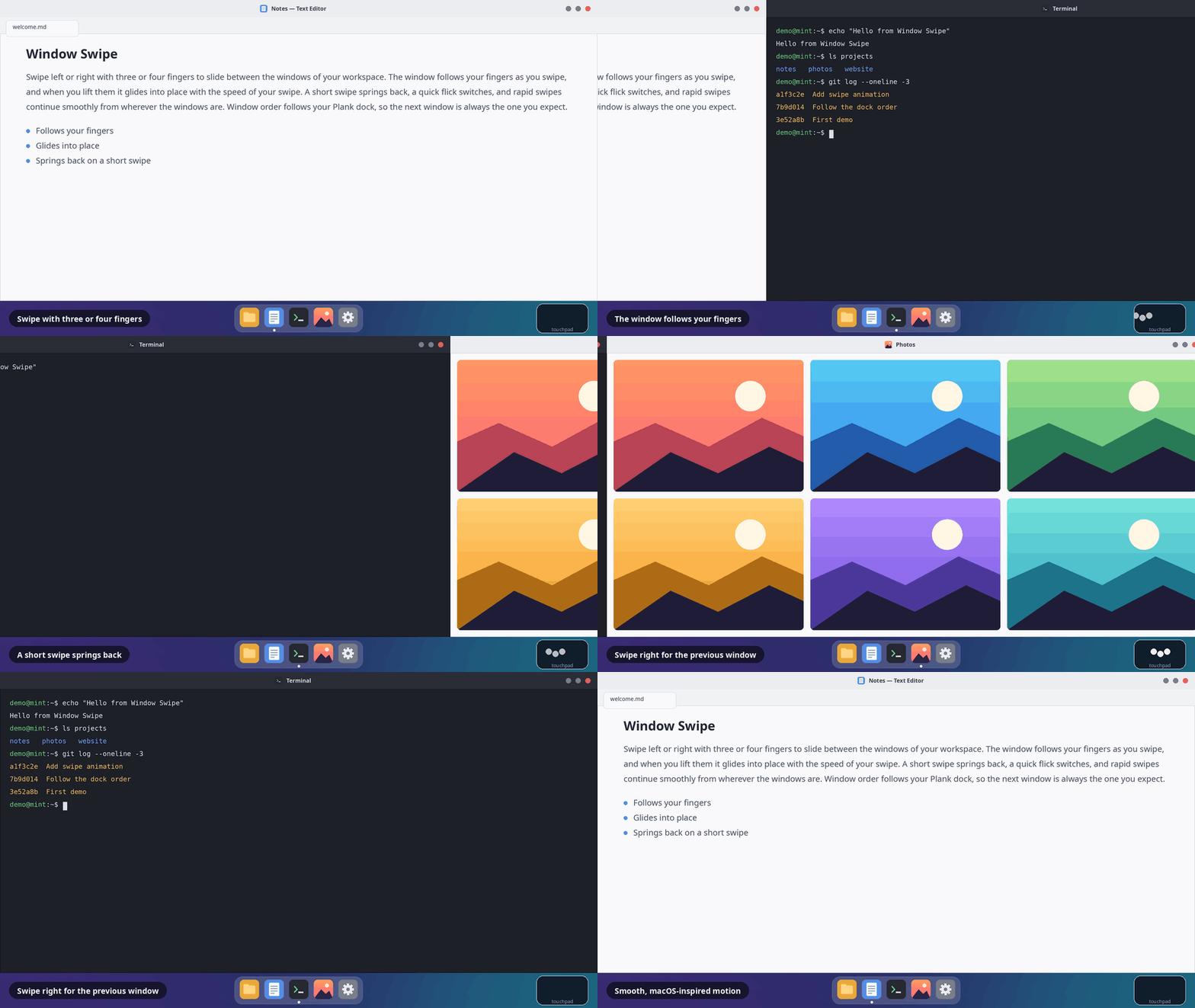
Illustration, not a screen recording: rendered with Window Swipe's own release logic (Calm animation, Balanced sensitivity) on a demo scene.
Highlights
- Follows your fingers. The current window slides away and the next one slides in as you
swipe, so you can peek and change your mind before letting go. - Smooth, macOS-inspired animation. The glide starts at your fingers' speed and comes to rest
exactly on the window, with no jump and no overshoot. - Three- and four-finger swipes, left and right; rapid swipes take over the moving windows.
- Animation profiles: Responsive, Relaxed, Calm (default), Gentle.
- Switching sensitivity: Balanced (default), Sensitive, Less sensitive, Flick-friendly,
Deliberate. - Plank-aware order: windows follow your Plank dock, falling back to opening order.
- Minimized, maximized and fullscreen windows and the desktop are supported.
- Native settings window in System Settings; changes apply from the next swipe.
Installation
cd ~/Downloads
wget https://github.com/m7ghareeb/window-swipe/releases/download/v1.0.0/window-swipe@ghareeb-v1.0.0.zip \
     https://github.com/m7ghareeb/window-swipe/releases/download/v1.0.0/SHA256SUMS
sha256sum -c SHA256SUMS
mkdir -p ~/.local/share/cinnamon/extensions
unzip -o window-swipe@ghareeb-v1.0.0.zip -d ~/.local/share/cinnamon/extensions/
Then enable Window Swipe in System Settings → Extensions (select it and click +), and
make sure Enable gestures is on in System Settings → Gestures → Settings. Cinnamon's
default gestures already assign actions to the sideways three- and four-finger swipes, which
Window Swipe needs; see the installation guide
for details, updating and uninstalling.
Window Swipe is not yet available in the Cinnamon Spices catalogue; that is planned.
Requirements and compatibility
- Cinnamon 6.6 on X11, with Touchégg (installed by default on Linux Mint).
- Tested on Linux Mint 22.3 with Cinnamon 6.6.9, Touchégg 2.0.16 and a single monitor. Other
versions, Wayland and multi-monitor setups have not been tested yet.
Known limitations
- Within one swipe the slide can't pass the starting window to the other side, because Touchégg
fixes a swipe's direction when it starts. Lift your fingers and swipe again. - Only the current workspace and the monitor of the starting window are included.
Assets
| File | Contents |
|---|---|
window-swipe@ghareeb-v1.0.0.zip |
The extension folder: code, settings schema, icon, README, CHANGELOG and LICENSE |
SHA256SUMS |
Its SHA-256 checksum, for sha256sum -c SHA256SUMS |
The archive is reproducible: tools/build-release.sh v1.0.0 rebuilds a byte-identical zip from
this tag (SHA-256 2744bbed33bfb5118cb49b982cf6b58feed41058e2aaf1f5782ee1a9f9756fc1).
Documentation and help
README ·
Configuration ·
Troubleshooting ·
Questions (Discussions) ·
Bug reports (Issues)
Created by Mohamed Ghareeb (@m7ghareeb). License: GPL-3.0-or-later.