Repository navigation
v9.0.0 - Advanced Multi LookUp Component

What's New
A new component for many-to-many relationships, Advanced Multi LookUp, plus faster icons and pictures in Advanced LookUp and Relationship View and a fix for icons taken from a related record's choice.
🔗 Advanced Multi LookUp Component (NEW)
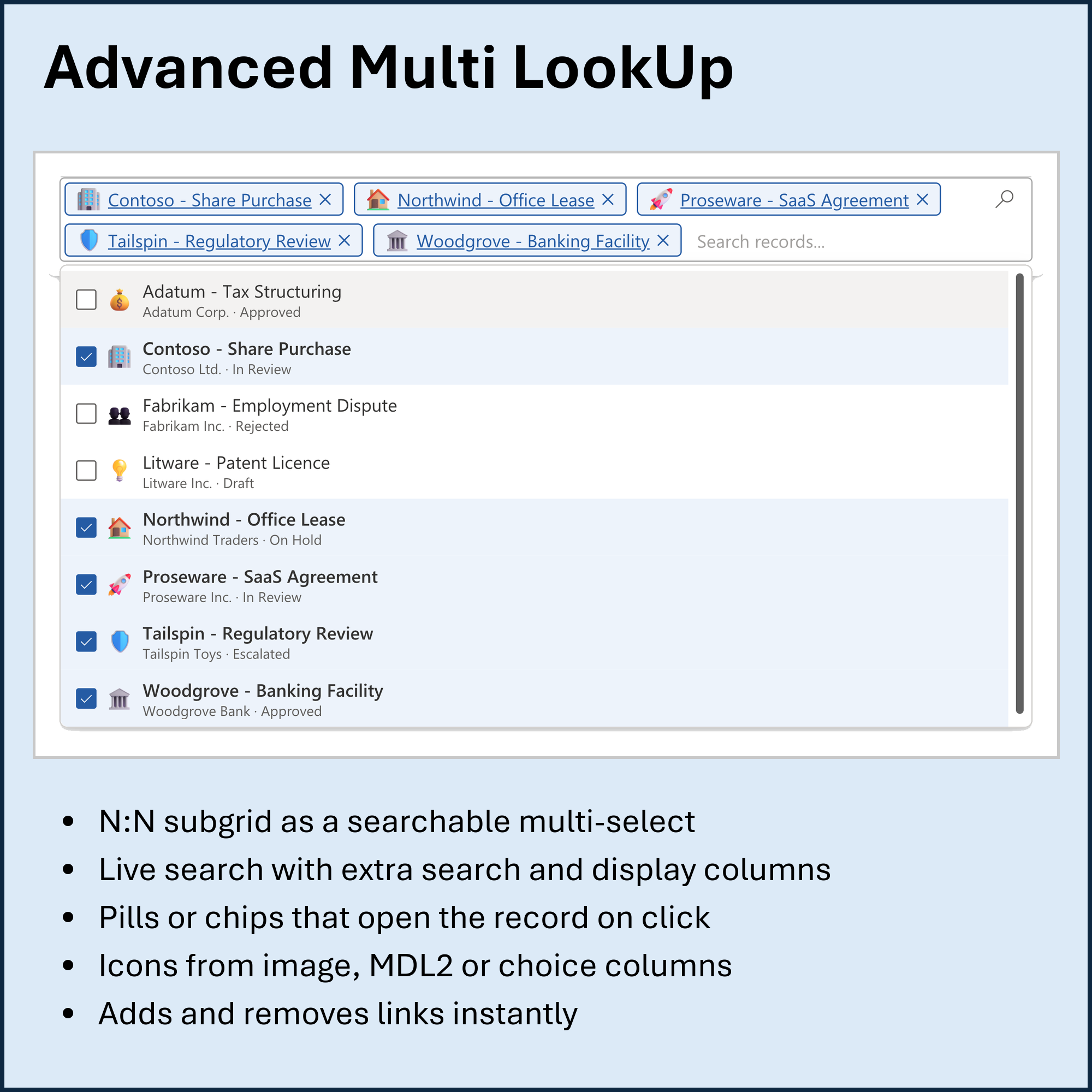
- NEW: Control for N:N (many-to-many) subgrids: the related records as removable pills or text chips in a searchable field, in the Advanced Multi Choice look
- NEW: Advanced LookUp's live search with
Label Column,Additional Search Columns(text and lookup columns),Additional Display Columns,Tooltip Column, sort column and result limit - NEW: Each record's name opens the record; ticking or removing a record adds or removes the relationship immediately, like Add Existing and Remove
- NEW: Icons from an Image, MDL2 icon-name or Choice column, or from a related record (
lookup.column), with semicolon fallbacks - NEW: Detects the N:N relationship from the subgrid; respects read-only subgrids, inactive and unsaved records; follows the app's theme font
🔍 Advanced LookUp Component
- FIX: Icons from a Choice column on a related record (
lookupfield.choicecolumn) now appear instead of the fallback icon - IMPROVED: Pictures from Image columns appear with the search results and are cached by the browser instead of being downloaded on every search
- IMPROVED: Faster start - the selected record loads once, and table information is reused within the session (refreshed every 5 minutes)
🌳 Relationship View Component
- IMPROVED: Image-column thumbnails use cached image links; table information is loaded in parallel and reused within the session
📄 PDF Gallery Component
- IMPROVED: Table information is reused within the session, so documents start loading sooner when you return to a record
📝 Markdown Help Text Component
- IMPROVED: Column information for
{field}tags is reused within the session; field values are still read live
Full details in CHANGELOG.md.
Installation
Download LegalTechOpsCustomComponents.zip (unmanaged) or LegalTechOpsCustomComponents_managed.zip (managed) below and import into your Dataverse environment. See the README for full import steps.