Repository navigation
Releases
Releases · megamega39/karikari
karikari v1.1.3

修正 / Bug Fixes
- MSVC ランタイムを静的リンクに変更。Visual C++ Redistributable が入っていない PC でも karikari.exe が単独で起動できるように。
- Statically linked the MSVC runtime. karikari.exe now runs standalone even on PCs without Visual C++ Redistributable installed.
karikari v1.1.2
修正 / Bug Fixes
- インストーラーに 7z.dll を同梱。これまで PC に 7-Zip がインストールされていないと動作しないバグを修正
- Bundled 7z.dll in the installer so karikari works on any Windows PC without 7-Zip pre-installed
v1.1.0 の全機能を含みます。
karikari v1.1.1
修正 / Bug Fixes
- winget 自動インストールで「現在のユーザー/全ユーザー」選択ダイアログが表示され失敗するバグを修正
- Fixed installer hanging on winget automated install (removed user-scope selection dialog). Now always installs for current user only.
v1.1.0 の全機能を含みます / Includes all v1.1.0 features.
karikari v1.1.0
新機能 / New Features
- ナビバー右側に「バーを隠して広く表示」トグルボタンを追加(アドレスバー・プレビューツールバー・ステータスバー一括切替)
- Added "Hide bars" toggle button on the navbar right (toggle address bar, preview toolbar, status bar together)
- デフォルトショートカット
Tキーで一括トグル(設定画面から変更可能) - Default shortcut
Ttoggles all bars (customizable in Settings) - ツールチップとショートカット説明を全 12 言語に対応(日・英・中簡・中繁・韓・西・葡・仏・独・露・越・タイ)
- Full 12-language support for tooltips and shortcut labels
改善 / Improvements
- 設定ダイアログの言語ドロップダウンの横幅を拡大(長い言語名も見切れない)
- Widened language dropdown in settings dialog so long language names fit
修正 / Bug Fixes
- 設定画面のショートカット一覧でスクロール後にキーを編集すると UI が灰色/ブランクになる描画不整合を修正
- Fixed UI corruption (gray/blank rendering) when editing shortcut keys after scrolling in the settings dialog
- ナビバーのツールバー幅計算が実測ベースになり、右端のレイアウトずれを解消
- Toolbar width now measured accurately, fixing right-edge layout misalignment
- TB_GETITEMRECT 等の Win32 API 戻り値を適切にチェックするよう防御コードを追加
- Added defensive checks for Win32 API return values (TB_GETITEMRECT etc.)
karikari v1.0.1
修正内容 / Bug Fixes
- ソート種別変更時に昇順/降順がリセットされるバグを修正(ファイルリスト・本棚/ツリー両方)
- Fixed sort direction (asc/desc) resetting to ascending when changing sort type (file list and bookshelf/tree)
karikari v1.0.0
karikari v1.0.0
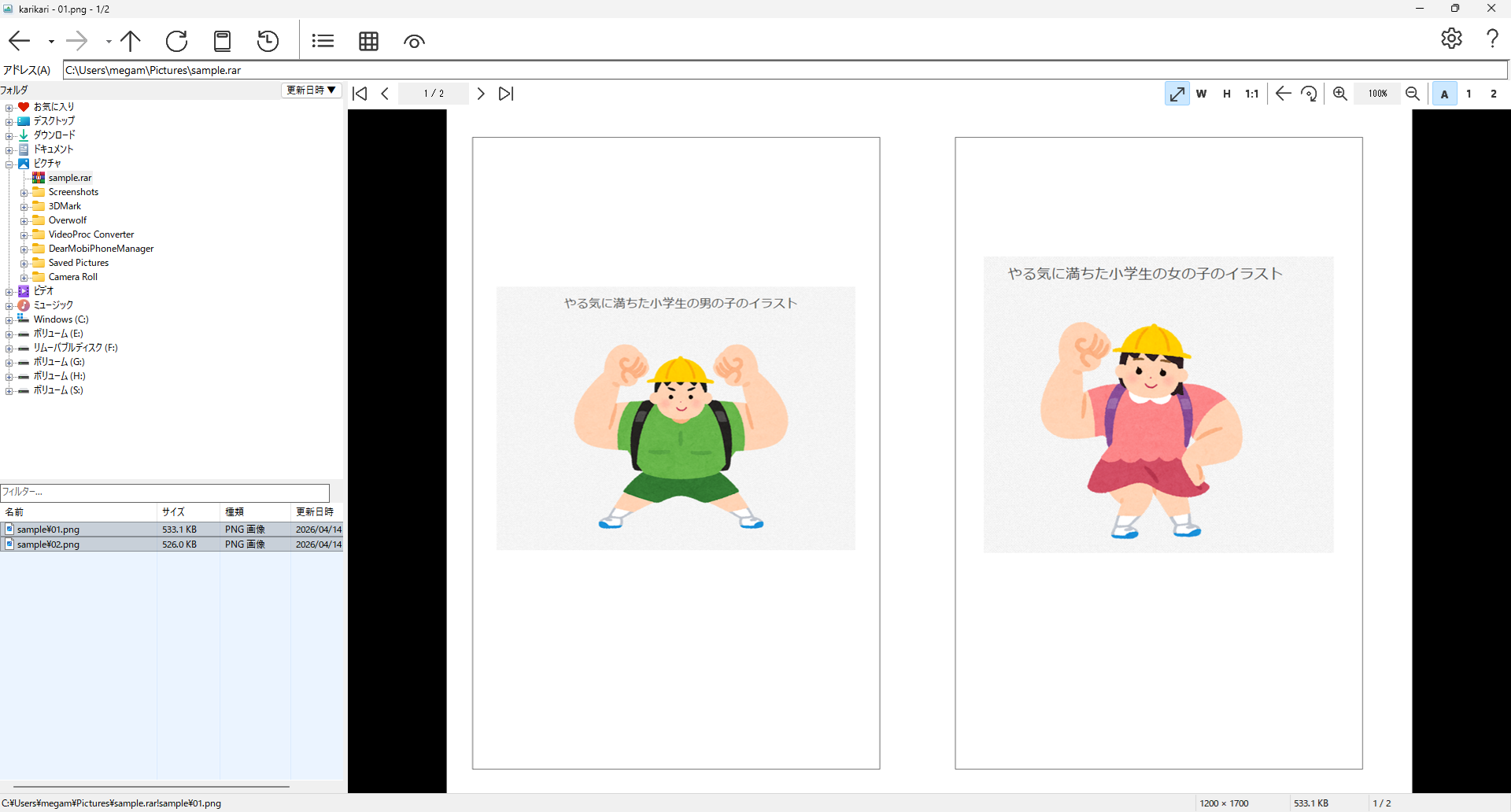
ツリービューでフォルダや書庫を直感的に操作できる画像/動画/音声ビューア。
An image/video/audio viewer with a tree view for intuitive folder and archive navigation.
動作環境 / System Requirements
- Windows 10 以降 / Windows 10 or later
ダウンロード / Download
| ファイル / File | 説明 / Description |
|---|---|
karikari-1.0.0-setup.exe |
インストーラー版(スタートメニュー登録、アンインストーラー付き) / Installer (Start Menu, uninstaller included) |
karikari-1.0.0-portable.zip |
ポータブル版 — ZIPを解凍し、フォルダ内の karikari.exe を起動するだけで使えます。インストール不要。 / Portable — Just extract the ZIP and run karikari.exe. No installation required. |
主な機能 / Features
- ツリービューでフォルダ・書庫を自由に探索 / Tree view for browsing folders and archives
- Direct2D による高速画像描画 / Fast image rendering with Direct2D
- ZIP / 7z / RAR / CBZ / CBR / CB7 書庫対応 / Archive support: ZIP, 7z, RAR, CBZ, CBR, CB7
- mpv + MediaFoundation による動画・音声再生 / Video and audio playback via mpv + MediaFoundation
- 見開き表示(自動/単独/見開きモード) / Spread view (auto/single/dual page modes)
- WebP・GIFアニメーション対応 / WebP and GIF animation support
- 本棚・お気に入り・履歴管理 / Bookshelf, favorites, and history management
- プリフェッチによる先読み / Prefetch for smooth browsing
- 12言語対応(i18n) / 12 languages supported (i18n)
- カスタマイズ可能なキーバインド / Customizable keybindings
- 全画面表示 / Fullscreen mode