Repository navigation
Releases
SwissMax Companion 1.0.0 (free 14-day trial)

SwissMax Companion 1.0.0 is the first stable release, for Windows 10 and 11 (64-bit). It works alongside Swiss-Manager. The free 14-day trial needs no key or payment details. Updating from a trial build keeps your projects, settings and licence.
- Guided demo. A fictional open tournament opens in its own window and walks through player import and clean-up, the export for Swiss-Manager, late players, round results, winners and e-certificates. Demo data is discarded when you exit, and your real project is not touched. Files you save from the demo go to Documents\SwissMax Demo with a DEMO_ prefix, and demo graphics and certificates are marked DEMO. You can skip it.
- New walkthroughs. The step-by-step guides, including player import and winner selection, match the current screens. Pages that have a guide offer it on your first visit, and every guide is under Interactive guide.
- Checked against Swiss-Manager 15. Player lists, late players (a "new players only" file with club numbers) and round results with forfeits were imported into a real copy of Swiss-Manager and read back. Federations and FIDE IDs arrive as expected.
- Reads more Swiss-Manager files. Standings saved as fixed-width text now load, HTML standings keep every tied player, Excel standings no longer add hidden marker text to the event title, and TRF files recognise women marked f. Swiss-Manager pairing lists saved as text are not read yet.
- Safer restores and licences. A damaged backup is refused before it replaces your project, and a key you deactivate on this PC stays deactivated after a restart. SwissMax does not send usage statistics.
The installer is Authenticode-signed and timestamped with the Motivace Studio certificate, which is not a paid trusted-publisher certificate, so Windows may show "Unknown publisher". The installer and its SHA-256 file are attached.
SHA-256: CFCA81A60593D9B11AF253ABC7CC96D2F88924C5424968DC79C2657199939977
Size: 169,276,672 bytes. Source build: fe81796.
SwissMax Companion 1.0.0-rc.29 (free 14-day trial)
SwissMax Companion RC29 is a pre-release for Windows 10 and 11 (64-bit). The 14-day trial requires no key or payment details. Companion works alongside Swiss-Manager.
- Round Results makes board scores and cumulative points easier to read across all 14 classic and premium themes, including Printer Friendly.
- Project actions sit on the left, with the event, round and category on the right. Compact windows use a category selector.
- Save regular players while adding a player manually or directly from a processed registration row.
- XLSX import shortens long form headings on screen while keeping the full original text available. Automatic mapping is more conservative with instructions and other non-player columns.
The installer is Authenticode-signed and timestamped using the Motivace Studio private pilot certificate. The installer and its SHA-256 file are attached.
SHA-256: DEA63903FE9F6692168E09F92E9D02472EE0C9C98D06B8F012005143ACB4B3BF
Size: 169,170,288 bytes. Source build: f35f2b8.
SwissMax Companion 1.0.0-rc.27 (free 14-day trial)
SwissMax Companion RC27 is a pre-release build for Windows 10 and 11 (64-bit). The free 14-day Companion trial needs no key or payment details. It replaces RC25.
- Premium graphics render again: premium pairing, podium, spotlight and official winner tables failed in RC25 after about 25 seconds. They now export at full A4 size on 100–150% Windows display scaling.
- Graphic previews zoom with the mouse wheel, as in eCert Studio: pairing, round results and winner previews zoom up to 500% at the pointer, a drag moves the view, and the chip returns to Fit.
- Everything from RC25 is kept: compact Review & export with bulk edits, Save As for Swiss-Manager XML and TXT, category mapping and winner slot updates.
If upgrading, back up your projects in SwissMax and close the app before running the installer. The installer is signed by Motivace Studio using a self-signed certificate. Windows may warn that the certificate is not trusted. Compare the SHA-256 before running it.
SHA-256: 56f8c21706b18f8259d10cd1af265d8cbf9b151cecc69317e918629400e68c0c
Size: 168,960,760 bytes. Source build: e6b2515.
SwissMax Companion 1.0.0-rc.25 (free 14-day trial)
SwissMax Companion RC25 is a pre-release build for Windows 10 and 11 (64-bit). The free 14-day Companion trial needs no key or payment details.
- Review & export adds a compact roster, Shift ranges and bulk edits with validation before applying changes.
- Swiss-Manager XML and TXT exports open Save As and retain their file types for long event names. Bulk name suggestions preserve mixed-script names for review.
- Winner slot updates respect the active section. Category mapping and localized ranking imports support different organizer formats.
- eCert Studio adds wheel zoom and improvements for venue Wi-Fi signature uploads.
If upgrading, back up your projects in SwissMax and close the app before running the installer. The installer is signed by Motivace Studio using a self-signed certificate. Windows may warn that the certificate is not trusted. Compare the SHA-256 before running it.
SHA-256: 7e1905a602834bd8d99533da00a9d6da108485b126b258ec2e2aeca9bf5a618c
Size: 168,959,944 bytes. Source build: 8a667b5.
SwissMax Companion 1.0.0-rc.20 (free 14-day trial)
⬇ Download SwissMax Companion for Windows
Free for 14 days, with no key or payment details.
Windows 10 and 11 (64-bit) · 144 MB · English, Bahasa Melayu and 中文
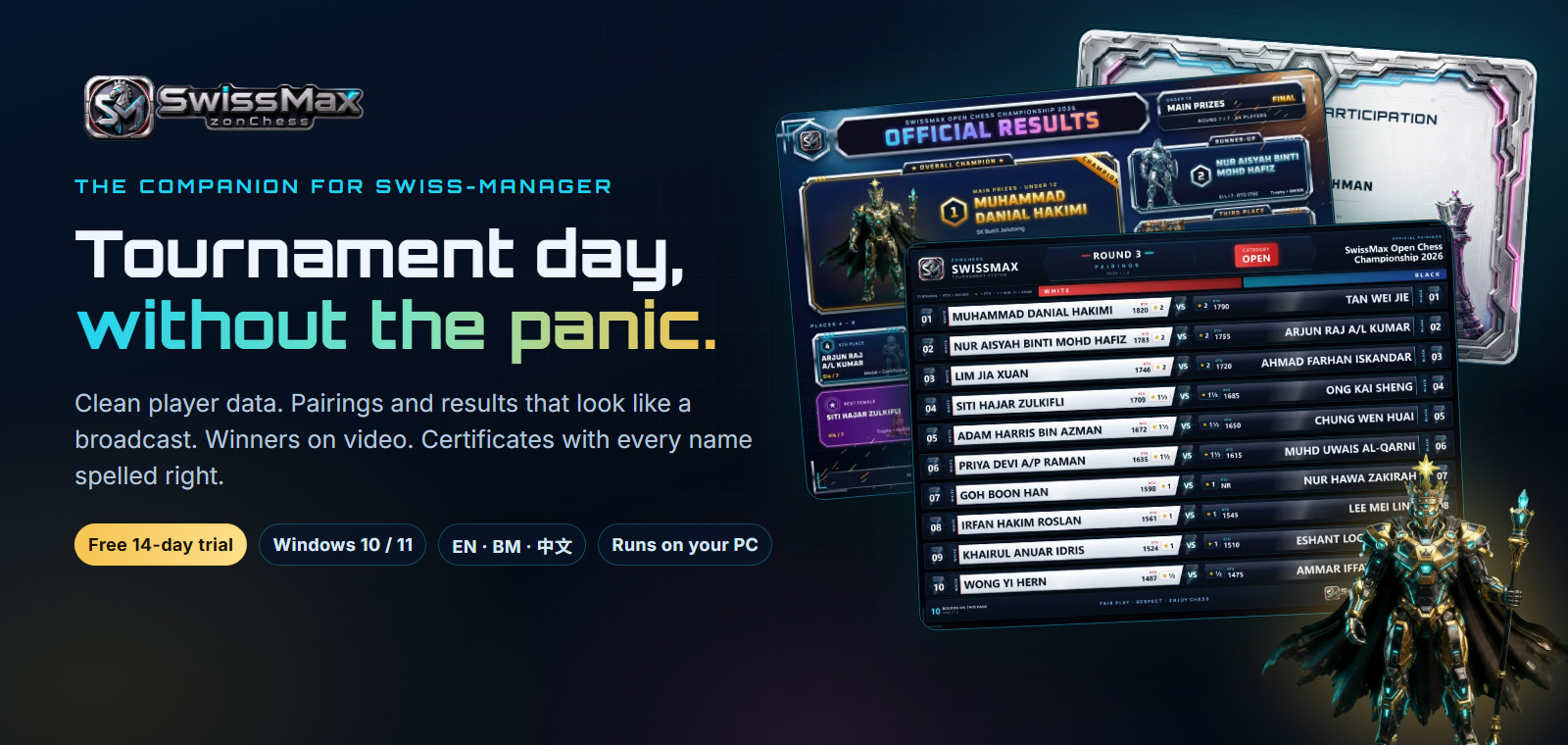
SwissMax is a companion for organizers who use Swiss-Manager, which still makes the pairings and the official ranking. SwissMax handles the work around them. Your tournament data is processed on your own PC, and participant lists are not uploaded.
This is a pre-release trial build: please keep your own backups, and check important outputs before you publish them.
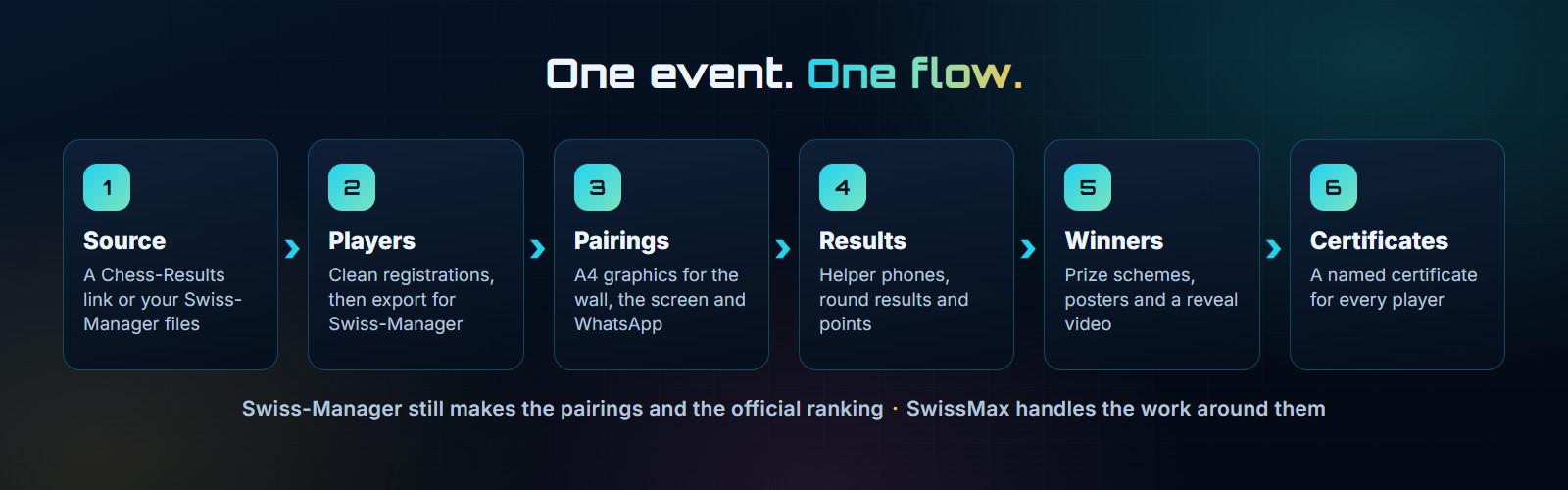
What is inside
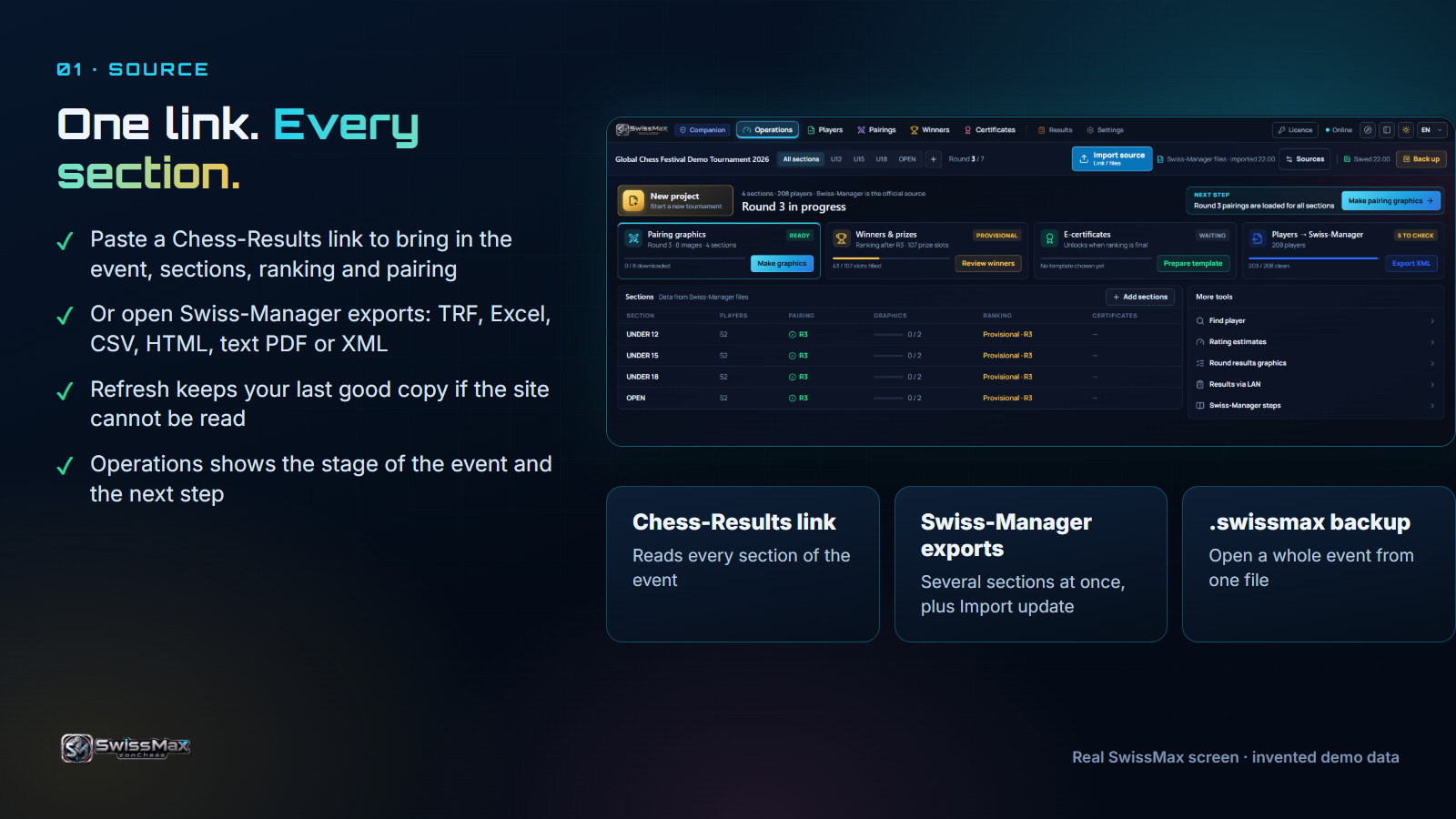 Source. One Chess-Results link or your Swiss-Manager files bring in every section. |
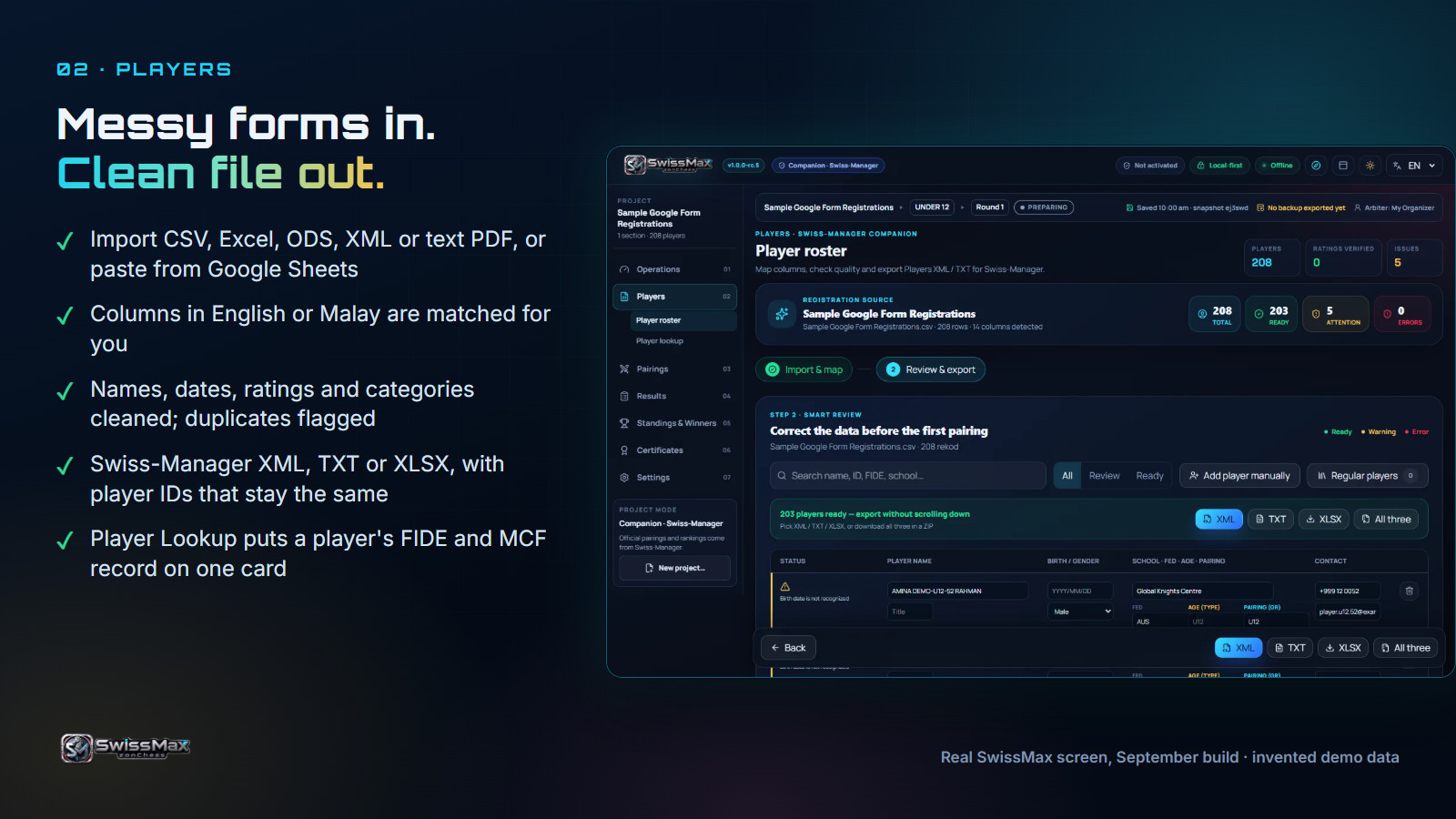 Players. Messy registration forms in, a clean Swiss-Manager file out. |
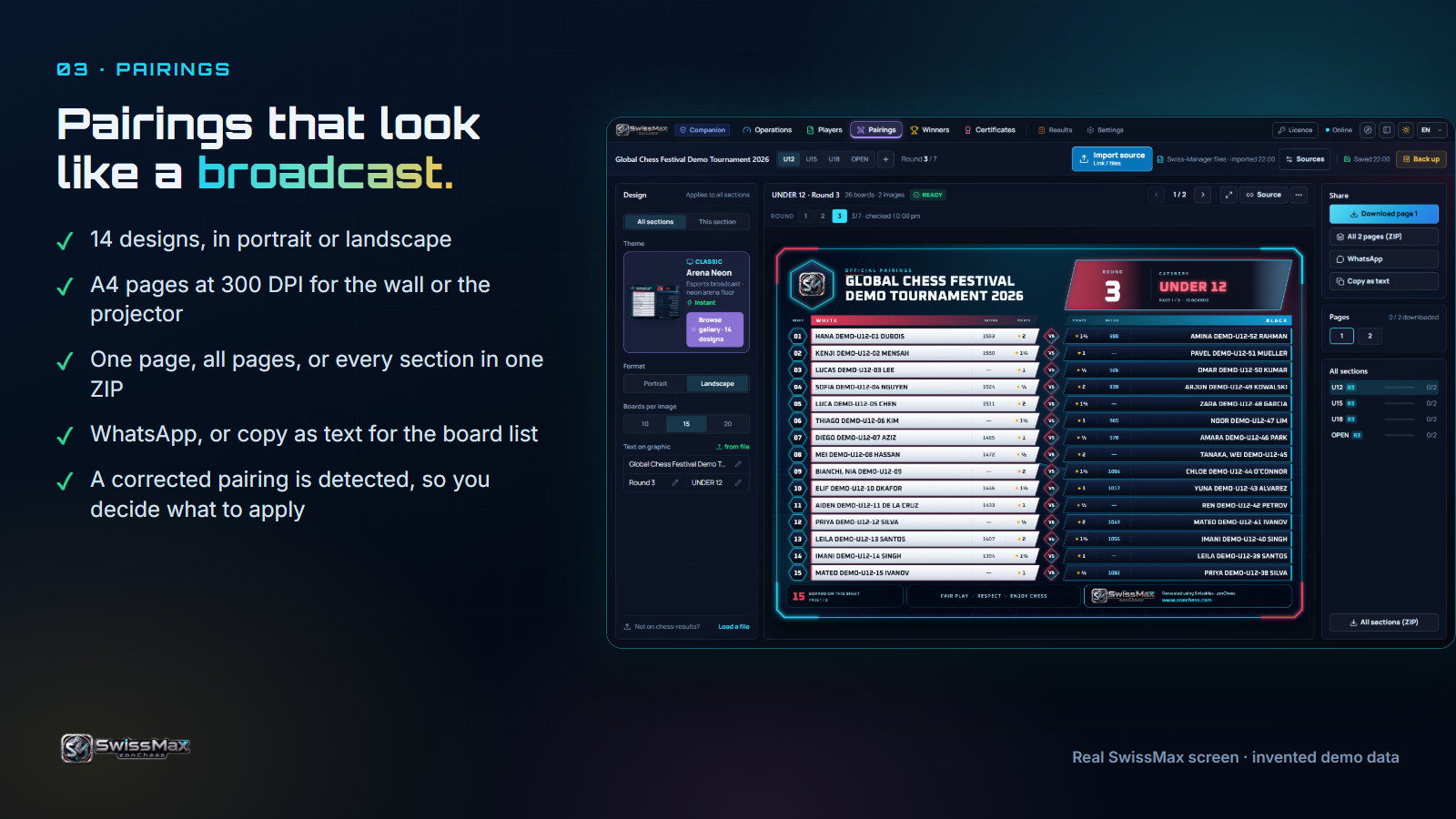 Pairings. 14 A4 designs for the wall, the screen and WhatsApp. |
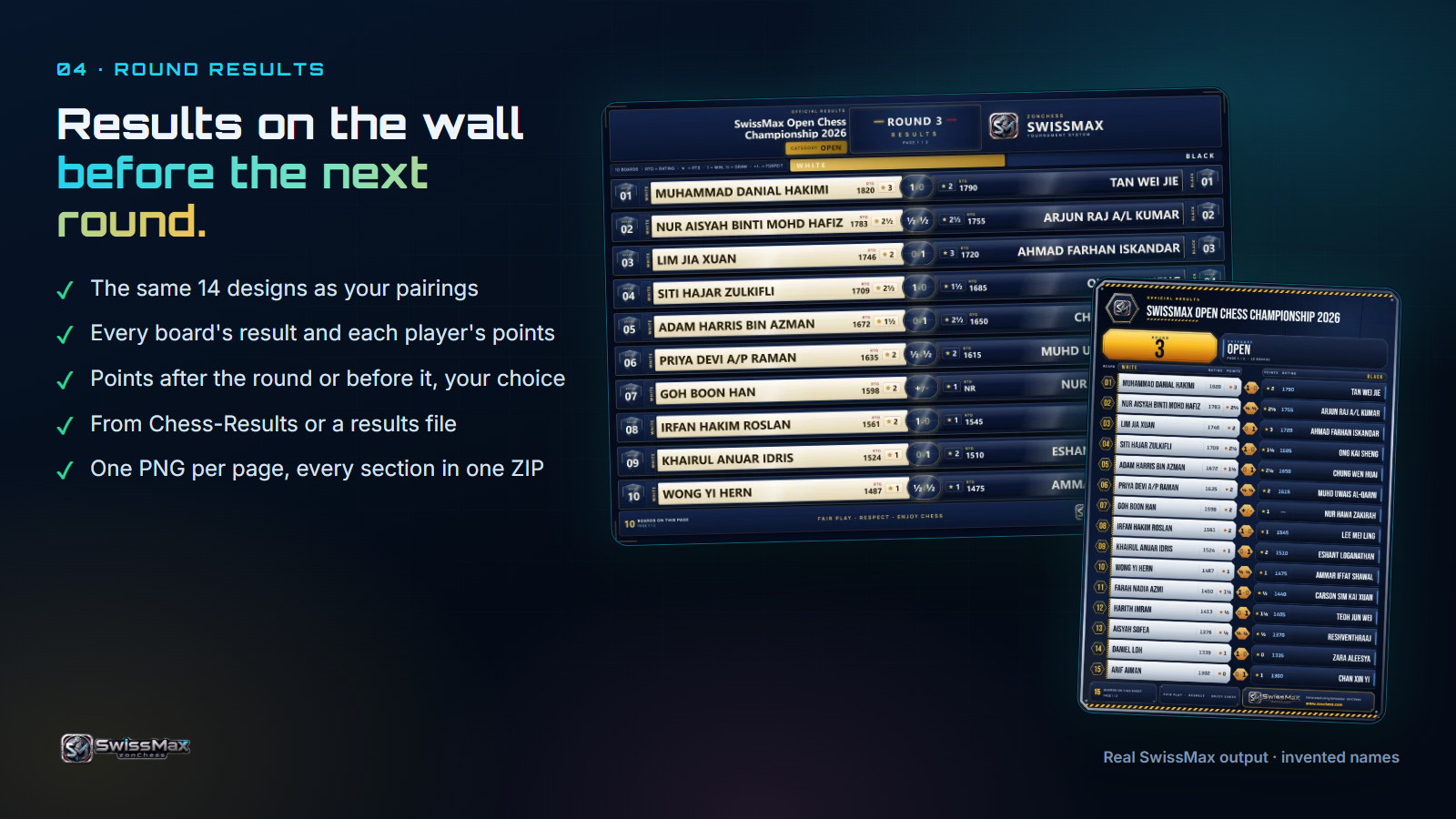 Round results. Every board's result and each player's points. |
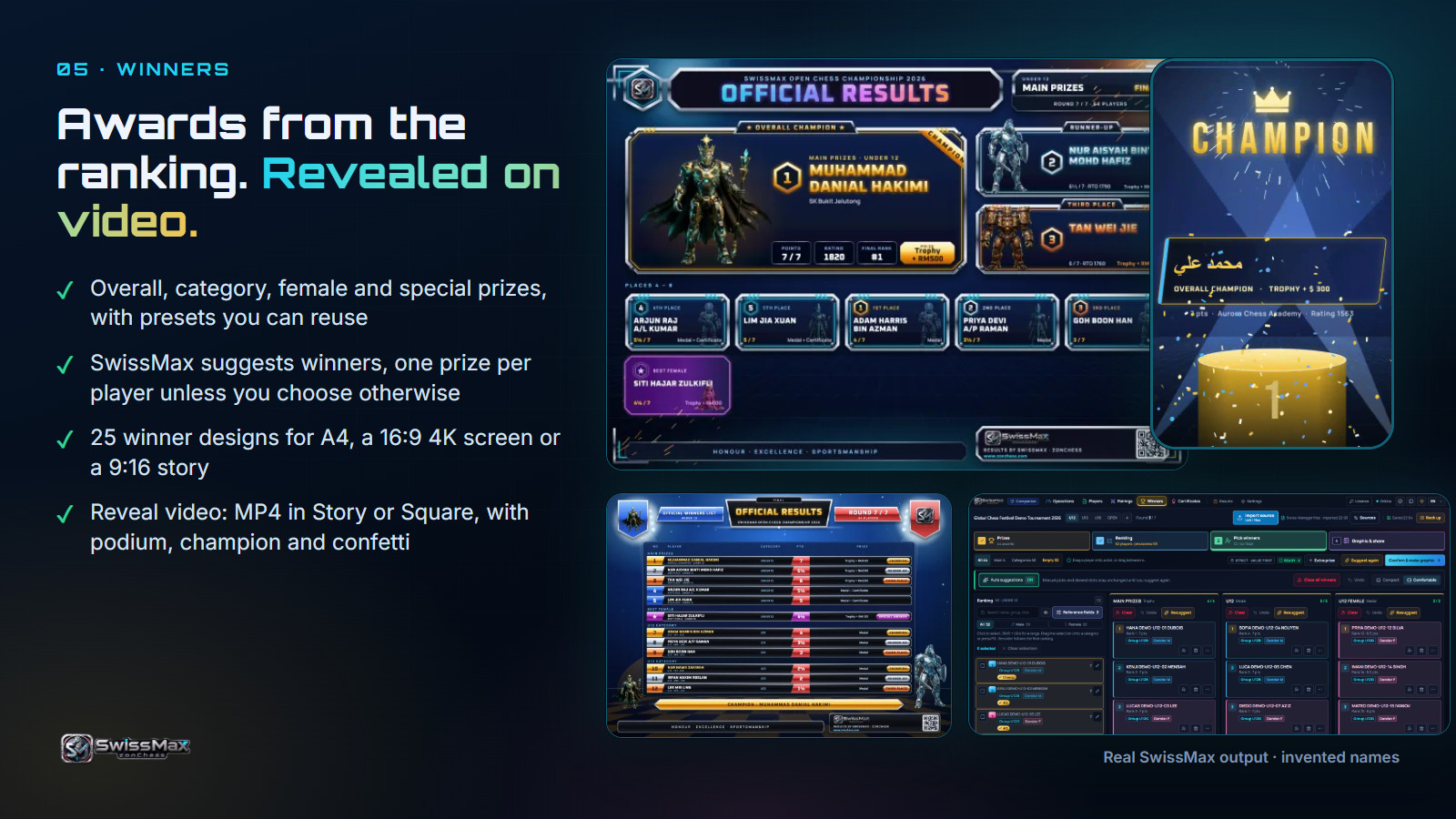 Winners. Prize schemes, 25 winner designs and a reveal video. |
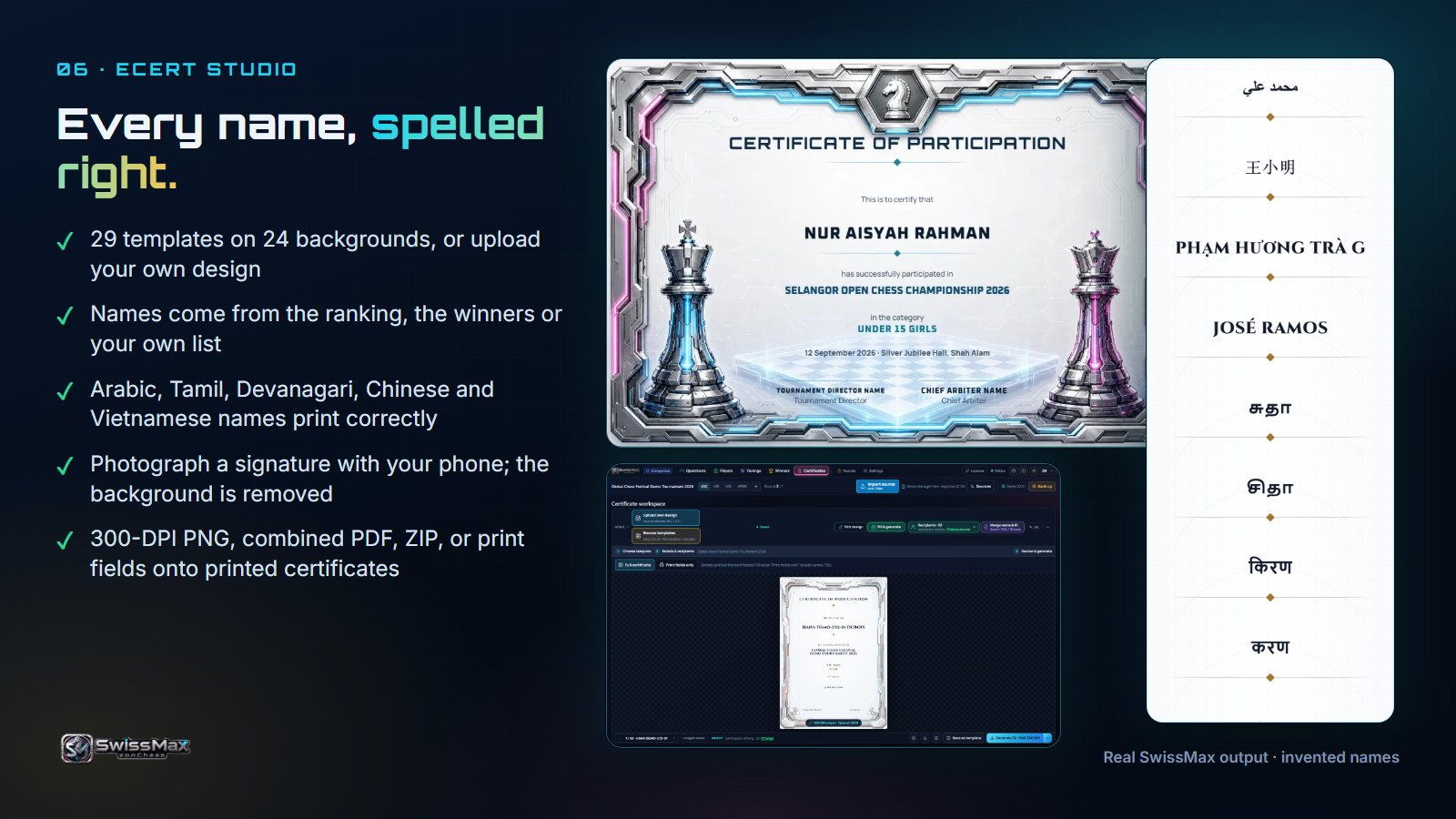 eCert Studio. A named certificate for every player, in many scripts. |
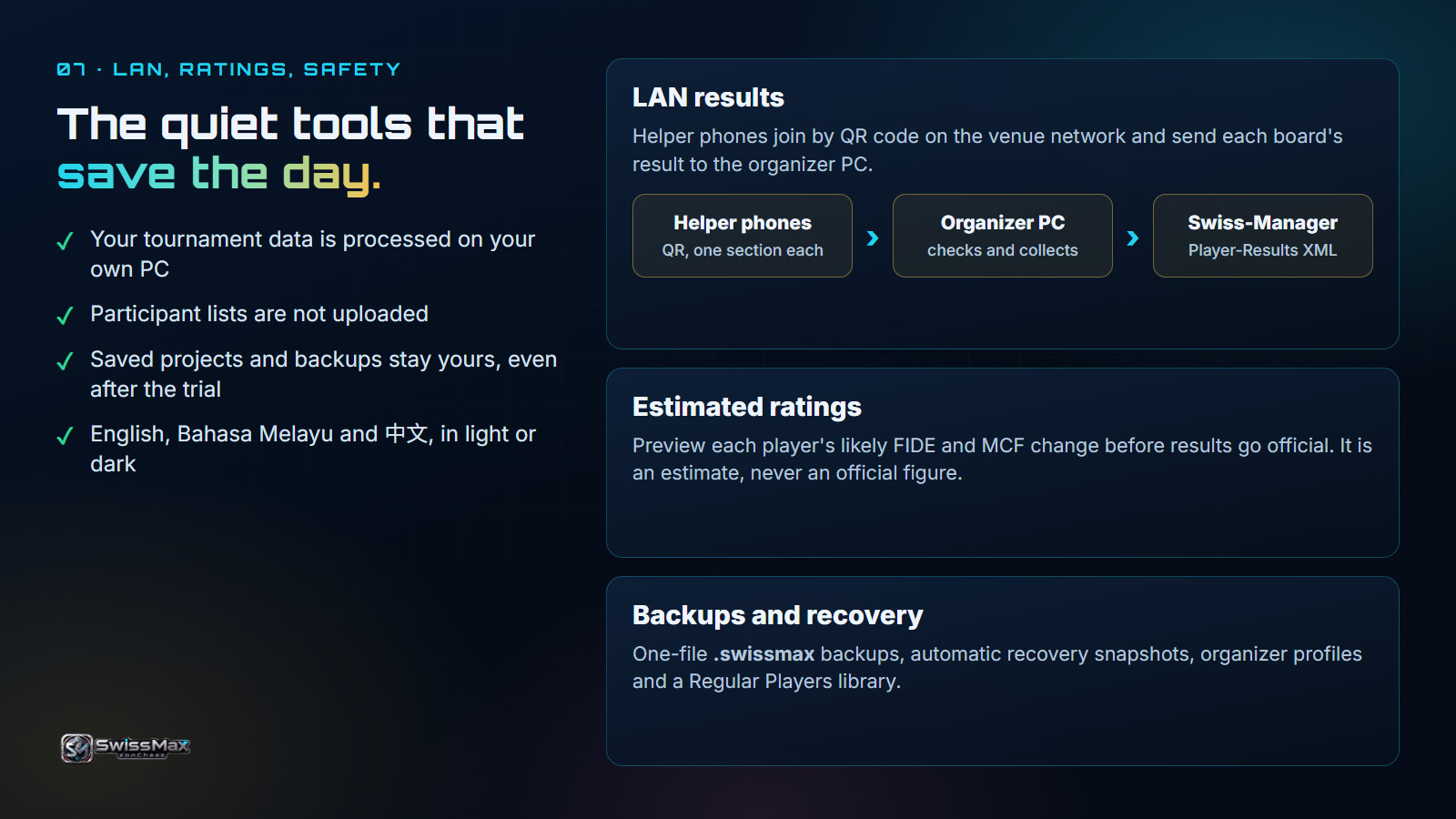 LAN, ratings, safety. Helper phones, estimated ratings, backups and recovery. |
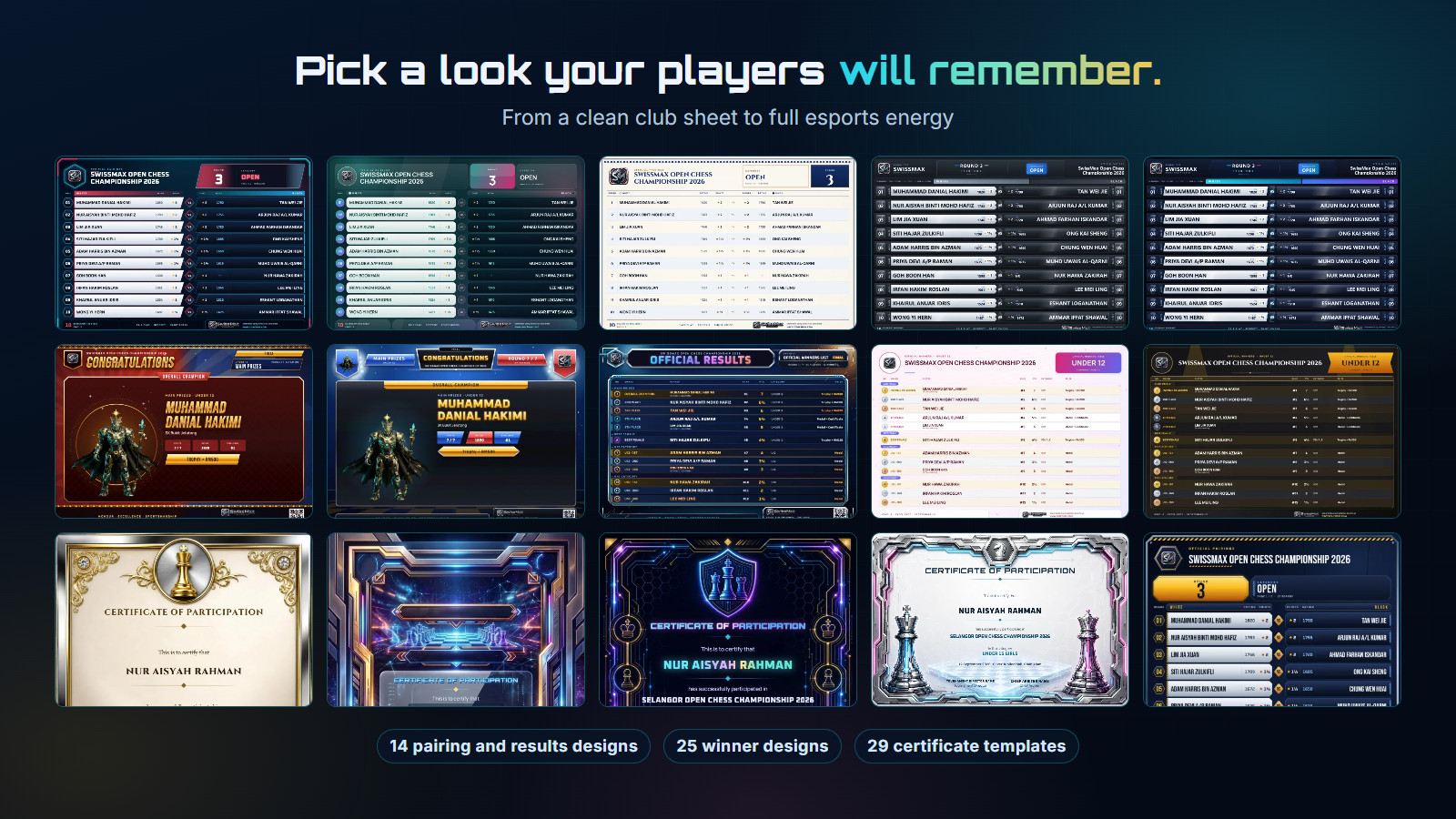 Designs. From a clean club sheet to full esports energy. |
Install
- If you have an older SwissMax, click Back up first and keep the
.swissmaxfile. Close SwissMax. - Run the installer. Windows may show "Windows protected your PC" or "Unknown publisher": the installer is signed by Motivace Studio with our own certificate, not a paid trusted-publisher certificate. Compare the file with the SHA-256 below, then choose More info and Run anyway. Only do this for a file from this page.
- Tick the terms box and choose Agree & start 14-day trial. Internet is needed for that moment only. If you close that window first, click Not activated at the top of SwissMax to open it again.
The trial
- 14 days, every Companion feature. The days begin only when you choose to start them.
- One trial per PC. Reinstalling keeps the original dates.
- After 14 days your projects and backups stay on your PC, and a paid key is needed to continue operations.
- Companion only. SwissMax does not make the pairings in this build.
- Testers of earlier pilot builds: pilot keys are being replaced. Contact us for your new key.
Good to know
- New versions are announced at https://zonchess.com/swissmax.html. Please check there rather than waiting for a prompt in the app.
- For a finished Chess-Results event, open Pairings, type the round number and choose Refresh this round.
- The starting prize scheme includes age and female groups. If your ranking has no ages or sexes, remove those groups or add the details first.
- Check one certificate before you print a batch. If your ranking has no category, the words "in the category" print with nothing after them.
- A few screens still use wording from earlier test builds, such as "Private Pilot". You have the right build if the version near the logo is 1.0.0-rc.20.
Feedback, criticism and ideas are very welcome: https://zonchess.com/contact.html
SHA-256
7034952b0acf7dd3e817d699aa2496d8204ec79f02ebf82d0756582881e21602 zonChess-SwissMax-Setup-1.0.0-rc.20-x64.exe
Size: 150,861,200 bytes. Build 68b8eb6, 30 October 2026.