Repository navigation
Warm Front Compressor 1.0.1 by The Disk King

·
10 commits
to main
since this release
Presets move the panel, a blank Default, and DISKKING on the meters.
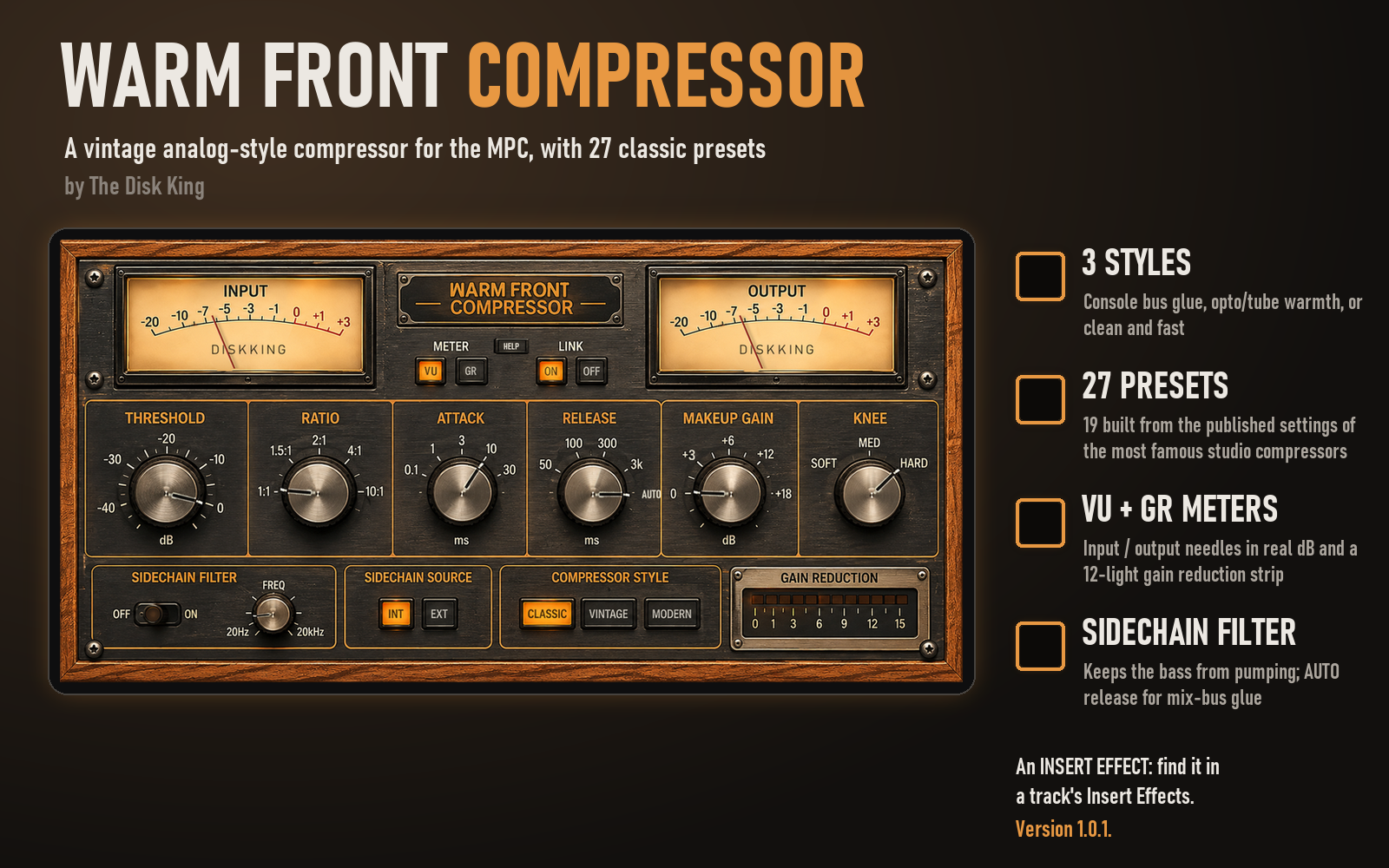
- Presets move the panel: pick a preset and the knobs, switches and buttons on the panel go to its settings.
- Starts on Default: a new "Default" preset (nothing set) is first, and the plugin loads on it until you pick a preset.
- DISKKING on the meters: the meter faces now carry The Disk King's DISKKING brand, in the Diskking 670 meter's lettering. INPUT and OUTPUT stay as they were.
- Everything else as in 1.0.0. Your projects still open.
It is an EFFECT: find it in Insert Effects (Mixer or a track's Insert Effects → External Plugins → The Disk King → Warm Front Compressor). Tested on an Akai MPC Live III, MPC OS 3.10.1.
Install: copy The Disk King - VST - Warm Front Compressor into VST2 Plugins on your MPC's internal drive (MPC OS 3.10.1+, Enhancements and External Plugin Support on), or install it with MPC Plugins Manager (it also brings you every update). Updating: replace the old folder, then remove the plugin from its insert slot and add it again.
Provided as is, with no warranty. Use at your own risk; The Disk King is not responsible in any way for any loss or damage.