Repository navigation
Releases
Releases · mwadon/thebrowser
The Browser 0.2.0

The first public release of The Browser — a quiet, minimal web browser for macOS with tabs in a floating island.
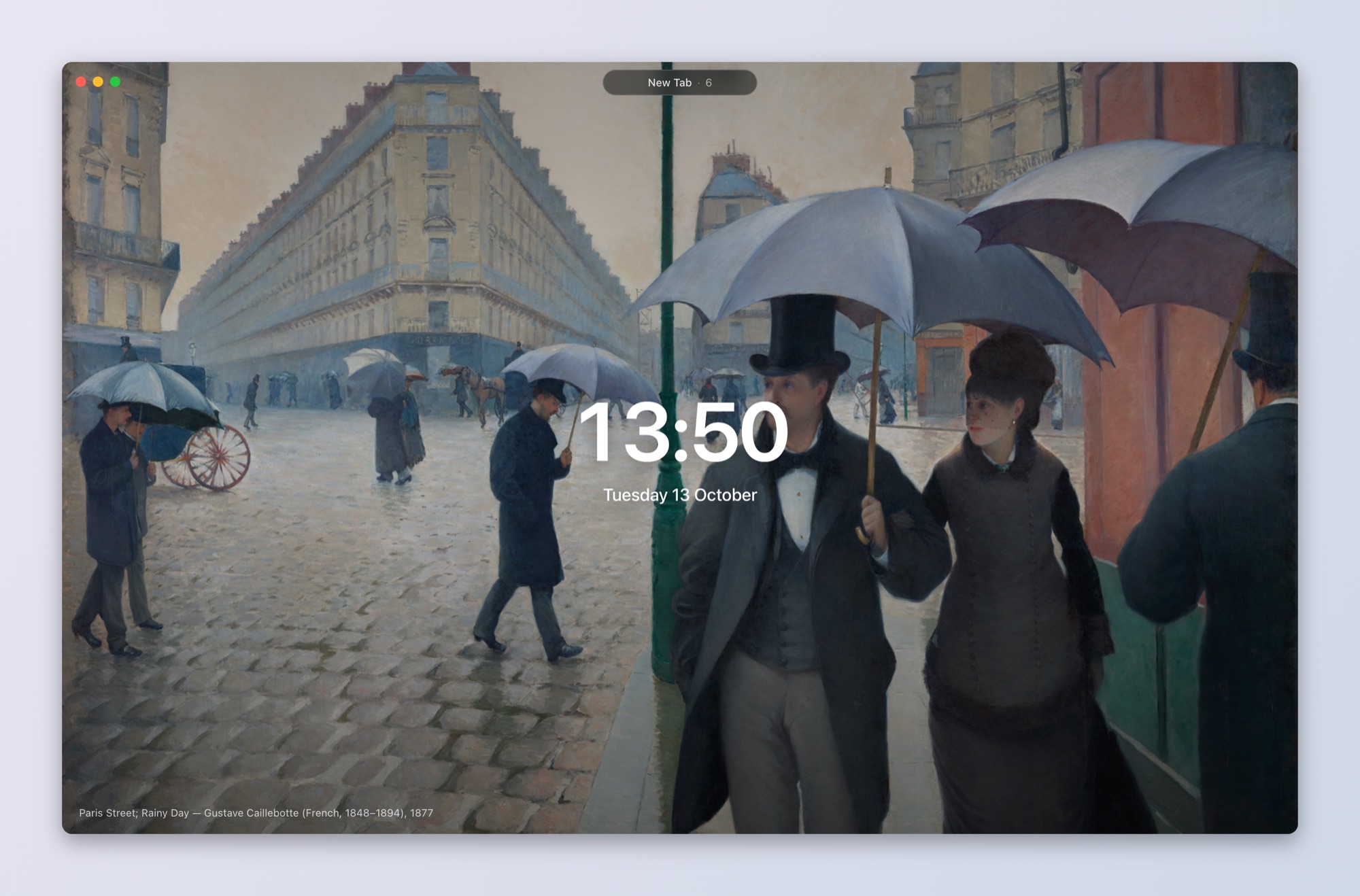
Highlights
- Tabs live in the island — no tab strip. Click the pill or press ⌘L to search, type an address, switch tabs or run a command (
/for commands only). - History and bookmarks searched by word prefixes, with inline autocomplete (
gi→github.com). ⌘D bookmarks the current page. - A new tab worth looking at — a public-domain painting from the Art Institute of Chicago, refreshed hourly and cached on disk, with a large clock and the date. Use your own image via Set Wallpaper….
- Light on memory — idle tabs sleep after 30 minutes and wake with their history intact.
- Session restore — windows, tabs, pinned tabs and per-tab history come back after a restart.
- Private by default — no telemetry, accounts or sync; site permissions are denied without prompting.
See the README for all features, keyboard shortcuts and settings.
Install
Requires a Mac with Apple Silicon.
-
Download
TheBrowser-0.2.0-arm64.dmgbelow and drag The Browser to Applications. -
The app is not notarized (ad-hoc signed), so macOS will block it the first time. Either right-click the app and choose Open, or run:
xattr -dr com.apple.quarantine "/Applications/The Browser.app"
SHA-256 of TheBrowser-0.2.0-arm64.dmg:
da5852ced1a2cb185c390d3cfe0fcbbdd2b7cd0e91458e26344a01c746ca6681