Repository navigation
v0.3.0 - OpenCode 2 and browser sign-in

OpenCode 2 support, browser sign-in, and faster startup
opencode-qoder-bridge 0.3.0 brings the Qoder integration to OpenCode 2 while retaining OpenCode 1 support in the same package. It adds browser authorization for qoder.com accounts, improves startup while models load, and fixes file tool calls that were missing the path field expected by OpenCode 2.
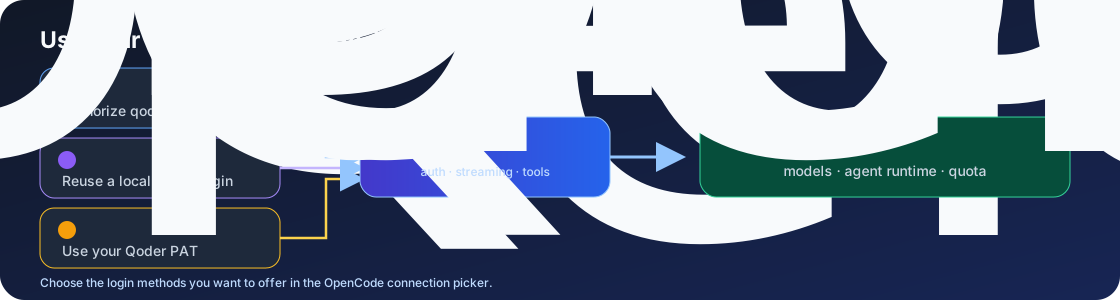
Sign in with the method that fits your setup
Choose browser authorization for qoder.com, an existing Qoder CLI login, or a personal access token. All three methods feed requests to the official Qoder Agent SDK. Existing Qoder CLI login is preferred by default; set QODER_AUTH_MODE=browser to use the saved browser sign-in when both are available. CN-region users can continue using the CN CLI flow.
What changed
- OpenCode 2 support: The package exposes the OpenCode 2 plugin and TUI interfaces and retains the OpenCode 1 server plugin. OpenCode 2 users can configure plugin options through
plugins: [{ package, options }]orproviders.qoder.settings. - Browser authorization: Sign in to qoder.com through OpenCode's OAuth flow. OpenCode stores the job and refresh tokens; the bridge refreshes credentials before SDK requests.
- Faster model availability: OpenCode 2 registers cached or fallback models first, then discovers the live Qoder catalog in the background.
- Reliable file tools: Forward the file path key expected by OpenCode 2, fixing Qoder
Readcalls that previously failed with a missing-path error. - Authentication improvements: Prefer an existing Qoder CLI login by default, with
QODER_AUTH_MODE=browseravailable to select the saved browser login. - Updated runtime and dependencies: Qoder Agent SDK 1.0.51,
@ai-sdk/openai-compatible3.0.67, refreshed OpenCode and AI SDK dependencies, and updated security pins.
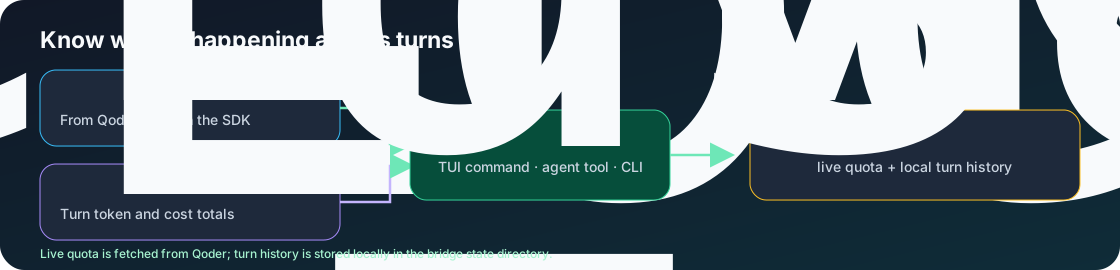
Live quota, per-turn usage history, sessions, MCP support, image inputs, and cost reporting remain available.
Install or upgrade
npm install opencode-qoder-bridge@0.3.0Add the package to your OpenCode plugin configuration. OpenCode 2 uses:
{
  "plugins": ["opencode-qoder-bridge"]
}
OpenCode 1 uses the singular plugin key:
{
  "plugin": ["opencode-qoder-bridge"]
}
Then sign in from OpenCode with opencode auth login qoder --method oauth, or use a Qoder CLI login or QODER_PERSONAL_ACCESS_TOKEN. Browser OAuth in this release is for qoder.com accounts; use the CN CLI login for Qoder CN.
Requirements
- Node.js
^22.22.2,^24.15.0, or>=26.0.0 - OpenCode
>=1.18.29
Validation note
Authenticated SDK E2E completed using an existing Qoder CLI login on Node 24.19.0. Browser account authorization and refresh still need a live OpenCode sign-in check; the SDK's jobToken() callback is marked internal in version 1.0.51.
For configuration details and the full changelog, see the README and CHANGELOG.