Repository navigation

What's new in 0.4.0
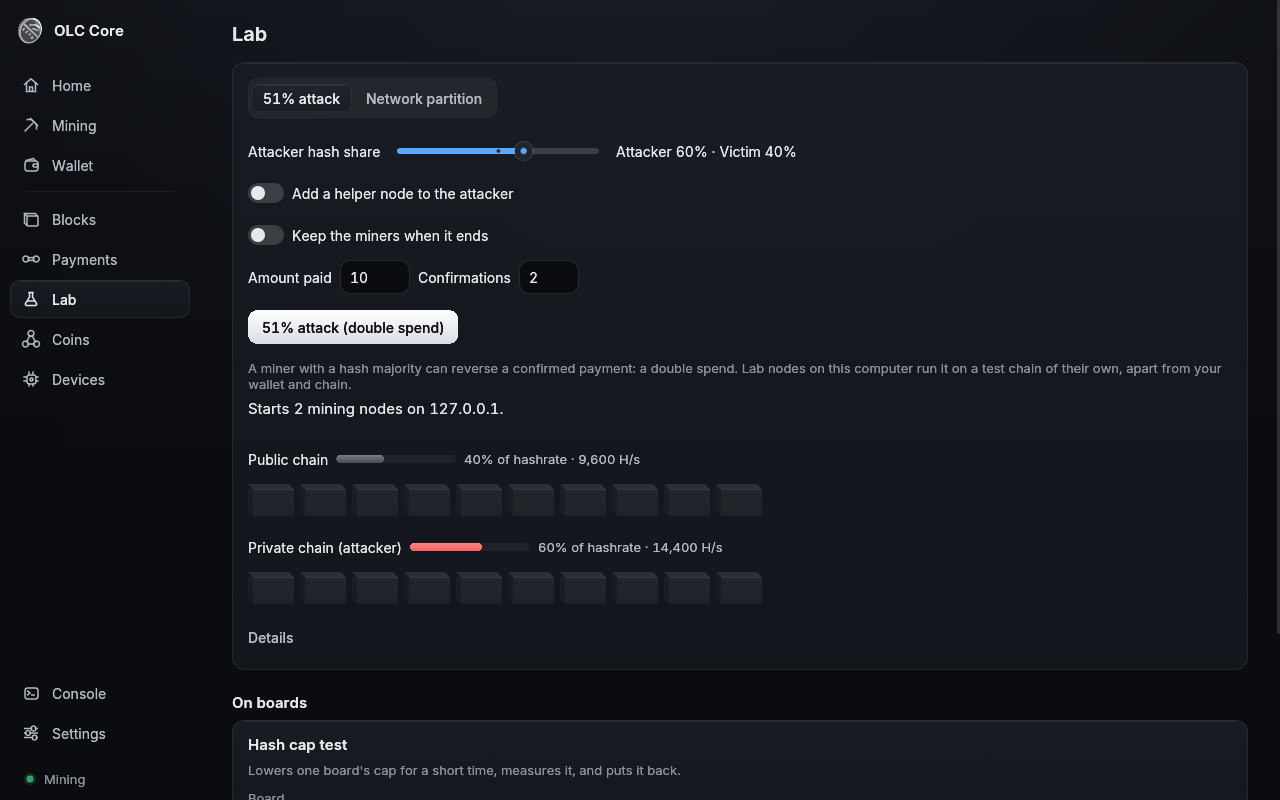
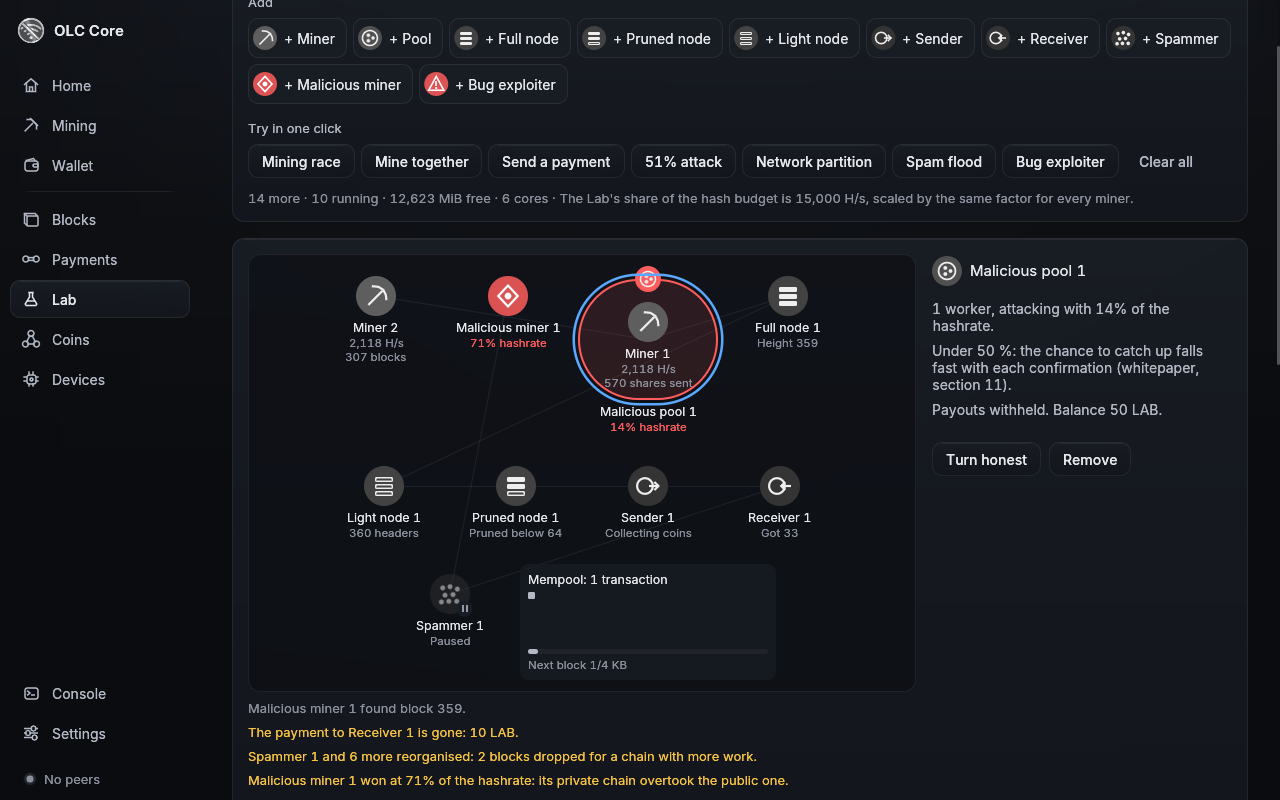
- The Lab builds a network of real participants on your computer by clicking: miners, pools, full, pruned and light nodes, a malicious miner, a bug exploiter, a spammer, a sender and a receiver. Seven scenes start in one click, among them a mining race, a pool, a 51% attack and a spam flood.
- A 51% attack is only as strong as the hashing behind it. A malicious miner, or a pool turned malicious, gives up with under half of all hashing and replaces blocks with more.
- One hash limit for the whole computer: this app, every miner you add and the Lab's miners share it, and the thread cap holds for all of them. A new miner no longer starts on every core.
- Mining and Home show the network's hashrate, your share of it and who found the recent blocks.
- Boards get the date from the app and keep it across a restart, so their blocks carry true times. Update boards to board build i21 from the Devices page.
Every change is listed in CHANGELOG.md.
| 0.3.1 | 0.4.0 |
|---|---|
 |
 |
Install
Download the file for your computer and open it.
Windows. Download OLC-Core-windows-x86_64-setup.exe and open it. If Windows shows "Windows protected your PC", click More info, then Run anyway. Click Next until it finishes. You need no administrator password. OLC Core is now on your desktop and in the Start menu.
Mac. Download OLC-Core-macos-apple-silicon.dmg for a Mac with an Apple chip, or OLC-Core-macos-intel.dmg for an Intel Mac. Open it and drag OLC Core onto Applications. Open OLC Core from Applications. If macOS says it cannot check the app, open System Settings, go to Privacy & Security, and click Open Anyway. When macOS asks to let OLC Core find devices on your network, click Allow.
Ubuntu, Debian and Mint. Download OLC-Core-linux-x86_64.deb, double-click it and click Install. If no installer opens, run sudo apt install ./OLC-Core-linux-x86_64.deb in a terminal. OLC Core is now in your app menu.
Raspberry Pi. Download OLC-Core-linux-arm64.deb, double-click it and click Install. If no installer opens, run sudo apt install ./OLC-Core-linux-arm64.deb in a terminal. OLC Core is now in your app menu.
ESP32 boards. Plug the board into your computer and press Set up in OLC Core.
Removing the app. On Windows, remove OLC Core in Settings, under Apps. On a Mac, drag it to the Trash. On Linux, remove it in your software center. Your wallet stays on your computer either way.
Without installing. The .zip and .tar.gz files named OLC-Core hold the same app, ready to run. On Linux, run bin/olc-core from the unpacked folder. To reach a board that way, run sudo usermod -aG dialout $USER and log in again. Bluetooth needs BlueZ and libdbus-1-3.
Terminal. The files named olc are the same core for a terminal, with no window.