Repository navigation
Releases
Resident Evil Code: Veronica X – PC Port VR v1.5.1

Resident Evil Code: Veronica X – Port VR v1.5.1 (Windows and Meta Quest)
Resident Evil Code: Veronica X in VR, on PC (OpenXR; tested on Meta Quest 2 with Virtual Desktop) and natively on a Meta Quest, with no PC (.apk; tested on Meta Quest 2).
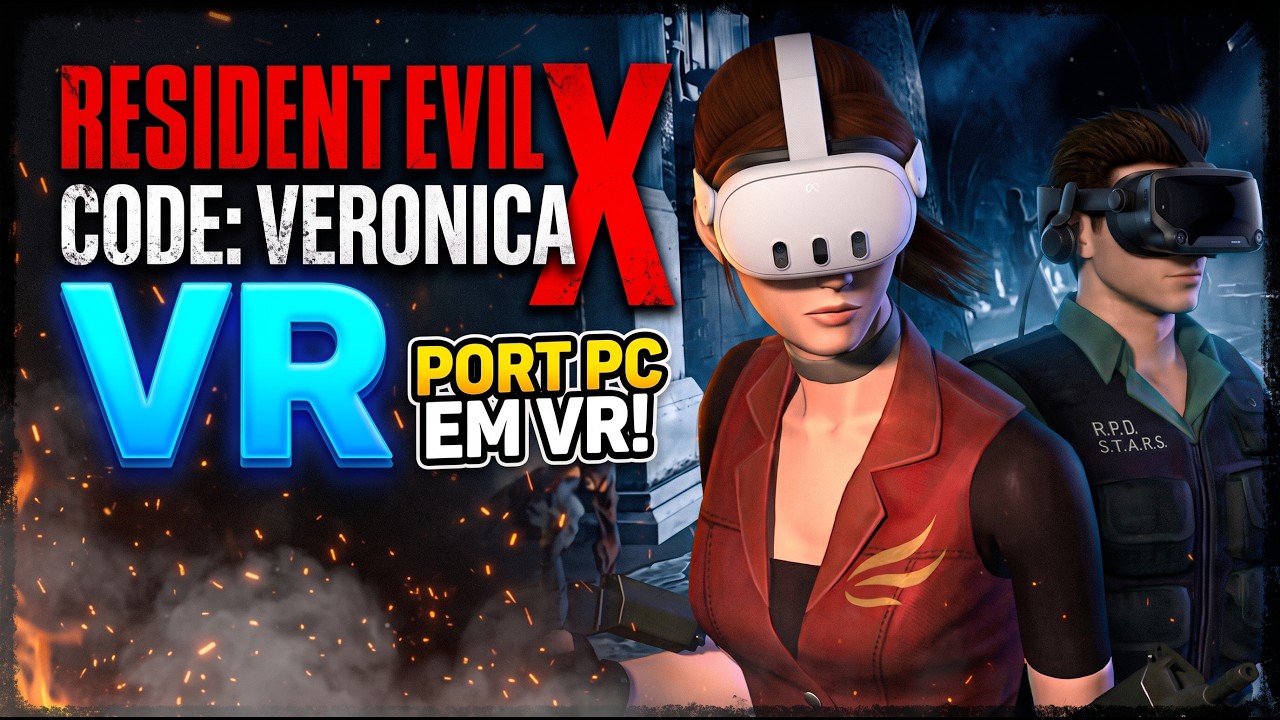
Built on recvx-enhanced-recomp by aikatore and the recvx-decomp decompilation by AshfordFamily. All credit for the PC port goes to them.
No game data is included. You need your own disc image (PS2, NTSC-U, SLUS-20184, .iso).
Downloads
- Meta Quest (standalone):
RE-Code-Veronica-X-VR-v1.5.1.apk - PC VR (Windows):
RE-Code-Veronica-X-Port-PCVR-v1.5.1-windows.zip
What's new in 1.5.1
From aikatore's port, Quest and PC
- Locational hit reactions: enemies react to where they are hit (head, body, legs) and to how hard.
- Difficulty select when you start a new game.
- Zombie heads can be blown off.
- Blood comes out of the exact point where a shot lands, the head included.
- B.O.W. gas flash.
- Import system: EXTRA > IMPORT on the title screen, to bring in your own models and rooms.
- Battle Game: the characters are unlocked as in the original port.
Pistols, Quest and PC
- The slide glows orange and breathes while it has to be pulled. Take it with the left grip anywhere on the glowing piece: it stays in your hand until you let go, and the gun fires again only after the whole pull.
- The magazine guide of the pistols is a breathing orange light in the magazine's own shape, fixed to the gun.
Picture, Quest only
- Super Resolution option in the VR settings. The PC version does not have it.
Clean release
- No log files are written, and the VR debug options are gone.
Version
- Quest: app version 1.5.1 (version code 151). The launcher's update check and the PC's both look at this release.
How to play
PC
- Unpack the zip anywhere.
- Start your OpenXR runtime (e.g. Virtual Desktop).
- Run
recvx_vr.exe, pick your.isoon the first start, then press PLAY.
Meta Quest
- Turn on developer mode and install the
.apkwith SideQuest. It updates over 1.5.0 and keeps your settings and saves. - Open it from Library > Unknown Sources. The first time, allow access to all files (it is only used to read your disc image and the optional textures).
- In the launcher: Disc > pick your
.iso, then Play. Resolution 2x to 4x in Settings (2x on a Quest 2, 3x on a Quest 3).
HD textures (optional)
- Texture pack as a single
.packfile: download – no unpacking. On the Quest: the folder you choose in the launcher's Textures tab.
Controls
| Button | Action |
|---|---|
| Left stick | Walk (click while walking forward: run) |
| Right stick | Turn (in the sniper scope: forward / back zoom) |
| Right grip + right trigger | Aim and fire |
| Left grip at the gun | Hold it with both hands |
| Left grip on the glowing slide | Take it and pull it back |
| Left grip at the pouch | Take ammo (the pouch opens when your hand comes to it) |
| Left grip, free left hand | Knife |
| A | Action / confirm |
| B | Back; with a gun: take the magazine out (grenade launcher and bow gun: open / shut the gun) |
| Y | Inventory |
| X | Map |
| Right stick click (hold) | Weapon wheel: move the right hand over a weapon, let go |
| ≡ (left menu) | Select menu: Continue, Options, Return to title |
Reload: B takes the magazine out → take ammo from the pouch at your belt with the left grip → put it in the gun, where the faint orange outline blinks. A pistol that ran empty stays open: after the magazine, pull the slide back with the left hand.
Known issues
- Meta Quest 2 is the only headset tested. Quest 3 and 3S are declared as supported and run 32-bit apps, but have not been tested. If the app does not start on yours, take a screenshot of the panel it shows (this release writes no log file).
- Battle Game: an error can happen when choosing the character. Not fixed yet.
- Small stutters can happen, mostly when entering a room with HD textures, and in some heavy rooms.
Source code: branch PCVR (PC) and branch Android-VR (Quest) of this repository, and branch vr of recvx-decomp-VR. .
Resident Evil Code: Veronica X – PC Port VR v1.5.0
Resident Evil Code: Veronica X – Port VR v1.5.0 (Windows and Meta Quest)
Resident Evil Code: Veronica X in VR, on PC (OpenXR; tested on Meta Quest 2 with Virtual Desktop) and natively on a Meta Quest, with no PC (.apk; tested on Meta Quest 2).
Built on recvx-enhanced-recomp by aikatore and the recvx-decomp decompilation by AshfordFamily. All credit for the PC port goes to them.
No game data is included. You need your own disc image (PS2, NTSC-U, SLUS-20184, .iso).
Downloads
- Meta Quest (standalone):
RE-Code-Veronica-X-VR-v1.5.0.apk - PC VR (Windows):
RE-Code-Veronica-X-Port-PCVR-v1.5.0-windows.zip
What's new in 1.5.0
Reloading by hand, Quest and PC
- Ammo pouch: your ammo is now in a leather pouch at your belt (at your chest when you play seated). It opens when your left hand comes to it. Take ammo with the left grip and put it in the gun. While you hold ammo, a faint orange outline blinks on the gun where it goes (set for the shotgun, the pistol, the grenade launcher and the bow gun; a gun without one takes the ammo when your hand is near it). A small plate shows the rounds in the gun and the rounds left in the pouch, and it is always right.
- Pistols behave like pistols: B takes the magazine out and one round stays in the chamber. A pistol that runs empty stays open at the slide; put a magazine in, then pull the slide back with your left hand (squeeze the left grip on the slide) to fire. The pouch buzzes when your grip is on the slide, and the gun tilts as the slide is pulled.
- Shotgun and Magnum: rounds go in one at a time, and you see the round in your hand (the shotgun's shell, the Magnum's own round).
- Grenade launcher and bow gun: B opens the gun and shows one pouch for each kind of ammo you carry, side by side (grey, yellow, red and green circles on top for the launcher; arrows and explosive arrows for the bow gun). Take a round and put it in. Endless ammo stays endless. Flick the controller up, push the barrel up with the left hand, or press B again to shut it.
- Put the pouches where you like: VR settings, HOLSTERS: Adjust holster (grab it with the left grip and drag, A keeps it), one place for guns with one kind of ammo and one for the launcher and the bow gun, separately for Standing and Seated. Restore holsters puts them back.
Weapon wheel, Quest and PC
- Hold the right stick click, move the right hand up, right, down or left over a weapon and let go: it is in your hand.
Picture and comfort, Quest and PC
- Anti-aliasing and Super Resolution options (VR settings; on the Quest also in the launcher), a Seated position for playing in a chair, and a Show frame rate option that starts off.
Textures, Quest and PC
- Texture packs (
.pack) are read as the game needs them and show at once, like the game's own, with no switch from a plain texture. Loose texture files are still read in the background.
Fixes, Quest and PC
- After a door or stairs you come out facing into the room, not with your back to it.
- Endless ammo no longer runs out when you load it from the pouch.
Version
- Quest: app version 1.5.0 (version code 150). The launcher's update check and the PC's both look at this release.
How to play
PC
- Unpack the zip anywhere.
- Start your OpenXR runtime (e.g. Virtual Desktop).
- Run
recvx_vr.exe, pick your.isoon the first start, then press PLAY.
Meta Quest
- Turn on developer mode and install the
.apkwith SideQuest. It updates over 1.4.3 and keeps your settings and saves. - Open it from Library > Unknown Sources. The first time, allow access to all files (it is only used to read your disc image and the optional textures).
- In the launcher: Disc > pick your
.iso, then Play. Resolution 2x to 4x in Settings (2x on a Quest 2, 3x on a Quest 3).
HD textures (optional)
- Texture pack as a single
.packfile: download – no unpacking. On the Quest: the folder you choose in the launcher's Textures tab.
Controls
| Button | Action |
|---|---|
| Left stick | Walk (click while walking forward: run) |
| Right stick | Turn (in the sniper scope: forward / back zoom) |
| Right grip + right trigger | Aim and fire |
| Left grip at the gun | Hold it with both hands |
| Left grip at the pouch | Take ammo (the pouch opens when your hand comes to it) |
| Left grip, free left hand | Knife |
| A | Action / confirm |
| B | Back; with a gun: take the magazine out (grenade launcher and bow gun: open / shut the gun) |
| Y | Inventory |
| X | Map |
| Right stick click (hold) | Weapon wheel: move the right hand over a weapon, let go |
| ≡ (left menu) | Select menu: Continue, Options, Return to title |
Reload: B takes the magazine out → take ammo from the pouch at your belt with the left grip → put it in the gun, where the faint orange outline blinks. A pistol that ran empty stays open: after the magazine, pull the slide back with the left hand.
Known issues
- Meta Quest 2 is the only headset tested. Quest 3 and 3S are declared as supported and run 32-bit apps, but have not been tested. If the app does not start on yours, take a screenshot of the panel it shows, or send
Android/data/org.recvx.vr/files/recvx.log(andadb logcat -dif you can). - Battle Game: an error can happen when choosing the character. Not fixed yet.
- Small stutters can happen, mostly when entering a room with HD textures, and in some heavy rooms.
Source code: branch PCVR (PC) and branch Android-VR (Quest) of this repository, and branch vr of recvx-decomp-VR.
Resident Evil Code: Veronica X – PC Port VR v1.4.3
Resident Evil Code: Veronica X – Port VR v1.4.3 (Windows and Meta Quest)
Resident Evil Code: Veronica X in VR, on PC (OpenXR; tested on Meta Quest 2 with Virtual Desktop) and now natively on a Meta Quest, with no PC (.apk; tested on Meta Quest 2).
Built on recvx-enhanced-recomp by aikatore and the recvx-decomp decompilation by AshfordFamily. All credit for the PC port goes to them.
No game data is included. You need your own disc image (PS2, NTSC-U, SLUS-20184, .iso).
Downloads
- Meta Quest (standalone):
RE-Code-Veronica-X-VR-v1.4.3.apk - PC VR (Windows):
RE-Code-Veronica-X-Port-PCVR-v1.4.3-windows.zip
What's new in 1.4.3
Texture packs (.pack), Quest and PC
- One file with all the HD textures: put a
.packin the textures folder. Only its index is read at start and each texture is read from the file when the game needs it, so even a pack of several GB does not have to be loaded whole. Loose files in the folder win over the pack; without a pack the folder is read as before. The log says how many textures came from the pack.
Fixes, Quest and PC
- The game closing by itself (at random, and when a Battle Game ended or the character died): the main loop read a value the game never set. It now reads the right one.
Fixes, Quest only
- The app staying on the three loading dots on some headsets and some boots: the game's scratchpad memory sat at an address the Android runtime uses on some boots. The game now picks a free address when it starts (from a list,
0x7F000000down to0x78000000). - If the game cannot load on a headset, a panel now says why (in English, Portuguese or Spanish) instead of an app that only restarts or hangs.
- Missing legs, effects and textures, and freezes that this scratchpad change could cause: fixed before release.
- Inventory and menus freezing at 1 image a second: an eye image taken ahead for a frame that turned out flat blocked the headset for 2 s each time. It is now given back.
- No more frame-rate numbers drawn in the picture, and the Display page's Show frame rate starts off. Show frame rate in the VR settings is still there.
- Fatal errors close the app and go to the log (and logcat, tag
recvx) instead of a message box that is never seen.
Version
- Quest: app version 1.4.3 (version code 143). The launcher's update check and the PC's both look at this release.
How to play
PC
- Unpack the zip anywhere.
- Start your OpenXR runtime (e.g. Virtual Desktop).
- Run
recvx_vr.exe, pick your.isoon the first start, then press PLAY.
Meta Quest
- Turn on developer mode and install the
.apkwith SideQuest. - Open it from Library > Unknown Sources. The first time, allow access to all files (it is only used to read your disc image and the optional textures).
- In the launcher: Disc > pick your
.iso, then Play. Resolution 2x to 4x in Settings (2x on a Quest 2, 3x on a Quest 3).
HD textures (optional)
- New: texture pack as a single
.packfile: download – no unpacking. On the Quest: the folder you choose in the launcher's Textures tab.
Controls
| Button | Action |
|---|---|
| Left stick | Walk (click while walking forward: run) |
| Right stick | Turn (in the sniper scope: forward / back zoom) |
| Right grip + right trigger | Aim and fire |
| Left grip at the gun | Hold it with both hands |
| Left grip at the belt | Take an ammo box |
| Left grip, free left hand | Knife |
| A | Action / confirm |
| B | Back; with a gun: drop the magazine |
| Y | Inventory |
| X or right stick click | Map |
| ≡ (left menu) | Select menu: Continue, Options, Return to title |
Reload: B drops the magazine → take the box at your belt with the left grip → bring it to the gun.
Known issues
- Meta Quest 2 is the only headset tested. Quest 3 and 3S are declared as supported and run 32-bit apps, but have not been tested. If the app does not start on yours, take a screenshot of the panel it shows, or send
Android/data/org.recvx.vr/files/recvx.log(andadb logcat -dif you can). - Battle Game: an error can happen when choosing the character. Not fixed yet.
- Small stutters can happen, mostly when entering a room with HD textures, and in some heavy rooms.
Source code: branch PCVR (PC) and branch Android-VR (Quest) of this repository, and branch vr of recvx-decomp-VR.
Resident Evil Code: Veronica X – Port VR v1.4.2
Resident Evil Code: Veronica X – PC Port VR v1.4.2 (Windows)
Resident Evil Code: Veronica X in VR on PC (OpenXR; tested on Meta Quest 2 with Virtual Desktop).
Built on recvx-enhanced-recomp by aikatore and the recvx-decomp decompilation by AshfordFamily. All credit for the PC port goes to them.
No game data is included. You need your own disc image (PS2, NTSC-U, SLUS-20184, .iso).
What's new in 1.4.2
Languages
- French, German, Spanish, Japanese and Russian: press F9 on the PC window and import them from your own disc image of that release, then pick Language and Subtitles in the settings. The game's text and cutscene subtitles change; the VR and enhanced menus stay in English.
- Translated discs: a disc with a larger font, such as the Russian fan translation, now shows its letters properly when played directly.
New launcher
- A new look with Play, Disc, Textures and Settings tabs, and resolution from 2x to 8x (4x recommended).
Smoother and steadier
- Higher frame rate in heavy rooms such as the rain room.
- Show frame rate option in the VR settings, shown in the headset.
- Walking no longer stops by itself when the stick reading drops for an instant, and running no longer cancels by itself.
- The camera no longer jumps forward after climbing stairs.
How to play
- Unpack the zip anywhere.
- Start your OpenXR runtime (e.g. Virtual Desktop).
- Run
recvx_vr.exe, pick your.isoon the first start, then press PLAY. - Optional: HD texture pack (SLUS-20184.zip) – unpack it into the
texturesfolder.
Controls
| Button | Action |
|---|---|
| Left stick | Walk (click while walking forward: run) |
| Right stick | Turn (in the sniper scope: forward / back zoom) |
| Right grip + right trigger | Aim and fire |
| Left grip at the gun | Hold it with both hands |
| Left grip at the belt | Take an ammo box |
| Left grip, free left hand | Knife |
| A | Action / confirm |
| B | Back; with a gun: drop the magazine |
| Y | Inventory |
| X or right stick click | Map |
| ≡ (left menu) | Select menu: Continue, Options, Return to title |
Reload: B drops the magazine → take the box at your belt with the left grip → bring it to the gun.
Known issues
- Small stutters can happen, mostly when entering a room with HD textures.
Source code: branch PCVR of this repository and branch vr of recvx-decomp-VR.
Resident Evil Code: Veronica X – PC Port VR v1.4.1
Resident Evil Code: Veronica X – PC Port VR v1.4.1 (Windows)
Resident Evil Code: Veronica X in VR on PC (OpenXR; tested on Meta Quest 2 with Virtual Desktop).
Built on recvx-enhanced-recomp by aikatore and the recvx-decomp decompilation by AshfordFamily. All credit for the PC port goes to them.
No game data is included. You need your own disc image (PS2, NTSC-U, SLUS-20184, .iso).
What's new in 1.4.1
- Quick knife back on the left grip: squeeze it with a free left hand. It does not come out when the left hand is on the gun, holding an ammo box, at the belt to take a box, or while you aim.
- X opens the map again (the right stick click still does too).
What's new in 1.4
Guns and aiming
- Hold the gun with both hands: bring your left hand to the gun and squeeze the left grip. Pistols: the left hand just holds on. Big guns (assault rifle, shotgun, grenade launcher...): the left hand aims the gun with you.
- Aim fixed: every gun fires along its own barrel – shots, laser, grenades and crossbow bolts leave the muzzle where the sight starts. No more aiming low with one hand or bending when aiming down.
- No more aim help: crossbow bolts no longer curve towards the nearest enemy; they always drop a little.
- Recoil per gun, stronger with one hand than with two; the assault rifle climbs and sways one-handed.
- Shotgun: a thin round reticle ( + ) instead of the laser. Sniper rifle: no laser, zoom with the right stick in the scope.
- Head shots: blood from the spot you hit; a killing head shot bursts a zombie's head. Head damage 115%.
Knife and controls
- Map on the right stick click.
- Knife: one hit per swing, stops at walls, no longer goes through walls on stairs.
HD textures
- Loaded in the background: no more stutter when entering a room.
- The equipped weapon and the inventory letters show right.
Other
- Undecodable movies (some dubbed discs) are skipped instead of freezing.
- Fixed resolution by default (dynamic resolution is an option in the launcher).
How to play
- Unpack the zip anywhere.
- Start your OpenXR runtime (e.g. Virtual Desktop).
- Run
recvx_vr.exe, pick your.isoon the first start, then press PLAY. - Optional: HD texture pack (SLUS-20184.zip) – unpack it into the
texturesfolder.
Controls
| Button | Action |
|---|---|
| Left stick | Walk (click while walking forward: run) |
| Right stick | Turn (in the sniper scope: forward / back zoom) |
| Right grip + right trigger | Aim and fire |
| Left grip at the gun | Hold it with both hands |
| Left grip at the belt | Take an ammo box |
| Left grip, free left hand | Knife |
| A | Action / confirm |
| B | Back; with a gun: drop the magazine |
| Y | Inventory |
| X or right stick click | Map |
| ≡ (left menu) | Select menu: Continue, Options, Return to title |
Reload: B drops the magazine → take the box at your belt with the left grip → bring it to the gun.
Known issues
- Small stutters can happen, mostly when entering a room with HD textures.
Source code: branch vr of this repository and of recvx-decomp-VR.
Resident Evil Code: Veronica X – PC Port VR v1.4
Resident Evil Code: Veronica X – PC Port VR v1.4 (Windows)
Resident Evil Code: Veronica X in VR on PC (OpenXR; tested on Meta Quest 2 with Virtual Desktop).
Built on recvx-enhanced-recomp by aikatore and the recvx-decomp decompilation by AshfordFamily. All credit for the PC port goes to them.
No game data is included. You need your own disc image (PS2, NTSC-U, SLUS-20184, .iso).
What's new in 1.4
Guns and aiming
- Hold the gun with both hands: bring your left hand to the gun and squeeze the left grip. Pistols: the left hand just holds on. Big guns (assault rifle, shotgun, grenade launcher...): the left hand aims the gun with you.
- Aim fixed: every gun fires along its own barrel – shots, laser, grenades and crossbow bolts leave the muzzle where the sight starts. No more aiming low with one hand or bending when aiming down.
- No more aim help: crossbow bolts no longer curve towards the nearest enemy; they always drop a little.
- Recoil per gun, stronger with one hand than with two; the assault rifle climbs and sways one-handed.
- Shotgun: a thin round reticle ( + ) instead of the laser. Sniper rifle: no laser, zoom with the right stick in the scope.
- Head shots: blood from the spot you hit; a killing head shot bursts a zombie's head. Head damage 115%.
Knife and controls
- Quick knife on X, map on the right stick click.
- Knife: one hit per swing, stops at walls, no longer goes through walls on stairs.
HD textures
- Loaded in the background: no more stutter when entering a room.
- The equipped weapon and the inventory letters show right.
Other
- Undecodable movies (some dubbed discs) are skipped instead of freezing.
- Fixed resolution by default (dynamic resolution is an option in the launcher).
How to play
- Unpack the zip anywhere.
- Start your OpenXR runtime (e.g. Virtual Desktop).
- Run
recvx_vr.exe, pick your.isoon the first start, then press PLAY. - Optional: HD texture pack (SLUS-20184.zip) – unpack it into the
texturesfolder.
Controls
| Button | Action |
|---|---|
| Left stick | Walk (click while walking forward: run) |
| Right stick | Turn (in the sniper scope: forward / back zoom) |
| Right grip + right trigger | Aim and fire |
| Left grip at the gun | Hold it with both hands |
| Left grip at the belt | Take an ammo box |
| X (hold) | Knife |
| A | Action / confirm |
| B | Back; with a gun: drop the magazine |
| Y | Inventory |
| Right stick click | Map |
| ≡ (left menu) | Select menu: Continue, Options, Return to title |
Reload: B drops the magazine → take the box at your belt with the left grip → bring it to the gun.
Known issues
- Small stutters can happen, mostly when entering a room with HD textures.
Source code: branch vr of this repository and of recvx-decomp-VR.
Resident Evil Code: Veronica X – PC Port VR v1.3.1
Resident Evil Code: Veronica X – PC Port VR v1.3.1 (Windows)
Resident Evil Code: Veronica X in VR on PC (OpenXR; tested on Meta Quest 2 with Virtual Desktop).
Built on recvx-enhanced-recomp by aikatore and the recvx-decomp decompilation by AshfordFamily. All credit for the PC port goes to them.
No game data is included. You need your own disc image (PS2, NTSC-U, SLUS-20184, .iso).
What's new in 1.3.1
- Smooth turn is truly smooth: it follows the headset's own timing.
- Select menu in game: Continue, Options or Return to title; Exit on the title screen.
- Portuguese discs: the title and options show MULTIPLAYER, SAIR and MAIS AJUSTES correctly.
- Poison no longer sways the view.
- Green update button in the launcher.
- Closing the game no longer freezes the window; new game icon.
- Movie sound follows the pause; co-op guest no longer crashes against Alexia's second form.
How to play
- Unpack the zip anywhere.
- Start your OpenXR runtime (e.g. Virtual Desktop).
- Run
recvx_vr.exe, pick your.isoon the first start, then press PLAY. - Optional: HD texture pack (SLUS-20184.zip) – unpack it into the
texturesfolder.
Controls
| Button | Action |
|---|---|
| Left stick | Walk (click while walking forward: run) |
| Right stick | Turn |
| Right grip + right trigger | Aim and fire |
| Left grip | Knife; at the belt: take an ammo box |
| A | Action / confirm |
| B | Back; with a gun: drop the magazine |
| Y | Inventory |
| X | Map |
| ≡ (left menu) | Select menu: Continue, Options, Return to title |
| Left trigger + Y | Start |
Reload: B drops the magazine → take the box at your belt with the left grip → bring it to the gun.
Known issues
- Small stutters can happen, mostly when entering a room with HD textures.
Source code: branch vr of this repository and of recvx-decomp-VR.
Resident Evil Code: Veronica X – PC Port VR v1.3
Resident Evil Code: Veronica X – PC Port VR v1.3 (Windows)
Resident Evil Code: Veronica X in VR on PC (OpenXR; tested on Meta Quest 2 with Virtual Desktop).
Built on recvx-enhanced-recomp by aikatore and recvx-decomp by AshfordFamily.
No game data is included. You need your own disc image (PS2, NTSC-U, SLUS-20184, .iso).
What's new in 1.3
- Fan translations fixed: accented letters (e.g. Portuguese "Não") no longer leave a gap.
- Crossbow: the bolt flies where the laser points.
- Life 0 is still alive: controls no longer turn into tank controls at 0 life.
- The update check understands versions like 1.3.1.
How to play
- Unpack the zip anywhere and start your OpenXR runtime (e.g. Virtual Desktop).
- Run
recvx_vr.exe, pick your.isoon the first start, then press PLAY. - Optional: HD texture pack – unpack it into the
texturesfolder.
Full guide and controls: README.md in the zip.
Resident Evil Code: Veronica X – PC Port VR v1.2
Resident Evil Code: Veronica X – PC Port VR v1.2 (Windows)
Resident Evil Code: Veronica X in VR on PC (OpenXR; tested on Meta Quest 2 with Virtual Desktop).
Built on recvx-enhanced-recomp by aikatore and the recvx-decomp decompilation by AshfordFamily. All credit for the PC port goes to them.
No game data is included. You need your own disc image (PS2, NTSC-U, SLUS-20184, .iso).
What's new in 1.2
- Launcher at start: PLAY goes straight into VR, OPTIONS has the VR, graphics and texture settings. English, Portuguese or Spanish (EN · PT · ES, top right).
- Smooth turn is really smooth (at the headset's rate, no more stutter).
- The monitor shows your left eye; no console window, no third-person crosshair.
- Action icon: an arrow from a distance, the "A" when pressing works, at mid-door height.
- Magazines: B drops the game's own magazine; the ammo box tops the gun up even with the magazine in; a light "tick-tick" when loaded.
- Ammo count at the belt: magazine / boxes (e.g. 12/50).
- Handgun: real 9 mm kick and the game's own ammo box look (with the HD textures).
- Controls: menu button (≡) = Select, left trigger + Y = Start, click the left stick while walking forward to run.
How to play
- Unpack the zip anywhere.
- Start your OpenXR runtime (e.g. Virtual Desktop).
- Run
recvx_vr.exe, pick your.isoon the first start, then press PLAY. - Optional: HD texture pack (SLUS-20184.zip) – unpack it into the
texturesfolder.
Controls
| Button | Action |
|---|---|
| Left stick | Walk (click while walking forward: run) |
| Right stick | Turn |
| Right grip + right trigger | Aim and fire |
| Left grip | Knife; at the belt: take an ammo box |
| A | Action / confirm |
| B | Back; with a gun: drop the magazine |
| Y | Inventory |
| X | Map |
| ≡ (left menu) | Select |
| Left trigger + Y | Start |
Reload: B drops the magazine → take the box at your belt with the left grip → bring it to the gun.
Known issues
- Not tested in the headset yet: handgun kick and box look, ammo count, Select/Start swap, one-click run.
- Fan translations (e.g. Portuguese) still show broken text in game (fix planned).
- Small stutters can happen, mostly when entering a room with HD textures.
Source code: branch vr of this repository and of recvx-decomp-VR.
Resident Evil Code: Veronica X – PC Port VR v1.1
Resident Evil Code: Veronica X – PC Port VR v1.1 (Windows)
Resident Evil Code: Veronica X in VR on PC (PCVR, OpenXR; tested on Meta Quest 2 with Virtual Desktop).
Built on recvx-enhanced-recomp by aikatore (version 0.4.0, plus the game fixes of 0.5.2) and the recvx-decomp decompilation by AshfordFamily. All credit for the PC port goes to them.
No game data is included. You need your own disc image of Resident Evil Code: Veronica X (PS2, NTSC-U, SLUS-20184, .iso).
What's new in 1.1
- The VR page in the game's menu (title screen and in game, also F1): snap turn, comfort
vignette, sight, resolution. - Comfort vignette: dark edges only while you walk with the stick or turn (Off, Medium, Strong).
- Hits you can feel: the controller on the side of the hit vibrates (front: one knock, behind:
two); held by a zombie, the vibration follows its bites, "check, check", and only the one holding you. - The zombie no longer goes through your face: while it holds or hits you, the camera moves back,
away from its body, smoothly and never into a wall (vr_close_push, cm;vr_bite_pushadds a small
push on each bite, 0 = off). - Life colours: a yellow (Caution) or orange flash at each hit, the red edge in Danger, a
purple edge when poisoned (red and purple by turns, softer, when both), with a heartbeat
sound (vr_heart_sound, 0 = off; put aheartbeat.wavnext to the game to use your own). - Ammo fixes: a magazine taken out with B only goes back to the same gun (a gun could get 200
rounds after Steve's part); B only drops the magazine when there is ammo to reload with (Steve's
Lugers lost their rounds); B again puts a stuck magazine back. - Exit to desktop in OPTION → ENHANCED SETTINGS → GAMEPLAY.
- Twin guns: a quick pull during the last shot is kept and fired as soon as the game allows it.
- Stairs: the view no longer turns by itself; only the snap turn is locked.
- OBS / VR overlays: a broken OpenXR layer no longer drops the game to the desktop.
- HD textures: lighter stutter on entering a room (
tex_hd_per_frame, see below). - Update check at start.
- Game fixes from aikatore's port 0.5.2 (no crash in four rooms with the free camera, the item box,
an enemy bug).
How to play
- Download
RE-Code-Veronica-X-PC-Port-VR-v1.1-windows.zipfrom the Releases
page and unpack it anywhere. - Start your OpenXR runtime (tested only on a Quest 2 through Virtual Desktop / VDXR).
- Run
PLAY_VR.bat. On the first start, pick your own.isoof the game (PS2, NTSC-U, SLUS-20184). - Optional, HD textures: download the texture pack (SLUS-20184.zip), unpack it into the
texturesfolder (see "HD textures" below). - Before playing, set the comfort options in the title screen: OPTION → ENHANCED SETTINGS → VR
(see "The VR page" below).
When a newer version is out, the game says so when it starts (see "Update check" below).
The VR page
In the title screen (or in game): OPTION → ENHANCED SETTINGS, the first page, VR:
| Option | Choices |
|---|---|
| Snap turn | Smooth, 15, 30, 45, 60 or 90 degrees (right stick) |
| Comfort vignette | Off, Medium, Strong – dark edges only while walking with the stick or turning |
| Sight | Laser, Dot (a small ring where the shot hits), Off |
| Resolution | 50% to 200% of what the headset recommends |
The other VR options stay in save/recvx.ini.
Controls
| Button | What it does |
|---|---|
| Left stick | Walk (the way you look) |
| Left trigger, or click the left stick | Run |
| Right stick left/right | Snap turn (locked on stairs) |
| Right grip (hold) | Raise the gun and aim with your hand |
| Right trigger | Fire (with twin guns: the right gun) |
| Left trigger, while aiming twin guns | Fire the left gun |
| Left grip | Knife (cut by swinging it); at the belt: take an ammo box |
| A | Action: open doors, pick up items, examine, confirm |
| B | Cancel / back; with a gun in hand: drop the magazine |
| Y | Inventory (status screen) |
| X | Map |
| Hold left trigger + press Y | Select |
| Left menu button (three lines) | Start (pause, options) |
| Long press of the headset's system button | Recentre the view |
Walking around your room moves Claire too. A small "A" shows over what the action button
would use (a door, an item) when you are right in front of it.
Reloading (by hand)
The gun does not reload by itself: when it is empty it only clicks.
- Press B: the magazine drops out of the gun in your hand.
- Look down: an ammo box hangs at your belt, in front of your belly, with the rounds you have
left. It is not shown when you have no ammo for that gun. - Bring your left hand to the box and squeeze the left grip: the box is now in your hand.
- Keep the grip held and bring your left hand to the gun: it reloads (sound and vibration).
With an empty gun you can skip step 1.
HD textures (optional)
The game can show HD textures made by the community for the PCSX2 (PS2 emulator) version of
this game. You have to get a pack yourself; none comes with this mod.
Download an HD texture pack: SLUS-20184.zip on Yandex Disk – a community PCSX2 texture
pack for this game (not made by this mod). Open the link, click Скачать (Download), unpack the
zip and put its folder inside textures (steps 2 to 5 below).
- Find a pack: it must be an HD texture pack for PCSX2 for Resident Evil Code: Veronica X
NTSC-U, SLUS-20184 (the same disc as your.iso). Packs for other versions (PAL, Japanese,
Dreamcast, PS3/Xbox HD) do not match. The pack linked above is one of them. - Check the files: a PCSX2 pack is a folder of
.ddsor.pngimages with long hexadecimal
names such as104bcba3e277e448-ac18592ba12c29a2-00002654.dds. Do not rename them: the name is
how the game finds each texture. - Copy them: put the pack's folder inside the
texturesfolder next torecvx_vr.exe. Any
subfolder works, e.g.textures\SLUS-20184\replacements\...exactly as in PCSX2, or the
pack's own folder name. - Turn them on: in
save\recvx.inisettex_hd = 1(already on in this release). - Start the game: loading the list of files takes a few seconds the first time.
Settings in save\recvx.ini:
| Setting | What it does |
|---|---|
tex_hd |
1 = use the HD textures, 0 = the game's own |
tex_hd_mb |
Video memory for HD textures, in MB (default 600; less if the game stutters, more on a big GPU) |
tex_hd_max |
Largest texture size kept, e.g. 1024 or 2048 (bigger ones are reduced: less memory, smoother) |
HD textures and stutter. With a big pack the game can stutter for about half a second when
you enter a room or something new appears. It is not your GPU: the pack's images are read from the
disk, and the ones without mipmaps (the smaller copies VR needs so that far textures do not
shimmer) are converted while you play, a few per frame. Each conversion takes a few milliseconds of
a frame the headset wants in 11. What helps:
| Setting | Effect |
|---|---|
tex_hd_per_frame (1–4, default 2) |
Textures converted per frame. Fewer: lighter stutter that lasts longer, the room gets sharp a bit later. |
tex_hd_max (e.g. 1024) |
Bigger images are reduced to this size: less to read and convert. |
tex_hd_mb |
Video memory for HD textures; less if the stutter comes back while playing. |
tex_hd = 0 |
No HD textures: to check whether a stutter comes from them. |
Loading and converting the textures in the background (no stutter at all) is planned.
To check it worked, start with --log and look in recvx.log for a line like
tex: 6568 replacement textures found. A texture you do not like can be kept as the game's
own: write its file name (one per line) in textures\ignore.txt.
Update check
When the game starts it asks GitHub for the latest release of this project (one request, nothing
about you is sent; at most a few seconds, nothing happens without a network). If a newer version is
out, a window on the PC offers to open the download page. Set update_check = 0 in
save/recvx.ini to turn it off.
If the game starts on the desktop instead of the headset
- Start your OpenXR runtime first (Virtual Desktop / VDXR, Meta Quest Link or SteamVR set as the active OpenXR runtime).
recvx.logsayingxrCreateInstance ... failed: another program's OpenXR layer is in the way. Since this version a
layer that fails to load is skipped, so this should no longer stop VR (it did with OBS running). If it still happens,
close OBS and other VR overlays, or use the free OpenXR API Layers GUI to see and disable broken layers.
Known issues
- Small stutters can happen; they come from the hand-off of each frame to the headset, and from HD textures on entering a room (see above).
- The laser can show through the gun.
vr_cam_steadyandvr_move_directare off by default; they still have bugs.
Source code: branch vr of this repository and of recvx-decomp-VR.