Repository navigation
ESP32 C3 OLED
Part of Claude Usage Stick. The smallest and cheapest way to run the firmware — a breadboard-friendly ESP32-C3 module with a 0.42" OLED. It has no built-in buttons, so you bring your own (two tactile buttons or capacitive touch pads).
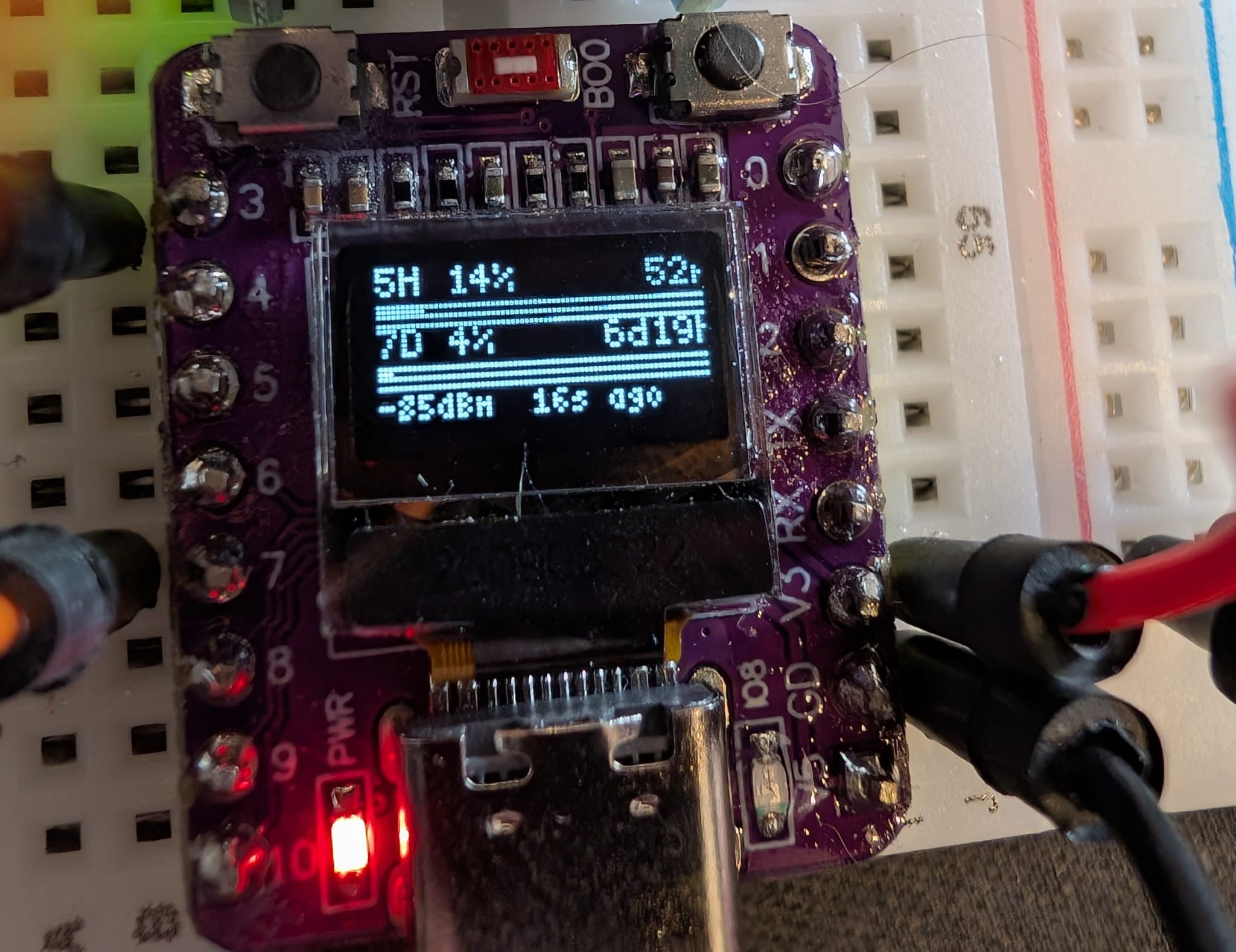
| MCU | ESP32-C3 (single-core RISC-V, WiFi) |
| Display | 0.42" SSD1306 OLED, 72×40, I²C |
| Battery | External (percentage not shown) |
| Buttons | External, user-wired — see Wiring |
| Firmware | Clarity (v1) — target display tier XS (pending) |
| PlatformIO env | esp32c3-oled |
| Buy | aliexpress.com |
Easiest: open the web flasher in Chrome, Edge or Firefox, pick this board, and plug it in over USB-C.
From source, with the PlatformIO CLI:
pio run -e esp32c3-oled -t upload # firmwareThe firmware expects both button inputs to be active-HIGH (HIGH = pressed, LOW = idle) with internal pull-downs enabled.
| Signal | GPIO | Notes |
|---|---|---|
| Button A (cycle brightness / cycle digit) | GPIO 3 | active-HIGH |
| Button B (force refresh / confirm digit) | GPIO 7 | active-HIGH |
| I²C SDA | GPIO 5 | display (built-in) |
| I²C SCL | GPIO 6 | display (built-in) |
| Onboard LED | GPIO 8 | active-LOW (HIGH = off) |
Do not wire anything to GPIO 9 (BOOT/BOOT0) — it is a strapping pin used for download mode.
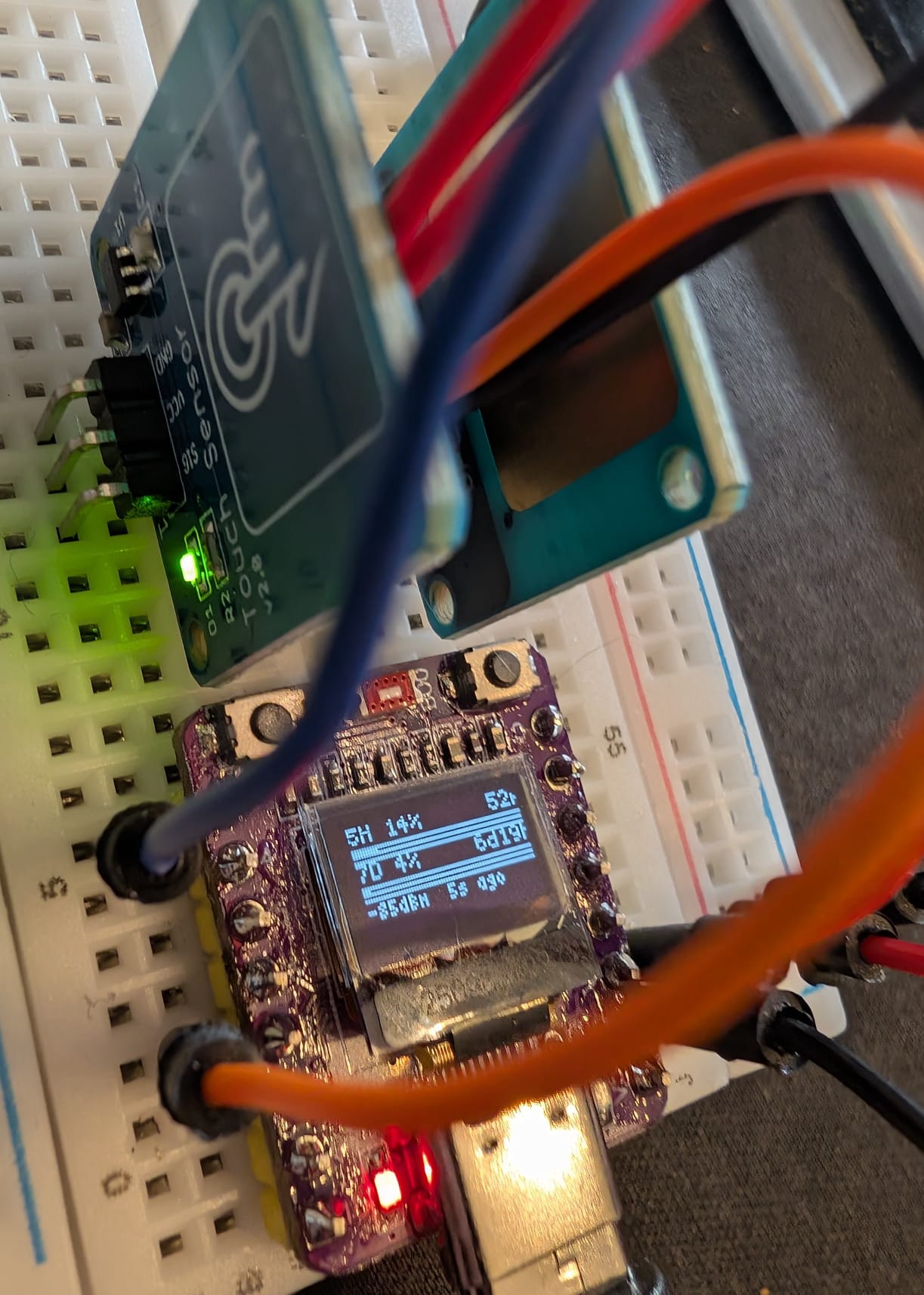
Wire each button between the GPIO pin and 3.3 V. When the button is open the internal pull-down holds the pin LOW; pressing it pulls it HIGH.
3.3 V ──┤button├── GPIO 3   (Button A)
3.3 V ──┤button├── GPIO 7   (Button B)
Any module that outputs a logic-HIGH signal when touched works as a drop-in replacement (e.g. TTP223-based pads). Wire the sensor's output to the GPIO pin and its power pins to 3.3 V and GND. The signal polarity and pull-down behaviour are identical to Option A.
| Context | Button A | Button B |
|---|---|---|
| PIN entry | Cycle the current digit (0–9) | Confirm digit, move to the next |
| Dashboard | Toggle display on/off | Force an immediate refresh |
| On boot | Hold A+B = factory reset (wipes all stored data) |
- During setup, a simple 8-digit WiFi AP password is shown on the OLED (
Pass:line) — the tiny screen can't fit the full random password used by LCD boards. - Brightness control is a simple on/off toggle (the 72×40 OLED has no meaningful brightness steps).
ESP32 C3 OLED · env esp32c3-oled · All boards · Flashing · Setup and daily use · Troubleshooting