Repository navigation

The following summarizes the changes compared to the previous release v0.9.0.
Full Changelog: v0.9.0...v0.10.0
New Features
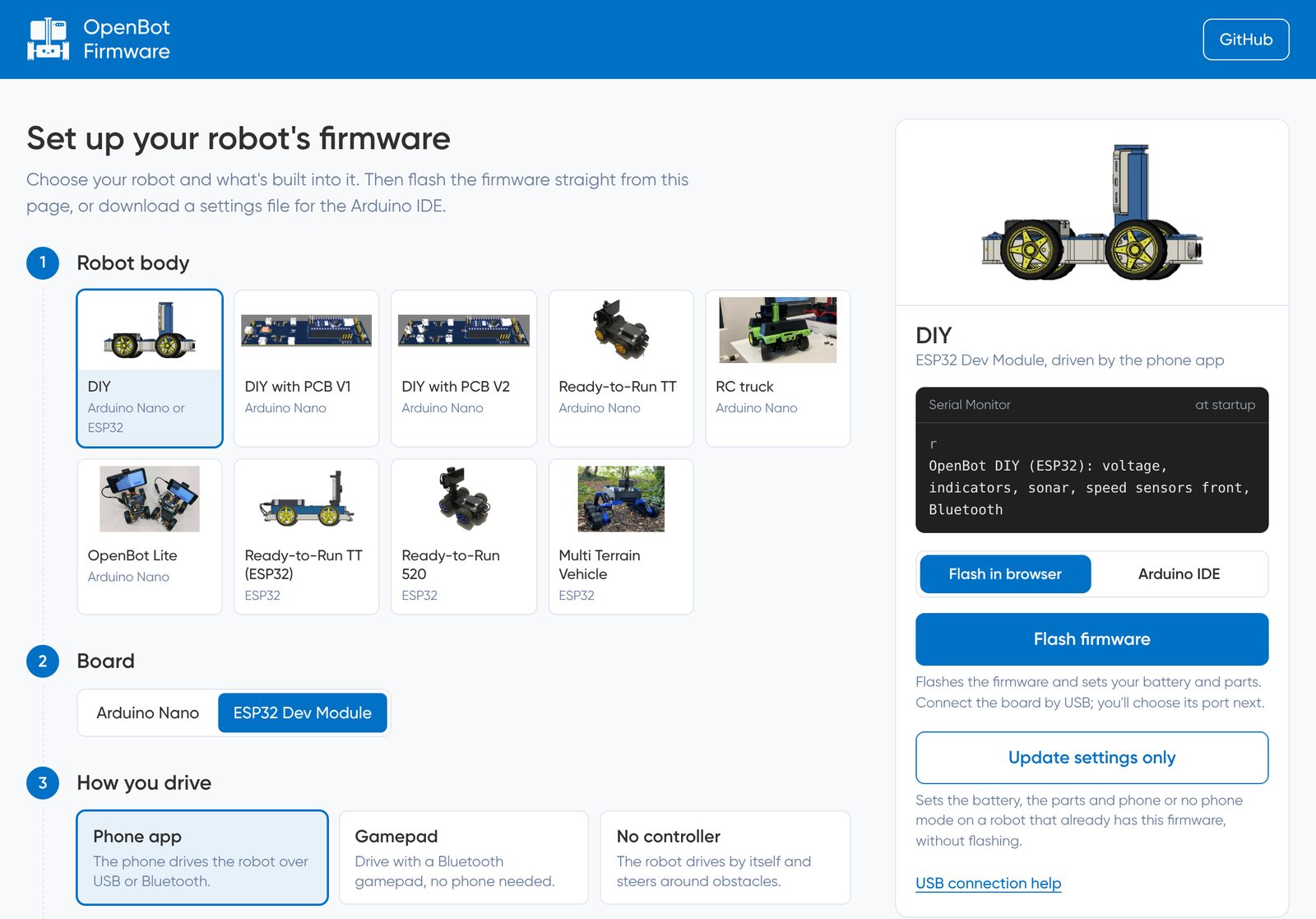
- Firmware setup page: Choose your robot body, board and parts at tools.openbot.org/firmware, then flash the firmware straight from the browser (Chrome or Edge), or download a settings file for the Arduino IDE. Update settings only changes the battery, parts, Bluetooth name and drive mode without flashing. By @thias15 in #558
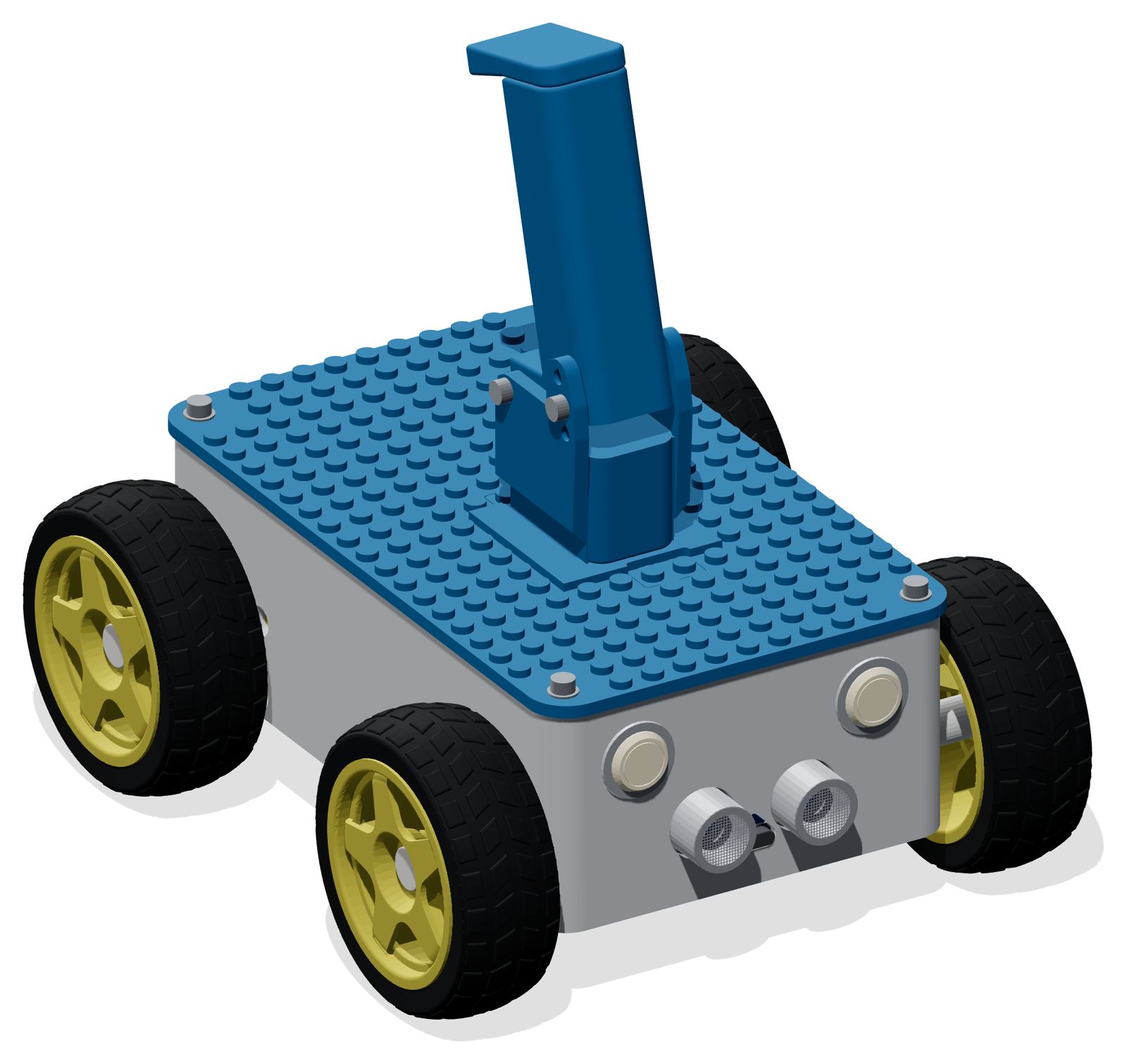
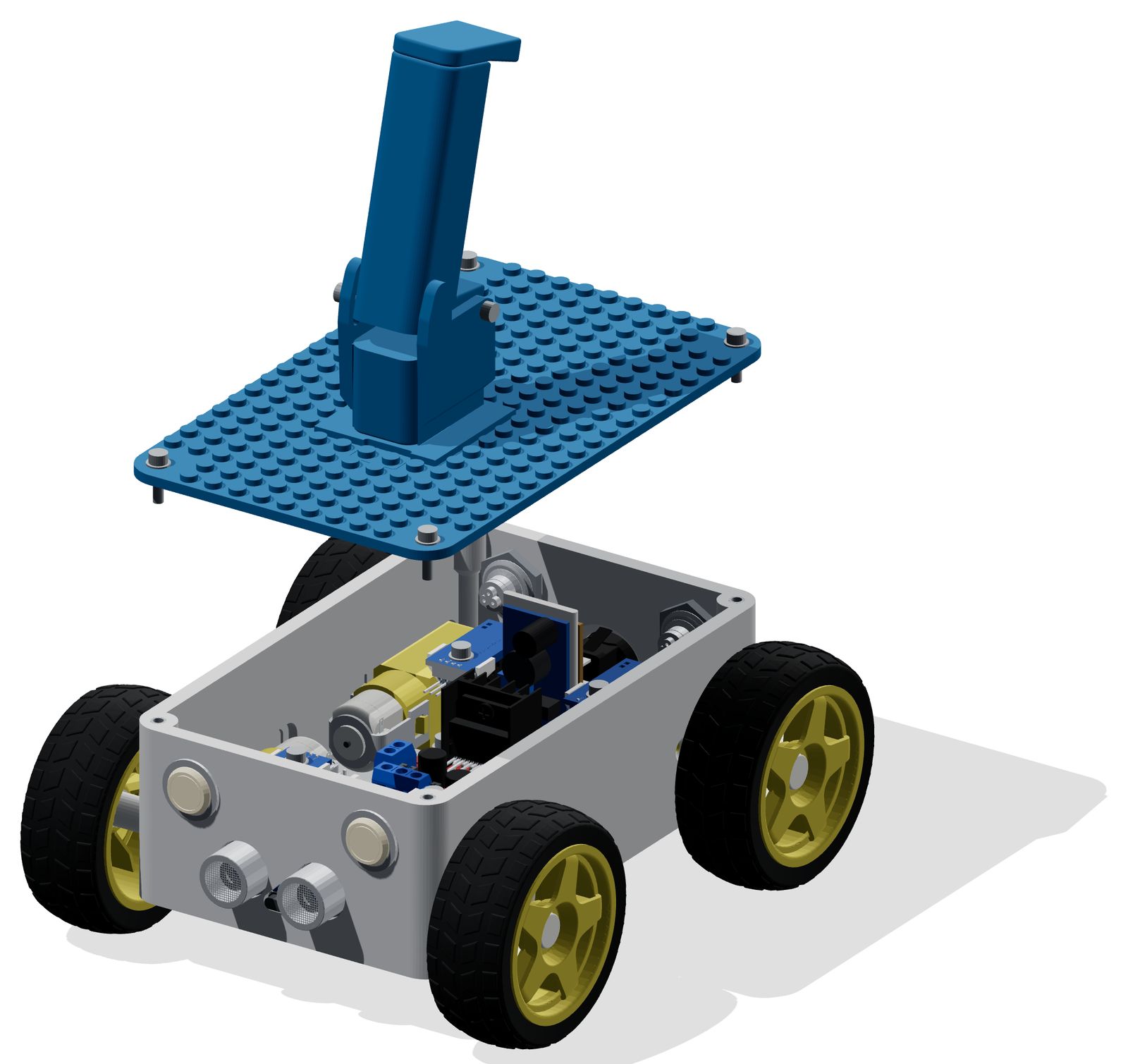
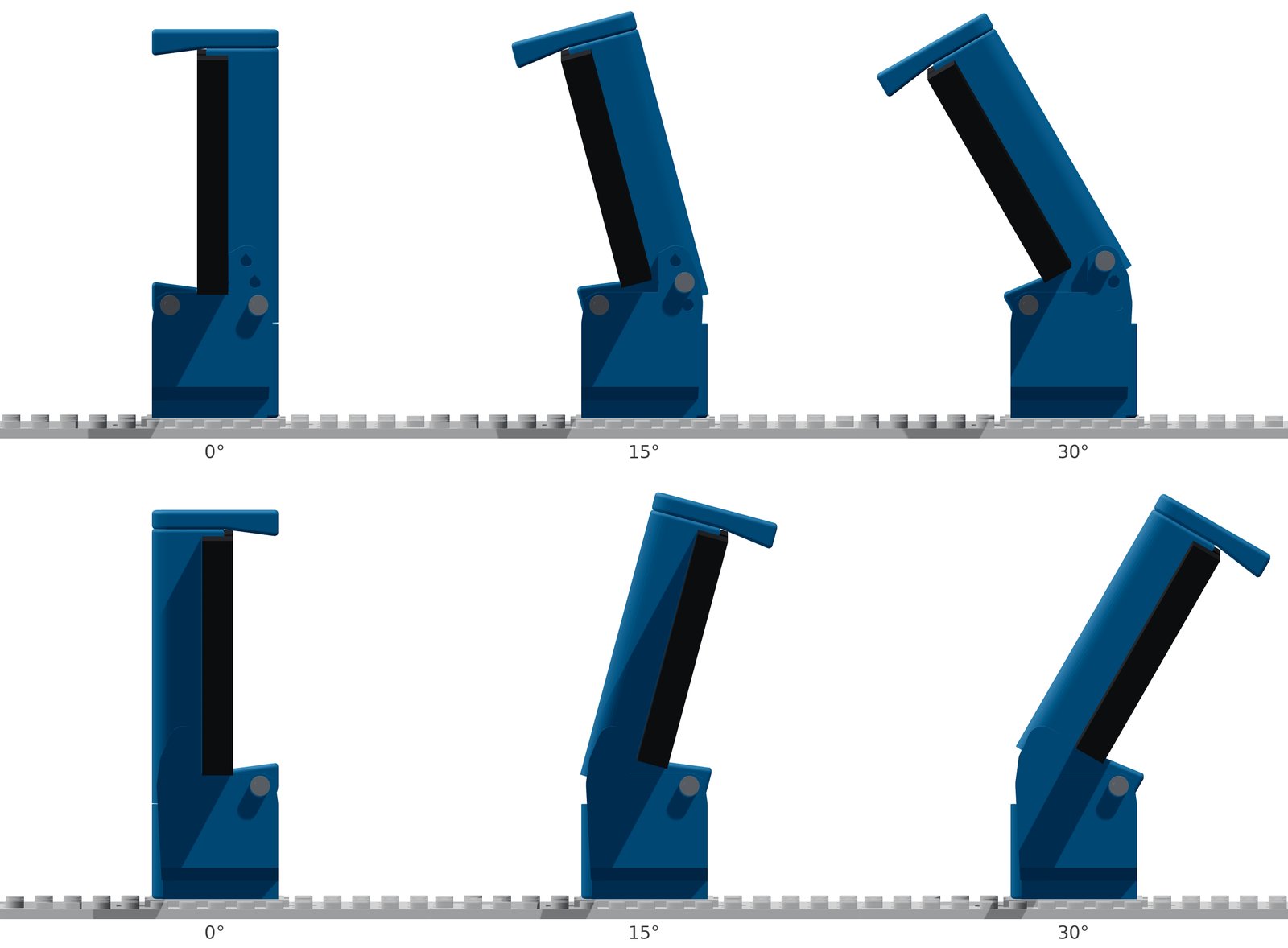
- OpenBot Compact: A small four-wheel body for the ESP32 DevKit V1 and L298N. Studded lid, screwless electronics mounts, three battery options, and an optional tilting phone mount (0°, 15°, 30°). All parts fit a 180 × 180 mm print bed. By @thias15 in #552
-
Point Goal Navigation: Tap the goal on the floor in the camera view instead of typing distances. Taps on furniture or walls are rejected; tapping the same spot again places the goal on the floor below. By @harishthakur52 in #563 (Android) and #564 (iOS)
-
Gamepad control without a phone: Drive an ESP32 robot directly with a Bluetooth gamepad. By @thias15 in #555
-
One DIY firmware for Arduino Nano and ESP32: The firmware detects the board, and all settings are at the top of the sketch with defaults per body and a pin conflict check. By @thias15 in #556 and #557
Fixes
- Fix robot video freezing in the phone controllers by @harishthakur52 in #551
- Start the apps without the project's Firebase configuration; sign-in features explain what is missing by @harishthakur52 in #565
- Fix the iOS layout in landscape and on newer iPhones, and text overlap in longer languages by @harishthakur52 in #566
- Fix code after the repository restructure by @thias15 in #561
Documentation
- Add a robot app overview page, fill in missing translations and fix broken links by @thias15 in #562
- Add a screenshot of the setup page to the firmware README, and the setup page section to its translations by @thias15 in #567
Maintenance
- Move the Android and iOS robot apps into
robot/by @thias15 in 0667383 - Format the robot app's Java code with google-java-format by @thias15 in 7db2e53
- Remove the legacy Android controller app and the Nearby transport; use the Flutter controller by @thias15 in #559
- Raise the Android minimum to API 24 (Android 7.0) by @hardikgarg02 in #550
- Attach the Flutter controller APK to releases by @hardikgarg02 in #553
- Compile every firmware configuration in CI by @thias15 in #554
Contributors


thias15, hardikgarg02, and harishthakur52