 Supabase
1. Request to Clear Supabase Storage Due to Quota Restriction #53111

Replies: 2 comments

|
You will need to contact their support thru the ticket system in upper right of dashboard under feedback. |

|
One detail to preserve in your support request: ask to empty only Don't work around this with If support restores Storage access, use the Storage API/dashboard to empty the bucket. If you instead delete an explicit list with Before deleting, verify that your backup contains the actual image files, not just database rows or signed URLs. Keep the original object paths with the backup so delivery records can still be matched to the files. Emptying Storage will leave existing database links pointing to missing objects unless the application handles that state. None of this bypasses the restriction or guarantees that support will grant temporary access. |


Uh oh!
There was an error while loading. Please reload this page.
Hello Supabase Support,
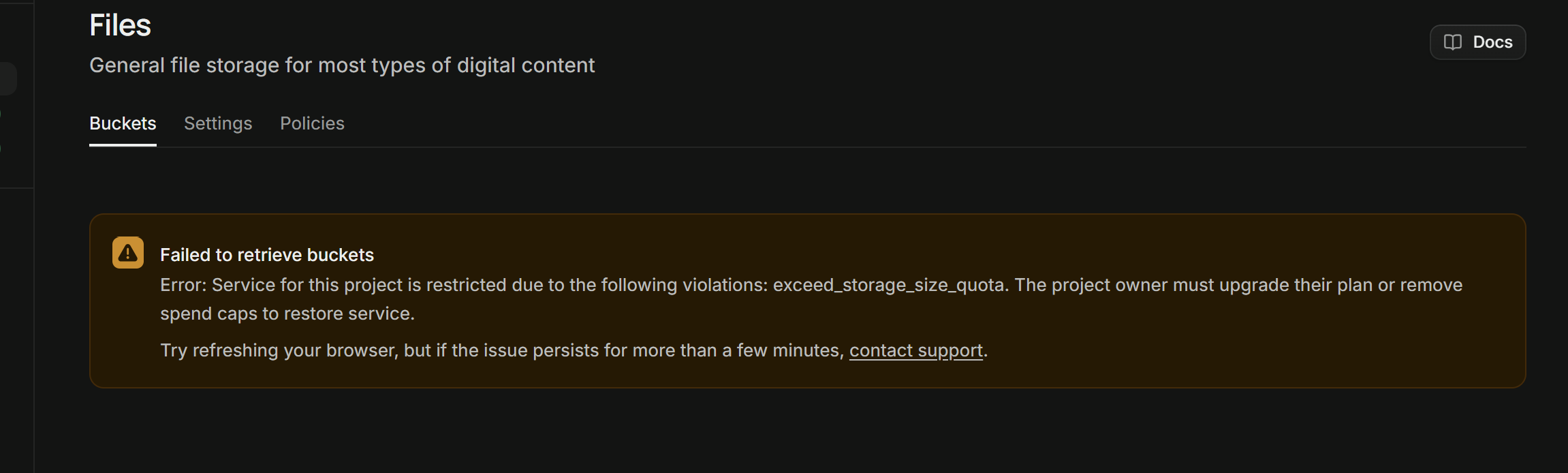
My project has been restricted due to
exceed_storage_size_quota.My project is currently on the Free Plan, and I do not want to upgrade.
Storage details:
I have already downloaded and backed up all required patient records, delivery records, locations, and delivery proof images.
I want to permanently clear all files from the
delivery_proofsbucket to bring my storage usage below the Free Plan limit.However, I cannot access the Storage dashboard because the project is restricted.
Please help me temporarily restore Storage access or remove all objects from this bucket.
IMPORTANT: Please keep my database tables, patient records, delivery records, drivers, and project configuration intact. I only want to clear Storage files.
I do not wish to upgrade my plan.
Thank you.
All reactions