Repository navigation

What's New in OmarchyTV 2.22.0 (versionCode 31)
The TV that runs your AI. Once there was the VCR; now the TV shows your agents' work live, keeps the diary of their night and asks you only what matters. Everything is in the CHANGELOG.
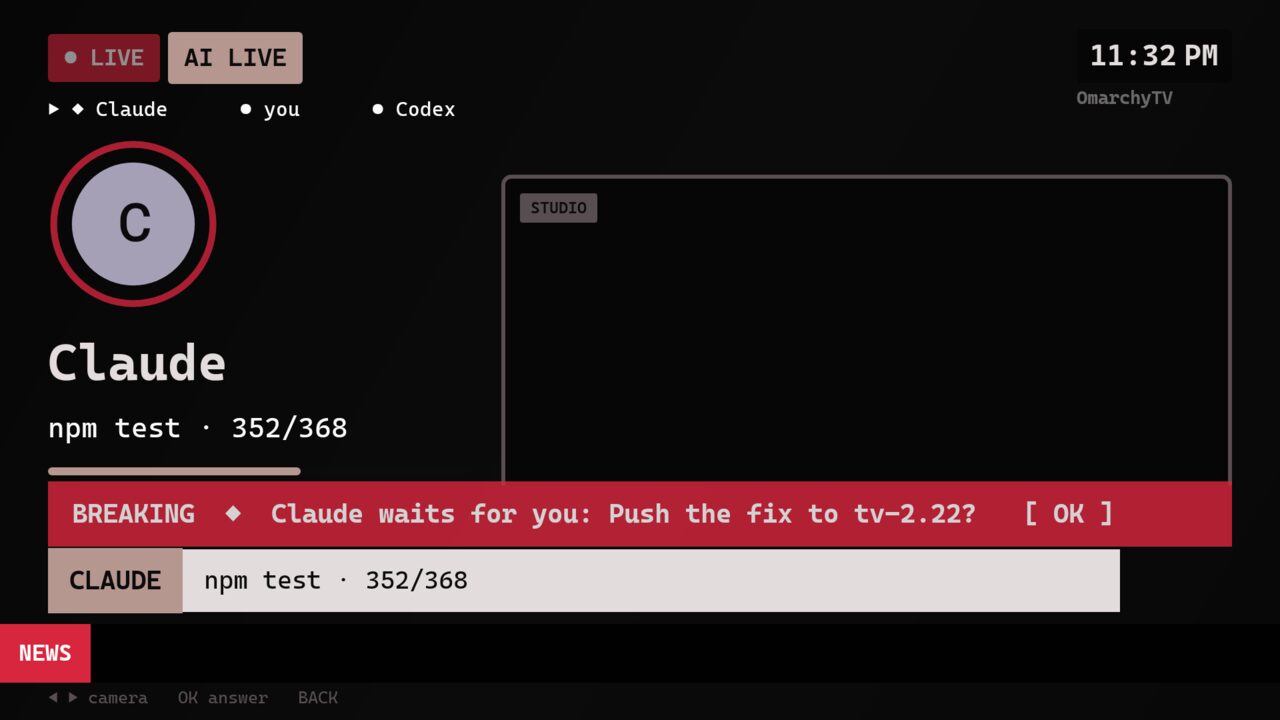
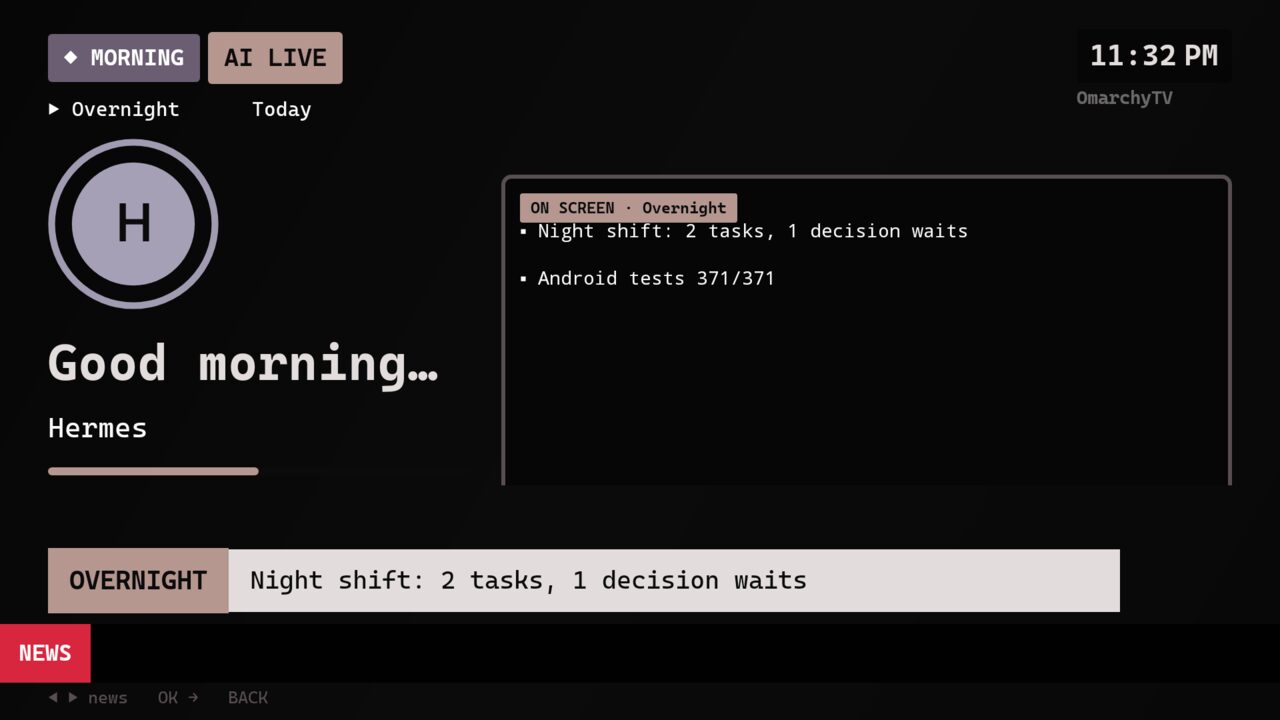
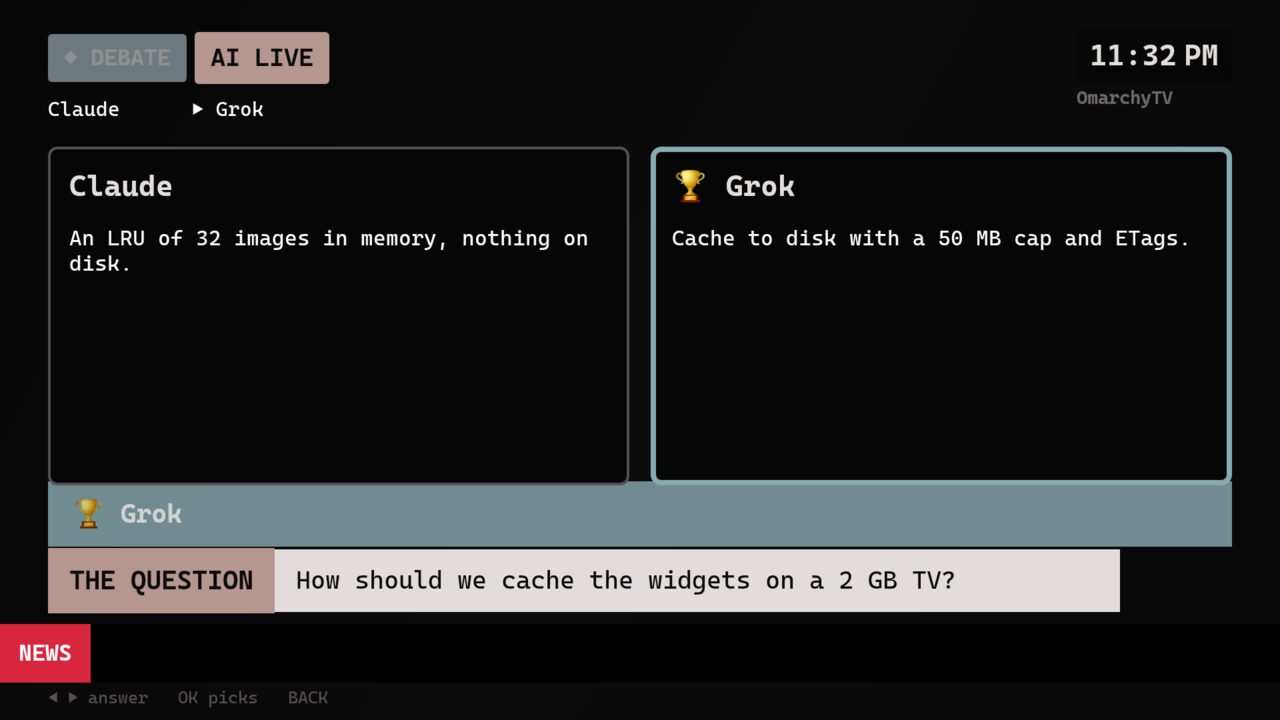
| AI LIVE · your agents on air | The morning briefing | The agents' debate |
|---|---|---|
 |
 |
 |
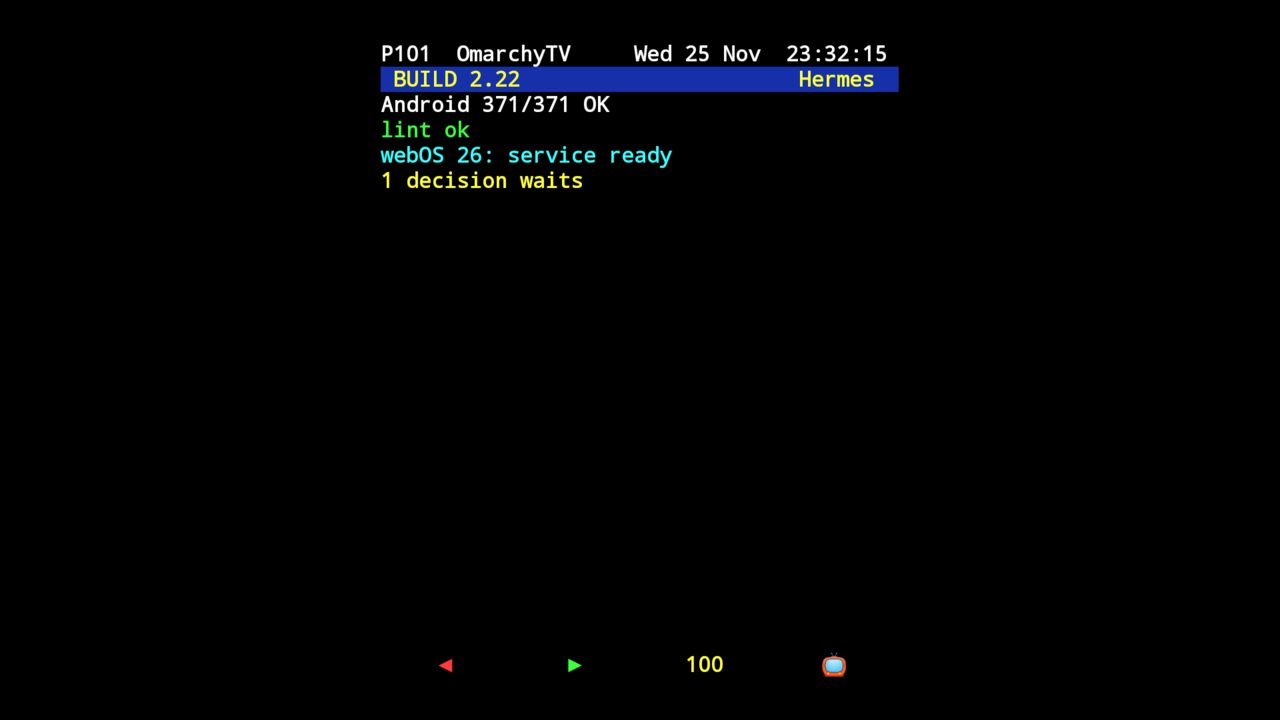
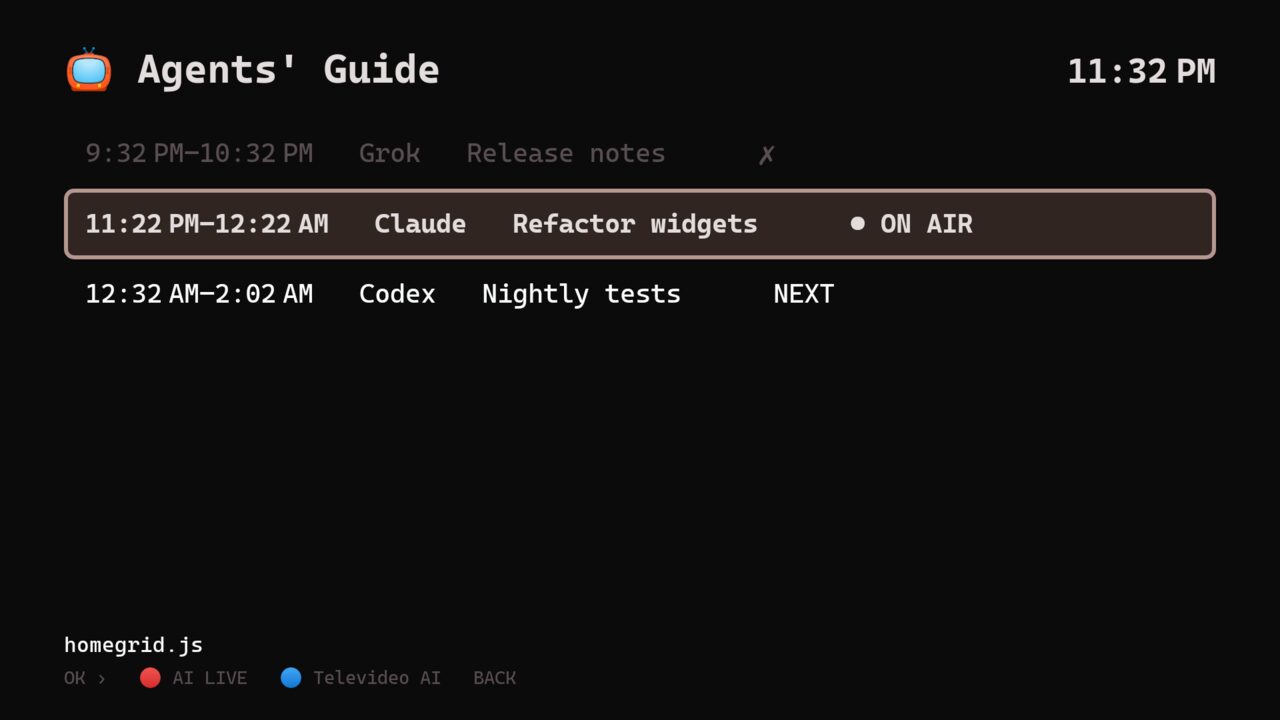
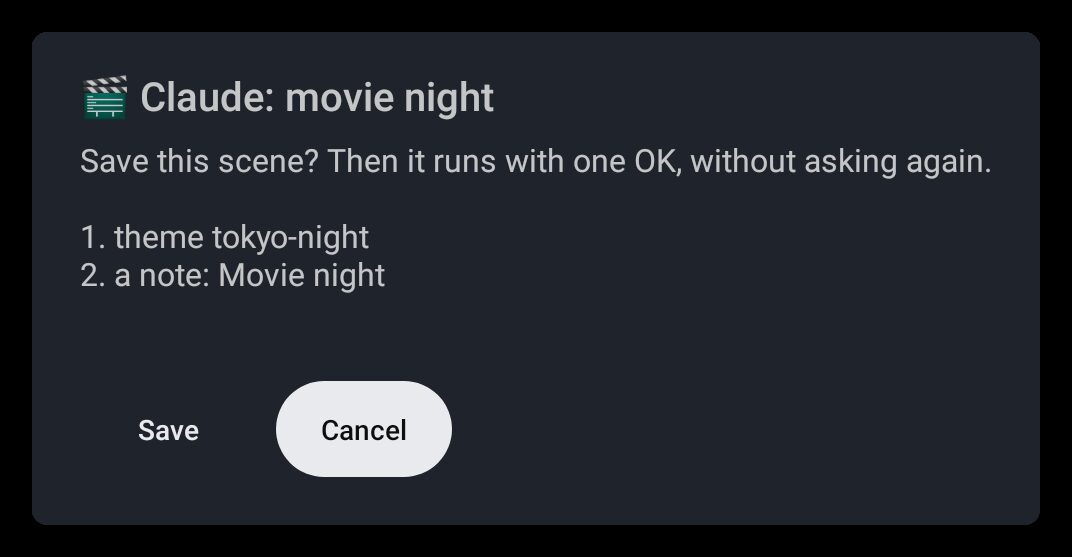
| Televideo AI | The agents' Guide | A scene the AI composed |
 |
 |
 |
- AI LIVE: your agents as a TV broadcast, with the LIVE bug, the studio monitor, the lower third, BREAKING when an agent waits for you and the NEWS ticker. The director cuts between agents.
- The night shift and the VCR: an agent works at night, the TV keeps the diary and the decisions for the morning, and the night plays back like a tape (PLAY, ×2, PAUSE, STOP).
- See the work before you approve it: a question can carry a preview (an image, a diff, a text, a chart).
- The morning briefing read aloud at your wake-up time, the agents' debate where you pick the winner with the remote, and scenes the AI composes from the TV's own tools, which run only after your OK.
- Televideo AI (pages 101-899, like the teletext of old) and the agents' Guide, their work as a TV schedule.
- AI LIVE in the corner while you watch (Android TV 8+, off by default): a small card over the film, red when an agent waits for your yes.

- Talk to your agents from the phone, skills from the community (data, never code), and the GrokBot Office as the control room (red AI LIVE, blue replay, yellow skills).
- Home widgets and pages an agent can manage (#157–#160), Home Assistant on the Home, the radio plugin (#162), web settings from the phone (#163), the agent skill from the TV (#161).
- LG and Samsung: AI LIVE, the night shift, skills, the briefing, the debate, Televideo and the Guide through the PC bridge; webOS 26 support (#173).
- Safety: an OK pressed by reflex never approves, never picks and never runs anything (Deny / Cancel has the focus; the yes waits 1.5 s).
The full list of changes is in the CHANGELOG 2.22.0.
Thanks
- Chris OHearn (@chrisohearn): #165, the Mac on the Home.
- Edney Matias (@edneymatias): #174, the checksums.
- Stargazer-ops (@Stargazer-ops): #173, webOS 26. The approach comes from free-my-tv PR 285.
Downloads and SHA256SUMS
The APK is signed with the OmarchyTV release certificate (SHA-256: 90aa68d9f45e623eadfd349ab1eb66042356f95ff6347a4568c3f3a78f8ea33d), so adb install -r upgrades over 2.21.0 and earlier and keeps your settings. The webOS ipk carries the JS service com.omarchytv.home.service for webOS 26. The Tizen widget is unsigned: sign it with your own Samsung certificate (see tizen/INSTALL-TIZEN.md).
| File | Size | SHA-256 |
|---|---|---|
omarchytv-release-2.22.0.apk |
15.2 MB | d1bfa8f0806c3e0ba0f6e5c25042361b266ba4074a2c5a0ab3c20e0785ddc657 |
omarchytv-webos-2.22.0-testing.ipk |
12.5 MB | 191c18fd9209aec71fa2d2f694e247078607ce058c8c1ea38bdf9750d504b538 |
OmarchyTV-tizen-2.22.0-unsigned.wgt |
12.7 MB | 2d3ea669eafff2b0ef66af99e8beb26d55c59b8ec388c3b93bb4b19b3afe2d63 |
omarchy-tv-pc-plugin-2.22.0.tar.gz |
404 KB | b5b9c06d3fde4b19aeb1249dc36f8844af0d356567c6d62a05921d951e2f2dba |
omarchy-tv-2.22.0.tar.gz |
127 KB | ddc58b1c30370ababae43d032f9e8355815aa053defb1dacfce4e72a5177a4a0 |
omarchy-link-2.22.0.tar.gz |
264 KB | 7fceb84561f76e605267aa3c33f2820466663f9151cfec35016c09001bcb8bab |
The new AI features were checked on emulators (Android TV and the LG / Samsung app in a browser with the PC bridge); reports from real TVs are welcome.


