Repository navigation

What's New in OmarchyTV 2.23.0 (versionCode 32)
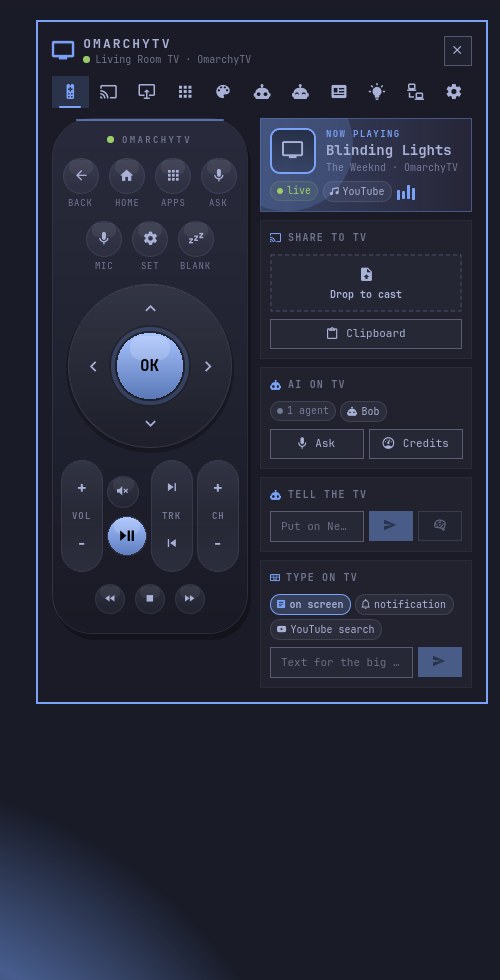
The bar becomes the TV's remote. The OmarchyTV widget in the Omarchy bar now drives the whole TV: arrows and OK in every app, channels, inputs, the TV's own microphone, your webcam on the TV, and words that become remote steps you see before they run. Everything is in the CHANGELOG.
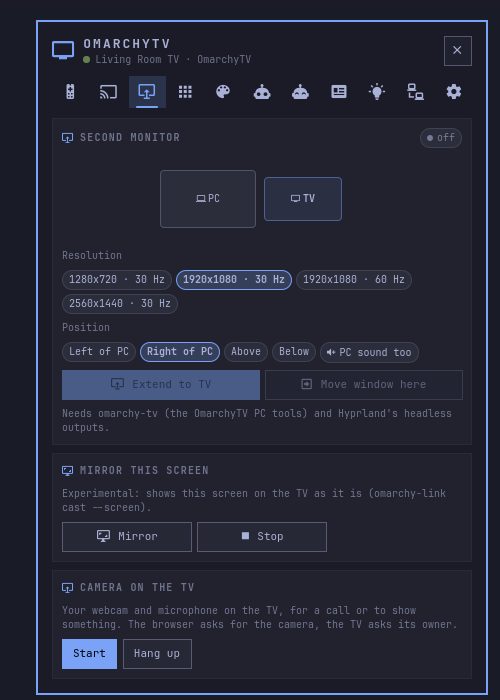
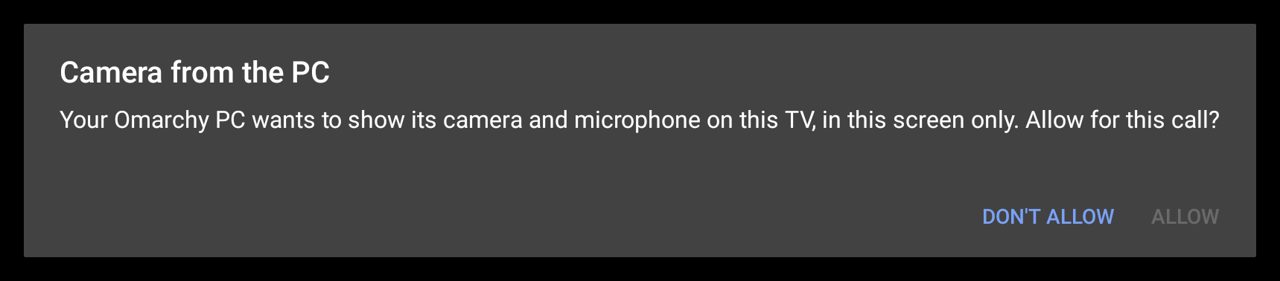
| The bar as the remote | Camera on the TV, from the bar | The TV asks before the camera starts |
|---|---|---|
 |
 |
 |
- Arrows and OK on the whole TV (Android 13+, with the OmarchyTV remote service on), the TV's settings and quick settings, blank the screen (not standby) and the TV's own microphone from the PC (the words go to the ask).
- Channels and inputs: channel up / down and by number on TVs with a tuner (allow "Channels for the PC" in Settings › PC link), HDMI and other passthrough inputs, and the lights hub with "Paint now".
- LG and Samsung: the TV's own remote.
omarchy-tv native pair --lg | --samsung HOSTonce, then the bar's Remote and Apps tabs drive the TV itself: arrows and OK in every app, volume, channels, number keys, inputs, other apps and typing into the TV's search fields. The pairing secret and the pinned TV certificate stay in a 0600 file on the PC. - Camera from the PC: your webcam and microphone in an OmarchyTV call screen (Screen › Camera on the TV, or
omarchy-link camera). WebRTC straight from the PC to the TV on your LAN, never recorded. The TV asks every call (Don't allow has the focus, Allow waits 1.5 s) and shows a red badge while it runs. - TV mode (SUPER+ALT+T, your keyboard drives the TV until Esc), Tell the TV ("put on Netflix and dim the lights" becomes a plan you see before it runs), macros (Cinema, Night, Party, Pause all and your own) and MCP tools for your agents. One closed list of steps, never power.
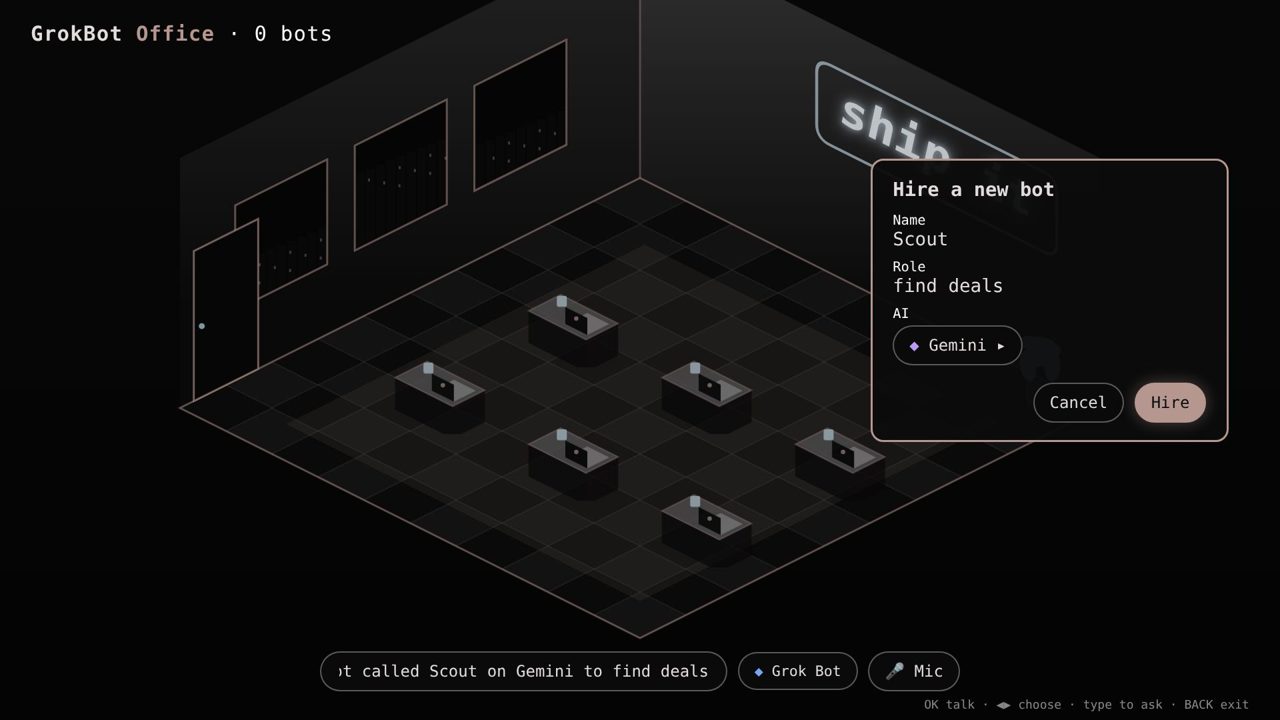
- More AIs: Gemini, Hermes and Ollama bots in the GrokBot Office (Android and webOS), DeepSeek and OpenRouter as ask entries of their own.
- Fixed: casting a photo or a file, and pushing a theme ZIP, to a TV with encryption on (
415since 2.13). PC side only, so it works with every OmarchyTV version. - Fixed: the Home weather card is centred with Racing off, and the PC and Mac panels use aligned labels and the theme colours (#177).
- The Omarchy bar plugin has its own repository: piermark/omarchytv-plugin (GitLab), with screenshots and a full guide (install, pairing, every tab, troubleshooting, uninstall). It is an unofficial community plugin built on Omarchy; it is not made or endorsed by the Omarchy project.
Still open: typing into other apps' fields on Android TV, and arrows on Android 12 and older. I'd love your reports and ideas: please open a GitHub issue.
The full list of changes is in the CHANGELOG 2.23.0.
Thanks
- Chris OHearn (@chrisohearn): #177, the centred weather card and the cleaner PC and Mac panels on the Home.
- Edney Matias (@edneymatias): #175, a very detailed report on webOS 3.x pairing. Please try it and tell me how it goes.
Downloads and SHA256SUMS
The APK is signed with the OmarchyTV release certificate (SHA-256: 90aa68d9f45e623eadfd349ab1eb66042356f95ff6347a4568c3f3a78f8ea33d), so adb install -r upgrades over 2.22.0 and earlier and keeps your settings. The Tizen widget is unsigned: sign it with your own Samsung certificate (see tizen/INSTALL-TIZEN.md). To update the bar widget, run omarchy plugin update (it shows the diff first), or extract omarchy-link-2.23.0.tar.gz over your copy and run omarchy-shell shell rescanPlugins.
| File | Size | SHA-256 |
|---|---|---|
omarchytv-release-2.23.0.apk |
15.2 MB | 89bb6cde2528ec9b7aa0a2a9f8898017a6179dc22564a94b6094eb11fc13d23e |
omarchytv-webos-2.23.0-testing.ipk |
12.5 MB | ead69d2c3dfe5c989dc47c6b32e9dd3ad62ae7f8105c2aa0edf7fe290171d1a9 |
OmarchyTV-tizen-2.23.0-unsigned.wgt |
12.7 MB | 95b73f06b58e46a6cc35db5c41fb00343418d32aac185144ffefdad4c00bc94e |
omarchy-tv-pc-plugin-2.23.0.tar.gz |
2.6 MB | e2a7debf9a8c6b08e9cb9134695091af42d9cd4f4f1278696bec1030cb991d99 |
omarchy-tv-2.23.0.tar.gz |
140 KB | fc03fd0dfd57ea83286567887184df7cbf8dd226c20dcdddde7e7f83e7a55426 |
omarchy-link-2.23.0.tar.gz |
2.4 MB | 46343398748735713736b4850551d635fe33d99eea279bdbd6d2de80b18978d0 |
The new remote features were checked on the Android TV emulator, with mock LG and Samsung TVs and with the bar widget rendered offscreen; reports from real TVs are very welcome.

