Repository navigation

Playport 0.5.0: World of Warcraft, Red Dead Redemption 2, The Witcher 3: Wild Hunt – Remastered and touch controls
This is the big one. World of Warcraft is on your iPhone. Install it straight from
Blizzard through Playport's new Battle.net store, sign in and step into Azeroth. Red
Dead Redemption 2 rides out of Arthur's cabin, The Witcher 3: Wild Hunt – Remastered
plays in Kaer Morhen, and no controller is needed any more: on-screen touch controls
with three layouts, a full layout editor, a touch keyboard, controller mapping and gyro
aim. Add a redesigned Library, a performance overlay and Vulkan for every game.
❤️ Playport is free, and it stays free. If it put a PC game in your pocket, please
consider supporting it on Ko-fi. Getting World of
Warcraft, Red Dead Redemption 2 and The Witcher 3 running on a phone took a lot of work,
and every donation buys time for the next release: more games and more fixes.
A donation is a gift: it buys no licence, no extra rights and no different build, and
everyone may keep sharing Playport under its licence.

Updated IPA (2 November 2026). The 0.5.0 IPA was replaced with a build that adds three
fixes:
- 32-bit games that unpack their own code at start-up (The Binding of Isaac: Rebirth, The
Witcher 2) no longer crash before their first frame. - Playport's Steam client now gives a game Steam's ownership ticket, so The Witcher 2's DRM
check passes. - A tap on a launcher's window goes to what you see under your finger: The Witcher 2
launcher's Launch game works.
If you installed 0.5.0 before this, download it again. SHA256SUMS lists the new files.
Highlights
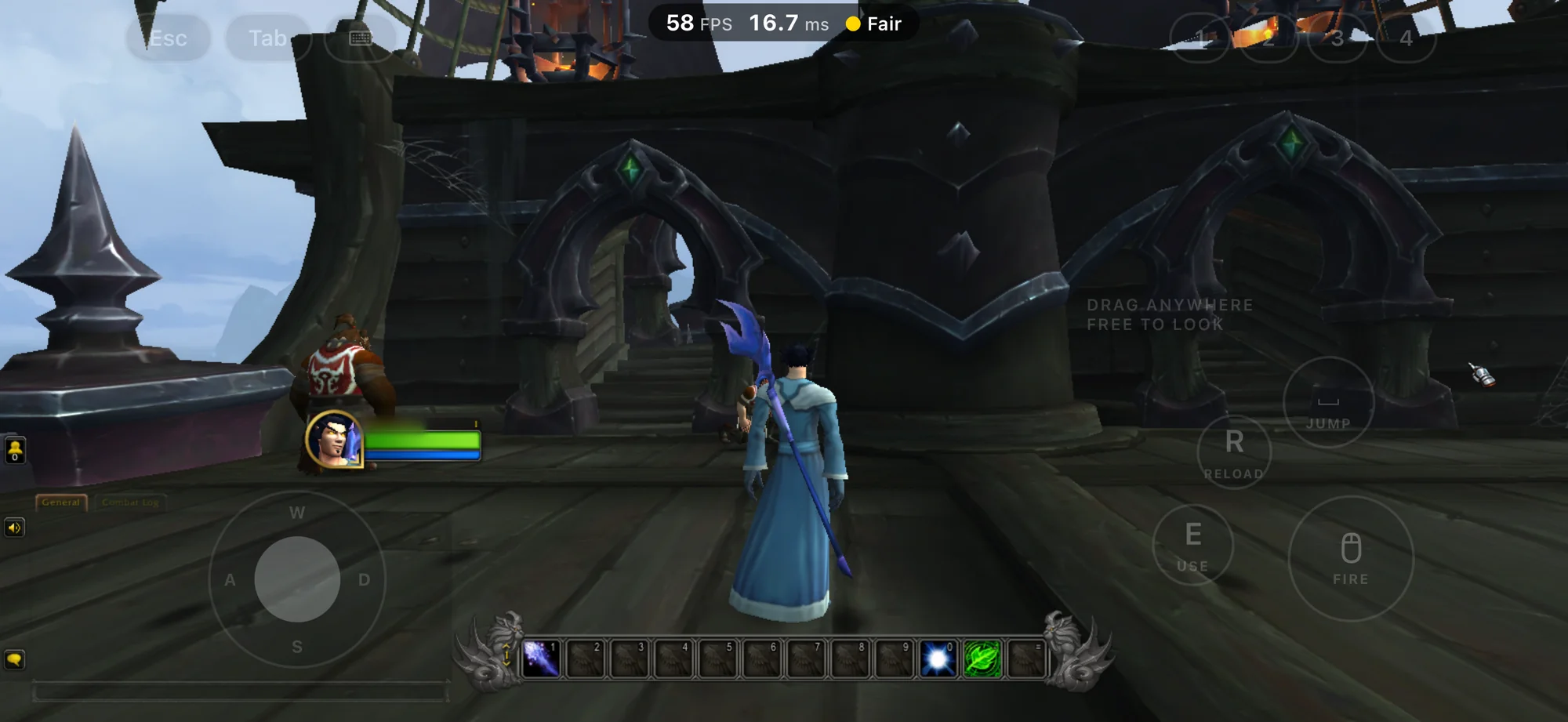
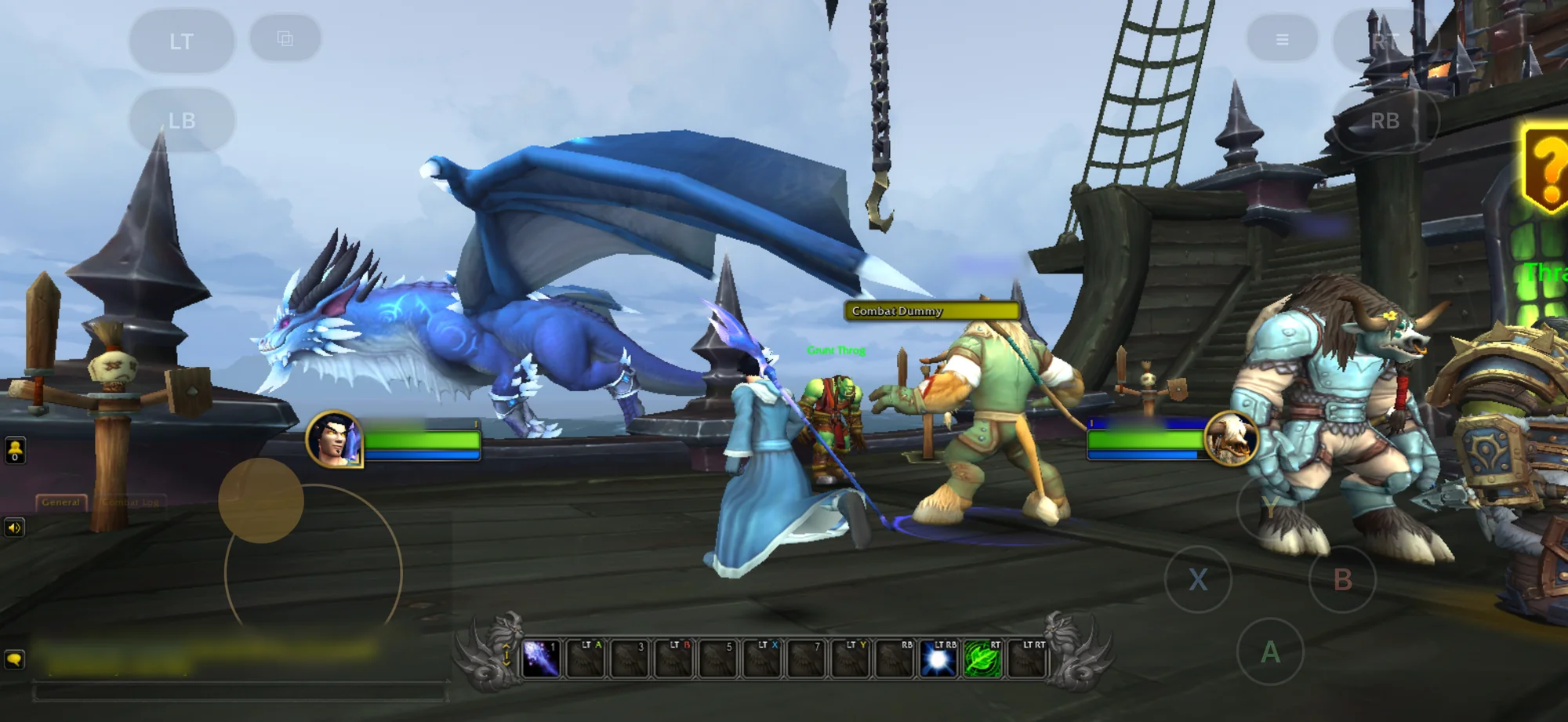
⚔️ World of Warcraft, from Battle.net
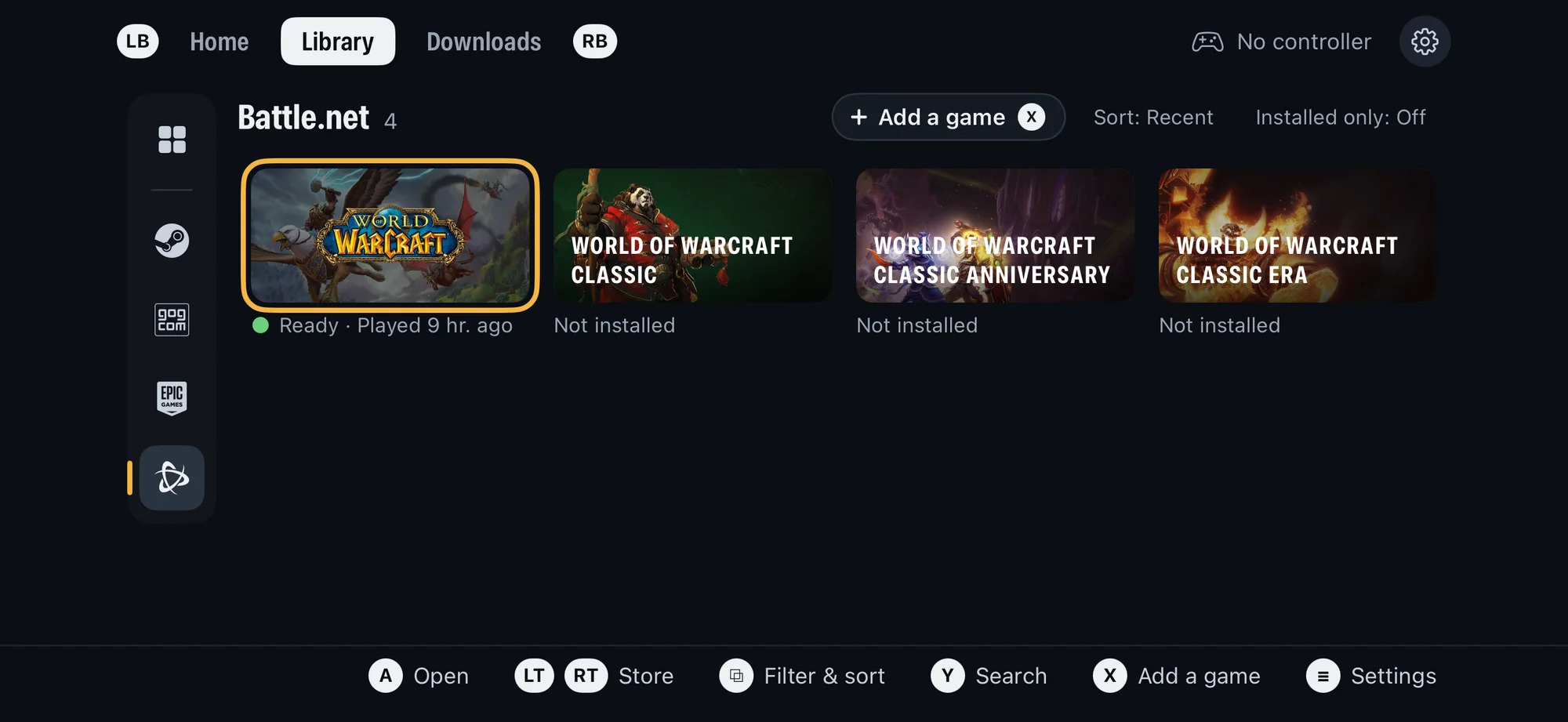
Battle.net is now a store in Playport, next to Steam, GOG and Epic Games, and World of
Warcraft shows in everyone's Library. No Battle.net app and no sign-in in Playport: pick
the game, press Install, and Playport downloads it from Blizzard's own servers.
- Retail, Classic, Classic Era and Classic Anniversary, each with a region picker (US,
Europe, Korea or Taiwan; your phone's region by default) and a language. Playport checks
the free space before it starts and installs through Downloads, with pause, resume and
cancel. - Always up to date: every Play checks for a new build first and updates through
Downloads, then plays. Check for update sits on the game's page too. - The game signs itself in, as on a PC. The in-game menu's new Type text opens a
field over the game for your email, password and authenticator code, with paste and
AutoFill. - It plays. In our testing World of Warcraft reaches its login screen within about
45 seconds of Play and runs in the world at 55–60 FPS. - Your game, untouched: Playport runs Blizzard's own Windows client through its
translator and changes none of the game's files and none of its code in memory. Before
the first Play it tells you plainly that Blizzard does not support Playport.
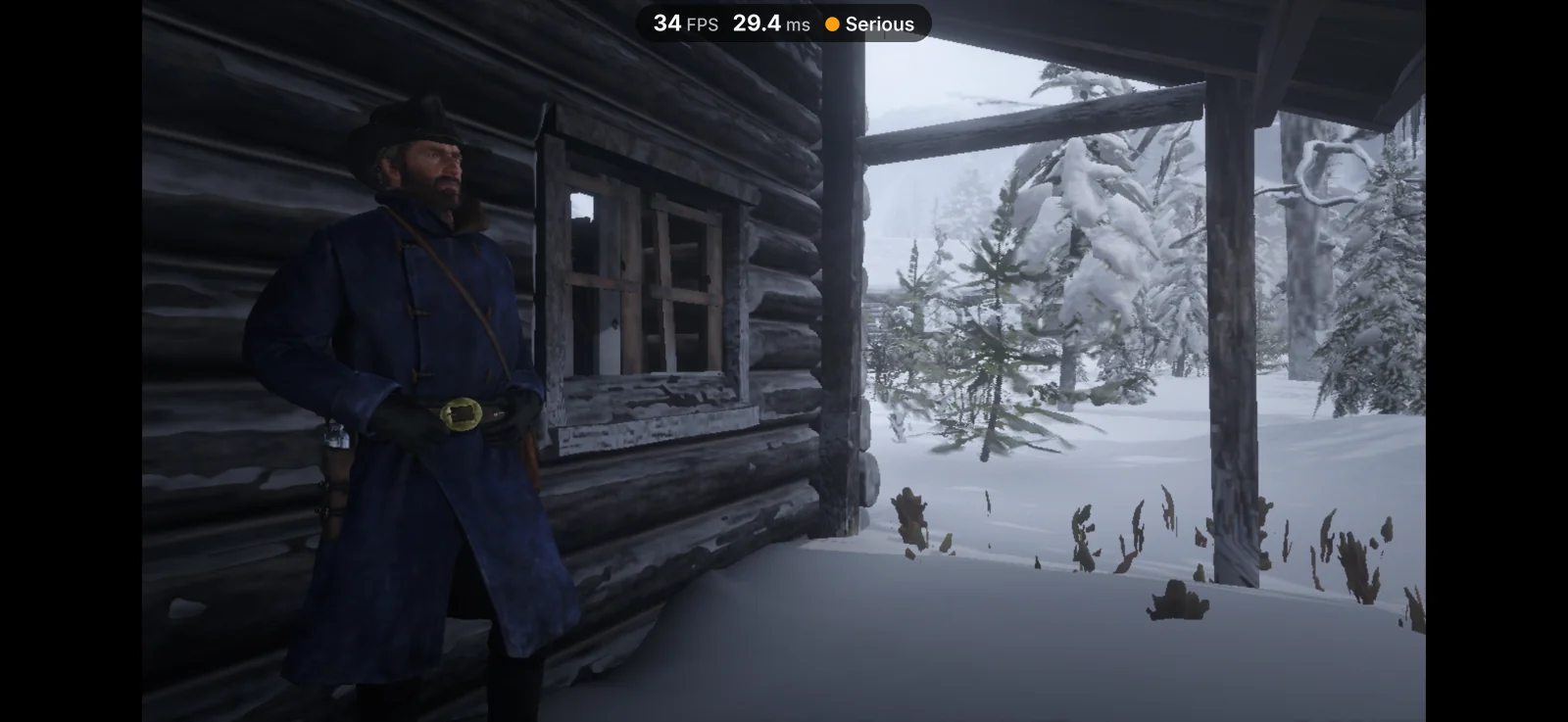
🤠 Red Dead Redemption 2 rides
Press Play and Rockstar's own launcher starts, signs in, hands the game its ticket and gets
out of the way. Social Club runs on Rockstar's own components, so the game stays signed in
and saves as it should. One press on Story and you are in Arthur's cabin, on the frontier,
on a phone.
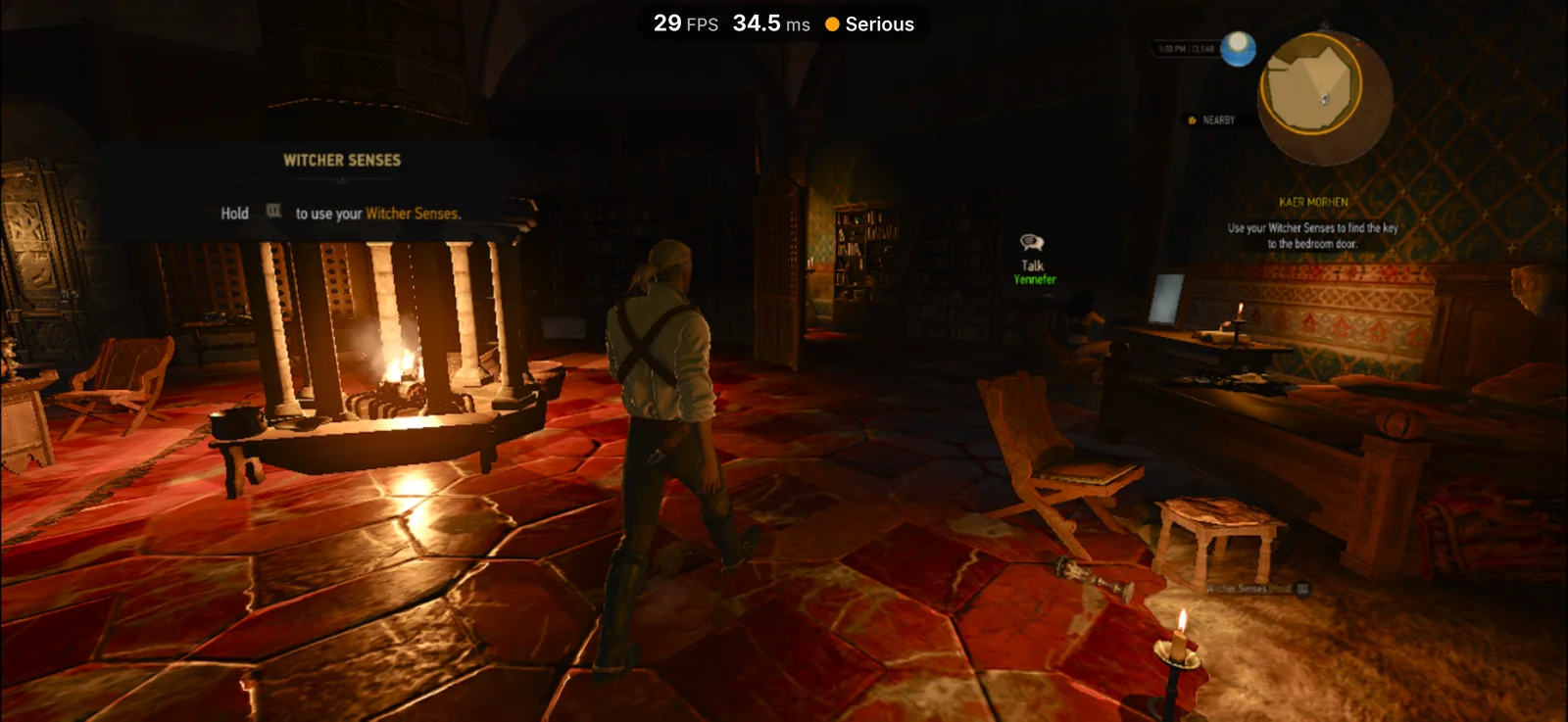
🐺 The Witcher 3: Wild Hunt – Remastered plays
The remastered 4.x build of The Witcher 3 used to stop the moment it started: it needs
AVX instructions the phone could not offer and asks for far more memory space than an
iPhone app gets. Playport now handles both, and Geralt is back in Kaer Morhen, on the
game's Direct3D 12 renderer. The classic 1.32 build still plays as before.
🎮 On-screen controls: play with nothing but the phone
No controller? Playport draws its on-screen controls over the game. Connect a controller
and they step aside; disconnect it and they come back (Settings › Controls: Automatic,
Always or Never).
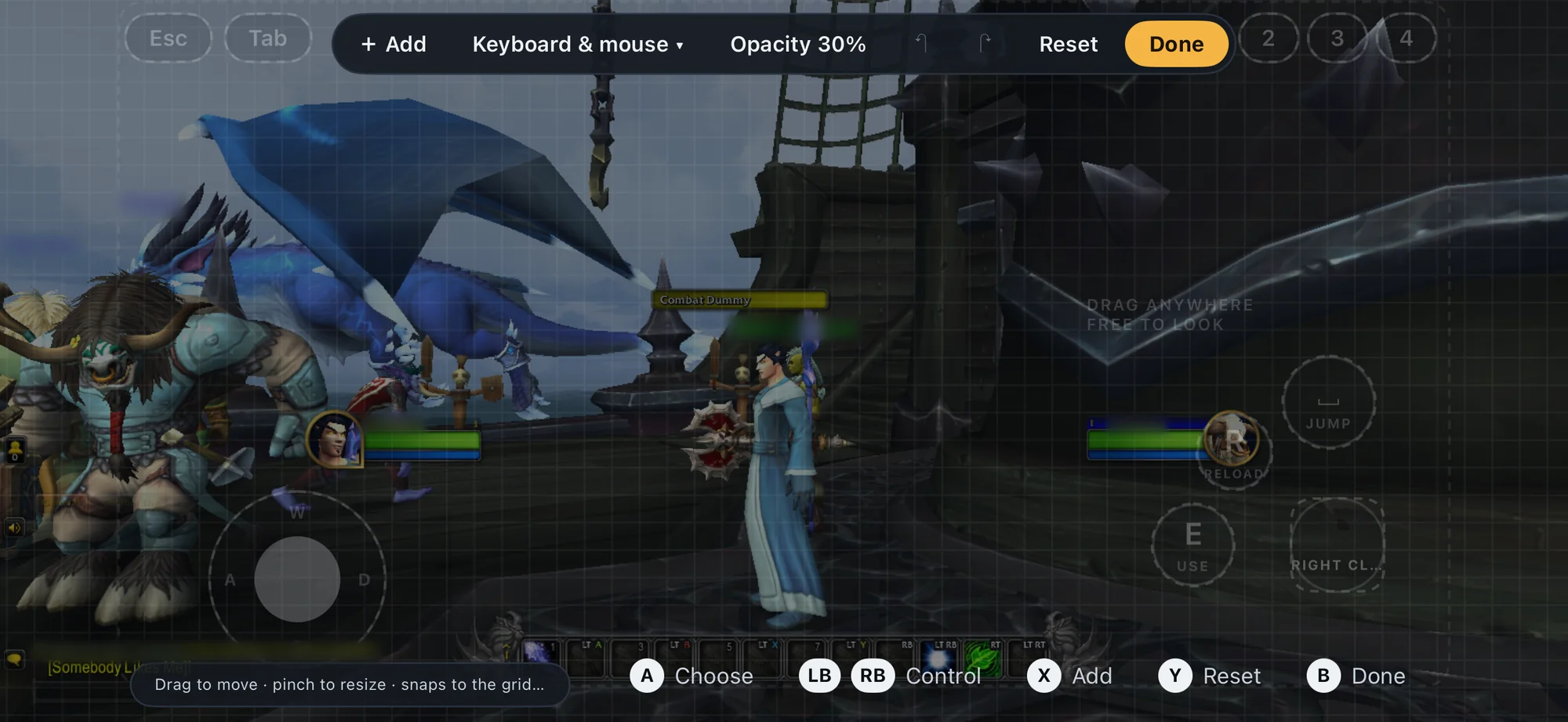
- Three layouts, plus Off: Gamepad (sticks, d-pad, A/B/X/Y, bumpers, triggers, View
and Menu), Keyboard & mouse (a W A S D stick, drag anywhere free to look, key caps
around your thumb) and Point & click (tap to click or use it as a trackpad, with a
magnifier for small targets, plus right click, hover, scroll, keys and Esc). - A three-finger tap anywhere opens Playport's in-game menu, with any layout. The first
time the controls appear on their own, a toast says so. - The layout editor: add, move, resize, duplicate and remove controls on a grid with
snapping guides, undo, reset and switch presets, by touch or with a controller, over the
paused game or from Game options › Controls. Each game keeps its own layout and its own
opacity. - A suggested starting layout: a game that never asks for a controller in its first
20 seconds is offered Keyboard & mouse, once. - A touch keyboard over the game, with F keys, arrows and sticky Shift, Ctrl and Alt,
for consoles, names and the keys a layout lacks. - Any controller as a keyboard and mouse: Game options › Controls › Controller maps
every button, stick, trigger and gyro to a controller input, a key with modifiers, a
mouse button, mouse movement or the wheel, or a Playport action. Pick As a controller,
As keyboard & mouse or Custom. - Gyro aim: aim by moving the phone, or a DualSense, DualShock 4 or Switch Pro
controller, as the mouse or the right stick, per game, with sensitivity, smoothing and a
test area to try it before you play.
📚 A redesigned Library
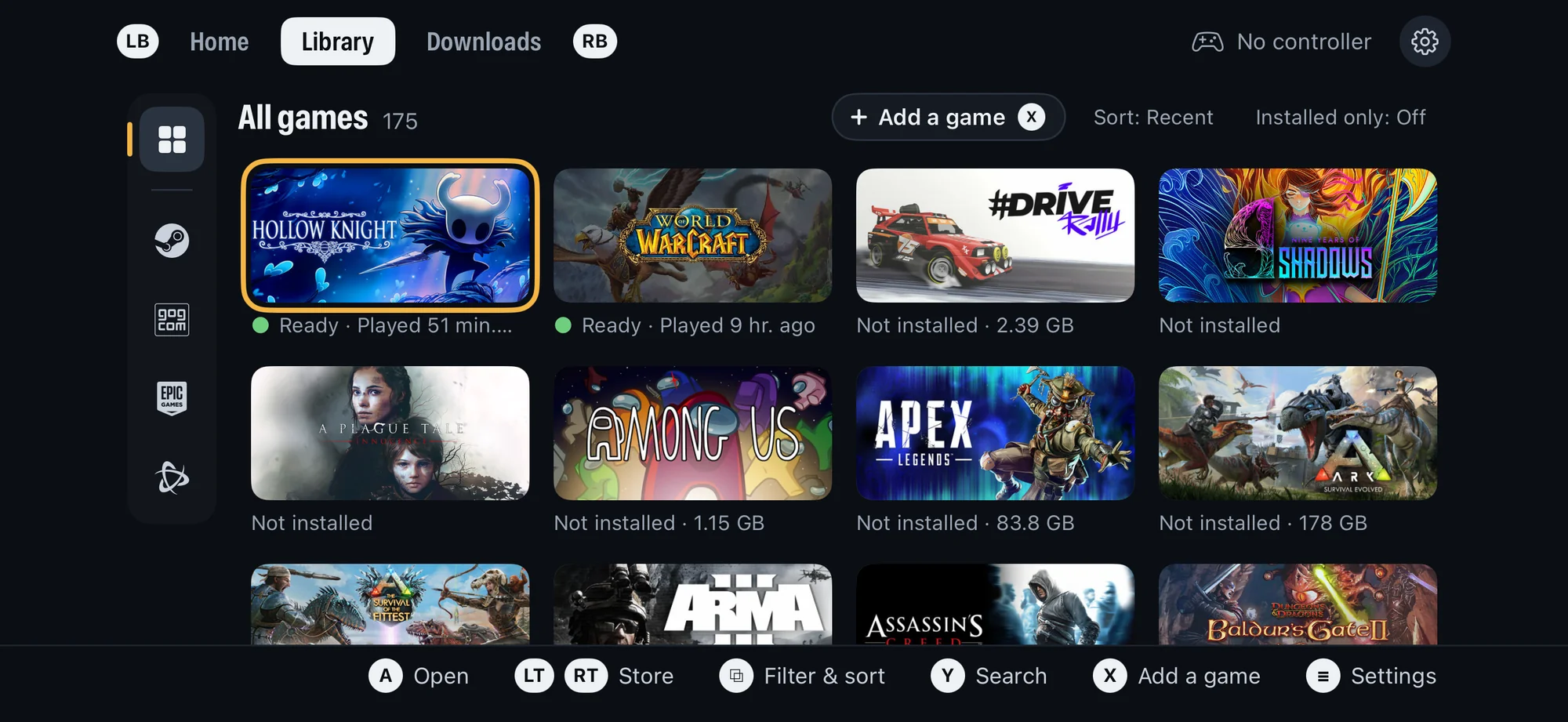
The stores are now a column of icons down the Library's left: All, Steam, GOG, Epic
Games and Battle.net, every one always there (a store you are signed out of is dimmed).
The chosen store's name and game count sit above the grid, and Installed only narrows
any of them with one tap. With a controller, press left from the first column to reach the
stores, or step through them from anywhere with LT and RT.
📊 A performance overlay
A small pill at the top of the game shows the frame rate, the frame time and your phone's
thermal state. Turn it on from the in-game menu or Settings › Graphics, and it stays on
for every game. It replaces Apple's Metal HUD, which cost CPU time on every frame.
Also new
- Vulkan is every game's graphics backend. Direct3D 9, 10, 11 and 12 now run on Vulkan
over Metal by default. DXMT stays one choice away in Settings › Graphics › Direct3D or
on the game's page. - Quicker launches: shaders are compiled faster for Metal on iOS 27, and what the
graphics backends and the code translator have done is kept on disk, so a second launch
skips the first one's work. Settings › Storage › Shader cache shows the space and
clears it. - OpenGL games run, through Mesa's Zink on Vulkan, in 64-bit and 32-bit games alike.
- More room for big games: each Play's memory is planned from your phone's memory and
the game's needs, freed memory is reused, and Settings › Graphics › Donor memory
(Auto by default) lets a game use more than the app alone could hold. - Steam for 32-bit games too: Playport's own Steam client now serves 32-bit games the
same sign-in, ownership check and online tickets as 64-bit ones. Repair fetches
missing Steamworks Shared files. - Games get what they need, from Play: an Installing dependencies step runs a game's
own prerequisite installer once, fetches Steam's or GOG's redistributables, and carries
Wine Mono for .NET games. - Publisher launchers: Rockstar's launcher runs for the games that need it, and a
game's own launcher and dialog windows show instead of an empty screen. - Type text in the in-game menu sends typing, paste and AutoFill to the game's focused
field, with a password mode. - Graphics choices are cleaner: Aspect ratio and Resolution are separate, and a
game can carry its own compatibility defaults (Super Meat Boy's 16:9, Assassin's Creed's
Keyboard & mouse layout). - Screenshot works over Vulkan games, and games that change display mode keep showing.
- Settings scrolls on a landscape phone; Storage lists Steamworks Shared, the shader
cache and the translator's cache with their sizes. - Newer components: Wine 11.20 with Valve's latest Proton Wine changes, and current
FEX (the translator that runs x86 code on the phone), DXMT, DXVK, vkd3d-proton and Mesa.
Games
The compatibility list carries every game we and
players have tried. Running since 0.4.0:
- Runs: Among Us, Assassin's Creed: Director's Cut Edition, BioShock (GOG), Monster
Train (GOG), Duck Paradox (GOG), Spelunky (GOG), Tomb Raider: Anniversary (GOG), Super
Meat Boy (Epic), Soccer Online: Ball 3D, #DRIVE Rally, Castle Crashers (demo), Cat Mail
Co. (demo) and Football Manager 2022's Resource Archiver. - Runs, with issues listed on their pages: Counter-Strike and Half-Life (OpenGL),
Neverwinter Nights: Enhanced Edition (GOG), Tomb Raider (2013), DiRT 3 Complete Edition,
House of Golf 2 (Epic), and the three in the highlights: World of Warcraft, Red Dead
Redemption 2 and The Witcher 3: Wild Hunt – Remastered.
Good to know
- World of Warcraft needs your Battle.net account with an active subscription; the
game's own login checks it. Blizzard does not support Playport, and an action on your
account is possible: Playport asks you to accept that once before the first Play. - World of Warcraft is big: retail needs about 132 GB of free space, Classic about
80 GB and Classic Era about 5 GB. Our testing covered retail. Busy cities and raids may
run slower than the open world. - Red Dead Redemption 2 and The Witcher 3: Wild Hunt – Remastered push the phone to its
limits. Both run close to the app's memory limit and need the increased memory limit
from your sideloader. Both heat the phone, and their frame rate drops as it warms;
expect long loads and hitches. Red Dead Redemption 2 installs about 120 GB, and we test
Story mode only, never Red Dead Online. In bright light some highlights look wrong (a
white beard brim, a red ear). - Vulkan is the default now. If a game looks or behaves worse than on 0.4.0, switch it
to DXMT on its page (Game options › Graphics › Direct3D) and tell us which game. - On-screen controls: without a controller, the three-finger tap is the only way into
the in-game menu. In some games' menus a Point & click tap moves the highlight without
opening the item (Portal 2's). A game may show controller prompts while the layout is
Off. Gyro aim drives the game's own stick or mouse, so a game's own aim settings still
apply. - Big games keep needing memory, and a game that wants more than the phone can hold
still ends. - Tested on one phone (iOS 27.2). If a game misbehaves, Report a problem on its page
shares one zip with its logs. - Your games, saves and logins are untouched by this update; install over 0.4.0.
Install
Download Playport-0.5.0.ipa and sideload it with your own Apple ID, keeping the
increased memory limit and the JIT helper extension. If you have an earlier version,
install over it: your games, saves and logins stay. Bring your own games from Steam, GOG,
Epic Games or Files, or install World of Warcraft from Battle.net.
The complete Corresponding Source of this exact build, the notices and the rebuild
instructions are attached as Playport-0.5.0-source.tar, NOTICES.tar and
INSTALL-REBUILD.tar. SHA256SUMS covers every file.