Repository navigation
Releases: profilaz3/halcyon
Release list
Halcyon 0.4.1

- Fix display recovery, calendar refresh ordering and Notes saving.
- Improve Islands startup ownership, restoration and activation cleanup.
- Fix Settings search/navigation and reduce unnecessary background work.
- Keep Halcyon and Islands package versions compatible during updates.
Install
Download Halcyon 0.4.1 for Pop!_OS 24.04 with COSMIC, on 64-bit Intel or AMD PCs.
Open the file in COSMIC Store and choose Install. Or use:
sudo apt install ./cosmic-ext-halcyon_0.4.1_amd64.debOptional Islands: Open App settings → Updates → Get Islands…, install, then choose Enable for next login. Log out and back in.
Calendar subscriptions: Setup guide.
Google sign-in: Bring your own OAuth client. Live Google sign-in validation remains pending.
Usage sharing is on by default; disable it during setup or in App settings → Privacy.
Halcyon 0.4.0
- Setups: new compositions, wallpaper/style/layout remixing, and shared setup packages with credits.
- Widgets: analog and digital clock faces, typography, custom recipes and Canvas layout editing.
- Moments: day and night variations of your desktop.
- Settings: responsive columns, compact controls and contextual help.
- Islands: download, verify and install the optional add-on from Settings, then enable it for the next login.
- Fixes: setup wizard navigation, compact Setup cards and native source provenance checks.
Privacy · Installation and updates.
Install
Download Halcyon 0.4.0 for Pop!_OS 24.04 with COSMIC, on 64-bit Intel or AMD PCs.
Open the file in COSMIC Store and choose Install. Or use:
sudo apt install ./cosmic-ext-halcyon_0.4.0_amd64.debOptional Islands: Open App settings → Updates → Get Islands…, install, then choose Enable for next login. Log out and back in.
Google Calendar: Bring your own OAuth client. Live Google sign-in validation remains pending.
Usage sharing is on by default; disable it during setup or in App settings → Privacy.
Halcyon 0.3.0
- GPU rendering: Settings and first-run setup now use the GPU renderer.
- Settings: reorganized navigation, desktop previews, Help and Recent changes.
- Setups: six starter configurations, including optional Islands layouts.
- Widgets: choose and order widgets during setup; assign individual widgets to displays.
- Calendar: read-only HTTPS/iCal subscriptions, calendar selection and Busy privacy mode.
- Updates: signed APT updates enabled by default for fresh installations. Existing disabled sources are preserved.
- Fixes: Islands switching and recovery, display layouts, calendar DST handling and activity reporting.
Validation and known limits · Privacy.
Install
Download Halcyon 0.3.0 for Pop!_OS 24.04 with COSMIC, on 64-bit Intel or AMD PCs.
sudo apt install ./cosmic-ext-halcyon_0.3.0_amd64.debIslands: Install the matching add-on, run halcyon-islands enable, then log out and back in.
Google Calendar: Requires your own OAuth client configuration. Live Google sign-in validation is pending.
Usage sharing is on by default; disable it during setup or in App settings → Privacy.
Halcyon 0.2.5
Halcyon 0.2.5
- More consistent light/dark colors, desktop restore and recovery from interrupted changes.
- Remember the chosen widget display, including disconnect and reconnect handling.
- Release desktop input when Arrange exits fail.
- Islands startup checks for COSMIC 1.10/1.11, improved update migration and stock-panel recovery. Islands controls appear when the add-on is installed.
- Four decorative glass finishes without requesting native backdrop blur.
- A usage-sharing checkbox in setup and App settings.
Install the main .deb for widgets and themes. Islands needs the separate matching .deb. amd64 works on both 64-bit Intel and AMD PCs.
The focused COSMIC 1.11 software-rendered session test passed startup, input, child-process cleanup, stock recovery and relogin. Physical GPU and full COSMIC 1.10 coverage remain unverified; the reported RX 590 lockup is still under investigation. The updated release-family startup policy has focused local tests, not a separate native qualification run.
The collector upgrade is deferred. Opt-out works locally, but the current server rejects 0.2.5 activity and preference updates; queued preferences expire after seven days without re-enabling reporting. See Privacy. Automatic APT-source enrollment is not yet available.
Halcyon system update enrollment
Enable Halcyon updates through APT and COSMIC Store Updates. Install both enrollment packages once, then use normal system updates.
These packages add the scoped public signing key and Halcyon update source. They do not install Halcyon or Islands or change your desktop. Islands remains optional.
Installation and removal instructions · Halcyon 0.2.5
Public key fingerprint: A1EB6576D9595ECA57509CE14EB2B42DF234CB16. Corresponding source and checksums are attached.
v0.2.0


Halcyon 0.2.0
Desktop widgets and themes for COSMIC on Pop!_OS 24.04.
Download for 64-bit Intel/AMD PCs ·
Source ·
Report a problem
What's new
.
- Add Frosted, Clear glass, Smoked glass and Liquid materials for widgets,
with shared or per-surface finishes, transparency, tint and readable text.
Dock and panel materials require the updated active Islands companion,
including when using its ordinary Native layout. - Preserve Liquid widget motion in saved setups and semantic Undo.
- Qualify Islands on reviewed 1.10/1.11 sources with bounded startup probes,
stock fallback and local rounded frosting without changing global frosting. - Fix Projects reading stale legacy settings instead of the current Halcyon
configuration, including custom XDG locations and explicit overrides. - Introduce automatic daily activity reporting while desktop widgets run.
Reports contain a random installation ID, app version, first country
and schema; no widget content is sent. Reporting has no opt-out setting. - Cache approximate country from Country.is without retaining IP addresses.
- Explain reporting in first-run setup, App settings and privacy
documentation.
Materials
Appearance offers Frosted, Clear glass, Smoked glass and Liquid, with shared or
per-surface choices, transparency, tint, Widget readability and Undo. Liquid has
optional brief widget edge motion; native bar highlights stay static. Materials
preserve your color choices. They do not provide optical refraction or a blur-strength
slider. The four native comparisons and chooser are in the
README.
Daily activity reporting
Starting with 0.2.0, Halcyon sends automatic daily activity reports while
the desktop widgets run. Reports go to Google and contain a random installation ID, app
version, approximate first country and report format version. Country.is supplies
the country from the public IP; Halcyon discards the IP. No widget content is sent. Reporting is
always on and has no settings toggle, including after upgrading.
Privacy details.
Install or update
Download the main package above, then run:
sudo apt install ./cosmic-ext-halcyon_0.2.0_amd64.debOpen Halcyon from the application launcher. Installing the package alone
does not change your desktop or start the widgets. Existing settings are
preserved when updating.
Updates currently use downloads from GitHub Releases. This package does not
add an APT repository or enable automatic updates.
Updating Islands
For Islands layouts or Dock/Panel glass materials, also install the matching
add-on package from this release:
Companion package ·
Full corresponding source
sudo apt install ./cosmic-ext-halcyon-islands_0.2.0_amd64.deb
halcyon-islands enable
Then log out and back in. The enable step refreshes your per-user copy;
installing the package alone does not update that copy or restart the panel.
The add-on checks reviewed COSMIC source combinations and performs bounded startup
checks. Unknown sources or failed checks select the stock panel; saved layouts are kept.
Widget materials work without the add-on. Bar materials need this updated active
companion even when the bars use Native layout.
Before you start
- Platform: Pop!_OS 24.04 with COSMIC on 64-bit Intel or AMD PCs.
amd64means x86-64 and supports both manufacturers; this is not an ARM build. - Google Calendar: Sign-in is not configured in this build. Other widgets work without a Google account.
- Islands: optional, distributed separately, and qualified for reviewed COSMIC
1.10/1.11 source combinations. The 1.10 checks used its compositor with host
libraries/applets, not a clean 1.10 OS. Unknown future sources need validation.
Compatibility, activation and removal. - Checksums: download the matching
.sha256file beside your package
and check it withsha256sum -c filename.sha256.
Explore Halcyon
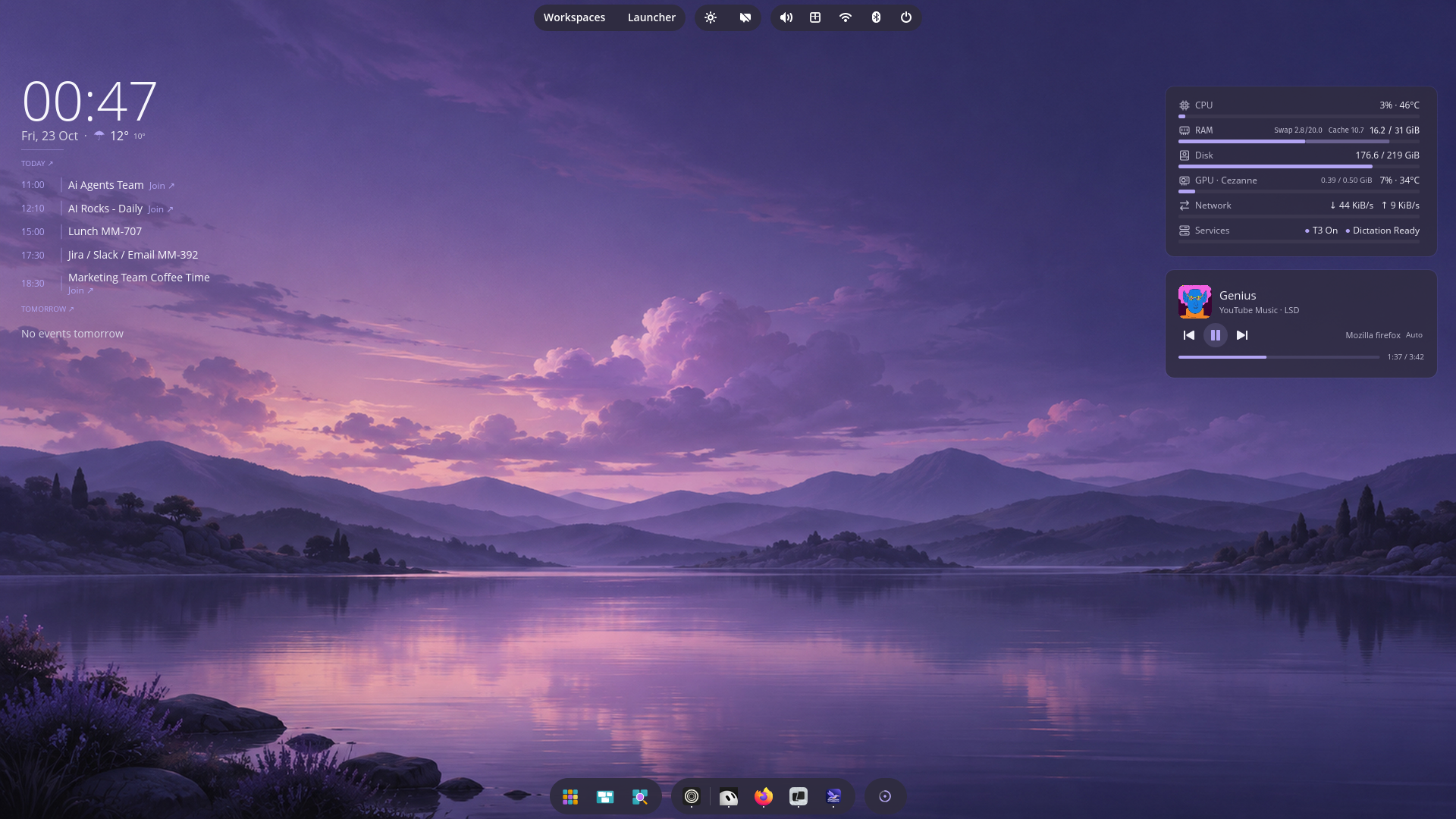
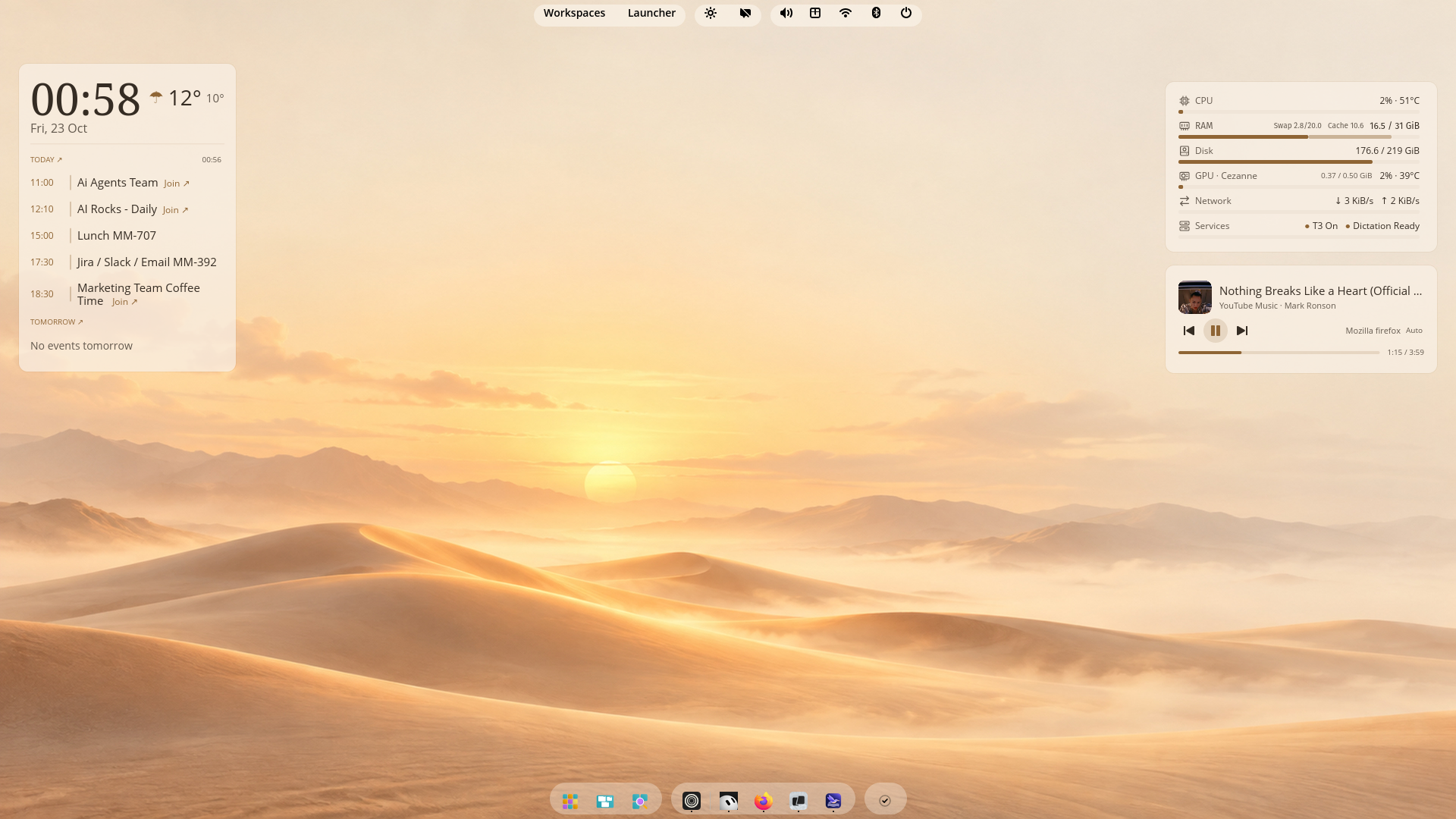 |
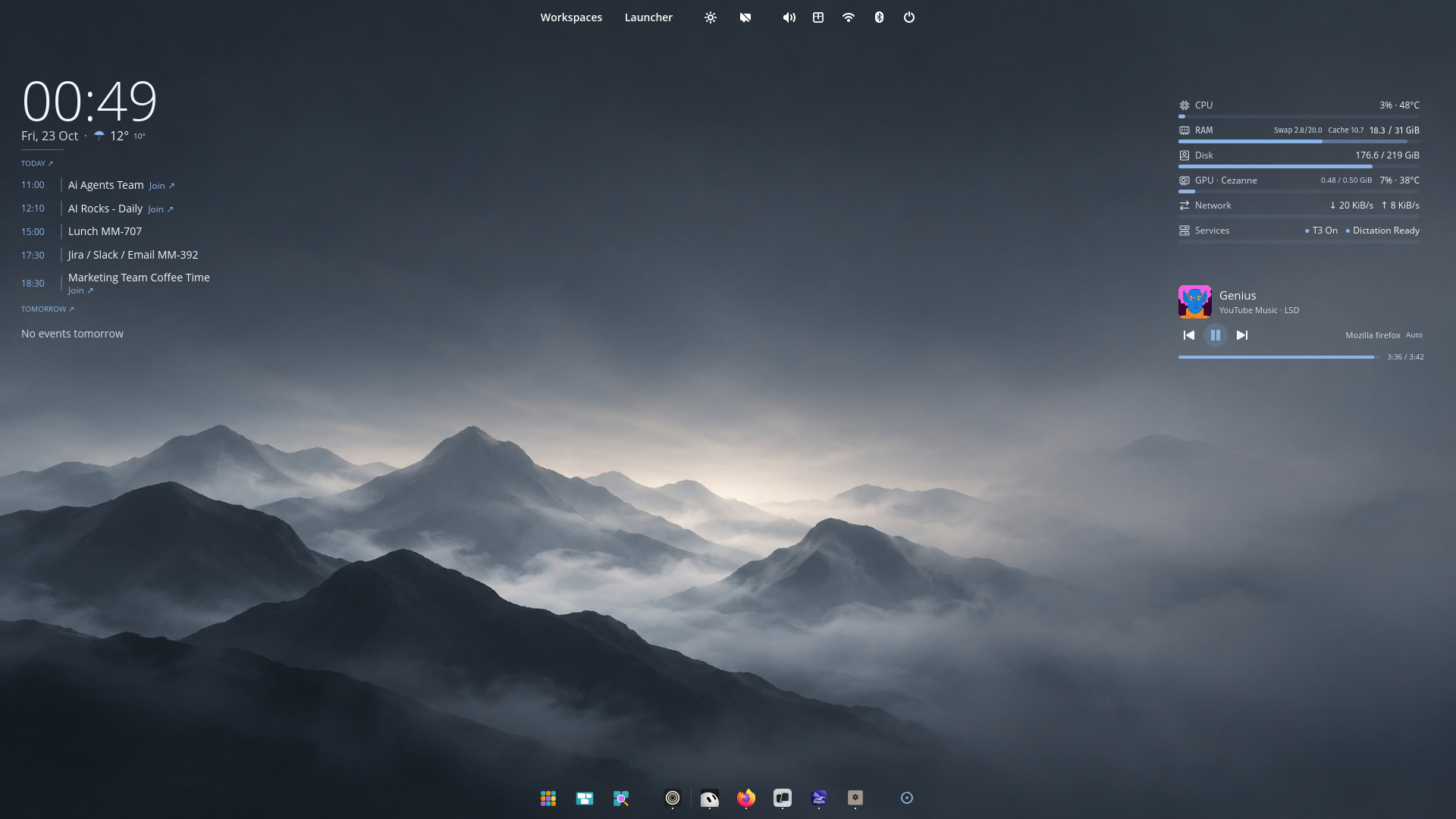 |
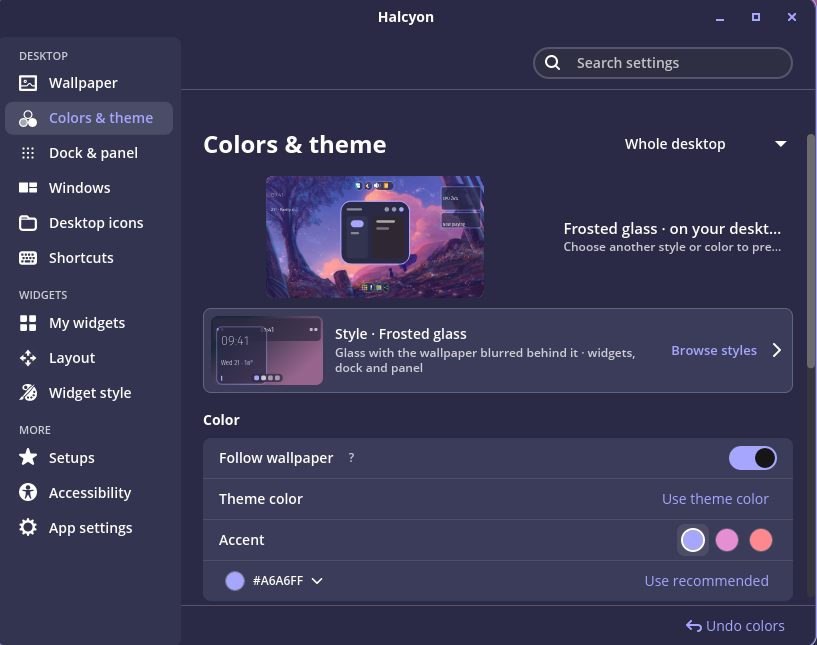
Features and setup ·
Package details ·
License and dependency notices
Halcyon 0.1.1

Halcyon 0.1.1
Desktop widgets and themes for COSMIC on Pop!_OS 24.04.
Download for 64-bit Intel/AMD PCs ·
Source ·
Report a problem
What's new
- Keep music progress and elapsed time visible after seeking in browser
players, including repeated seeks and temporary missing duration data. - Avoid marking Islands as crashed when the COSMIC compositor shuts down
during logout or reboot. The matching Islands add-on includes this fix. - Refresh the project presentation and release installation instructions.
Install or update
Download the main package above, then run:
sudo apt install ./cosmic-ext-halcyon_0.1.1_amd64.debOpen Halcyon from the application launcher. Installing the package alone
does not change your desktop or start the widgets. Existing settings are
preserved when updating.
Updates currently use downloads from GitHub Releases. This package does not
add an APT repository or enable automatic updates.
Updating Islands
If you use Islands, also install the matching add-on package from this release:
sudo apt install ./cosmic-ext-halcyon-islands_0.1.1_amd64.deb
halcyon-islands enable
Then log out and back in. The enable step refreshes your per-user copy;
installing the package alone does not update that copy or restart the panel.
The add-on checks your COSMIC versions and falls back to the stock panel
when they do not match. Your saved Islands layout is kept.
If Islands still selects the stock panel after upgrading, run halcyon-islands status.
Existing failure markers are preserved; see the linked recovery instructions
before deliberately retrying a previously failed companion.
Before you start
- Platform: Pop!_OS 24.04 with COSMIC on 64-bit Intel or AMD PCs.
amd64means x86-64 and supports both manufacturers; this is not an ARM build. - Google Calendar: Sign-in is not configured in this build. Other widgets work without a Google account.
- Islands: optional, distributed separately, and tied to specific COSMIC
versions. Use only a companion build matching your desktop.
Compatibility, activation and removal. - Checksums: download the matching
.sha256file beside your package
and check it withsha256sum -c filename.sha256.
Explore Halcyon
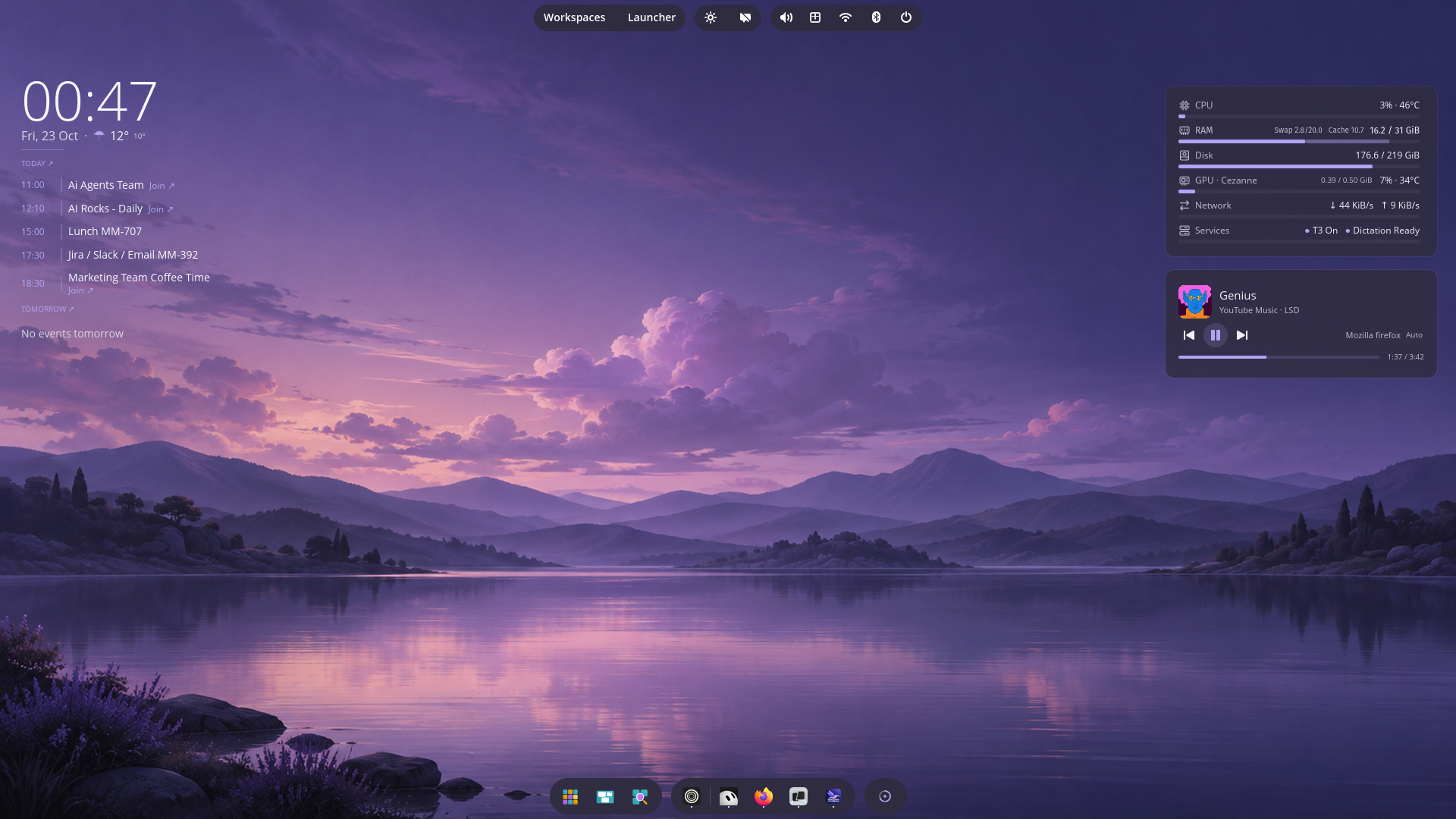
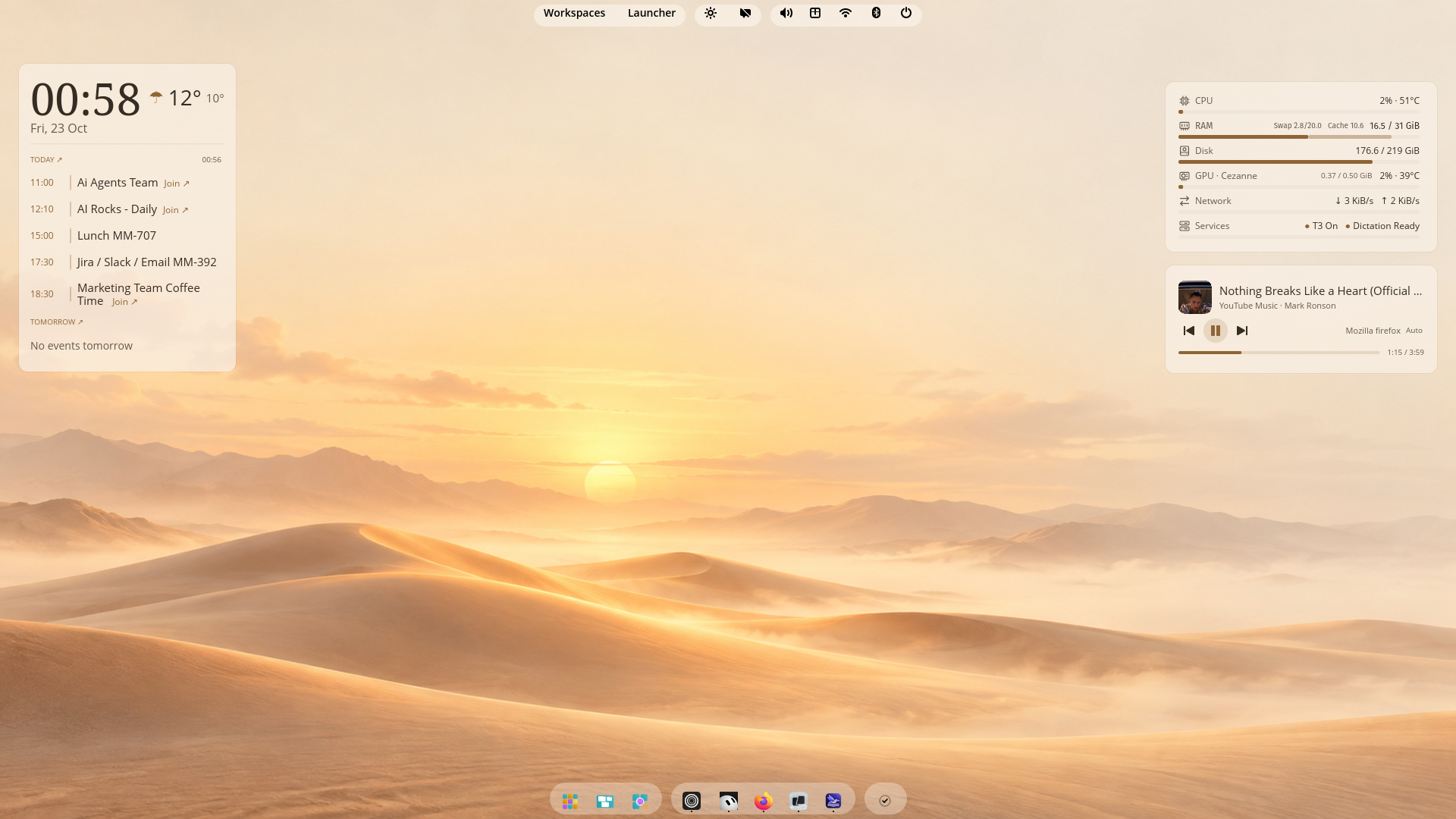 |
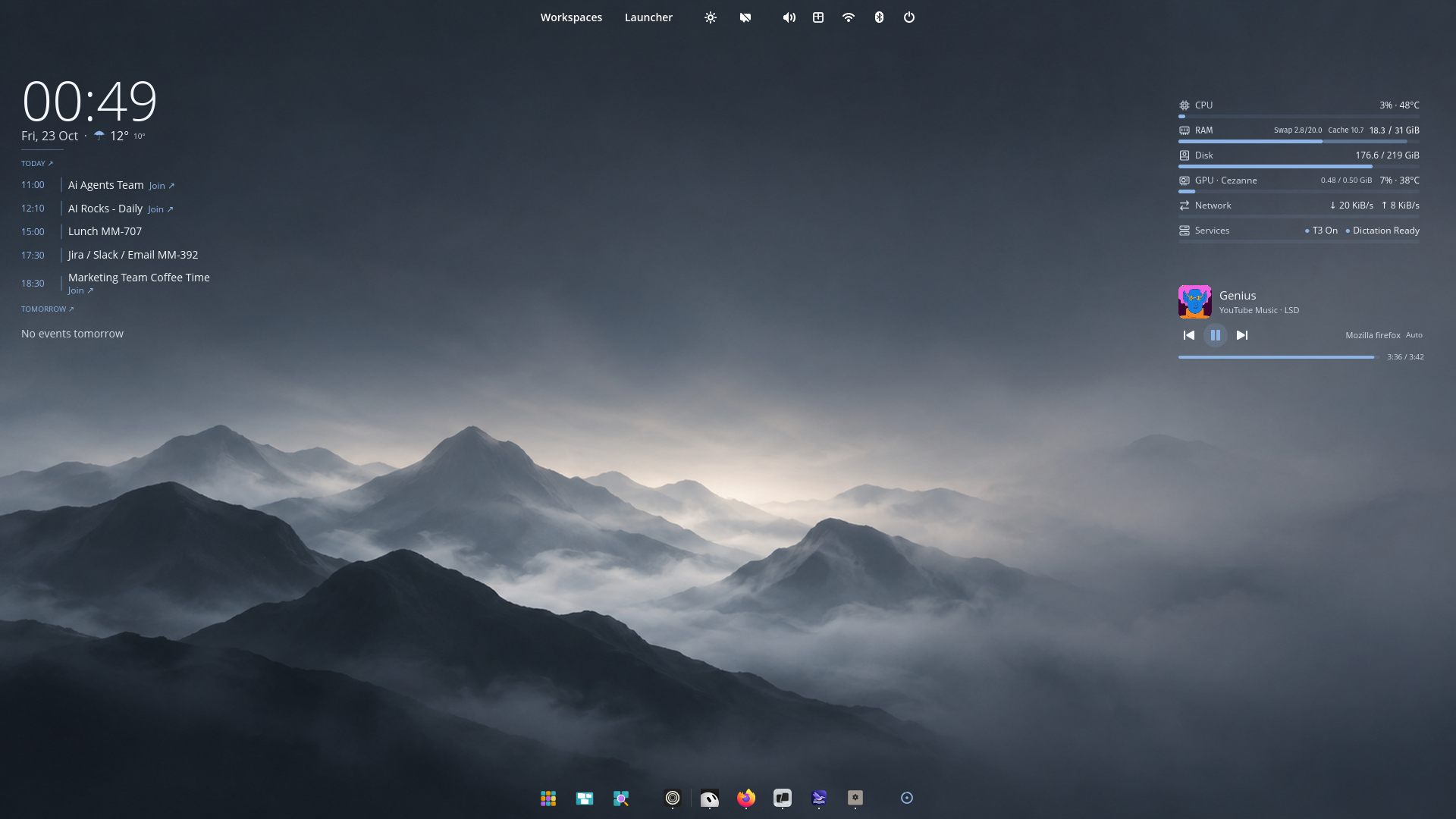 |
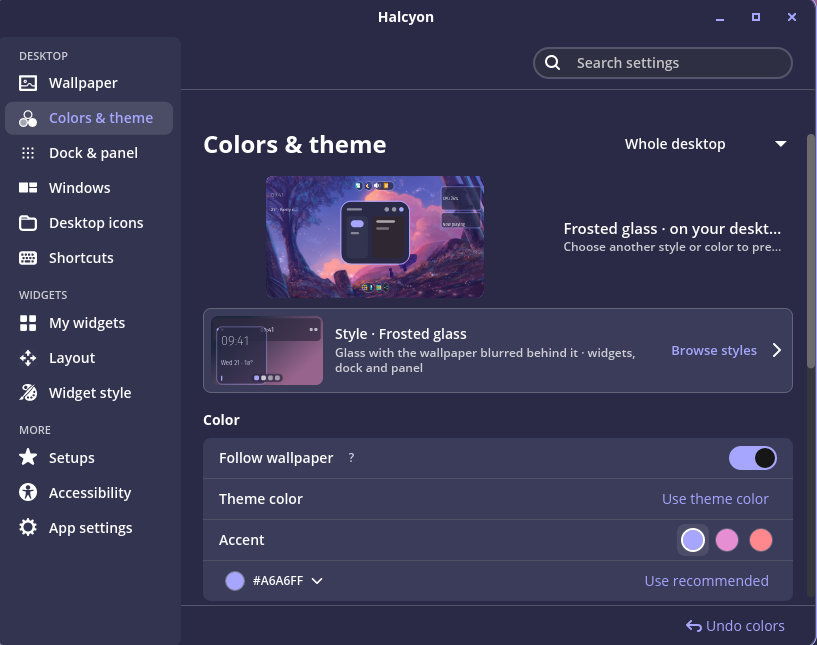
The desktop screenshots include optional Islands and an existing Calendar
connection. Google Calendar sign-in is not configured in the public 0.1.1 package.
Features and setup ·
Package details ·
License and dependency notices
Compatibility notes
The Islands add-on supports this COSMIC package combination:
| Package | Version |
|---|---|
cosmic-panel |
1.11.0~1792526322~24.04~ca20ce3 |
cosmic-comp |
0.1~1792508925~24.04~8cb1802 |
cosmic-session |
1.11.0~1792525615~24.04~4b0a0a2 |
Other versions use the stock panel until a matching add-on is available.
Small displays: Settings currently requests a 1020×800 window and has an
820×600 logical-pixel minimum. Small or heavily scaled displays may require
window resizing; fractional scaling and mixed-DPI setups are not fully validated.
Halcyon 0.1.0

Meet Halcyon
Desktop widgets and themes for COSMIC on Pop!_OS 24.04.
This is the first packaged release, v0.1.0 for amd64.
Download Halcyon · Source · Report a problem
In this release
- A desktop that belongs together. Six starter looks coordinate wallpaper,
colors, widgets, windows, dock and panel. Choose from thirteen widget styles. - Useful at a glance. Clock, weather, system readings, Git projects,
music controls, notes and a focus timer. Calendar requires OAuth setup below. - Room to make it yours. Arrange and resize widgets, adjust your desktop
settings, and save setups. Existing Desktop Cards data migrates on first start.
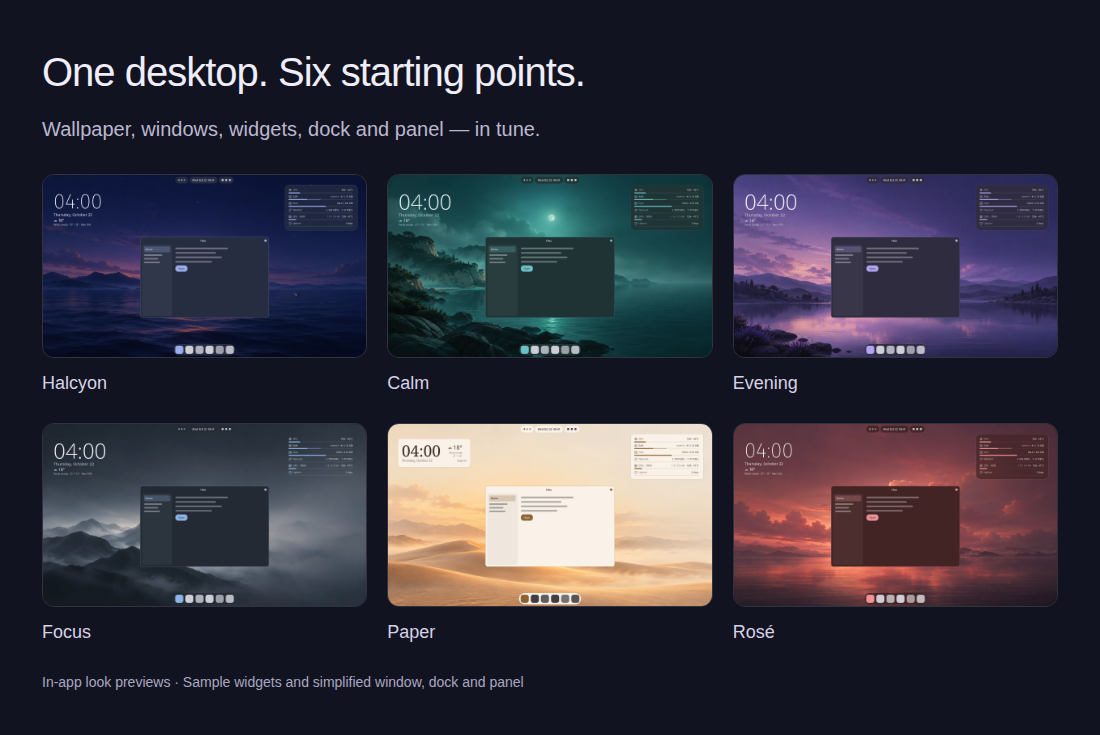
Appearance previews use sample widgets and simplified window, dock and panel illustrations.
Install or update
Download cosmic-ext-halcyon_0.1.0_amd64.deb below, then install it:
sudo apt install ./cosmic-ext-halcyon_0.1.0_amd64.debOpen Halcyon from your application launcher. Installing the package does not change your desktop or activate the widgets automatically.
Updates: download a newer package from GitHub Releases and install it the same way. Your settings are preserved. This release does not enroll you in an APT repository or provide automatic updates. The distribution plan describes the next milestone.
Google Calendar: sign-in is not configured in this build. Calendar sign-in requires publisher OAuth setup; other widgets work without a Google account.
Optional: Islands
Islands splits the native COSMIC panel into floating groups. It is a separate package; Halcyon works without it.
sudo apt install ./cosmic-ext-halcyon-islands_0.1.0_amd64.deb
halcyon-islands status
halcyon-islands enable
Run enable as your desktop user, then log out and back in. Select the Islands style in Halcyon's Dock & panel settings. Read the activation and removal guide, including the session PATH requirements and handling an earlier source installation.
This Islands build supports this exact installed COSMIC combination:
| Package | Version |
|---|---|
| cosmic-panel | 1.11.0~1792526322~24.04~ca20ce3 |
| cosmic-comp | 0.1~1792508925~24.04~8cb1802 |
| cosmic-session | 1.11.0~1792525615~24.04~4b0a0a2 |
It does not hold back COSMIC updates. The launcher selects the stock panel when versions do not match. After a COSMIC update, log out and back in. After installing a newer Islands package, run halcyon-islands enable again and start a new login to refresh your enabled copy. Installing the package alone does not refresh that copy.
To turn Islands off, run halcyon-islands disable and log out and back in. Disable it for every user before removing the package.
Downloads and source
Each package and the Islands source archive has a .sha256 file. With an artifact and its checksum file in the same directory, verify it using sha256sum -c filename.sha256.
halcyon-islands-0.1.0-source.tar.gz contains the corresponding patched panel source, vendored Rust dependencies, build instructions and dependency notices. The regular GitHub source archives contain Halcyon itself. Both packages include dependency notices.