Repository navigation
Releases
The Last Pocket 0.7.0 — World Champion

The Last Pocket now opens with a new group-portrait title screen: the smiling hero in front of the rival cast beneath an illustrated gold title. Defeating the final rival presents the World Champion trophy, the player's name and their final points, followed by the final result and optional score-sharing choice.
The global AI Championship top 100 is live at https://lastpocket.quietbytehq.uk. A completed run claims the World Champion / All 48 rivals defeated badge. Each public name ranks once by its highest score; a completed-run badge survives a later higher unfinished score. Local-versus games are excluded. Minimum 1,000 points; points must be multiples of 50.
Posting is explicit and optional. The share screen names the destination and four fields sent: chosen name, points, run category and version. F2/gamepad X toggles a remembered local-only setting; Escape/B keeps the result local. No score history or save slots are uploaded. Offline posts are dropped without interrupting play. Manual tournament saves remain local and unchanged.
Scores and champion claims are self-reported, not verified. Fake scores and name impersonation remain possible. Server name/range checks, a salted-address submission limit and private moderation reduce junk; they do not prove gameplay.
Validation: 19,628 source assertions, 19 local Worker checks, 9 new native input checks and 55 compiled Linux runtime checks passed. Measured at 1920×1080 on the development Intel GPU: pool 59.64 fps, snooker 60.00 fps and GOAT AI 59.39 fps. Live normal/game champion submission, badge display and admin removal passed; the board was left empty. The game test simulated a completed result rather than manually playing all 48 frames.
Linux x86-64, offline gameplay with optional online scores. Source and original artwork: Apache-2.0; bundled media retains NOTICE terms. Gamepad access in Snap: sudo snap connect the-last-pocket:joystick.
The Last Pocket 0.6.1 — Mouse, keyboard and gamepad
Mouse, keyboard and mapped gamepad controls now cover gameplay and menus.
- Mouse: click the cloth once to lock aim, then click again to shoot. Right-click unlocks. Placement and power/spin controls do not accidentally fire.
- Keyboard: arrows/WASD aim or place and set power, Shift for fine adjustment, Space/Enter places or shoots, IJKL/R for spin, Q/E or 1–6 calls pockets, C cycles called balls/colours.
- Gamepad: left stick aims/places, A places/shoots, triggers set power, D-pad fine-tunes aim/power, right stick/Y sets/resets spin, bumpers call pockets and X selects balls/colours. Start pauses/resumes; B pauses or backs out. D-pad/stick and A navigate menus.
- Visible keyboard/controller menu focus and device-specific hints. Disconnection or lost window focus clears held controls; controller disconnection pauses play. Inputs cannot fire on the AI turn or alter paused power.
Gamepad behavior was tested with simulated joypad events through the actual UI/input pipeline. No physical controller was connected, so controller hardware verification remains outstanding. Linux x86-64, offline; original code/art Apache-2.0, bundled media terms in NOTICE.
Snap gamepad setup: sudo snap connect the-last-pocket:joystick. The new package declares the controller interface; it does not request general raw-input access.
The Last Pocket 0.6.0
Tournament progress now uses ten explicit save slots. Choose Save tournament from Pause, an introduction or a result card; every slot shows the player and timestamp. Occupied slots require confirmation. Load tournament restores the chosen frame, including a shot in flight, and pauses live play until Resume play.
Automatic progress saving and the old Resume Last Saved Match flow have been removed. Existing legacy save files are left untouched but are not loaded. Preferences and the Top Ten remain separate local records. The three retry diamonds still buy rematches; their wording now distinguishes retries from saved games.
Fixed Pause navigation so Resume play remains available after Save/Load, Journey or Help. Added separate victory and defeat expression artwork for all 48 rivals, with 96 individual on-screen result lines. Optional result-voice filenames and exact lines are included in the audio documentation; recorded rival voices are not bundled.
Linux x86-64 only, offline. Source and original artwork: Apache-2.0; bundled music and fonts retain the terms in NOTICE.
The Last Pocket 0.5.5 — corrected selected icon
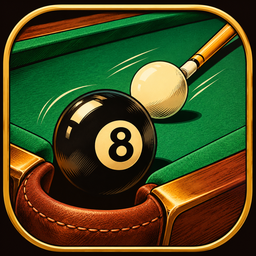
Corrects the application and Snap Store icon to the selected artwork: a black8-ball falling into a leather corner pocket, with the white cue ball and cue behind it on green cloth, surrounded by a gold border.
Gameplay is unchanged from0.5.4. Linux x86-64 download: extract the archive and run TheLastPocket/play.sh.
Snap Store stable:
sudo snap install the-last-pocket
# If already installed:
sudo snap refresh the-last-pocket
Source is Apache-2.0; bundled music has separate terms in NOTICE.
The Last Pocket 0.5.4 — Linux and Snap release
The Linux and Snap release of The Last Pocket 0.5.4 by QuietByte.
This packaging update corrects Snap licence metadata compatibility. Gameplay is unchanged from0.5.3.
- Ten cue-sports modes, including8-ball,9-ball,10-ball, straight pool, blackball, snooker and carom.
- Local two-player matches on one PC, or a48-rival AI championship across Amateur, Professional, Master and GOAT.
- Original comic portraits, table upgrades, three continue diamonds, saved progress and local top-ten scores.
- Glossy rolling balls, animated aiming, stereo effects and independently mutable lounge music.
- Clear numbered pocket selection before the final8-ball shot.
Linux x86-64: download the archive, extract it and run TheLastPocket/play.sh. OpenGL3.3-capable graphics required. The game targets60FPS; actual performance varies by hardware. There is no network multiplayer.
Aim with the mouse, click to lock direction, set power with the wheel or left meter, then press Space/Enter or Shoot. For the final8-ball, choose a numbered pocket1–6 first. Escape pauses; N mutes music and M mutes effects.
Source and original graphics/effects are Apache-2.0. Bundled music has separate permission for redistribution within the game; see NOTICE. Font and engine licences are included.
Snap Store
Install the stable release:
sudo snap install the-last-pocketStore page: https://snapcraft.io/the-last-pocket
The strict Snap completed38 functional checks in an isolated software-rendering session. That CPU-only session did not meet the three60FPS assertions; native Intel GPU measurements averaged about60FPS at1080p. See RELEASE_VALIDATION.md in the Linux archive for scope.
The Last Pocket 0.5.3 — first public Linux release
The first public Linux release of The Last Pocket by QuietByte.
- Ten cue-sports modes, including8-ball,9-ball,10-ball, straight pool, blackball, snooker and carom.
- Local two-player matches on one PC, or a48-rival AI championship across Amateur, Professional, Master and GOAT.
- Original comic portraits, table upgrades, three continue diamonds, saved progress and local top-ten scores.
- Glossy rolling balls, animated aiming, stereo effects and independently mutable lounge music.
- Clear numbered pocket selection before the final8-ball shot.
Linux x86-64: download the archive, extract it and run TheLastPocket/play.sh. OpenGL3.3-capable graphics required. The game targets60FPS; actual performance varies by hardware. There is no network multiplayer.
Aim with the mouse, click to lock direction, set power with the wheel or left meter, then press Space/Enter or Shoot. For the final8-ball, choose a numbered pocket1–6 first. Escape pauses; N mutes music and M mutes effects.
Source and original graphics/effects are Apache-2.0. Bundled music has separate permission for redistribution within the game; see NOTICE. Font and engine licences are included.