Repository navigation
Releases
kessler 1.5.429

new new new
- index: names stand under their first letter, as a small heading, in the artists, the podcasts and the stations while they are sorted a–z
- letter bar (beta): under music → artists, a column of letters slides in at the right of the artists when the pointer is there. a click jumps to the letter, an arrow shows where you are
- radio: a click on "stations" sorts them a–z, z–a or back to your own order "by hand". dragging works in your own order, which is kept
- settings: a new tab "music" holds what is the music's alone, like "radio" and "podcasts" hold theirs. "side columns" holds info, lyrics, log and other artists. last.fm moved to "general", as the radio scrobbles too
- info: "facts" is now called "key facts"
- footer: without "bottom margin", a column no longer jumps up and down when a message appears in the corner. the message gets a soft background instead
- timeline and volume: the handle is slimmer and comes out a little after the line
- smoother: what kessler finds about an artist is saved in the background, so the window no longer halts for a moment while the radio plays
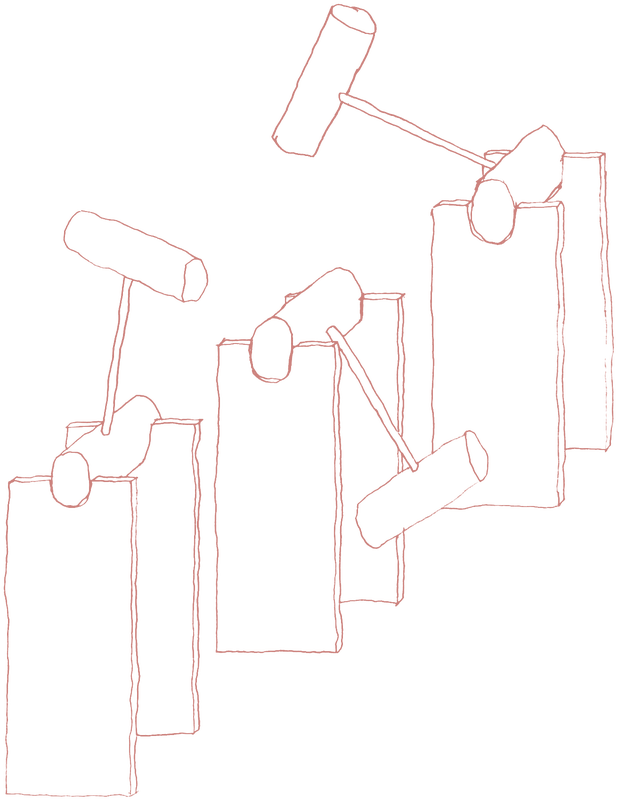
- screen saver: "release note drawings" has this new drawing too
- for anyone who wants to help: a new CONTRIBUTING.md says how to build, test and debug kessler. the code now keeps its explaining comments.
KESSLER_LOGfilters the log - mac signing:
notarize.shno longer stops when the upload fails, andKESSLER_UPLOAD=0turns the upload off
thank you to everyone who tried kessler, wrote, sent ideas, found bugs and helped test. ♥
linux: …-linux-arm64 for the raspberry pi (64 bit), …-linux-x86_64 for a pc. unpack it, then run ./install.sh in the folder inside.
kessler 1.5.411
new new new
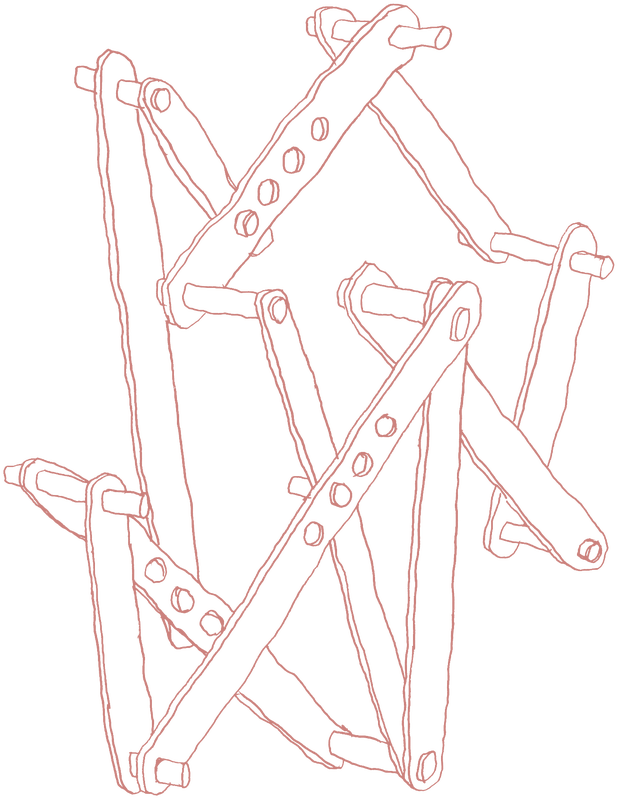
- screen saver: new "release note drawings" shows the drawings from the release notes, one after another, with the release in the corner
- window buttons (mac): under appearance → header, the three buttons can be simple circles in the colours of your scheme ("one color", the default, or "three colors"), or the mac's own. the columns now line up with them
- system colours: "macos", "gnome" and the new "ubuntu" scheme take the accent colour you picked in your system settings
- linux: on gnome with wayland the title bar now looks like gnome's, buttons on the side gnome puts them. "title bar: none" hides it, for tiling window managers
- system font: can be chosen under typeface. muto stays the default
- emacs: keyboard → "emacs" adds emacs keys (ctrl + n p f b, ctrl + s, ctrl + g …).
extras/kessler.elcontrols kessler from emacs on linux - footer: "bottom margin" on or off, always the same height. "library counts" and a new "clock" sit in it
- header: in a narrow window the title gets the room, and "super compact" turns into "compact" so the time line fits
- radio: rename stations and give them your own picture (right-click). stations find their logo on their own website, and songs get a cover under "info"
- podcasts: episodes look like albums now, with the date and how much you heard. a click on the podcast's name opens it
- look: an optional thin "outline" around pictures. "fade between views". key
0makes all columns equal again - colours: "wilder mann" plays in aqua, "zeitvogel" in lavender, on a calmer green by day
- smoother: no more stutter when scrolling "recent", switching light and dark, or after minimizing. less bounce when scrolling with a trackpad
- safer: kessler only talks http and https, keeps to https for covers, and your settings file is readable by you alone
- info: picks the right artist when several share a name
thank you to everyone who tried kessler, wrote, sent ideas, found bugs and helped test. ♥
linux: …-linux-arm64 for the raspberry pi (64 bit), …-linux-x86_64 for a pc. unpack it, then run ./install.sh in the folder inside.
kessler 1.5.354
new new new
- ipod classic, nano 3g and 4g (beta): kessler can sync them now. it signs their database with the device's own key. "(beta)" stands next to the model, so tell us how it goes
- ipod detection: models are recognised the way libgpod does it, by model number, serial number and usb id (behind a hub too). an ipod without its
SysInfo(a memory card instead of the disk, say) is recognised, or you pick the model by hand under "choose model…" - ipod sync: choose what flac & co. become (aac 256/320/192, alac or mp3 320; on linux ffmpeg does aac and alac too). a running sync can be stopped. "tidy up" (⌥) clears files the ipod's database does not list, and "convert again" converts tracks again that sit on the ipod in another format. names go over in composed unicode, so old ipods show "ü" and not a box
- ipod column: the 3rd generation turns as itself, with its four buttons
- linux sound: plays through pulseaudio or pipewire to the output the system has chosen (bluetooth headphones too) and follows it when it changes
- info: the facts read as a sentence ("born 1962 in jacksonville."), members still in a band say "now", the person or band comes first and your library after. the band's own website is first under "read more", the picture's source is a link, and "refresh" says when it last looked
- look: every row has the same, slightly rounder plate. words that appear under the pointer sit in its middle. only one long title scrolls per column, and the queue shows the artist on every row
- "remove" asks "really?" before it removes
- network: when a service is overloaded (musicbrainz sometimes is) kessler asks again, and says so in plain words if it still fails
- fixed: the touch bar picture shows again
linux: …-linux-arm64 for the raspberry pi (64 bit), …-linux-x86_64 for a pc. unpack it, then run ./install.sh in the folder inside.
kessler 1.5.322
new new new
- touch bar: on a macbook with a touch bar kessler shows what is playing while its window is in front — cover, title · artist, back, play/pause and next — and between title and keys the search field's picture (kessler saga, vectorscope, snake, life, sphere, mandelbrot, zarathustra or „zeiger"), reaching as far as the keys; „ganze leiste" lets the picture fill the bar beside the cover, a tap on it plays or pauses. switched on under darstellung → menüleiste → touch bar
- mac, headphones: taking the headphones off — airpods out, bluetooth off, cable pulled — pauses kessler instead of playing on through the speakers, on apple silicon's own headphone jack too; can be switched off under wiedergabe → pause ohne kopfhörer
- search field, „zeiger": a new picture — two needle meters like an old tuner's behind the field as a window, „pegel" (on the radio „signal", how much of the stream is in store) and „mitte", where the sound stands between left and right; the needles swing with mass and damping, pixelled and screened like the other pictures, with a rate of their own (24, 12, 8 or 4 steps/s)
- kessler saga, very rarely: the picture zooms out and the figure walks past huge postmodern buildings; little dog-like creatures, each built differently, come along; night with stars and a crescent moon, rain, snow; now and then a long stillness in almost empty land
- podcasts, episode page: an episode picture that is not square stands in its own format at the column's width, and a wider picture the feed offers beside the square one (as npr's) is taken; time stamps in an episode's notes can be clicked and jump there, links open in the browser; html entities („ ", „…" …) are read; „hören", „datei" and „liste" no longer jump about, and stand two over one where three do not fit; the same page under „heruntergeladen" and „gemerkt"
- podcasts: a new episode carries a small „neu" in the corner of its picture; a podcast's page says who stands behind it before „weekly" when that is someone else than its makers („new york times opinion", „npr"); closing „informationen" closes the column; a broken-off download goes on where it stopped next time, where the server allows, and half downloads older than a week are cleared; menu → podcasts „ordner · im finder zeigen"; an episode kept on disk plays from disk even when the feed moves its file
- podcasts, faster: feeds whose server cannot say whether anything changed are skipped when they are the same as last time; pictures come small from more servers; the episode list draws only what is in sight and no longer copies the episodes every frame
- informationen: „bildformat" — „quadrat", or „original": the picture in its own shape, the uncropped wikipedia picture for an artist, a station's as it came, never taller than 0.8 of the column's width; at the very bottom „quellen", where picture, text and facts came from, with author and licence for a wikimedia picture
- smoother: covers go to the graphics card at most four a frame; large pictures and an artist's picture are read and screened in the background; the letters of every type role are laid into the font atlas at the start instead of while scrolling; album heads no longer measure every record's facts again after a view change; on the mac a frame waits behind at most one other for the screen, so hover and scrolling arrive a frame sooner
- volume: scrolling with the pointer on the volume rule turns it, its figure showing for a moment
- look: the lines beside a cover and beside a station's picture stand in its middle as the eye sees it, from the first line's x-height to the last line's baseline; the plates of a clicked and a hovered row a little softer and stronger, fading briefly instead of jumping; the fades at the top and bottom of lists lower and growing in softly; timeline, volume knobs and scrollbars with slightly broken corners; record heads switching between text beside and under the cover fade and glide instead of jumping
- super kompakt: with only one view on, the room of its word closes once the word has faded, and the rest of the line moves over
- text fields:
option+backspacedeletes the word before the cursor,option+deletethe word after it — in the search field, a playlist's name, the tag editor and an artist's note;cmd+backspacein the search field deletes everything before the cursor - new version: menu → allgemein → „beim start nachsehen" (off at first) asks github at every start and says at the bottom right when a newer kessler is there
- ipod: the database's header keeps its language and library id as itunes writes them, and kessler fills them in where they are missing
- fixed: coming back from the radio to the music left „zuletzt" lit up again; pictures screened in the background sometimes stayed empty until the mouse moved; the signal needle could show the old station's value for a moment; the words under the meters now change with the language
linux: …-linux-arm64 für den raspberry pi (64 bit), …-linux-x86_64 für einen pc. auspacken, dann ./install.sh im ordner darin.
kessler 1.5.273
- colours as a system, the same in every view and every scheme: heads (column heads and the heads inside a column — „aus wikipedia", „mitglieder", „kapitel", „heute", the menu's) in a colour of their own; reading text — wikipedia, a station's, a podcast's and an episode's description — in the names' ink; small facts (years, dates, counts, bitrate) in the third tone; what can be clicked in the second tone; the accent only for what plays
- head colours: every scheme now names its own, clearly apart from the facts, the second tone and the accent — 27 schemes had none and set their heads like the facts; they take a colour from where they come from (solarized's violet, nord's aurora, adwaita's purple, dracula, gruvbox …); runebending's heads in lilac; hudson's and coco壱番屋's no longer look like the accent; a test keeps every scheme that way
- chosen is in the ink and bold in every list — a played row of the queue and a chosen view too, in music, radio and podcasts; the views over the podcasts („alle", „offen", „heruntergeladen", „gemerkt") are set like „alle", „zuletzt", „kompilationen" over the artists, and a podcast has the arrow and the accent only while its episode plays
- episode page: what can be done to it in three groups under small heads — „hören", „datei", „liste" — side by side where the column is wide enough, else one under another; „datei löschen" also while it plays, and „herunterladen abbrechen" for a download under way or waiting (also in the right-click menu)
- title, name and facts set alike everywhere: an episode's page and a podcast's head set their title, podcast or makers and facts as a record's head does — the same cuts, tones and steps
- members: a former member in the same colour as the current ones, with „(ehemalig)" after the years; the second tone stays for names in your library that can be clicked
- english: an episode's „merken" is „bookmark" now, not „keep"
linux: …-linux-arm64 für den raspberry pi (64 bit), …-linux-x86_64 für einen pc. auspacken, dann ./install.sh im ordner darin.
kessler 1.5.248
- radio steadier: a station is heard once two seconds of it have come in, and up to eight seconds are kept ahead; should the network still run dry, it waits for two seconds again — one pause rather than a stutter
- record heads in the combined view: album, artist and the facts (number of tracks, year, genre, added, bitrate) on three lines beside the cover, or two beside a small one; from 140 pt the lines stand under the cover
- track list: a new column „bitrate" (sortable, off at first); with more than one album in the list, each gets a small heading of its own
- podcasts and radio: the same line spacing as the music; the facts of an episode and of a station in the colour of „flac"; the picture of an episode a little larger
- cover size slider in proportions rather than points, so the small sizes get more room; first start with 85 pt and the bitrate shown
- app icon: the rounder corners of current macos, a glassy edge, a lighter shadow, the k in its optical centre; schemes with a grey ground take a stronger colour of their own, so that icons are easier to tell apart
- small things: reading the library at start shows quietly at the bottom right, and messages there fade more slowly; in the narrow window the columns reach further down
- measuring: the radio writes when it connects, reconnects or breaks off, when its store ran dry and when the sound comes in slower than the station's bitrate; the brackets name only what wanted the next frame soon
linux: …-linux-arm64 für den raspberry pi (64 bit), …-linux-x86_64 für einen pc. auspacken, dann ./install.sh im ordner darin.
kessler 1.5.223
- new version: directly opens the latest signed and notarized DMG on macOS instead of the release page
- mac download: click here
linux: …-linux-arm64 für den raspberry pi (64 bit), …-linux-x86_64 für einen pc. auspacken, dann ./install.sh im ordner darin.
kessler 1.5.222

- podcasts, warteschlange wie bei musik: gespielte folgen bleiben blass darüber stehen, ein doppelklick springt vor oder zurück, eigener cursor für die tastatur (j/k, d, shift + j/k, zweimal shift + d leert, shift + pfeil markiert mehrere), jede folge nur einmal; eine folge, die noch lädt, bleibt an ihrem platz und sagt „lädt…"
- ipod, experiment: geladene, noch nicht gehörte folgen als playlist „podcasts" auf alte ipods; gehörte gehen beim nächsten abgleich wieder runter
- ipod-abgleich robuster: die datenbank wird ganz geschrieben, bevor sie die alte ersetzt; ein fehlender ordner lässt nur diesen titel scheitern
- radio: die zeile bleibt beim verbinden ruhig („sender verbinde…" mit laufenden punkten), wechsel werden überblendet, punkt und „live" gleiten; mit muto beginnt die animation mit einem quadrat, das am ende zum kreis wird
- menüleiste (mac): schlaf-timer im menü, solange eine folge läuft (auch im linux-panel); cover über dem titel mit gleichem rand rundum
- flüssiger: kein kurzes ruckeln mehr alle 15 sekunden während einer folge; beim streamen einer folge seltener neu zeichnen; lautstärke angleichen misst mehrere platten zugleich
- kleinigkeiten: grosser weicher schatten am rechtsklick-menü; „bei last.fm lieben" im rechtsklick-menü; system-cursor am spaltentrenner; anzahl der künstler:innen oben rechts (menü → künstler:innen); pfeile laufen beim zurückwechseln nicht mehr nach; der rest eines mausrad-schritts geht nicht mehr in die nächste spalte; „windpark soft" unter „über" verlinkt
- fehler behoben: sehr grosse podcast-feeds liessen sich nicht laden; beim folgenwechsel stand kurz der musiktitel oben
- messen: zeigt den speicher jetzt und was die podcasts tun (feeds, ansichten, laden)
linux: …-linux-arm64 für den raspberry pi (64 bit), …-linux-x86_64 für einen pc. auspacken, dann ./install.sh im ordner darin.
kessler 1.5.429 für den Mac (notarisiert)

Immer die neueste signierte und notarisierte Version für den Mac — zurzeit 1.5.429 (Commit 9aefdf1, 2026-11-26).
Fester Link: https://github.com/radiorauschen/kessler/releases/download/mac/kessler-macos.dmg