Repository navigation
3.8.2

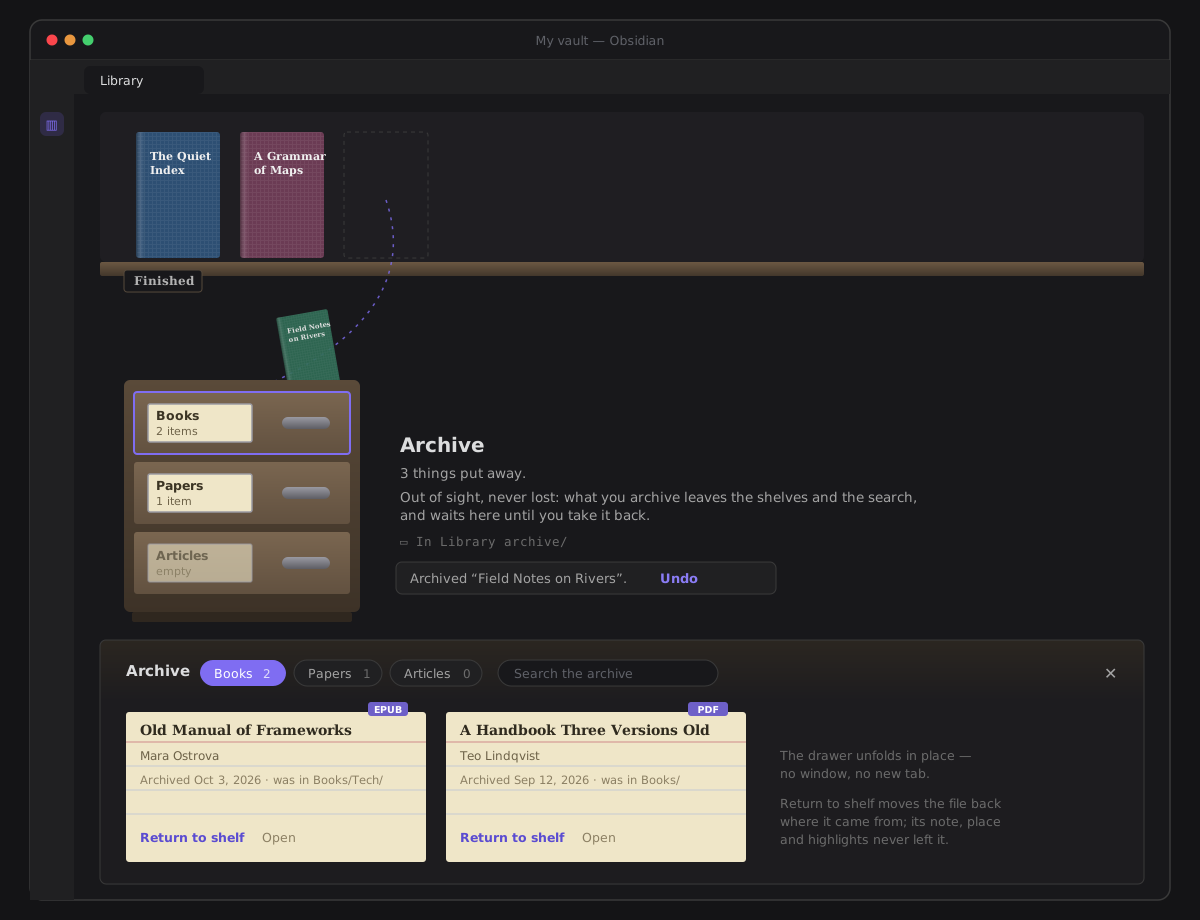
Put away, never lost: a filing cabinet at the end of your Library for what no longer earns shelf space.
Shinny new things
- The archive — at the end of the stacks stands a cabinet with three drawers: Books, Papers, Articles. To archive a book, paper or article, drag it onto the cabinet (on an iPad, press and hold; near the bottom edge the shelves scroll down to meet it), or use Archive from its ⋯ menu or its detail. It flies into the cabinet, and Undo waits beside it. An archived item leaves the shelves, the counts and the search, and is drawn nowhere until you take it back.
- Drawers you open in place — click a drawer and it unfolds below the cabinet, in the same view, into index cards. Each card shows the title, who wrote it, when it was archived and where it was. Return to shelf puts the item back where it came from, with its place, highlights and shelf intact; Open reads it without taking it out. A Library search that finds something archived says 1 more in the archive and opens the right drawer.
- Its own folder — archiving moves the file, and never changes it, into Settings → Reading → Archive folder (
Library archiveuntil you choose). The folder must be its own: it can't be, sit inside, or hold the Book notes, Articles or Dictionaries folder, and the field says why while you type. A book's note stays where it is and keeps pointing at its book. The archive is on by default: if your vault already has a folder calledLibrary archive, the PDFs and EPUBs in it now wait in the cabinet. Empty the field to turn the archive off.
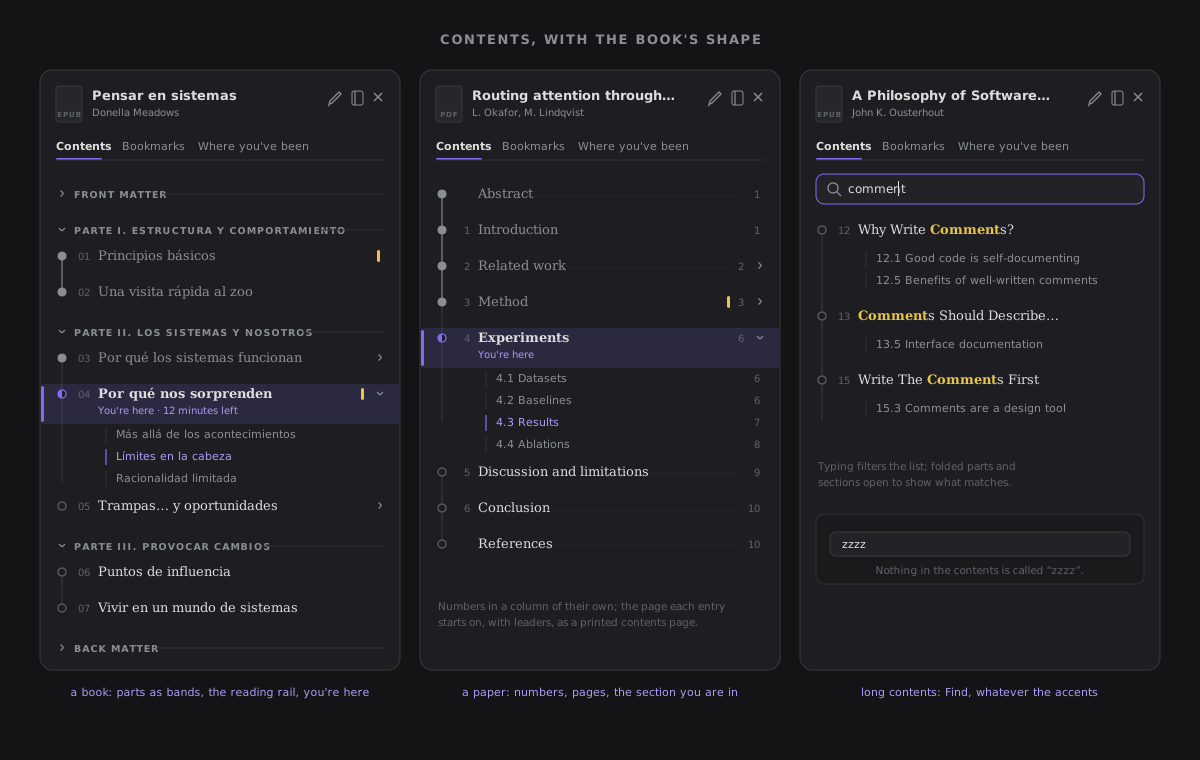
- Contents with the book's shape — the Reader's contents panel draws the book as it is built: its parts and sections, the front and back matter, and a rail and Find to get anywhere. Bookmarks sit as cards under their parts, and your trail reads as a timeline.
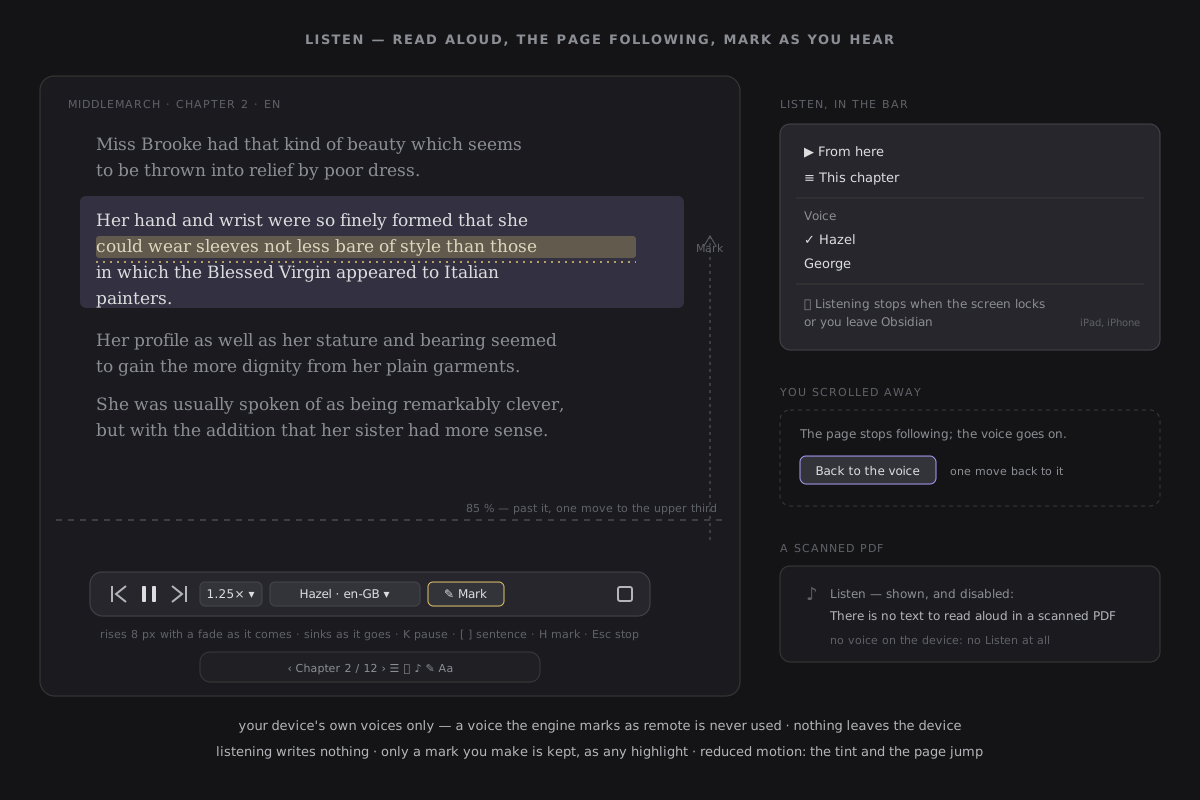
- Listen in the book's own language — Listen offers the voices of the language you are reading first, marks the default, and lets you search the rest by language name.
No longer broken
- The contents panel wraps long titles instead of cutting them, and lights the part you are in.
Under the hood
- Every move is recorded — archiving, returning and moving the archive are each one recorded write, so they can be taken back in What ZettelFlow changed.
- Walked in a real Obsidian — the archive was tested in a second Obsidian 1.14.4 instance. That walk caught a stale folder link Obsidian still resolved by file name alone. It is now fixed and pinned by a test.
- The bundle ceiling moves to 3,173 KB — the archive adds 27 KB, mostly its text in two languages; nothing new is downloaded.