Repository navigation
Releases
Morning Pages Analytics 0.6.6

0.6.6
Future goal days could erase the current streak. Track the most recent qualifying streak through today separately from the all-history best. Clamp rolling ranges at year 0000. Publish GitHub artifact attestations for every downloadable release file (issue #3).
Morning Pages Analytics 0.6.5
Calendar navigation, range changes and chart controls reuse grouped daily statistics. Day detail shows each source folder beside the note and word count. Includes descriptive filename recognition from 0.6.4.
Morning Pages Analytics 0.6.3
Morning Pages Analytics 0.6.3
This release reduces long uninterrupted work during history refreshes and live writing updates.
- Large-vault scans and vocabulary reads yield between batches so Obsidian can process other work.
- Folder event updates are handled in batches, and history redraws only when records change.
- Live analysis is debounced to 300 ms and reuses results when the active note and analysis preferences are unchanged.
- Saving a history range keeps the existing vocabulary cache.
Note text and saved analysis are unchanged by range selection. Native Obsidian performance has not yet been measured on a personal vault.
Morning Pages Analytics 0.6.2
Remember the writing-history range
History settings now offer Last used alongside the 7, 14, 30, 60, 90, 180, 365-day, and All dates opening ranges. With Last used selected, reopening Writing history restores the previous preset, navigated period, or custom date interval. A chosen default preset takes precedence when the view opens. Existing saved defaults remain in place; new installs use Last used and begin at 30 days until another range is chosen.
The opening-range setting applies to newly opened history views, leaving a view already open on the range you are exploring.
Morning Pages Analytics 0.6.1
Refresh and cache recovery fixes
- Queue refresh requests received during an active scan, preserving forced refreshes and retries after a failed scan.
- Retry a transient cache-save failure even when the next refresh finds unchanged notes.
- Preserve the excluded-folder support added in 0.6.0.
Regression and browser tests use synthetic notes. Native Obsidian remains unverified.
Morning Pages Analytics 0.6.0
Morning Pages Analytics 0.6.0
Excluded folders
You can now leave folders out of writing history. Under Settings → Morning Pages Analytics → Folders, enter one vault-relative folder path per line in Excluded folders. Each path excludes Markdown notes in that folder and its nested folders, including Daily Notes and additional writing folders.
Changing exclusions refreshes history and removes excluded notes from history totals and word-cloud results. An open note in an excluded folder does not show live writing statistics. Removing a path makes eligible notes available to history again.
Enter paths with the same spelling and capitalization used in the vault.
Verification notes
Local npm run build and npm test completed successfully. Across the individual test files, 22 tests passed and the two browser-only settings and history-scroll checks were skipped because Chrome or Chromium was unavailable. The plugin was not opened in a live Obsidian desktop or mobile app for this release candidate.
Morning Pages Analytics analyzes notes locally. Its language charts count literal English word cues and do not interpret context, negation, or sarcasm.
Morning Pages Analytics 0.5.4
Add writing folders faster with suggestions from your vault as you type.
Folder suggestions: In Folders, start typing a folder path and select a matching vault folder. Manual paths remain available.
Everything is processed locally in your vault. No note text or custom word lists are sent to an external service.
Morning Pages Analytics is an open-source Obsidian plugin for local writing stats and automatic Daily Notes history.
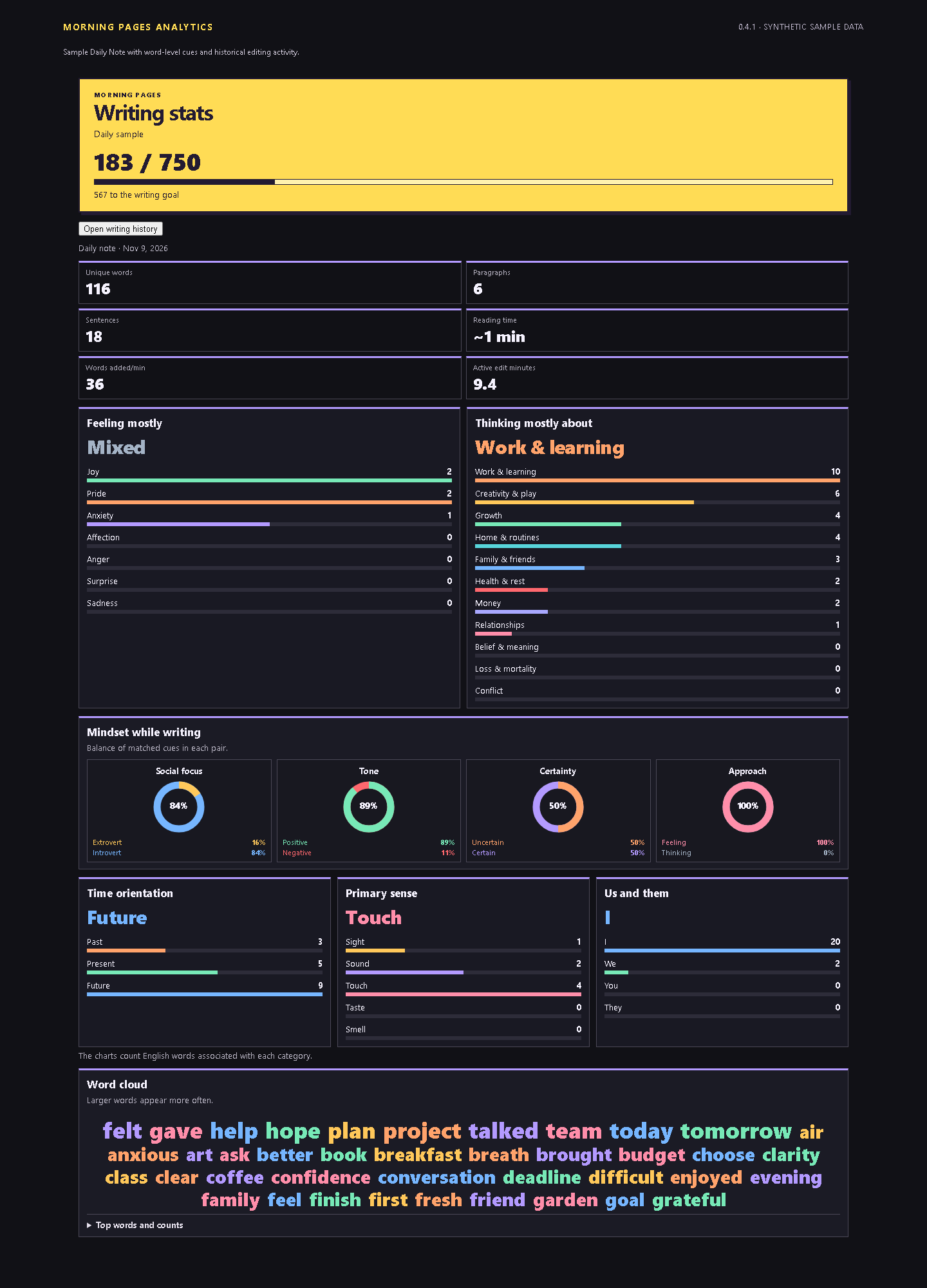
For a note: See word count, writing cues, mindset balances, pronouns, senses and a word cloud.
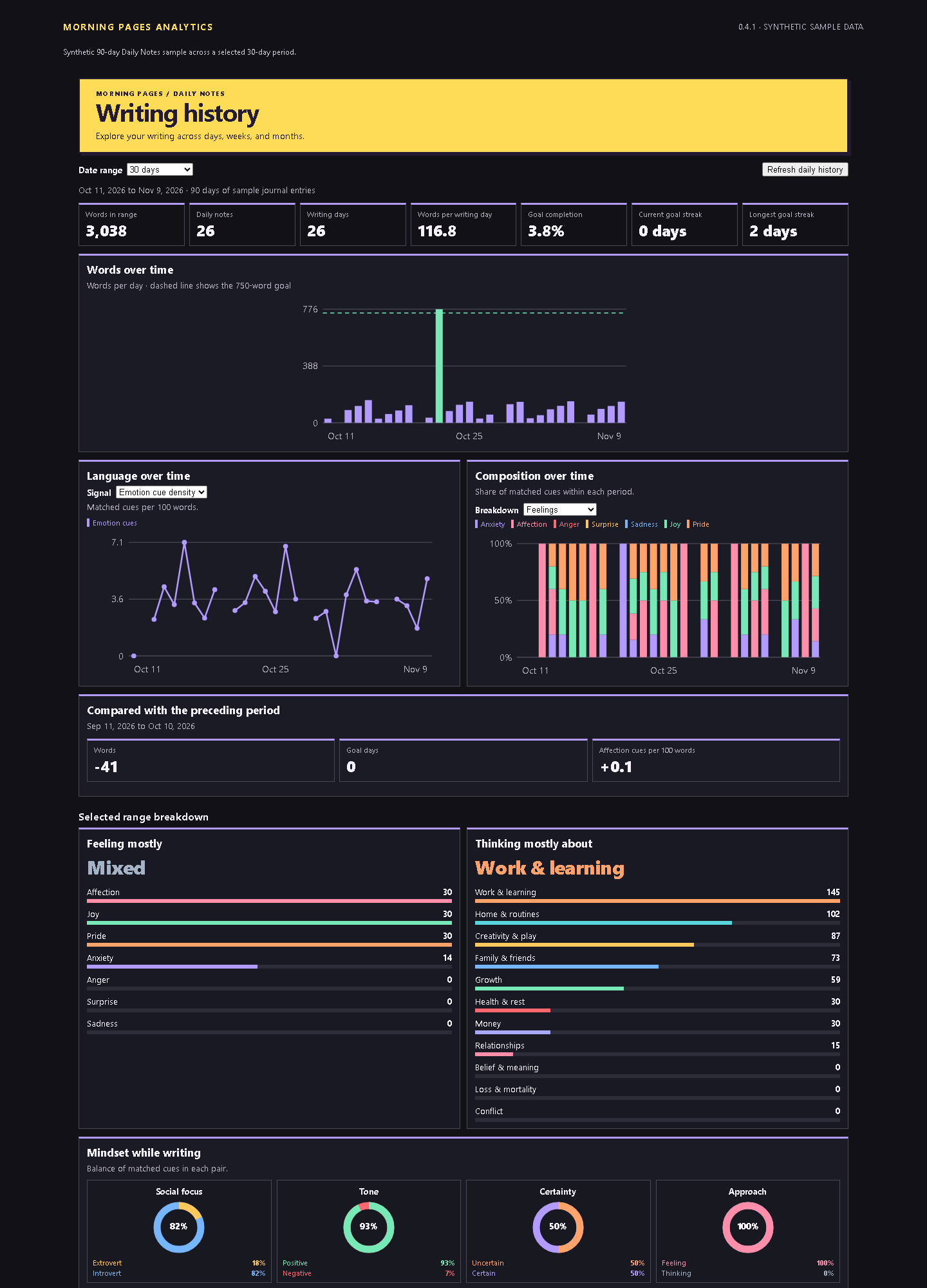
Over time: Browse word trends, category mix, goal streaks and a writing calendar. Filter by 7, 14, 30, 60, 90, 180 or 365 days, all dates, or a custom range. Inspect individual days and compare each period with the one before it.
Examples shown here use synthetic writing. The language charts count English word cues and are most useful for exploring patterns across notes.
Released under the MIT License.
Morning Pages Analytics 0.5.3
Choose 14-day, 60-day and 180-day history ranges and move between periods with the new arrows.
History navigation: Select a finite range and use the previous and next arrows to move by that many days.
Everything is processed locally in your vault. No note text or custom word lists are sent to an external service.
Morning Pages Analytics is an open-source Obsidian plugin for local writing stats and automatic Daily Notes history.
For a note: See word count, writing cues, mindset balances, pronouns, senses and a word cloud.
Over time: Browse word trends, category mix, goal streaks and a writing calendar. Filter by 7, 14, 30, 60, 90, 180 or 365 days, all dates, or a custom range. Inspect individual days and compare each period with the one before it.
Examples shown here use synthetic writing. The language charts count English word cues and are most useful for exploring patterns across notes.
Released under the MIT License.
Morning Pages Analytics 0.5.2
Settings now make better use of the available pane width, and dropdowns have more room for their labels.
Settings layout fix: The plugin uses the available settings pane on desktop, and category, history and folder dropdowns span their rows so the selected options are easier to read. The layout continues to adapt to narrow panes and phone screens.
Everything is processed locally in your vault. No note text or custom word lists are sent to an external service.
Morning Pages Analytics is an open-source Obsidian plugin for local writing stats and automatic Daily Notes history.
For a note: See word count, writing cues, mindset balances, pronouns, senses and a word cloud.
Over time: Browse word trends, category mix, goal streaks and a writing calendar. Filter by 7, 30, 90 or 365 days, all dates, or a custom range. Inspect individual days and compare each period with the one before it.
Examples shown here use synthetic writing. The language charts count English word cues and are most useful for exploring patterns across notes.
Released under the MIT License.
Morning Pages Analytics 0.5.1
Edit the built-in word lists for every category and find your settings more easily.
Editable base lists: In Word lists, choose a category and edit its base words. Add, remove or replace the built-in terms, or clear the base list entirely. Extra words remain separate. Restore defaults resets the selected category's base list while keeping its extra words. Changes update both the active note and tracked history, and existing additions are preserved.
Clearer settings: Navigate between Writing, Word lists, History and Folders. Edit one category at a time with larger text fields and clear explanations. Expand folder cards as needed. The layout adapts to light/dark themes, narrow settings panes and phone screens, with keyboard navigation and visible focus.
Everything is processed locally in your vault. No note text or custom word lists are sent to an external service.
Morning Pages Analytics is an open-source Obsidian plugin for local writing stats and automatic Daily Notes history.
For a note: See word count, writing cues, mindset balances, pronouns, senses and a word cloud.
Over time: Browse word trends, category mix, goal streaks and a writing calendar. Filter by 7, 30, 90 or 365 days, all dates, or a custom range. Inspect individual days and compare each period with the one before it.
Examples shown here use synthetic writing. The language charts count English word cues and are most useful for exploring patterns across notes.
Released under the MIT License.