Repository navigation
Slacker Flatpak
slacker-flatpak is a GTK4/libadwaita window for the Flatpak applications
on a Slackware system: browse what your remotes offer, install, open, update
and remove applications, for your user or system-wide.
Experimental. It is a separate program, next to Slacker GUI, and it changes nothing in slacker or in your Slackware packages. Whether it stays separate or joins slacker-gui is decided after it has been tested on more systems.
Like slacker-gui it holds no Flatpak logic of its own. Everything on screen
comes from running the flatpak command and reading what it prints, or from
the data flatpak itself keeps on disk; every change is made by flatpak. Each
page shows the exact commands it ran, so you can run the same ones in a
terminal. If the window and the terminal ever disagree, the terminal is right.
%%{init: {'theme':'base','themeVariables':{'primaryColor':'#161b22','primaryBorderColor':'#1f6feb','primaryTextColor':'#e6edf3','lineColor':'#6e7781','fontFamily':'monospace'}}}%%
flowchart LR
  F["slacker-flatpak<br/>(your user)"]:::blue -->|"read-only:<br/>flatpak list, remotes, pin..."| K["flatpak"]:::green
  F -->|"changes:<br/>flatpak install, update, uninstall..."| K
  K -->|"your user's Flatpak"| U["~/.local/share/flatpak"]:::green
  K -->|"system-wide Flatpak"| H["flatpak's system helper<br/>(polkit decides)"]:::grey
  H --> S["/var/lib/flatpak"]:::green
  K --> W["live output and<br/>flatpak's own questions<br/>in a window"]:::blue
  classDef grey fill:#0d1117,stroke:#6e7781,color:#8b949e;
  classDef blue fill:#0d1117,stroke:#1f6feb,color:#e6edf3;
  classDef green fill:#0d1117,stroke:#2ea043,color:#e6edf3;
Start Slacker Flatpak from the desktop menu, or run slacker-flatpak, as
your normal user. It refuses to start as root: as root, "your user" would be
root's own Flatpak, and the whole window would run privileged.
It never uses pkexec or sudo. Changes to your user's Flatpak need no
privileges at all. Changes to the system-wide Flatpak go through flatpak's own
system helper, and polkit decides: with flatpak's usual rules, a member of
wheel installs, updates and removes without a password, while changing a
system-wide remote asks for one.
It needs:
-
flatpakitself. It is not part of Slackware;slacker search flatpakshows which of your repositories offer it. Without it the window says so and does nothing else. - the system helper (
flatpak-system-helper) for system-wide changes. The window shows whether it is there. - a polkit authentication agent in the session (every full desktop has one).
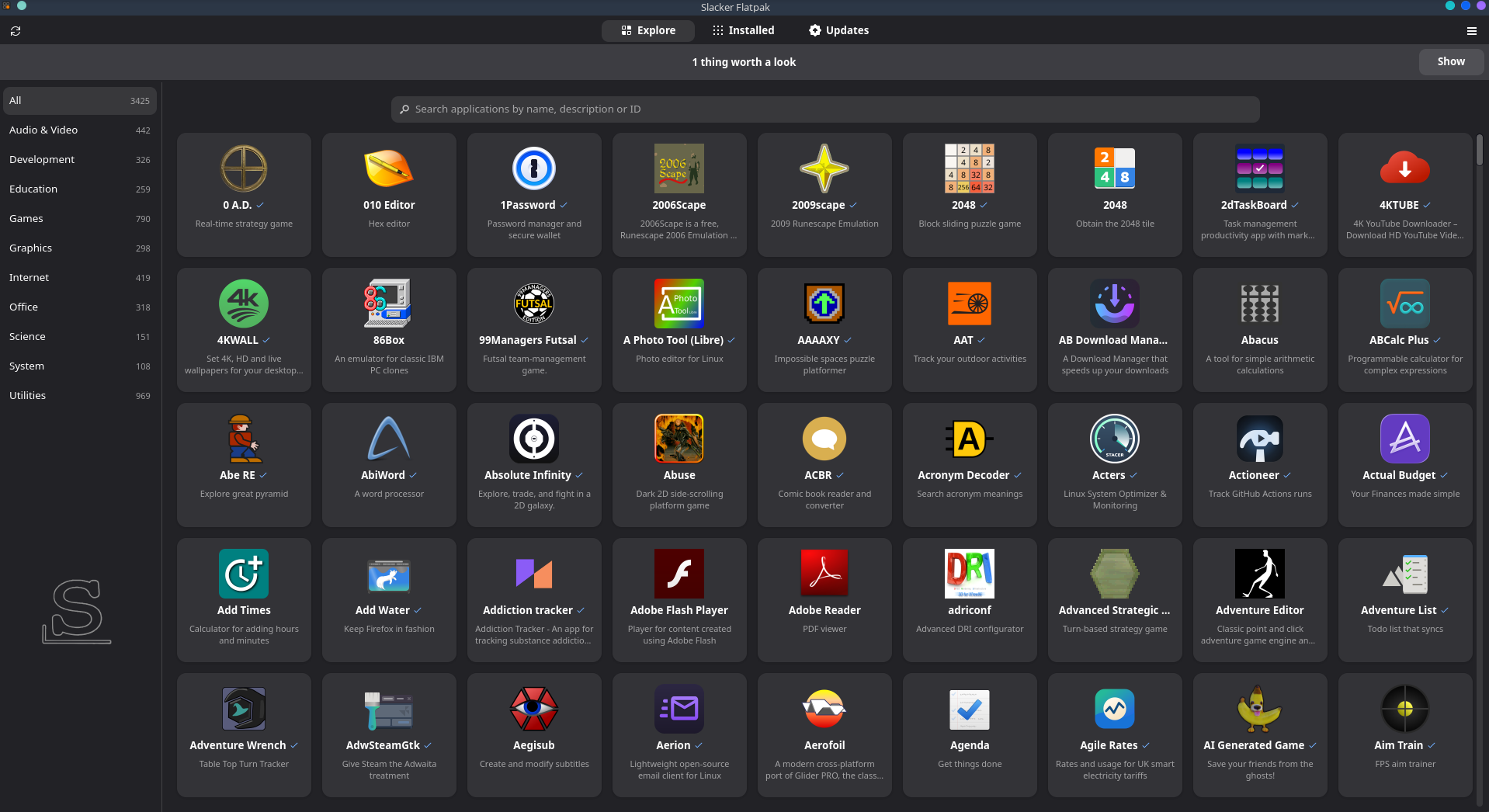
Three views, switched at the top of the window (at the bottom in a narrow window). Remotes and Overview and Checks are in the main menu (☰).
| View | Shows | Reads | Changes it can make |
|---|---|---|---|
| Explore | every application your remotes offer, as tiles with their icons, by category | the appstream data flatpak keeps on disk | Install |
| Installed | installed applications, per installation; runtimes behind a switch |
flatpak list, flatpak pin
|
Open, Uninstall, Remove Unused |
| Updates | updates waiting, per installation (on request) | flatpak remote-ls --updates |
Update |
| Remotes (menu) | every remote of both installations, disabled ones too | flatpak remotes --show-disabled |
enable or disable a remote |
| Overview and Checks (menu) | flatpak version, system helper, installations, counts, warnings | the commands above | - (Check changes nothing) |
- Categories at the side, each with how many applications it has; in a narrow window they become a drop-down next to the search bar.
- Search as you type: it looks at the name, the description and the ID, in the chosen category.
- Nothing is downloaded for this view. It reads the appstream data and icons
flatpak already keeps for each remote, refreshed by every
flatpak update. A remote without such data is named under the search bar ("Not shown"). - An application offered by two remotes has a tile for each.
A tile, or a row on Installed, opens the application's page:
- icon, name, description, ID, branch and the remote it comes from, and a Website link when its appstream data has one (http and https only);
- one row per installation it is in, with Open and Uninstall; or Install when it is not installed;
- From a terminal: the same actions as commands, to copy;
- what flatpak says about it:
flatpak infoand its permissions when it is installed, or what it asks for (flatpak remote-info --show-metadata) when it is not.
Install asks which installation (your user's Flatpak is the default), says whether the remote is set up there, and shows the permissions the application asks for before anything starts.
Open runs flatpak run --user|--system --branch=BRANCH ID, from the
installation you chose, with your normal environment. It runs on its own; its
output is not kept.
- Your user's applications and the system-wide ones in separate groups, each with its size and Open. "also in ..." marks an application installed in both.
-
Show runtimes lists the runtimes and extensions too. Runtimes that flatpak
keeps on purpose are tagged pinned (see below). Remove Unused... runs
flatpak uninstall --unusedfor that installation.
Check for Updates asks each enabled remote, one at a time, over the
network; a remote that cannot be reached hides only its own updates, and its
message is shown. Update... runs flatpak update for one installation. The
Updates view shows how many updates the last check found.
No command the window runs carries -y, --assumeyes, --noninteractive or
--delete-data. A change opens a window with flatpak's live output, and
flatpak asks its own questions there, as on a terminal ("Proceed with these
changes to the user installation? [Y/n]"); the window shows each one with
Yes and No.
- You always see flatpak's own list of what it will install, update or remove before anything happens, end-of-life runtimes it removes by itself included.
- When an update gives an application new permissions, they are shown above the output, not left in it.
- Answering No ends with "Cancelled": nothing was changed by that step.
-
Stop is always there (and the window's close button leads to it).
Before you have said Yes, it answers "n" if flatpak is asking, or ends flatpak
if it is still looking; nothing has changed yet.
After a Yes it asks once more, then stops flatpak (SIGTERM, then SIGKILL three
seconds later). For the system-wide Flatpak the system helper itself is not
stopped (that would need root); the window says so and suggests
flatpak repair. - Uninstall keeps the application's data in
~/.var/app. - When polkit refuses a system-wide change, the window says what the usual reasons are.
When a change ends, every view is read again.
- Every remote of both installations is listed, the disabled ones too
(plain
flatpak remotesleaves those out). - The switch of a remote runs
flatpak remote-modify --enableor--disable. Disabling asks first; a disabled remote stays set up, with its key, but nothing is installed, updated or found from it. For a system-wide remote polkit asks for a password. - A remote made by installing a
.flatpakfile (NAME-origin, no URL) has no switch: nothing can come from it. That application is updated by installing a newer file. - Other remotes you can add lists Flathub Beta and Fedora Flatpaks as commands to copy, with a link to each project's page. The window does not run them: adding and removing remotes is done from a terminal.
- flatpak's version and path, the system helper, the installations and how much is in each.
-
Worth a look: export folders missing from
XDG_DATA_DIRS(applications may not show in the desktop menus), an application installed twice, an enabled remote without GPG verification. A banner at the top of the window says when there is something here, or when flatpak printed messages. -
Check the installations:
flatpak repair --user|--system --dry-run, which verifies every installed file against its checksum and changes nothing. If damaged files are found, the window says so.
These stay in the terminal, on purpose:
-
repairing an installation (
flatpak repairwithout--dry-run). It deletes what is damaged first and then downloads it again; an application installed from a.flatpakfile cannot be downloaded again and is left removed. - adding or removing remotes, and changing a remote's other settings
- running as root, or anything through pkexec or sudo
- changing an application's permissions (
flatpak override) - downloading anything for display (screenshots, remote icons)
-
Pinned runtimes: flatpak pins a runtime that was installed by name, and
flatpak uninstall --unusednever removes a pinned one. Hover the pinned tag for the command that unpins it. -
Two installations: your user's Flatpak (
~/.local/share/flatpak) and the system-wide one (/var/lib/flatpak) are separate. The window always says which one it means, never just "system", so it is not mistaken for the Slackware system. -
XDG_DATA_DIRS: flatpak's
/etc/profile.d/flatpak.shadds the export folders, but only login shells read it; a session started by a display manager may not have them. - The commands each view ran are listed at its bottom, as typed. flatpak runs
with
FLATPAK_FANCY_OUTPUT=0andLC_ALL=C.UTF-8, so its tables are plain and its messages untranslated.
- Slacker GUI - the window for your Slackware packages.
- Security - verification and trust in slacker; slacker-flatpak does not touch slacker or its packages.