Repository navigation
Releases
bloomScroll v0.2.0: calibration, Hide button and an easier first run

bloomScroll now learns your taste, lets you fix any mistake in one click, and is easier to set up for people who aren't into tech.
What's new
Calibrate it to your taste. Settings → Calibrate to your taste. Review a few recent videos with the arrow keys (→ on-topic, ← off-topic), then click Run calibration. bloomScroll finds the settings that make the fewest mistakes on your answers, with hiding a video you wanted counted as twice as bad, and tests them on answers it didn't learn from. You see the before and after side by side and choose Apply or Discard. Needs 40 answers, at least 10 of each kind.
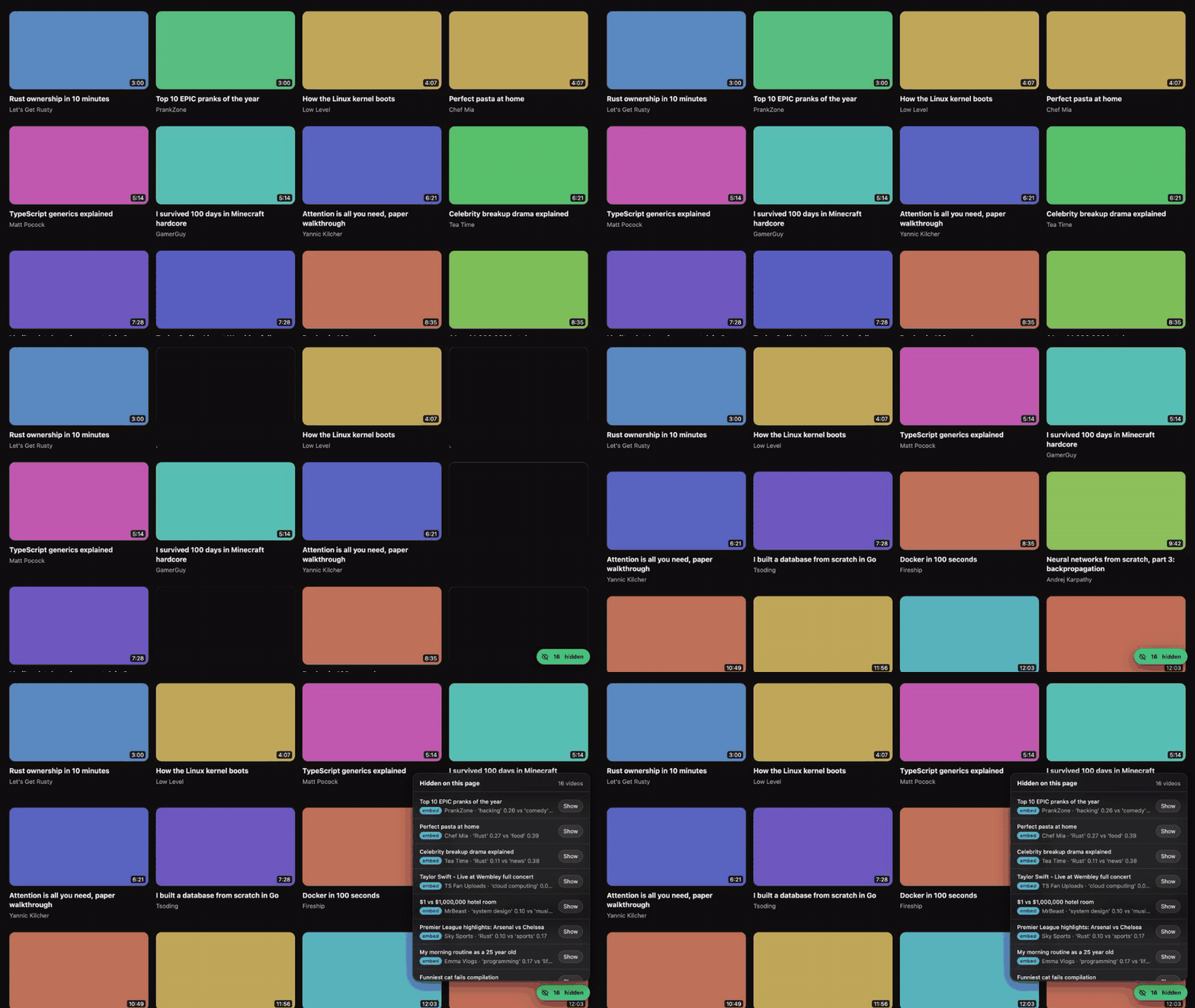
Hide anything that slipped through. Hover over a video bloomScroll kept and click Hide at its top-left corner. It works even when YouTube's own hover preview is playing over the thumbnail.
Your corrections stick. Show (in the Hidden drawer) and Hide are now remembered: that video stays shown or hidden on later visits, in every mode except Off.
Your topics only, if you like. A new switch in Settings, Also keep programming and tech videos, lets you filter for just your own topics, such as "woodworking" or "home espresso". Tech stays on until you've added a topic of your own.
Easier to live with
- The bloomScroll flower in your toolbar, with a badge showing how many videos were hidden on that tab.
- A gentle reminder in the popup to add what you come to YouTube for, until you have.
- The technical threshold numbers in Settings are folded under Advanced.
Simpler modes. The popup now offers Learn, Relax and Off. Work mode is being reworked into a stricter focus mode and will come back in a later update. If you used Work, you're moved to Learn, which behaves the same until you add topics.
For contributors
- New CONTRIBUTING.md: ways to help without code, the roadmap, good first contributions and ground rules.
- Issue templates for Selector broke, Wrong decision, bugs and ideas.
- The README explains why bloomScroll runs Laya locally, and what it does and doesn't cost your computer.
Upgrading
Download or git pull this version, run bash setup.sh --no-server (or bash setup.sh with the local AI) again, click ↻ on bloomScroll in chrome://extensions, then reload your YouTube tabs. Thresholds saved by older versions are reset to the new defaults automatically.
Known limitations
- Built and tested on macOS; Windows and Linux are untested.
- Installs as an unpacked extension (Developer mode) until the Chrome Web Store listing.
- Calibration needs your answers to be useful: a few minutes of reviewing gives it enough to start.
Full changes: v0.1.0...v0.2.0
Ideas for what bloomScroll should do next, or something entirely different built this way? Open an idea.
bloomScroll v0.1.0: first early release
Keeps YouTube on what you came for. bloomScroll is a free, open-source browser extension that removes off-topic videos from your YouTube feed. The tutorials you wanted stay; the rabbit holes disappear. Everything runs on your own computer: no account, no tracking, nothing sent anywhere.
Highlights
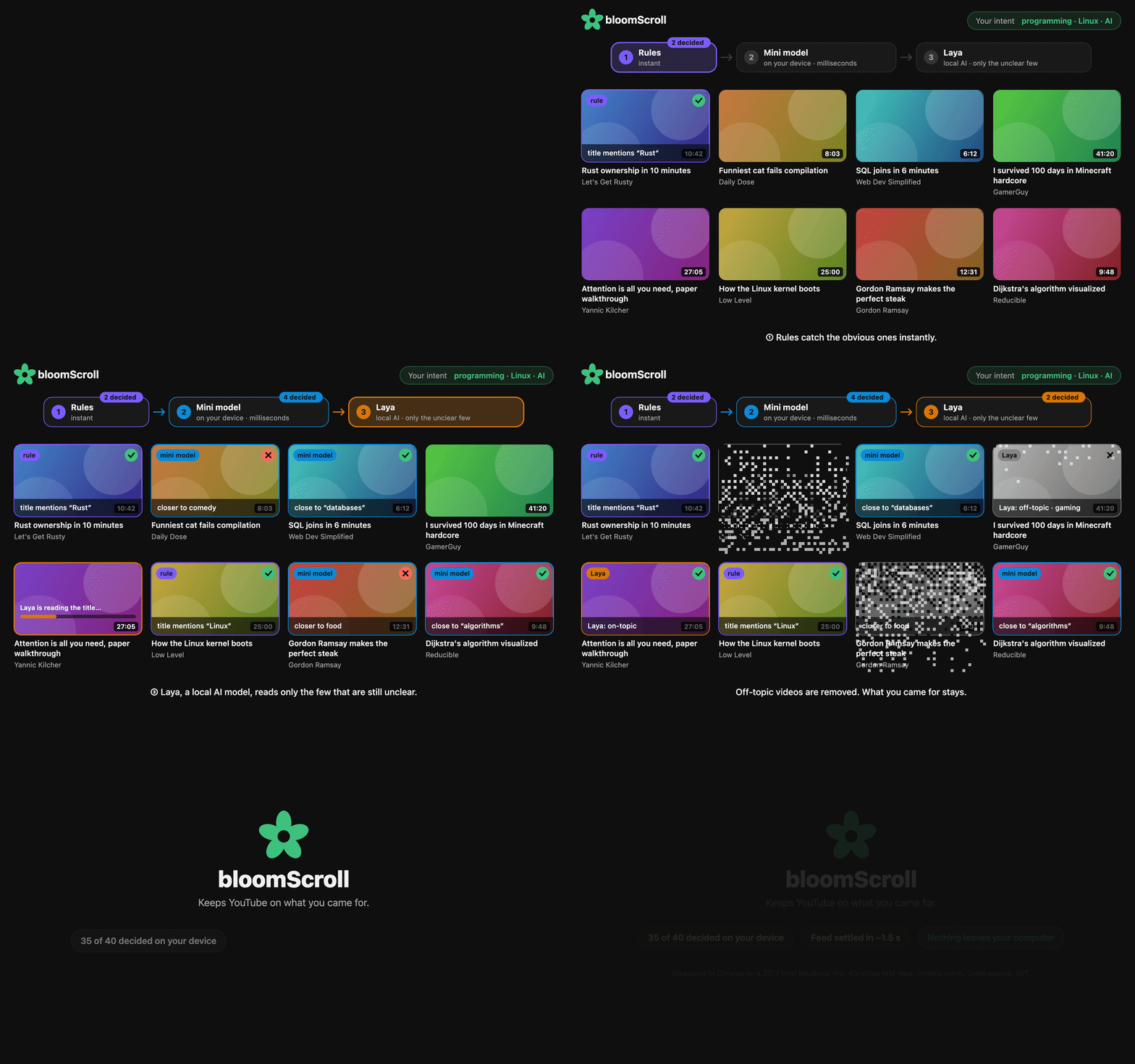
- Filters your feed by intent. Each video on the home page, in search results and in the "up next" sidebar is checked against what you came for. Off-topic videos are removed with a short pixel-dissolve effect, and the gap closes up.
- Works without any server. A small AI model (MiniLM, 23 MB) ships inside the extension and decides most videos in milliseconds. In tests it removed 16 of 20 off-topic videos and never hid a wanted one.
- Optional local AI for the hard cases. Run Laya on your computer and it settles the videos the built-in model isn't sure about. It listens only on
127.0.0.1. - Four focus modes: Work (tech only), Learn (tech plus your own topics), Relax (everything except blocked channels) and Off.
- You stay in control. The "N hidden" drawer lists every removed video and why, with one click to bring it back. Always-show and never-show channel lists win over everything else.
- YouTube clean-up switches: hide Shorts, comments and end-of-video suggestions.
- Debug overlay for the curious: time until the page settled, what decided each video, per-video timings, and a one-click JSON report for bug reports.
- One-command setup:
bash setup.sh --no-serverfor the easy path, orbash setup.shto add the local AI.
Performance
Measured on a 2017 Intel MacBook Pro (2-core i5) with a 40-video test feed:
- 35 of 40 videos decided on the device, without the local AI
- Feed settled in about 1–2 s in Chrome (the first page of a session adds 3–6 s while the model loads)
- Laya, when used, takes about 0.4 s per video, and only sees the unclear few
- A speed audit cut Laya's cost per video by 2.5× with no loss in accuracy
Install
- Install Node.js (LTS).
- Download this release (Source code ZIP) and unpack it.
- In a terminal, inside the folder:
bash setup.sh --no-server - In Chrome, Edge or Brave, open
chrome://extensions, turn on Developer mode, click Load unpacked and chooseextension/dist. - Open YouTube.
To add the local AI, run bash setup.sh, then server/start.sh, then Settings → Save → Allow. Full steps for newcomers are in the README.
Needs: Chrome, Edge or Brave and Node.js 20+. For the local AI you also need Python 3.10–3.12 (3.11 on Intel Macs) and about 2 GB of disk space.
Privacy
No accounts, analytics or remote logging. The built-in model and Laya both run locally. The only optional network use is Jev, a hosted model you turn on with your own TypeSafe key, which sends video titles and channel names to TypeSafe. The Settings page labels it clearly.
Known limitations
- Not yet in the Chrome Web Store, so it installs as an unpacked extension (Developer mode).
- Only tested on macOS; Linux and Windows (Git Bash or WSL) setup is untested.
- Filters home, search and the watch-page sidebar. Channel pages and playlists are left alone on purpose.
- YouTube changes its layout often. If the popup says "No video tiles found", please open an issue.
- Corrections you make are saved but not learned from yet. Calibration is planned.
- Jev's prompt hasn't been re-tuned since the latest prompt change.
- After updating the extension, reload any open YouTube tabs.
What's next
👎 on videos that should have been hidden, a calibration button that learns from your corrections, focus-mode schedules, Jev as an opt-in fallback, and a Chrome Web Store listing.
MIT licensed. Built on Laya, Transformers.js and MiniLM.
Found a problem? Turn on the debug overlay, press Copy, and paste it into an issue.