Repository navigation
Releases
tme-rp 1.2.5

MCP, for AI agents
tmesh --mcp SOCKET is an MCP server, so that an AI agent such as Claude Code can use a running tmesh's control socket as tools, without a shell command per step:
$ tmesh --control unix:/tmp/tme.sock -c tme.cfg &
$ claude mcp add tme -- tmesh --mcp unix:/tmp/tme.sock
- The tools are the control socket's commands, with the same parameters.
statusalso has the CPUs (with their models) and consoles. pause,stepandrun_untilwait for the machine to stop and say how it stopped; so doescontinue, withwait. Thewaittool waits for a running machine to stop.screendumpreturns the screen as an image, so the agent sees it directly.console_writeandkeyboardtakeenterto press Return.- Each tool call is a connection of its own: tmesh can be started or restarted before or after the agent, and
tmesh --ctlkeeps working.
See "MCP Server" in the manual's Control Socket section.
tme-rp 1.2.4
A VNC display
A machine's screen can now be shown to VNC clients such as TigerVNC or macOS Screen Sharing, also from another computer, instead of in an SDL window. Replace the display line in the machine's configuration:
display0: tme/host/rfb/display
tmesh says where it listens (tmesh: VNC server: 127.0.0.1 port 5900). By default it takes the first free port from 5900 on, on this computer only. Optional arguments:
port 5901picks the port.address 0.0.0.0listens on all IPv4 addresses;address "::"(with the quotes) on IPv4 and IPv6.socket PATHlistens on a Unix socket instead.
The keyboard and the mouse work as in the SDL window. Up to four clients can connect at once. Updates are sent as Raw, Zlib or ZRLE, whichever the client prefers.
- Password. Set
TME_VNC_PASSWORDto require a password (VNC Authentication, at most 8 characters); macOS Screen Sharing needs one. Without a password, listening on anything but the loopback address gives a warning. VNC Authentication isn't encryption, so over a network an SSH tunnel is safer. - Trace.
TME_VNC_DEBUG=1logs the protocol on standard error. screendumpthrough the control socket works with the VNC display too.
The VNC display no longer needs libvncserver, so it's included in every build and package.
tme-rp 1.2.3
The screen and keyboard through the control socket
A program can now use a machine's graphics console, not just its serial console:
screendumpsaves what a screen shows as a PNG file, at the size of the emulated framebuffer, also while the machine runs (like QEMU'sscreendump). It returns the file's absolute path, the framebuffer's name (such asbwtwo0) and the image's size.keyboardtypes on the display's keyboard, as if from the host's keyboard. It takestext(Shift, Control, Return, Tab and so on are handled), orkeysnamed as X11 keysyms. Keys joined by+are held together, as in"L1+a"for a Sun's Stop-A. The keys are typed as fast as the emulated keyboard takes them, and keep going after the client disconnects.- Without windows. With
SDL_VIDEODRIVER=dummy, the SDL display runs without opening any windows, e.g. for an agent on a server. The framebuffer is kept at full size, so screenshots show every pixel.
$ SDL_VIDEODRIVER=dummy tmesh --control unix:/tmp/tme.sock -c tme.cfg &
$ tmesh --ctl unix:/tmp/tme.sock keyboard '{"keys":["L1+a"]}'
$ tmesh --ctl unix:/tmp/tme.sock screendump /tmp/screen.png
Fixes
- Shift could stay pressed. The keyboard held a modifier's release back until the next key. After a shifted character typed quickly, the next key could come out shifted, and the last Shift release wasn't sent at all.
Packages: a .deb for Debian and Ubuntu (amd64, arm64), a macOS installer package (arm64), and the Homebrew formula rpajarola/tap/tme-rp. See packaging for installing.
Full Changelog: v1.2.2...v1.2.3
tme-rp 1.2.2
A control socket
Programs, such as AI agents, can now drive tmesh through a socket, with JSON requests and replies, one per line. It is the same protocol as gxemul's.
- Start it with
tmesh --control unix:PATHortmesh --control tcp:PORT(on 127.0.0.1). One client at a time. - Run and inspect. Run, step and stop the CPUs. Read and write registers and memory, also while running. List the devices and where they are on the buses.
- Breakpoints and watches. Watches can be on exceptions and traps (by name, e.g.
bus_errorortrap_*, or by number) or on device accesses (e.g. writes tozs0). They either stop the machine at the handler's first instruction or add to a trace. - Events. The socket sends events when the machine stops or exits, and for console output and log messages if subscribed.
tmesh --ctl SOCKET COMMAND [ARGUMENT]sends one request and prints the reply, for use from scripts and shells.
Works with the m68k and SPARC CPUs. See "Control Socket" in the manual (tme/tme.texi).
Fixes
- Crash in recode on x86-64. Read and write assists were called with the stack misaligned, which crashed when the compiler used aligned SSE stores, e.g. in the SPARCstation 2's serial ports on Linux.
Packages: a .deb for Debian and Ubuntu (amd64, arm64), a macOS installer package (arm64), and the Homebrew formula rpajarola/tap/tme-rp. See packaging for installing.
Full Changelog: v1.2.1...v1.2.2
tme-rp 1.2.1
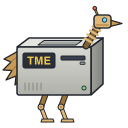
An icon
tme has an icon: a robot emu whose body is a SPARCstation IPC-like lunchbox.
- The machine window and the display's windows show it, and on macOS so does the Dock.
- The
.debinstalls it in the icon theme, with a desktop entry (tme.desktop) that startstmeshand that task switchers match to its windows. packaging/icon/make-icons.shmakes the PNGs and the window icon frompackaging/icon/tme-icon.svg.
Packages: a .deb for Debian and Ubuntu (amd64, arm64), a macOS installer package (arm64), and the Homebrew formula rpajarola/tap/tme-rp. See packaging for installing.
tme-rp 1.2.0
Highlights
A window for your machines
Run tmesh without a script and it opens a window that lists your machines, makes new ones and edits them. A machine is its tmesh script (tme.cfg), kept in a folder of its own with its files.
- New... starts from a script that's known to work, for a Sun-2/120, a Sun-3/160 or a SPARCstation 2. You supply the PROM image, plus the framebuffer's FCode ROM for the SPARCstation 2. Choose them under Files, or add a ROM folder under Settings and new machines pick them up automatically.
- The editor has pages for the memory, the ROM and state files, the SCSI disks, CD-ROMs and tapes, the display and framebuffer, the Ethernet connection (none, UDP, BPF or tap), and the SPARC idle type. It changes only the lines it knows and keeps every other line and comment, so Open... works on scripts you wrote by hand too.
- Saving a machine creates its missing disk images, copies its ROM images into its folder and writes its keyboard macros.
- While a machine runs, Screen → Edit Configuration... opens its script in another window.
tmesh --edit [SCRIPT]opens the window on one machine, andtmesh --shellgives the old prompt.
The GTK display is gone
The SDL display has the same menus (scaling, screenshots and recordings, media and the machine's controls), so tme no longer builds a GTK display, and it no longer needs GTK at all. The macOS package and the Homebrew formula are much smaller as a result.
If a script uses display0: tme/host/gtk/display, change that line to display0: tme/host/sdl/display. When the machine window opens such a script, it tells you to choose another display. Passing gtk in --enable-hosts now stops configure with an error.
Emulation fixes
- CD-ROM drives:
- A drive with no disc now answers NOT READY, MEDIUM NOT PRESENT, instead of looking like no drive at all. The SS2 PROM's
boot cdromnow waits for a disc. - Loading a disc reports UNIT ATTENTION, MEDIUM CHANGED, so the guest sees the new disc.
- A drive with no disc now answers NOT READY, MEDIUM NOT PRESENT, instead of looking like no drive at all. The SS2 PROM's
- SCSI probing: INQUIRY for a missing LUN answers 0x7f, as a real target does, so the sun4c PROM's
probe-scsino longer lists every LUN. - SPARCstation 2 SCSI: the esp is now emulated as the ESP100A it is, so NetBSD no longer takes it for a later chip.
- SPARC CPUs: unassigned opcodes now take an illegal_instruction trap instead of crashing tmesh.
- Sun-3: the ncr5380 now clears its DMA input pointer for writes in every build, not only debug builds.
Install
- Debian/Ubuntu: the
.debbelow, or the apt repository. - macOS: the
.pkgbelow, orbrew install rpajarola/tap/tme-rp. - From source: the tarball below.
What's Changed
- Fix two bugs from the TODO list, and go through the list by @rpajarola in #12
- Emulate the SS2's esp as the ESP100A it is by @rpajarola in #13
- Add a window for choosing, making and editing machines by @rpajarola in #14
- Remove the GTK display by @rpajarola in #15
- Drop the formula's revision when a release updates the tap by @rpajarola in #16
- Release 1.2.0 by @rpajarola in #17
Full Changelog: v1.1.0...v1.2.0
Contributors

Assets 6
tme-rp 1.1.0
What's Changed
- SDL phase 0: Look up keysym names without GDK by @rpajarola in #1
- SDL phase 1: Bring the SDL display up to the GTK display's basics by @rpajarola in #2
- SDL phase 3a: Add menus and a status line that display backends can share by @rpajarola in #3
- SDL phase 3b: Draw a menu bar and status line in the SDL display by @rpajarola in #4
- SDL phase 2: Move screenshots and recordings into shared display code by @rpajarola in #5
- SDL phase 4: Build GTK and SDL when found, and add SDL machine configs by @rpajarola in #6
- Build the GTK display's menus from the shared ones by @rpajarola in #7
- Show the SDL display's quit and error dialogs in its window by @rpajarola in #8
- Add a Devices menu with the machines' reset and switches by @rpajarola in #9
- Build every push and pull request on Linux and macOS by @rpajarola in #10
- Release 1.1.0 by @rpajarola in #11
New Contributors
- @rpajarola made their first contribution in #1
Full Changelog: v1.0.0...v1.1.0
Contributors
Assets 6
tme-rp 1.0.0
tme 0.12rc7
First release with packages: a .deb for Debian and Ubuntu (amd64, arm64), a macOS installer package (Apple silicon, runs without Homebrew), and the Homebrew formula rpajarola/tap/tme. See packaging for installing.