Repository navigation
PX4 Support
ArduDeck speaks ArduPilot natively, and it speaks PX4 too. Connect a PX4 vehicle and the app switches with it: PX4's own flight modes, PX4 parameter metadata, PX4-specific configuration tabs, ULog analysis, and an in-app PX4 SITL for trying all of it without hardware.
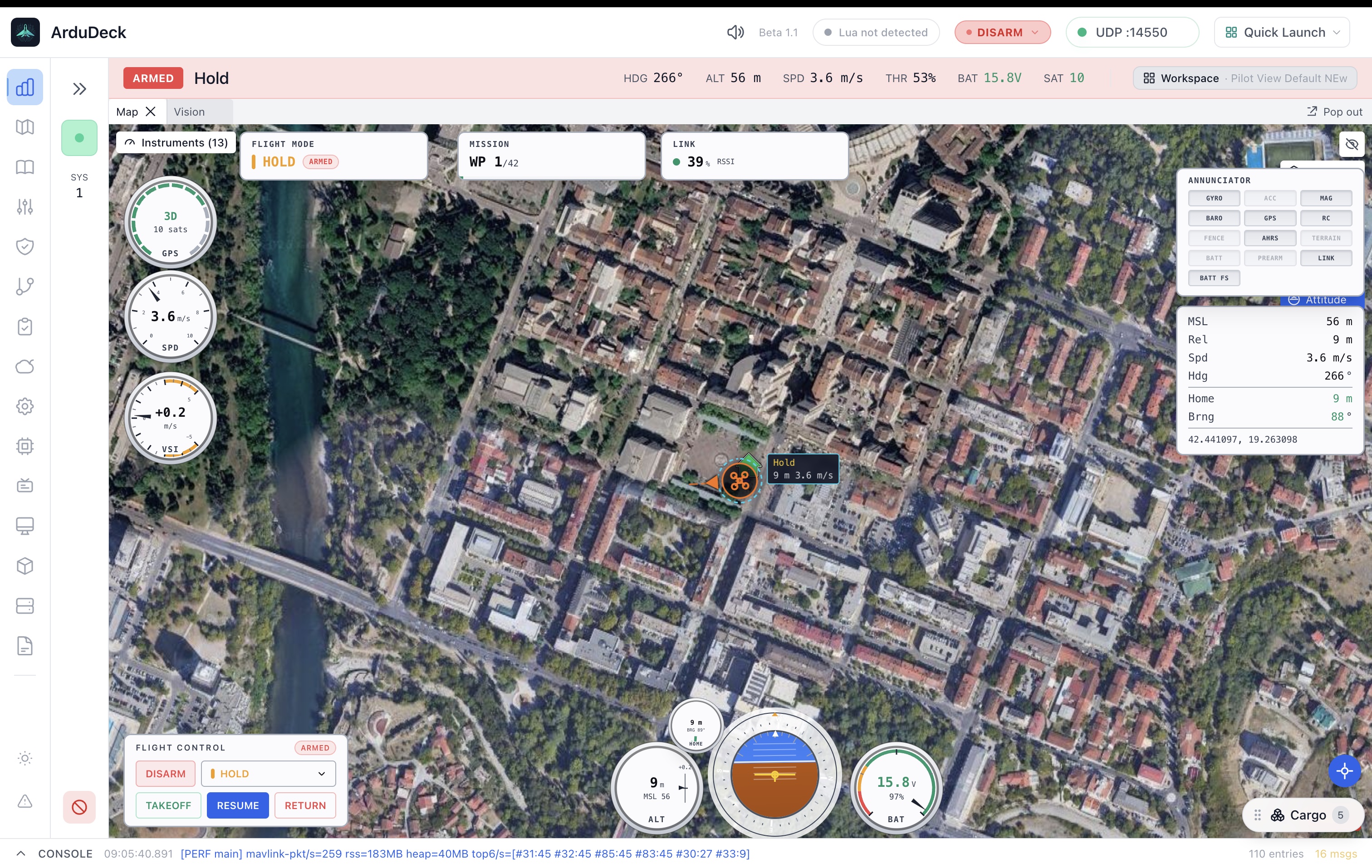
Status: supported. PX4 support covers all the features described on this page. If something does not work on your vehicle, please report it on the issue tracker.
PX4 is detected automatically from the vehicle's heartbeat. Everything firmware-aware follows: mode names, parameter metadata, configuration tabs, mission commands, and log parsing. ArduPilot connections are untouched by any of this.
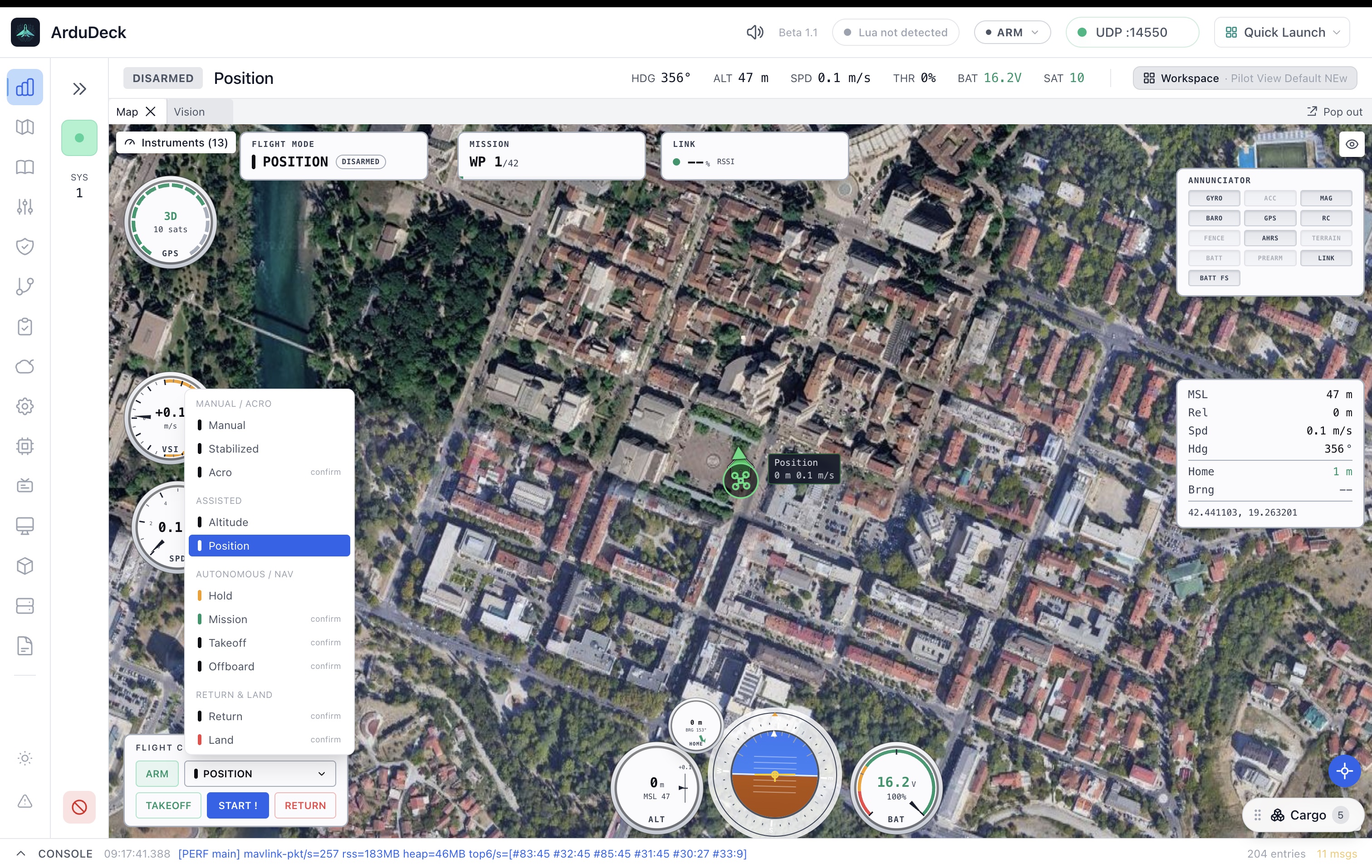
The mode picker and annunciator use PX4's own vocabulary, not translated ArduPilot names: Manual, Stabilized, Acro, Altitude, Position, Hold, Mission, Takeoff, Offboard, Return, and Land, grouped by class (manual, assisted, autonomous, return and land). Risky modes ask for a confirm before they are commanded. Prearm and preflight failures from PX4's events interface are translated into plain hints.
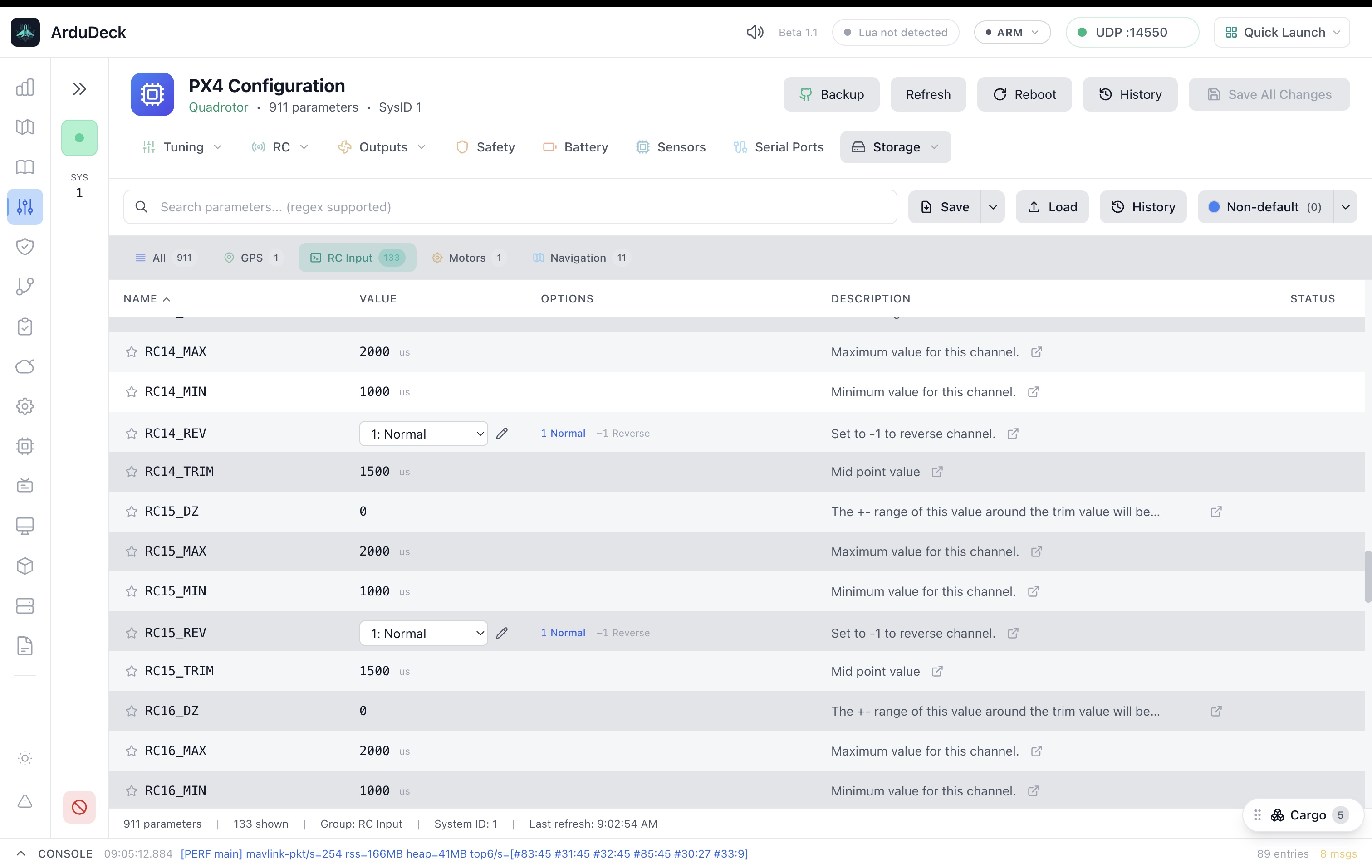
Connecting a PX4 board opens a PX4 Configuration view with its own tabs:

| Tab | What it covers |
|---|---|
| Tuning | PX4 PID schemes for multicopters and fixed wings, with per-axis response/stability/smoothness controls and acceleration limits |
| RC | RC input and flight-mode slot assignment |
| Outputs | The airframe's frame diagram with motor numbering and spin directions, individual and all-at-once motor tests with throttle and duration, live vibration readout, and motor output PWM |
| Safety | Safety switches and failsafe actions |
| Battery | Battery configuration |
| Sensors / Serial Ports / Storage | The remaining hardware setup |
The header offers Backup, Refresh, Reboot, and parameter History.
The parameter table works the same as on ArduPilot (regex search, groups, favorites, non-default filter) but uses bundled PX4 parameter metadata: PX4 descriptions, units, options, and correct value typing. PX4 distinguishes integer and float parameters at the protocol level, and ArduDeck writes each with its proper type, which matters, because a float written to an int parameter corrupts the value.
Mission planning targets PX4's command set when a PX4 vehicle is connected (or when PX4 is selected as the offline planning target in the mission toolbar), including PX4 auto-takeoff behavior and speed changes as ground speed, which is how PX4 interprets them. Surveys upload the same way.
Opening a log detects the format automatically: DataFlash logs route to the ArduPilot parser, .ulg files to ArduDeck's native ULog parser. ULog flights get the same treatment as DataFlash ones: the log explorer, health checks, and the flight trace on the map. See Flight Log Analysis.
The SITL Simulator screen has a PX4 (MAVLink) tab that runs PX4 SITL without any manual setup: pick a configuration, click start, and ArduDeck downloads the right PX4 bundle, launches it, and connects itself over UDP 14550.

- Vehicle type: Copter, Plane, VTOL, or Rover.
- Simulator backend: the default bundled path computes its dynamics with PX4's built-in SIH simulator, so no external simulator needs installing; Gazebo is available if you have it installed locally, and None (link only) starts PX4 without a simulator for attaching your own.
- Release track: Stable, Beta, or Dev builds of PX4.
- Home & Scenarios: spawn presets (CMAC, SF Bay, Nevada Desert, Swiss Alps) or exact latitude, longitude, altitude, and heading, with Match Terrain to look up the real ground elevation and Use My Location.
- Run options: simulation speed and an optional parameter wipe on start.
This is the fastest way to see the PX4 support end to end, modes, configuration, missions, and a ULog at the end, in a couple of minutes and with nothing at risk.
- Simulator for the ArduPilot SITL world and physics engine
- Flight Log Analysis for the log tooling ULog flights land in
- Mission Planning for the planner the PX4 command set plugs into