Repository navigation
Gear Studio 0.6.0

References, Snapshots, and Play Data Release
Full Changelog: v0.5.0...v0.6.0
Highlights
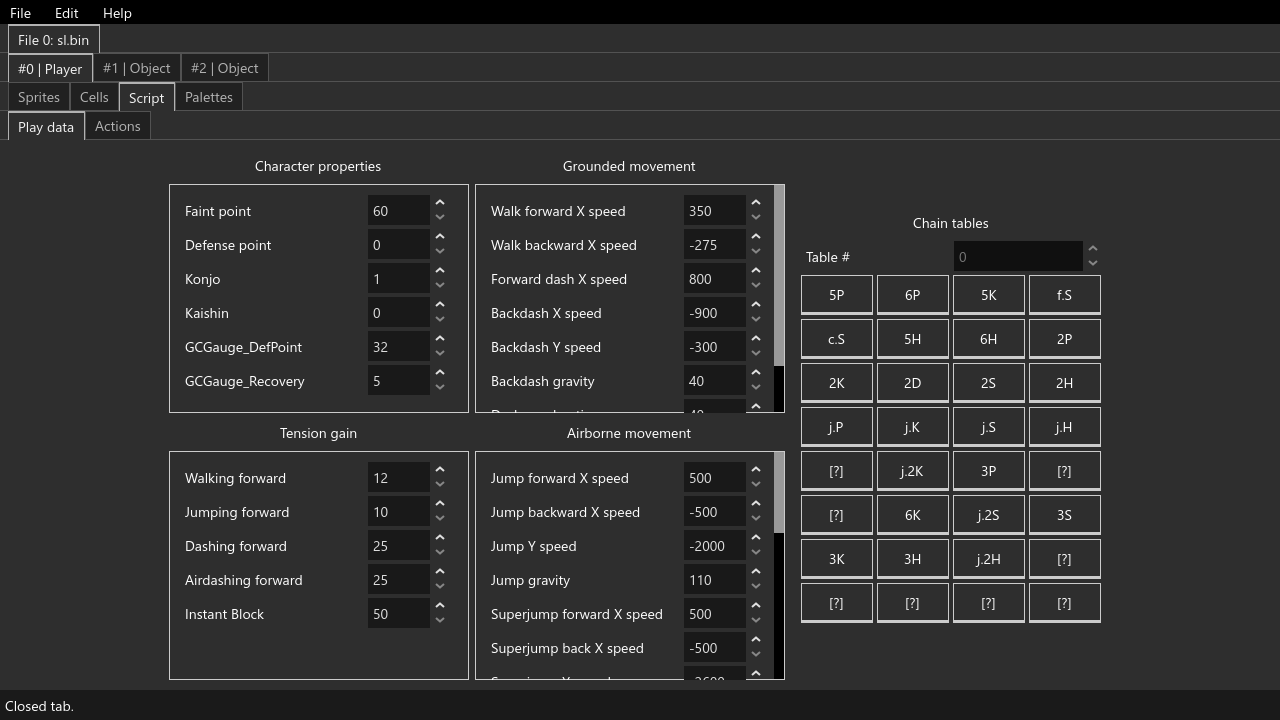
New tab: Play Data editor
The Script tab now includes a handy new sub-tab you can use to see and edit a character's variables and chain tables!
Reference files
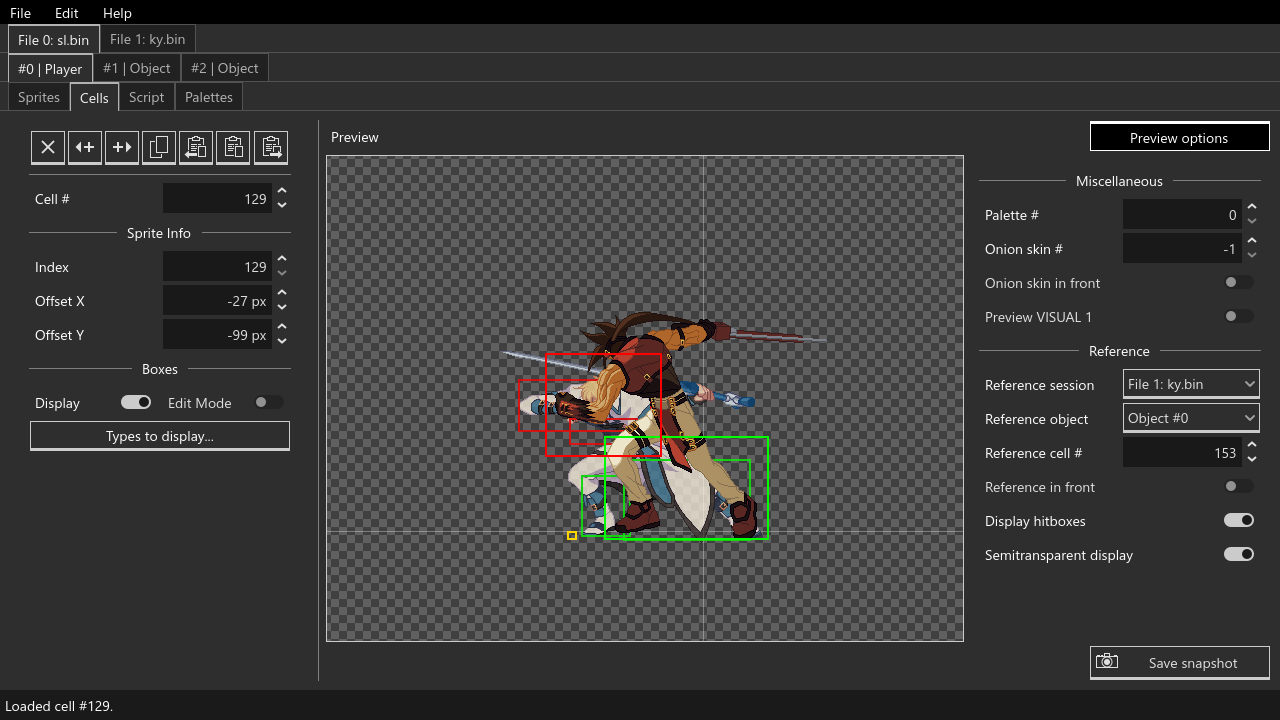
You may now use other loaded tabs as reference overlays (or underlays) by selecting a session and object from the new "Preview options" panel in the cell and script editors. In the cell editor, set Reference cell # to -1 to match the currently loaded cell index, and any other value for a fixed, unchanging reference cell. In the script editor, the loaded action will always match the currently loaded action index (for now).
Cell snapshots
The cell editor now has a Save snapshot button which will save a screenshot of the current cell to the snapshots directory under your Gear Studio install path.
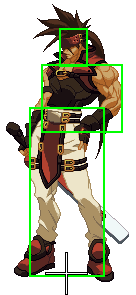
Only visible elements will be included. You can disable certain box types or the origin cross if you'd like to exclude them from snapshots, for example. Your currently selected palette, origin cross type, and custom box colors will be respected:
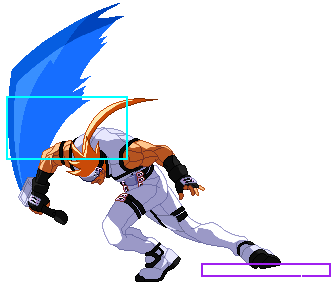
You can choose to save a PNG, PSD, or both from the Cells tab of the Preferences menu.
New and changed
General
- Moved script de/serialization to ggpr_bin.dll, should be faster and more reliable
- Moved preview options to a separate panel in the cell and script editors
- Made origin cross and axis guide lines 1 pixel thick rather than 2 (less ambiguous)
- Color pickers now update when undoing a palette color change
- Resizing the window no longer recenters previews
- Reindexing a sprite now immediately updates other previews
- Added file/directory path to save status messages
- Localized some missing strings
Preferences Menu
- Added additional origin cross types
Cell Editor
- Added snapshots
- Added reference file support
Script Editor
- Added
Play datatab - Added reference file support
- Added preliminary tooltips to action Flags
- The
DRAW_NORMALandDRAW_REVERSEinstructions now mirror boxes accordingly - Changing an instruction's parameters no longer deselects it
Palette Editor
- Added up/down arrow key support to
Palette #andSprite #spinboxes
Fixed
Crashes
- Fixed crash when undoing an append-mode sprite import with an appended sprite selected
- Fixed crash when deleting an object's last script action
- Fixed a game crash when adding extra sprites to select.bin
Bugs
- Fixed buggy undo/redo for copying and pasting script instructions
- Fixed
Exportbutton not working in palette editor - Fixed uncompressed sprites not loading if padded
- Fixed region box crop offsets being treated as unsigned (they're actually signed)
- Fixed sprite import progress window not appearing
- Fixed sprite palette editor not highlighting hovered/selected colors
Minor issues
- Fixed incorrect status message when attempting to paste boxes with none on the clipboard
- Fixed a typo in the save progress report window for directory sessions ("Scripts" → "Palettes")
Warning!
This is pre-release software. As such, it may contain bugs, and may make your computer a splode, so keep backups of anything you plan to edit, and use this program at your own risk. Gear Studio is provided as-is. I take no responsibility for any tragedies resulting from its use.