Repository navigation
v4.8

It's the weekend. Fire up your Sonos speakers, queue up a chill or party playlist, kick off the Back of the Club visualisation, grab a drink or whatever you fancy and sit back and relax.
Beta. Back of the Club is shipping in beta — layout, lighting, and the surrounding settings are subject to change as the design lands.
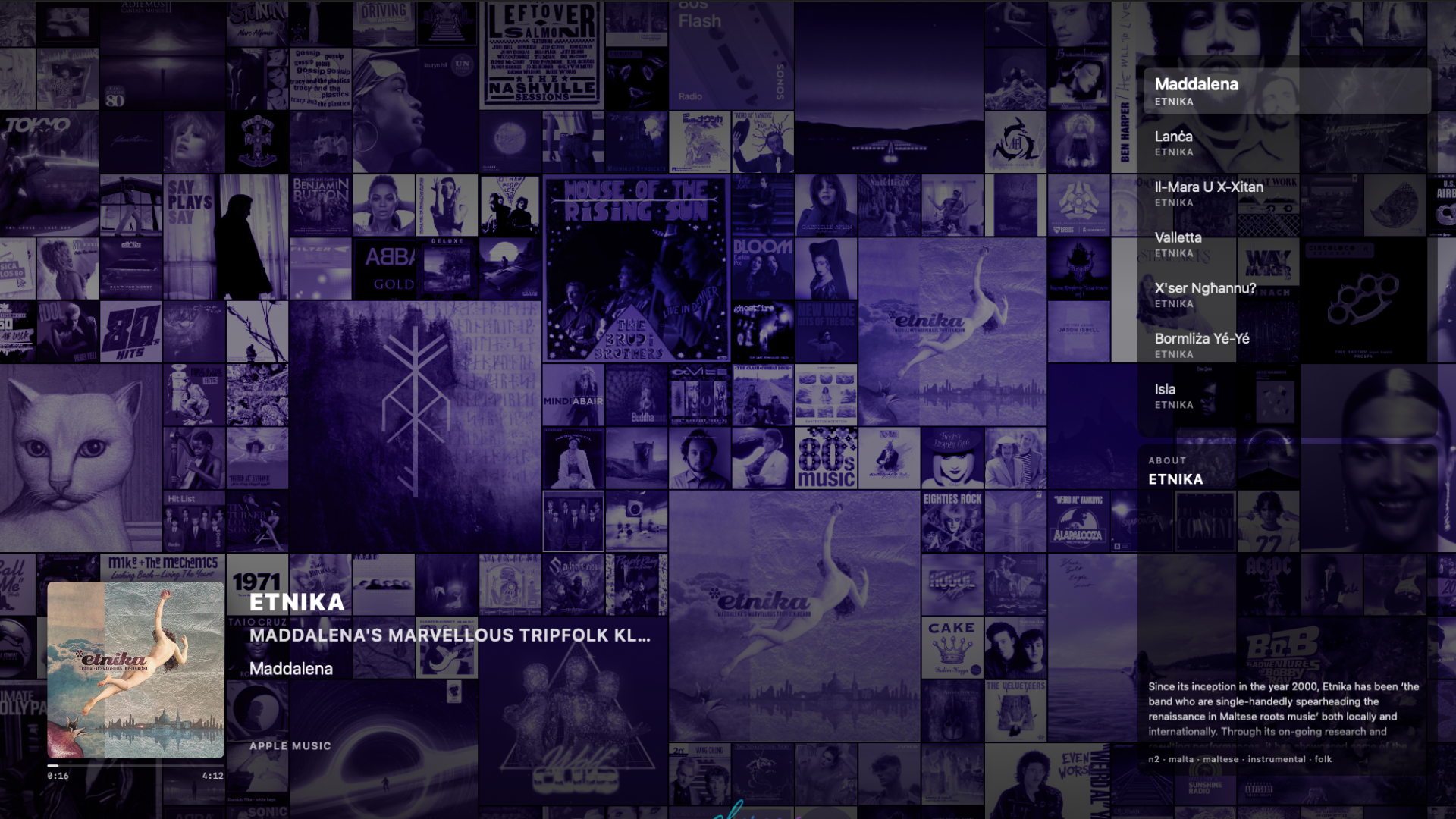
- Back of the Club visualisation (beta). A full-screen poster-wall vis (
⌘J): queue artwork plus genre-matched picks from your listening history, sized into a venue-back-wall grid (huge focal tiles, medium tiles, hairline 1×1 fill), under a slow-shifting warm-bar lighting cue. The current track stages on the left; the right column carries Up Next and an artist-info panel with bio and tags. - Visualisation menu. New top-level Visualisation menu and a
sparkles.tvtoolbar button group both Karaoke (⌘K) and Back of the Club (⌘J) in one place. Menu labels simplified to "Karaoke" and "Back of the Club"; the long descriptive labels are now tooltips. - Karaoke window polish. Wordmark resized to match the visualisation header and re-aligned with the album-art leading edge for a cleaner header layout.
- Vis settings panel reorganised with a dedicated Back of the Club section and short explanations under each control (genre matching mode, random art mix, About panel, history source).
- Up Next list shows for Spotify Radio / Apple Music DJ. Previously hidden whenever Sonos populated a station label; now gated on the queue actually having tracks, so DJ-driven sessions keep the list visible.
- Translation refresh. All new visualisation, menu, and settings strings localised to 13 languages.
Full change list in CHANGELOG.md.