Repository navigation
Home
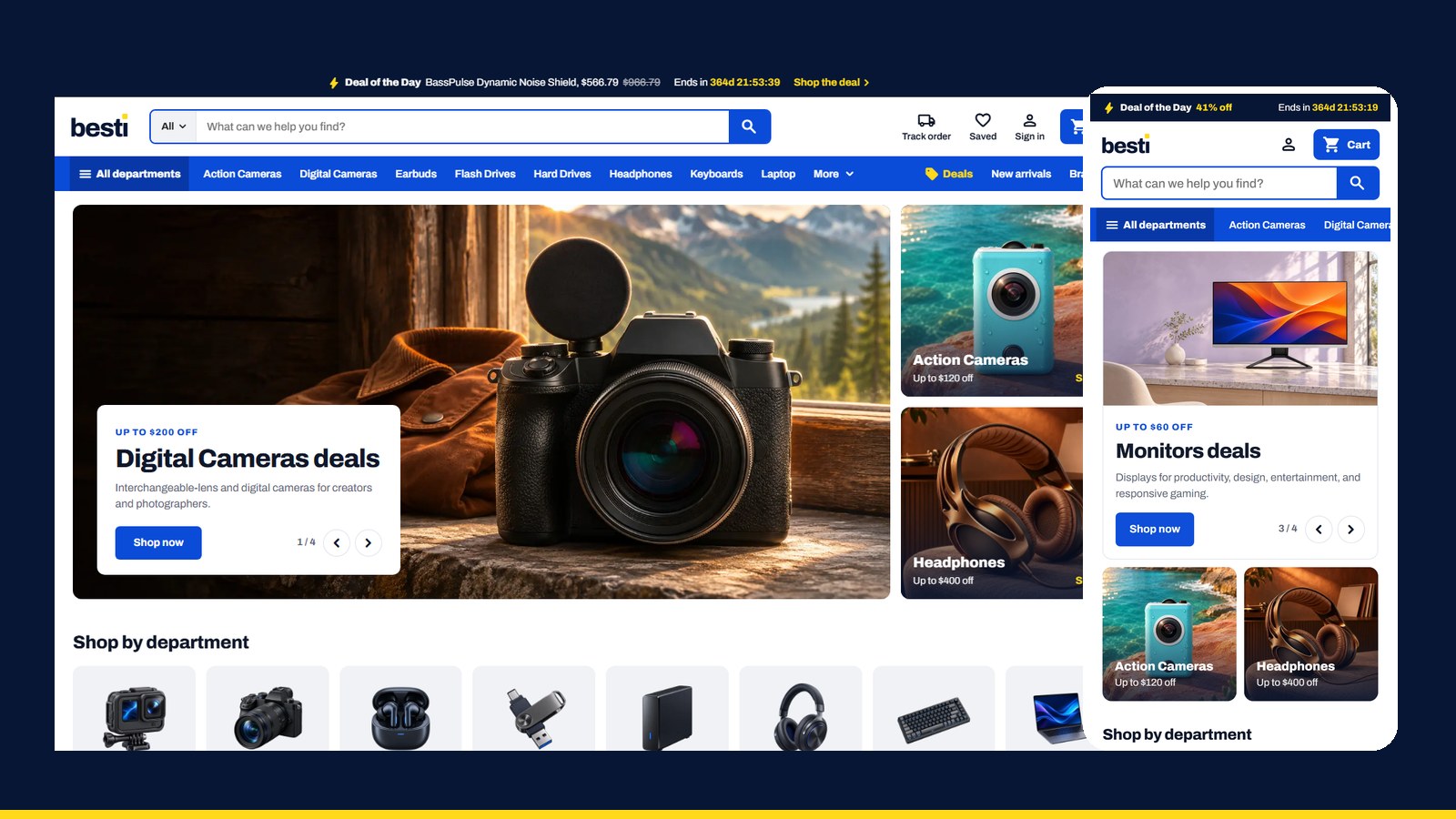
Besti Electronics is a custom storefront Layout for Selldone shops: a single-shop electronics store dressed as a big white department store. A navy strip with the Deal of the Day, a white header with a scoped search and a blue cart pill, a blue department bar with a mega menu, a photo hero by department, departments in two even rows, top deals by category, best sellers from the shop's own tag, brands and guides; bordered product tiles with colour swatches; filters built from the products' own specs; a three-column product page with a sticky buy box; a side-by-side compare page; a receipt-first cart and a desk-style account.
It runs on besti.selldone.shop, one address of the Selldone shop Digini: one shop, one Layout per domain (see Go Live). It is built on the official selldone/storefront, so Selldone's cart, checkout, payments and orders keep working underneath a completely new design.
| I want to… | Page |
|---|---|
| Have an AI agent set it up on my shop | Install with AI |
| Set it up myself | Manual Setup |
| Know what my shop's data needs | Shop Requirements |
| Build, upload and verify a release | Build and Upload |
| Put it live on my shop and domain | Go Live |
| Change the name, colours, photos, sections, pages | Customize |
| Fix a problem | Troubleshooting |
- A Layout is a complete storefront app (Vue 3) that runs on Selldone's own servers instead of the default storefront.
- You build it, zip it, and upload it to your Selldone developer account with the official selldone-cli. Each upload is a new version.
- You attach a version to your shop, or to one domain of it.
- Selldone injects your shop into the Layout: its products, categories, prices, tags, theme, languages and settings. Nothing about Digini is hard-coded: only the brand name (one line) and the department photos, matched by category slug.
- Header: a navy Deal of the Day strip with "Ends in 364d 23:15:07", counting to the deal's own end date; the wordmark, a search with a department scope and suggestions, Track order, Saved, Sign in and a blue cart pill with the count and total; a blue department bar ("All departments" opens a mega menu on click), Deals in yellow, New arrivals and Brands.
-
Home: photo hero, Shop by department (two even rows, never a hole), Deal of the Day, Top deals by category, Everyday essentials, Best sellers (from the
best-sellertag), a wide photo banner, New arrivals, Shop by brand, a row for every other tag (" Items"), Recently viewed and the four newest guides. - Cards: bordered tiles with a yellow "% off" flag, colour swatches that pick the colour, a red "Save $X", "Was $Y", the deal's countdown ("Ends in 364d 23:15:07"), "Add to cart" that turns into "− n +" in place, "Choose capacity" for a quick-buy sheet, Compare and Save.
- Shop pages: a short head, filters built from the products' own specs (departments, price slider, On sale only, brand, colour, spec keys), Sort by, five cards to a row; the Deals page with the Deal of the Day.
- Product page: gallery, details with colour or capacity tiles and key specs, a sticky buy box with the deal's countdown; Specifications in the shop's groups, Reviews, Frequently bought together, Related products, More in the department.
- Compare: the picks pinned on top, the specs side by side with differences marked.
- Cart and checkout: a receipt-first drawer, a stepped checkout with a map-first address sheet, delivery choices and the payment window.
- Orders and account: the receipt, delivery, the trip and messages; the account as a desk with a side menu.
- Content pages: guides, article, About, Terms, Privacy, Contact, FAQ and a designed 404.
- Live shop: https://besti.selldone.shop
- Repository: https://github.com/selldone-custom-layouts/official-besti
- Release log:
BESTI.md; shared behaviours:KALIO.md - All official custom Layouts: https://github.com/selldone-custom-layouts
- Selldone: https://selldone.com