Repository navigation
Home
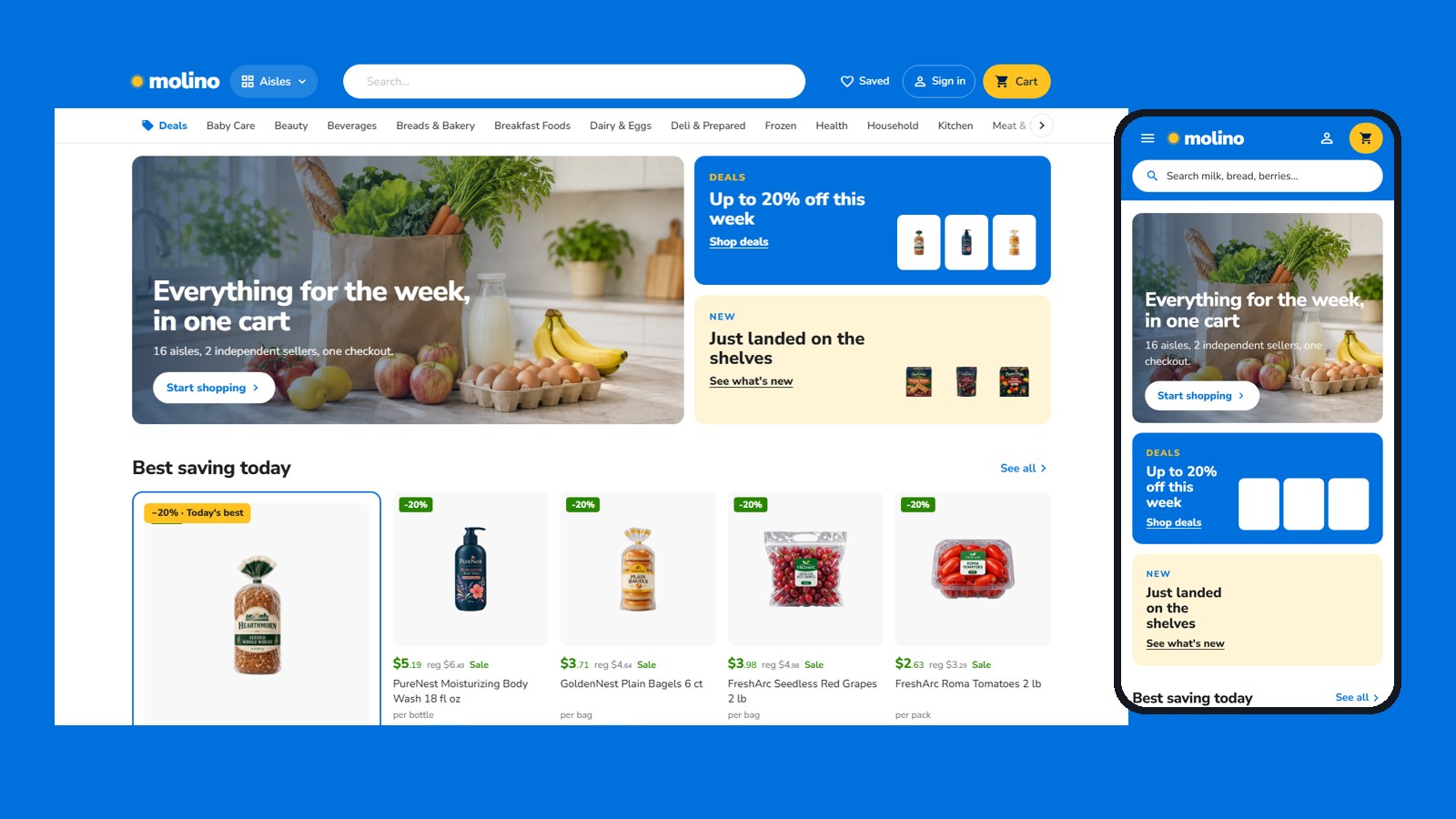
Walio Market is a custom storefront Layout for Selldone shops: a multi-vendor grocery marketplace dressed as a blue superstore: a blue header with a yellow cart that opens a small cart window, a split hero with deal tiles, best savings, category tiles and shop-the-idea lists, aisles with a banner and a filter column, a classic product page, a stepped checkout and seller pages as a shop in the shop. It runs on walio.selldone.shop, a second address of the shop molino, whose main address carries Molino Market Hall: one shop, one Layout per domain (see Go Live). It is built on the official selldone/storefront, so Selldone's basket, checkout, payments, vendor offers and orders keep working underneath a completely new design.
| I want to… | Page |
|---|---|
| Have an AI agent set it up on my shop | Install with AI |
| Set it up myself | Manual Setup |
| Know what my shop's data needs | Shop Requirements |
| Build, upload and verify a release | Build and Upload |
| Put it live on my shop and domain | Go Live |
| Change colours, fonts, sections, pages | Customize |
| Fix a problem | Troubleshooting |
- A Layout is a complete storefront app (Vue 3) that runs on Selldone's own servers instead of the default storefront.
- You build it, zip it, and upload it to your Selldone developer account with the official selldone-cli. Each upload is a new version.
- You attach a version to your shop: shop dashboard › Domains › Default layout › Change layout. Every domain of the shop can inherit it.
- Selldone injects your shop into the Layout: its products, categories, sellers, prices, theme, languages and settings. Nothing about molino is hard-coded.
- Home: a deals banner, two rows of aisles, a row of best sellers for every aisle, an aisle mosaic, seller cards and a market shelf.
- Cards: "Add to cart" turns into "− n in cart +" in place, "Choose options" for products with sizes, savings in green, and the seller is named on every card.
- Shop pages: a compact aisle head, quiet filters built from product specs, one sort menu.
- Product page: gallery, details and a sticky buy box with every seller's offer.
- Seller storefronts.
- Cart and checkout: a cart window under the cart button (a drawer on phones), a checkout with Cart ✓ — Delivery — Contact — Review & pay over numbered steps, a map-first address sheet and delivery choices.
- Orders: the receipt, delivery, the trip and chat.
- Buyer account: in two designs.
- Content pages: journal, article, About, Terms and Privacy.
- Live shop: https://walio.selldone.shop
- Repository: https://github.com/selldone-custom-layouts/official-walio
- Design notes and release log:
KALIO.md - All official custom Layouts: https://github.com/selldone-custom-layouts
- Selldone: https://selldone.com