Repository navigation
Releases
Releases · senuka-b/FitGal-DL
FitGal-DL 0.1.1

New app icon and logo (app window, taskbar/dock, installers, sidebar and website). No other changes since 0.1.0.
FitGal-DL 0.1.0
The first public release of FitGal-DL: a desktop download manager and game launcher for FitGirl repacks hosted on fuckingfast.co.
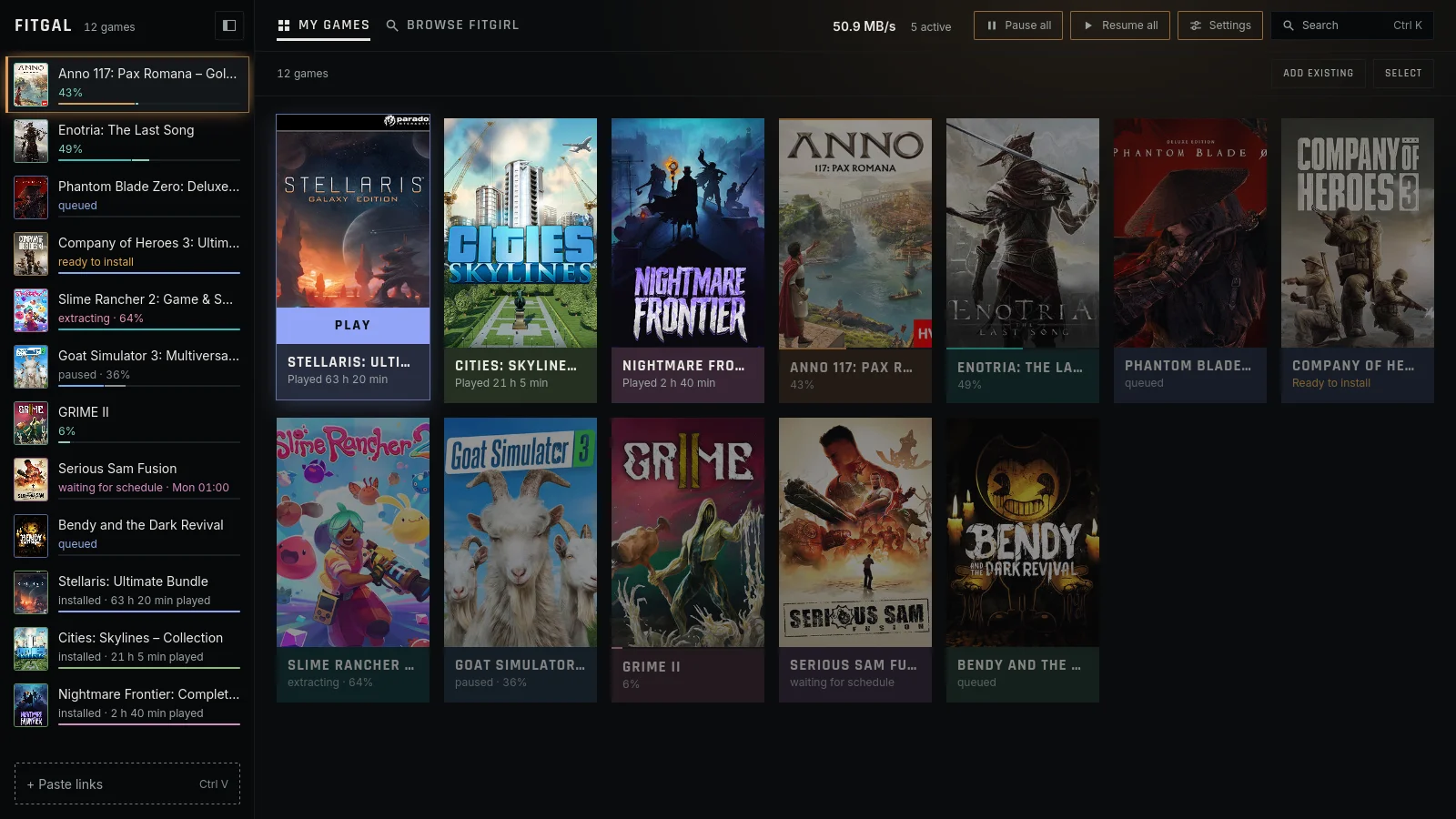
Highlights
Download
- One pasted batch of links becomes one game folder. Accepts plain links, HTML, FitGirl post URLs and
paste.fitgirl-repacks.sitelinks. - A review screen lists the real repack files (multi-part files are one row) with Skip optional files.
- Links are resolved through your installed Chromium-family browser; when Cloudflare needs a human, the game shows waiting for you.
- Resumable, crash-safe downloads with size checks and retries; 1–8 files at once, adjustable live.
- Scheduled downloads in a nightly window (crossing midnight supported).
After the download
- Extraction with 7-Zip or unrar, password prompts and optional archive cleanup.
- MD5 check of the repack's lists, then Ready to install runs
setup.exe(Wine/Proton on Linux). - Library and launcher: executable detection, Play, play-time tracking, covers from the FitGirl page, per-game run settings, Proton/Wine detection.
- Add games already on disk by
.exe, folder scan or drag and drop, with an optional Steam Look up for the launch program.
Find games
- Browse FitGirl in the app: Latest, top lists and search, with native post pages and one-click Download.
Ctrl+Kpalette for games, actions and FitGirl search.
Downloads
| Platform | File |
|---|---|
| Windows 10/11 x64 | *_x64-setup.exe (installer) or *_x64_en-US.msi |
| Linux x64, Debian/Ubuntu | *_amd64.deb |
| Linux x64, Fedora/openSUSE | *.x86_64.rpm |
| Linux x64, any distro | *_amd64.AppImage |
Needs a Chromium-family browser (Chrome, Chromium, Edge or Brave) for link resolving and 7-Zip or unrar for extraction. Builds are not code-signed, so Windows SmartScreen may warn on first start.
Known limits
- Windows Start-menu shortcut detection for installed games is not built yet; the executable is detected from the install folder and can be changed.
- No auto-update yet; check this page for new versions.