Repository navigation
Releases
SlideSense 0.1.3

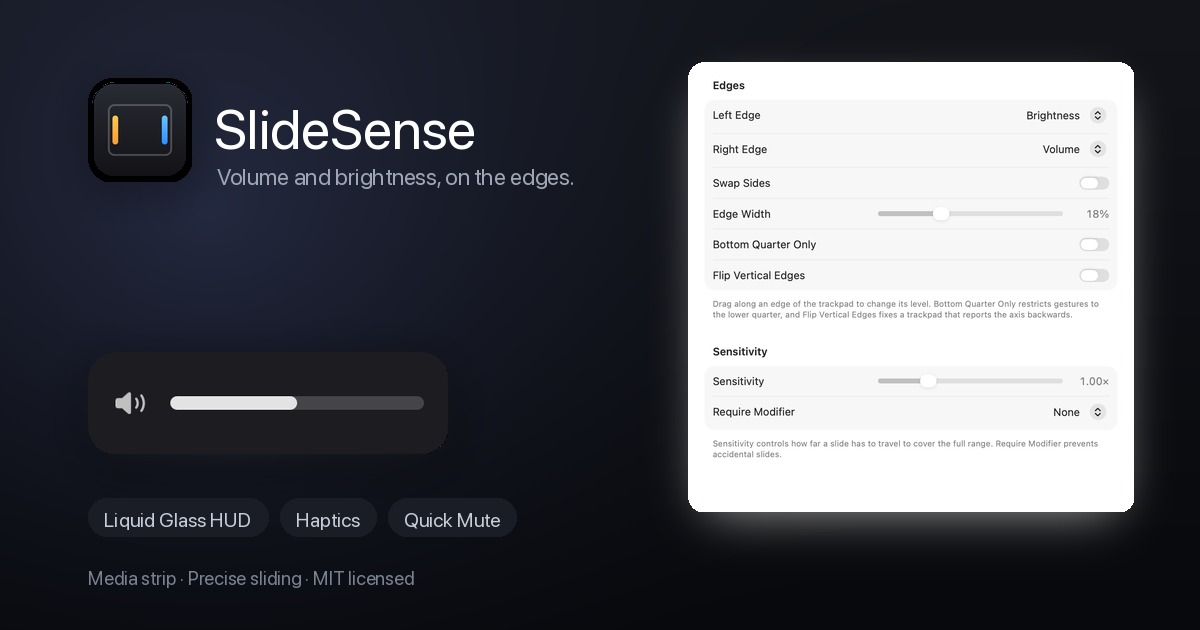
Install
- Download
SlideSense-0.1.3.zipand unzip it. - Drag SlideSense.app into
/Applications. - The build is ad-hoc signed but not notarised, so the first launch shows
"Apple could not verify SlideSense is free of malware" → Open
(or System Settings → Privacy & Security → Open Anyway).
Requires macOS 13 or later and a built-in Force Touch trackpad.
Added
- Automatic updates. SlideSense checks GitHub releases once a day (and on
demand from Settings → Startup → Check Now…), downloads the archive,
verifies it against the SHA-256 GitHub publishes, swaps the bundle in and
relaunches. No Sparkle: it refuses to update a bundle whose signature has no
team identifier, which an ad-hoc build never has. - Settings → Startup tab: open at login, automatic update checks, version and a
manual check. - Settings → Media tab (was "Extras"), so the media controls are easier to find.
Changed
- Accessibility is only requested while the media strip is enabled — volume and
brightness never need it.
Privacy
- The daily update check is the app's only network request: a GET to the public
GitHub releases API. Nothing about the machine or the user is sent.
Full changelog: CHANGELOG.md
SHA-256: 54d7025e35eefa92695c74e877f9ab063af2c2e1682ab5711397a026e92dd79d
SlideSense 0.1.2
Install
- Download
SlideSense-0.1.2.zipand unzip it. - Drag SlideSense.app into
/Applications. - The build is ad-hoc signed but not notarised, so the first launch shows
"Apple could not verify SlideSense is free of malware" → Open
(or System Settings → Privacy & Security → Open Anyway).
Requires macOS 13 or later and a built-in Force Touch trackpad.
Fixed
- The download was called "damaged" by Gatekeeper. Without a bundle signature
the main executable only carries the linker's ad-hoc signature, which fails
bundle verification ("code has no resources but signature indicates they must
be present"), and macOS offers no way past it. - The build script ad-hoc signs the bundle again (
codesign --sign -), so the
app is a valid — if unidentified — signature: Gatekeeper now shows the normal
"Apple could not verify" prompt with an Open / Open Anyway path. - Still no certificate, no Apple Developer account, no notarisation, no network.
Full changelog: CHANGELOG.md
SHA-256: 63e846a47e1d55a8e0134981d1e3ff5b7ec06b6022c29bb854685dc5a3c729ce
SlideSense 0.1.1

Install
-
Download
SlideSense-0.1.1.zipand unzip it. -
Drag SlideSense.app into
/Applications. -
The build is unsigned, so the first launch needs right-click → Open, or:
xattr -dr com.apple.quarantine /Applications/SlideSense.app
Requires macOS 13 or later and a built-in Force Touch trackpad.
What changed
The idle timer is gone. The previous build ran a 1 Hz refresh that re-read
CoreAudio and DisplayServices whether or not anything happened, while the README
promised "no polling". That was a fair catch.
- Volume and mute now arrive as CoreAudio property callbacks.
- Brightness is read once when a finger lands and once when the menu opens.
- The menu refreshes its readouts as it opens; the permission row refreshes when
the app becomes active. - No
Timerremains anywhere in the app. Idle CPU measures 0.0 %.
Everything else is unchanged: edge sliders, Liquid Glass HUD, haptics, quick
mute, media strip.
Full changelog: CHANGELOG.md
SlideSense 0.1.0
Turn the edges of your MacBook trackpad into volume and brightness sliders.
Install
-
Download
SlideSense-0.1.0.zipbelow and unzip it. -
Drag SlideSense.app into
/Applications. -
The build is unsigned, so the first launch needs right-click → Open, or:
xattr -dr com.apple.quarantine /Applications/SlideSense.app
Requires macOS 13 or later and a built-in Force Touch trackpad.
What's in it
- Volume on the right edge, brightness on the left.
- A real Liquid Glass HUD on macOS 26, frosted panel on macOS 13–15.
- Haptic tick for every step, light/medium/strong.
- Precise sliding (quarter steps), plus ⇧⌥ fine control.
- Quick Mute: double-tap the top-right corner.
- Media strip: swipe the bottom edge to skip, double-tap to play/pause.
- Cursor freeze, bottom-quarter mode, required modifier, swap sides, vertical
axis flip. - Minimal menu bar menu with live levels, four-tab settings window, open at login.
Notes
- Accessibility permission is only needed for the media strip (it posts system
media keys). Volume and brightness work without it. - The app is fully offline: no analytics, no network calls.
Full changelog: CHANGELOG.md