Repository navigation
MCP Apps
In clients that support MCP Apps (extension io.modelcontextprotocol/ui), results from these tools render as an interactive view:
| Tool | View |
|---|---|
bug_get, bug_search
|
Bug table: severity filter, text filter, Cisco bug links, next page |
psirt_get, psirt_search
|
Advisory table: SIR filter, CVSS, CVEs, first fixed release |
device_lookup |
Coverage, warranty, product and last-support per serial |
assess_upgrade |
Summary cards plus bugs and advisories fixed, remaining and new |
How it works:
- The server checks the client's capabilities. Supporting clients get
_meta.ui.resourceUrion those tools andstructuredContentin results; other clients get only the text output. - The view (
ui://mcp-cisco-support/results.html) is one self-contained HTML file: no external scripts, styles or network access. It follows the host's light or dark theme. - Links open through the host (
ui/open-link); "Load page N" calls the tool again through the host (tools/call). - The model doesn't see the view. When it's shown, the text result tells the model the user already has the table, so its reply adds findings instead of repeating rows.
Tested in Claude Desktop and MCPJam.
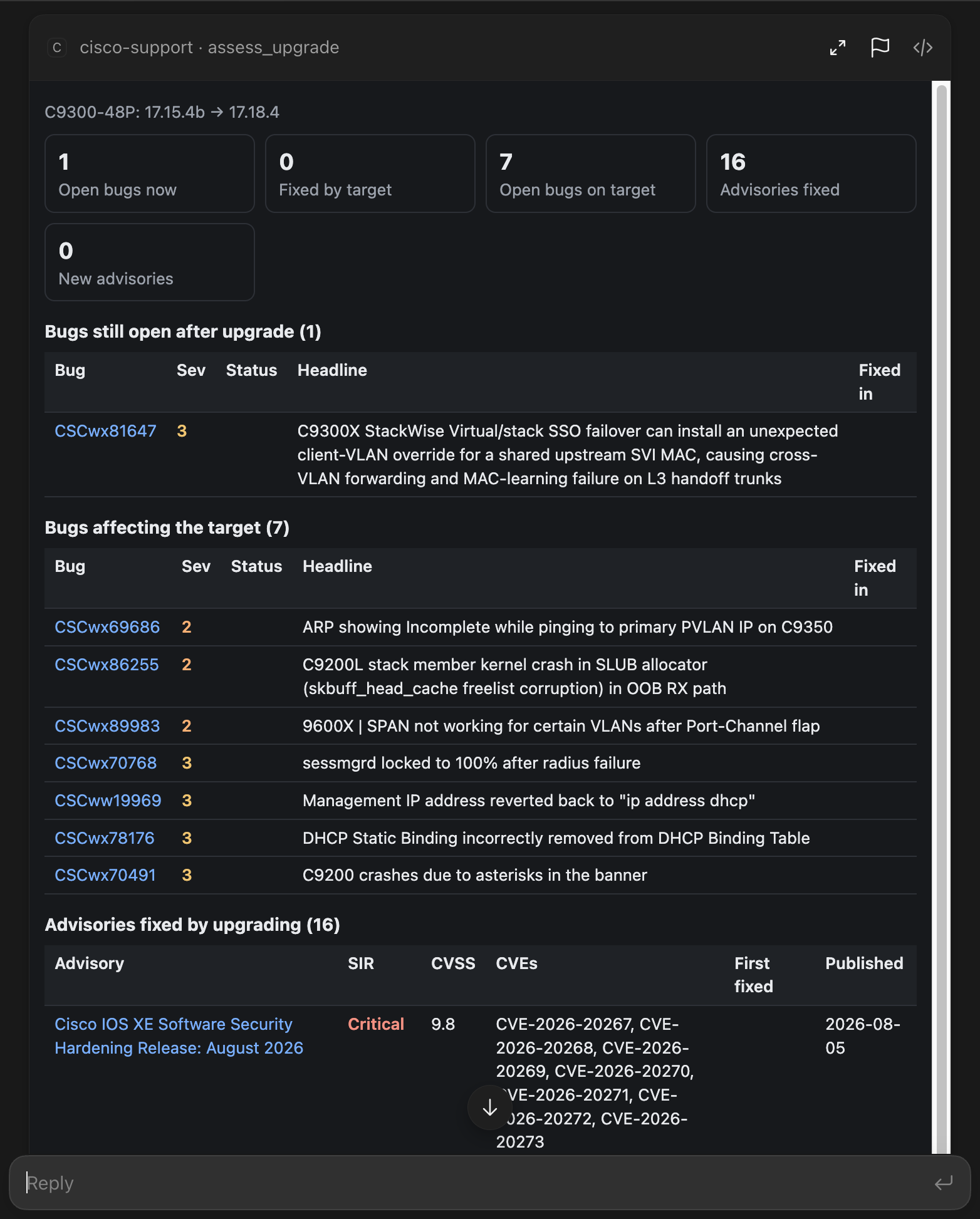
assess_upgrade: C9300-48P, 17.15.4b → Cisco's suggested 17.18.4.
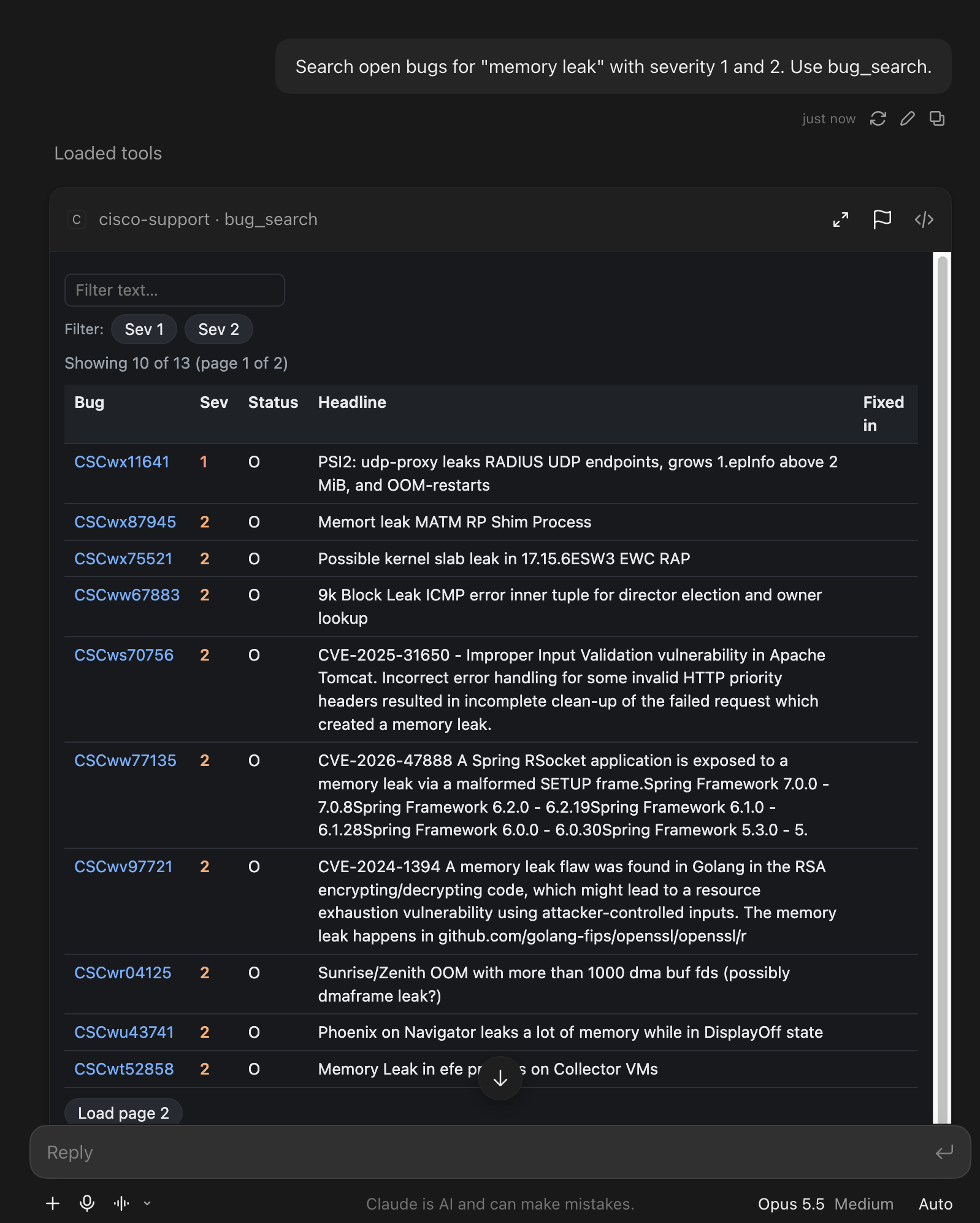
bug_search: severity filter, text filter, next page.