Repository navigation
Releases
Texo 0.2.0

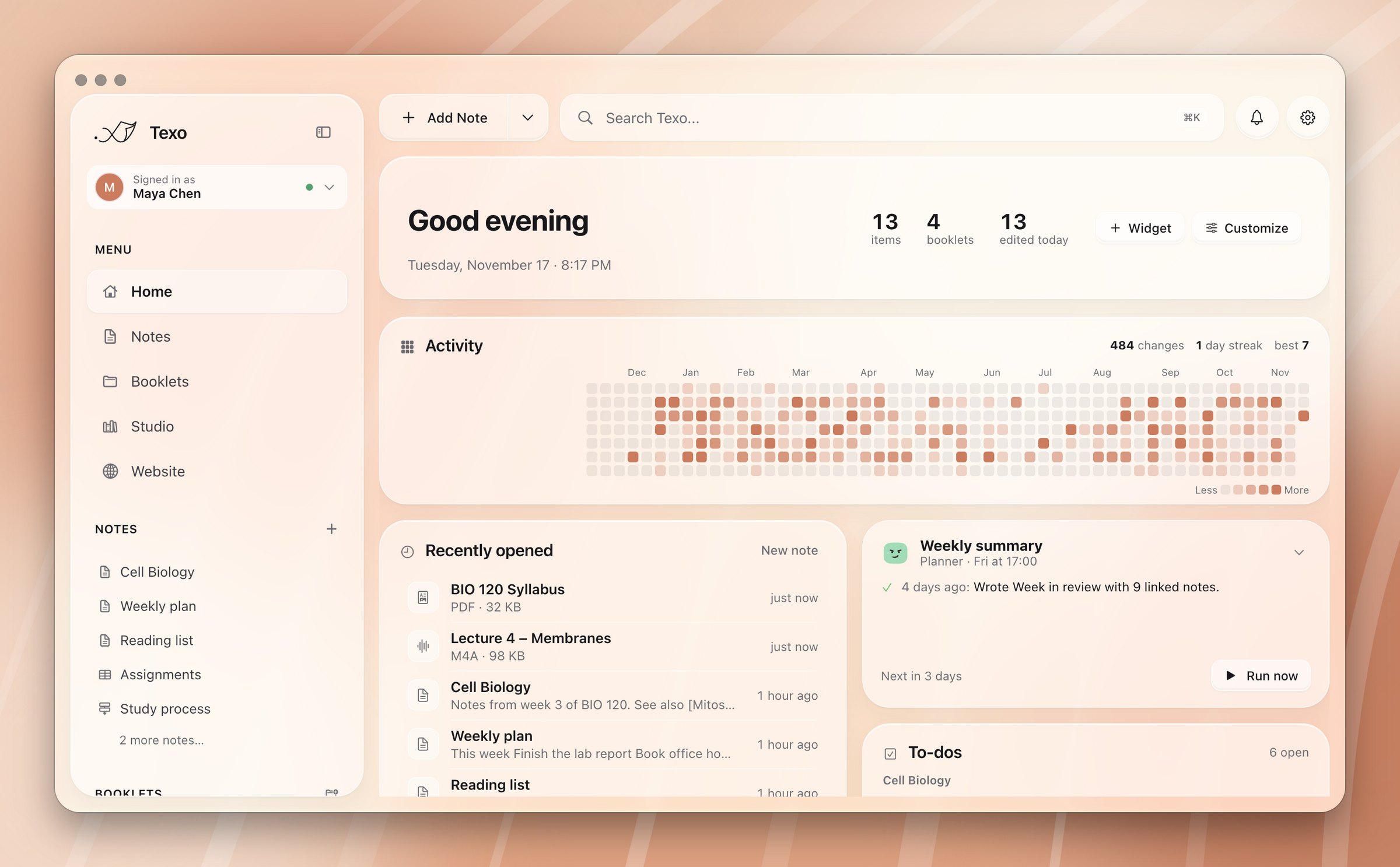
Texo: your notes, now with sidekicks. A free, open source Mac app for notes, databases and AI agents you build yourself. Everything is a plain file in ~/Texo.
Download
Texo-0.2.0-universal.dmg runs on Apple silicon and Intel Macs. More at texo.im, and how-tos at docs.texo.im.
What's new
Studio. Research projects grounded in your own sources: notes, PDFs, slides, recordings and web pages. Ask questions and get answers with numbered citations, or make an audio overview, study guide, briefing, FAQ, timeline, mind map, flashcards or a quiz in one click.
Agents
- Pop a chat out into its own window, optionally floating above other apps. The note companion pops out too, and docks back into its note without losing the conversation.
- Past chats live in a searchable side panel, grouped by day.
- Agents remember what you tell them. Read, edit or clear an agent's memory on its page.
- Speak to an agent with the mic button, and hear replies in one of your Mac's voices.
- Web search, with DuckDuckGo working without a key.
- Settings → AI providers → Usage & cost shows spending by agent and model.
- Agent faces breathe, blink and follow your pointer while they wait.
Editor
- Fold the section under any heading with the chevron, or ⌘⌥[ and ⌘⌥]. Folds are remembered per note.
- Templates: Meeting Notes, Project Brief, Daily Note and Lecture Notes, plus any note in a booklet named Templates.
{{date}},{{time}},{{weekday}}and{{title}}are filled in. - Emoji shortcodes: type
:and a few letters, then Tab. - "Ask agent" in the
/menu opens an agent about the paragraph you're in.
Fixes
- Automations are no longer lost when Texo starts.
- The Activity widget on Home no longer disappears after a restart.
Installing
Texo isn't signed with an Apple Developer ID yet, so macOS asks you to confirm the first time you open it:
- Open the DMG and drag Texo into Applications.
- Open Texo. macOS says it can't verify the app. Click Done.
- Go to System Settings → Privacy & Security, scroll down, and click Open Anyway next to Texo. Confirm with your password.
You only need to do this once.
If macOS instead says Texo is "damaged" (some browsers do this), run this once in Terminal, then open it again:
xattr -dr com.apple.quarantine /Applications/Texo.appPrefer to build it yourself? See Building from source.
Much of Texo was built with the help of AI. The full source is in this repository.
Texo 0.1.0
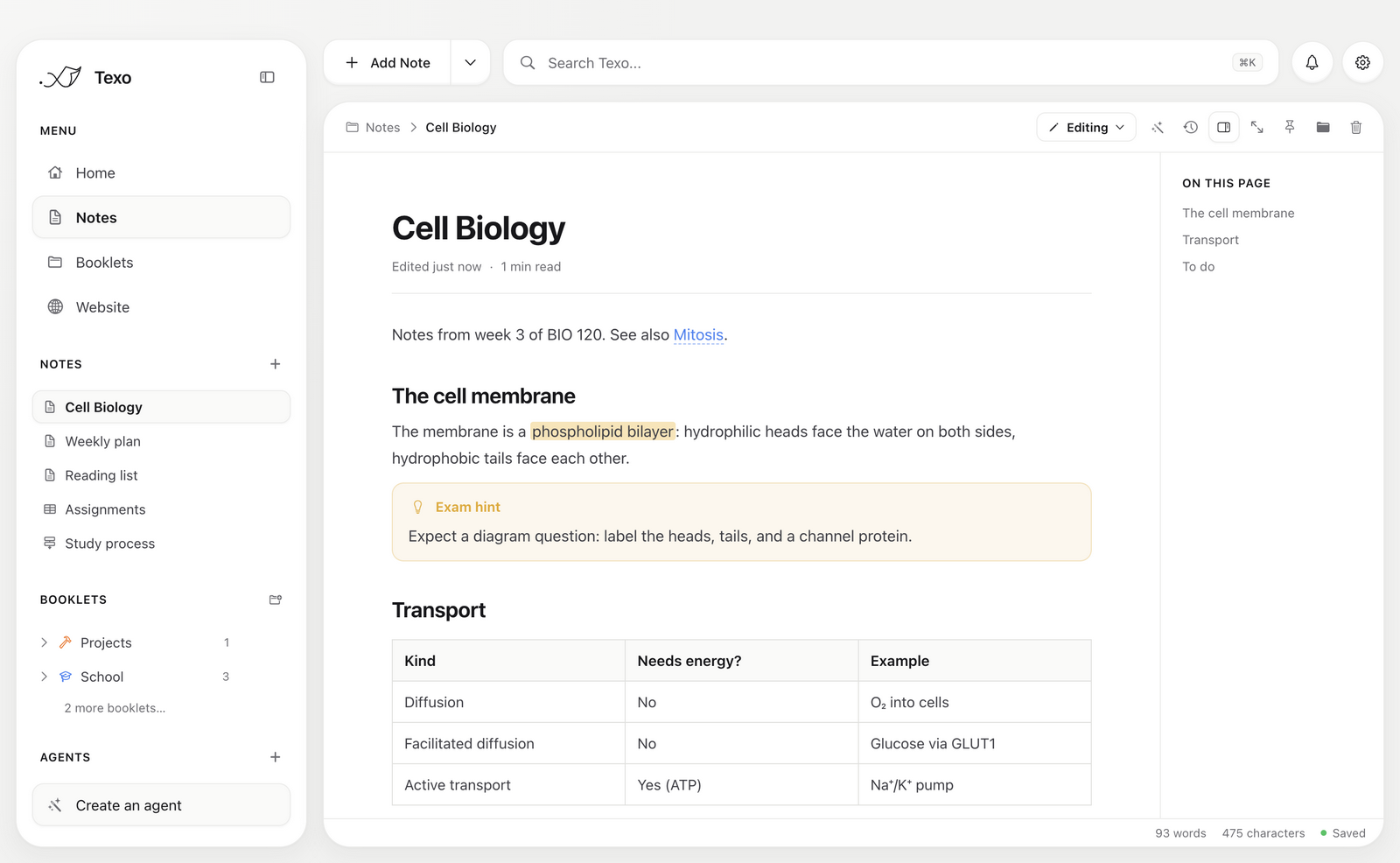
Texo is a workbench for thought: a macOS app for study and work notes. It's an Obsidian-style editor for writing, drawing, flow charts, databases, notebooks and terminals, plus AI agents you build yourself.
Download
Texo-0.1.0-universal.dmg runs on Apple silicon and Intel Macs.
Installing
Texo isn't signed with an Apple Developer ID yet, so macOS asks you to confirm the first time you open it:
- Open the DMG and drag Texo into Applications.
- Open Texo. macOS says it can't verify the app. Click Done.
- Go to System Settings → Privacy & Security, scroll down, and click Open Anyway next to Texo. Confirm with your password.
You only need to do this once. After that, Texo opens like any other app.
If macOS instead says Texo is "damaged" (some browsers do this), run this once in Terminal, then open it again:
xattr -dr com.apple.quarantine /Applications/Texo.appWhat's in it
- Notes in Markdown with callouts, highlights, math, tables and checklists. Next to them: databases, flow charts, drawing boards, Jupyter notebooks and shell notes with a live terminal, all saved as plain files in
~/Texo. - Agents you design (Claude, ChatGPT, Gemini, Groq or a local Ollama model) that read and organize your notes, write with you, run on a schedule, and notify your Mac when they're done.
- Free sync through your own GitHub repository, with version history, recovery of deleted notes, and Google Docs–style Edit / Suggest / View modes and inline suggestions.
- Websites: publish a booklet to GitHub Pages using Markdown, with ready-made themes or your own CSS.
- Home dashboard with to-dos from every note, a focus timer, quick capture and an activity heatmap.
See FEATURES.md for the full tour.
Requirements
- macOS 11 (Big Sur) or later.
- Optional: AI provider API keys (added in Settings) for agents and transcription.
- Optional: Git (
xcode-select --install) for GitHub sync. - Optional: Python 3 with
ipykernelfor notebooks.
SHA-256 c5c7ad91fa1cfa460723c87a9e244a3aba1bde927836620495676d73d095bd54