Repository navigation
Releases
Kilit 0.1.10-alpha

Website: https://smyrna-pergamum.github.io/kilit-messenger/
New in 0.1.10
- Voice messages. Tap the microphone in a chat or a group. A voice message can be up to 5 minutes long. The sound is recorded into memory, sent encrypted like any message, and played from memory: it is never written to a file. On Android, Kilit asks for the microphone the first time you tap it.
- Taking a computer off works. When the phone removes a linked computer, it now tells the computer. The computer leaves the Kilit ID within seconds and says so. Before, the computer never learned it was removed.
- Leave from the computer. A linked computer has a new button in Settings, Linked devices: Leave this Kilit ID. The phone is told and takes the computer off. On the computer, the chats, contacts and groups of that ID are deleted. Your vault files and notes stay, and the computer can be linked again.
- The camera works on Windows. Kilit had no camera support on Windows, so the camera did not open there. On Windows the camera can only hand over each photo as a file. Kilit now saves it in the temp folder instead of Pictures (which OneDrive may sync), reads it into memory at once, overwrites the file and deletes it. QR codes can be scanned on the computer the same way. If the camera or the microphone does not open, a button opens the setting that allows it.
- Texts on the computer no longer say "phone" where any device is meant.
Both devices need 0.1.10 for the phone to tell a removed computer.
Install
Android (7.0 or later): Kilit-0.1.10-alpha.apk. It installs over 0.1.1 to 0.1.9 and keeps your data. New permission: the microphone, for voice messages.
Windows (10 or later, 64-bit), two ways to get the same app:
- Installer:
Kilit-0.1.10-alpha-windows-setup.exe. It installs for your user only, needs no administrator rights, and installs over 0.1.4 to 0.1.9. The installer is not code-signed yet, so SmartScreen warns about it: check the SHA-256 below, then choose "More info" and "Run anyway". - Portable: unzip
Kilit-0.1.10-alpha-windows-x64.zipand runkilit.exe.
SHA-256
638007f07d87ac10a215dc9c847aef86b12e7b66acf90d073183502057f39b39  Kilit-0.1.10-alpha.apk
a55c0496acfef9b35a1a2386192b2fd00e122a61c7a705246240078a8fd0a3a6  Kilit-0.1.10-alpha-windows-setup.exe
486095faf7db5b0d5f87ee1bc444b01a84c3cc83e4b36f55515d7f8567a9257d  Kilit-0.1.10-alpha-windows-x64.zip
Android signing certificate (apksigner verify --print-certs):
SHA-256: DE:B8:42:2C:53:F6:FB:C3:34:7C:5C:0B:84:31:61:17:D2:C9:4A:53:CD:70:FA:6A:B4:E9:50:16:DA:9D:B1:E1
Alpha. Not audited. Kilit has had no independent security review. Do not rely on it where your life or freedom depends on it.
Türkçe:
- Sesli mesaj: Sohbette ya da grupta mikrofona dokun. Sesli mesaj en fazla 5 dakika sürer. Ses bellekte kaydedilir, her mesaj gibi şifreli gönderilir ve bellekten çalınır; hiçbir zaman dosyaya yazılmaz. Android'de Kilit mikrofon iznini mikrofona ilk dokunduğunda ister.
- Bilgisayarı çıkarmak artık çalışıyor: Telefon bağlı bir bilgisayarı çıkardığında artık bilgisayara haber veriyor. Bilgisayar birkaç saniye içinde Kilit ID'den çıkıyor ve bunu söylüyor. Önceden bilgisayar çıkarıldığını hiç öğrenmiyordu.
- Bilgisayardan çıkış: Bağlı bilgisayarda Ayarlar → Bağlı cihazlar'da yeni bir düğme var: Bu Kilit ID'den çık. Telefona haber gider ve telefon bilgisayarı listeden çıkarır. Bilgisayarda o ID'nin sohbetleri, kişileri ve grupları silinir. Kasadaki dosyalar ve notlar kalır; bilgisayar yeniden bağlanabilir.
- Windows'ta kamera çalışıyor: Kilit'te Windows için kamera desteği yoktu, kamera bu yüzden açılmıyordu. Windows'ta kamera her fotoğrafı yalnızca dosya olarak verebiliyor. Kilit bu dosyayı Resimler yerine (OneDrive eşitleyebilir) geçici klasöre kaydediyor, hemen belleğe okuyor, üzerine yazıyor ve siliyor. Bilgisayarda kare kod da böyle okunuyor. Kamera ya da mikrofon açılmazsa, izni veren ayarı açan bir düğme çıkıyor.
- Bilgisayardaki metinler artık her cihaz kastedilirken "telefon" demiyor.
- İki cihazda da 0.1.10 gerekli. APK, 0.1.1–0.1.9'un üzerine kurulur ve verileriniz korunur. Yeni izin: sesli mesaj için mikrofon. Kurulum dosyası henüz kod imzalı olmadığı için SmartScreen uyarır: özeti denetleyip "Ek bilgi" → "Yine de çalıştır"ı seçin.
Kilit 0.1.9-alpha
Website: https://smyrna-pergamum.github.io/kilit-messenger/
Fixed in 0.1.9
- Linking a computer works. Until 0.1.8, the phone sent the linking package under a tag that the relays do not keep, so no relay stored it. The codes matched on both screens, but both devices then waited for each other. This affected linking by QR code and by Kilit ID. In a test through the real relays, linking now finishes in about 12 seconds. Over Tor it may take a little longer.
Linking needs 0.1.9 on both devices. Install it on the phone first, then on the computer.
Install
Android (7.0 or later): Kilit-0.1.9-alpha.apk. It installs over 0.1.1 to 0.1.8 and keeps your data.
Windows (10 or later, 64-bit), two ways to get the same app:
- Installer:
Kilit-0.1.9-alpha-windows-setup.exe. It installs for your user only, needs no administrator rights, and installs over 0.1.4 to 0.1.8. The installer is not code-signed yet, so SmartScreen warns about it: check the SHA-256 below, then choose "More info" and "Run anyway". - Portable: unzip
Kilit-0.1.9-alpha-windows-x64.zipand runkilit.exe.
SHA-256
a786da2fc8a10e992169fdd130adc5096eeeba8e032ab090f095189ec7de8e89  Kilit-0.1.9-alpha.apk
c0fd33b2c4d694f0685430587de1b21a294fe8604bd0c737b2bc4b5387b14417  Kilit-0.1.9-alpha-windows-setup.exe
0326b973228c4c51bf1ab632b6e02a71a12d027670ac15dc4b999e748b9c1234  Kilit-0.1.9-alpha-windows-x64.zip
Android signing certificate (apksigner verify --print-certs):
SHA-256: DE:B8:42:2C:53:F6:FB:C3:34:7C:5C:0B:84:31:61:17:D2:C9:4A:53:CD:70:FA:6A:B4:E9:50:16:DA:9D:B1:E1
Alpha. Not audited. Kilit has had no independent security review. Do not rely on it where your life or freedom depends on it.
Türkçe:
- Bilgisayar bağlama artık çalışıyor. 0.1.8'e kadar telefon bağlama paketini relay'lerin saklamadığı bir etiketle gönderiyordu, bu yüzden paket hiçbir relay'e ulaşmıyordu. İki ekranda kodlar eşleşiyor ama iki cihaz da birbirini bekleyip kalıyordu. Bu hem kare kodla hem Kilit ID ile bağlamayı etkiliyordu. Gerçek relay'ler üzerinden yapılan testte bağlama artık yaklaşık 12 saniyede bitiyor; Tor üzerinden biraz daha uzun sürebilir.
- İki cihazda da 0.1.9 gerekli. Önce telefona, sonra bilgisayara kurun. APK, 0.1.1–0.1.8'in üzerine kurulur ve verileriniz korunur. Kurulum dosyası henüz kod imzalı olmadığı için SmartScreen uyarır: özeti denetleyip "Ek bilgi" → "Yine de çalıştır"ı seçin.
Kilit 0.1.8-alpha
Website: https://smyrna-pergamum.github.io/kilit-messenger/
New in 0.1.8
-
Link a computer by Kilit ID. No camera needed:
- On the phone, open Settings, Linked devices, Link a computer by Kilit ID. The phone shows its Kilit ID and waits for 15 minutes.
- On the computer, choose Link to my phone, With Kilit ID, type the phone's ID and send the request.
- Both screens show the same 6-digit code. On the phone, approve the request with that code.
The computer also shows the request as a small QR code. Scanning it on the waiting phone approves it, with no code to compare. A request someone else sends shows a different code, and the computer accepts only the Kilit ID you typed. The phone shows no requests unless it is waiting for one.
-
Tor starts faster. Automatic mode starts with the way out that worked last time. If the direct way is blocked where you are, Kilit no longer waits on it first at every start. On Windows, the direct way and obfs4 bridges start at the same time, and the first to connect stays.
-
The Tor switch keeps your choice. Turning Tor off and on in Settings now keeps the way out you chose, instead of going back to automatic.
Linking by Kilit ID needs 0.1.8 on both devices.
Install
Android (7.0 or later): Kilit-0.1.8-alpha.apk. It installs over 0.1.1 to 0.1.7 and keeps your data.
Windows (10 or later, 64-bit), two ways to get the same app:
- Installer:
Kilit-0.1.8-alpha-windows-setup.exe. It installs for your user only, needs no administrator rights, and installs over 0.1.4 to 0.1.7. The installer is not code-signed yet, so SmartScreen warns about it: check the SHA-256 below, then choose "More info" and "Run anyway". - Portable: unzip
Kilit-0.1.8-alpha-windows-x64.zipand runkilit.exe.
SHA-256
e6414e1a082fcd794eaa3b6f7a2db68cd5a5a71f4c0db1f7e8b3a2bb244be2d8  Kilit-0.1.8-alpha.apk
5fb86fc9187b5103f2ff0666b861acdcd7b189a2b063aeaa64d5d4c7985549fb  Kilit-0.1.8-alpha-windows-setup.exe
6fd0884275acbc55f68d2dd006ddc6c31c5197b9071f5b5dd5e2fb14e2913943  Kilit-0.1.8-alpha-windows-x64.zip
Android signing certificate (apksigner verify --print-certs):
SHA-256: DE:B8:42:2C:53:F6:FB:C3:34:7C:5C:0B:84:31:61:17:D2:C9:4A:53:CD:70:FA:6A:B4:E9:50:16:DA:9D:B1:E1
Alpha. Not audited. Kilit has had no independent security review. Do not rely on it where your life or freedom depends on it.
Türkçe:
-
Kilit ID ile bilgisayar bağlama: Kamera gerekmez.
- Telefonda Ayarlar → Bağlı cihazlar → Kilit ID ile bilgisayar bağla'yı aç. Telefon kendi Kilit ID'sini gösterir ve 15 dakika bekler.
- Bilgisayarda Telefonuma bağla → Kilit ID ile'yi seç, telefonun ID'sini yaz ve isteği gönder.
- İki ekranda da aynı 6 haneli kod görünür. Telefonda o kodlu isteği onayla.
Bilgisayar isteği küçük bir kare kod olarak da gösteriyor. Bekleyen telefonla bu kodu okutmak onay yerine geçer, kod karşılaştırmaya gerek kalmaz. Başkasının gönderdiği istek farklı bir kod gösterir; bilgisayar yalnızca yazdığın Kilit ID'yi kabul eder. Telefon, bekleme ekranı açık değilken istek göstermez.
-
Tor daha hızlı başlıyor: Otomatik mod, geçen sefer çalışan yolla başlıyor. Doğrudan bağlantı engelliyse artık her açılışta önce onu beklemiyor. Windows'ta doğrudan bağlantı ve obfs4 köprüsü aynı anda başlıyor, önce bağlanan kalıyor.
-
Tor anahtarı seçimini koruyor: Ayarlar'da Tor'u kapatıp açınca seçtiğin yol artık korunuyor.
-
İki cihazda da 0.1.8 gerekli. APK, 0.1.1–0.1.7'nin üzerine kurulur ve verileriniz korunur. Kurulum dosyası henüz kod imzalı olmadığı için SmartScreen uyarır: özeti denetleyip "Ek bilgi" → "Yine de çalıştır"ı seçin.
Kilit 0.1.7-alpha
Website: https://smyrna-pergamum.github.io/kilit-messenger/
New in 0.1.7
- A linking code that scans at once. The QR code a computer shows for "Link to my phone" used to hold its whole post-quantum key, about 1,700 characters, which made a dense code that phone cameras struggled to read. It now holds only a hash of the key, under 120 characters. The phone fetches the key from the relays and checks it against the hash, so it is just as safe. Both devices still show the same code to compare.
- Faster linking. While linking, both devices go to the relays every second instead of every three.
- Why Kilit closed. If Kilit closes on its own, it now writes down where it failed (no messages, no keys). The next time you unlock, it shows the report so you can copy it and send it. This is for finding the crashes reported on Android.
- Vault signature number explained. The number in Settings is now called "Your vault signature number", and the text says what it is for: checking that a signed packet came from you. To check a contact, use the safety number inside each chat.
Update both devices. A phone on 0.1.6 or earlier cannot read the new, short code. A phone on 0.1.7 still reads codes from older computers.
Install
Android (7.0 or later): Kilit-0.1.7-alpha.apk. It installs over 0.1.1 to 0.1.6 and keeps your data.
Windows (10 or later, 64-bit), two ways to get the same app:
- Installer:
Kilit-0.1.7-alpha-windows-setup.exe. It installs for your user only, needs no administrator rights, and installs over 0.1.4 to 0.1.6. The installer is not code-signed yet, so SmartScreen warns about it: check the SHA-256 below, then choose "More info" and "Run anyway". - Portable: unzip
Kilit-0.1.7-alpha-windows-x64.zipand runkilit.exe.
SHA-256
0b359e4ea476c5352166e91f4f81d2faff2acb8565ee69c310cbe6726a0323ac  Kilit-0.1.7-alpha.apk
a6c62d2171d317d6f2e6ab38dc6ae997307ad775b057f4cf77aa0ee88805cff4  Kilit-0.1.7-alpha-windows-setup.exe
a1f370fe5d10ee6df3597e68f6cb35d53e3e2a4d2fe1de826b127acd69a16c84  Kilit-0.1.7-alpha-windows-x64.zip
Android signing certificate (apksigner verify --print-certs):
SHA-256: DE:B8:42:2C:53:F6:FB:C3:34:7C:5C:0B:84:31:61:17:D2:C9:4A:53:CD:70:FA:6A:B4:E9:50:16:DA:9D:B1:E1
Alpha. Not audited. Kilit has had no independent security review. Do not rely on it where your life or freedom depends on it.
Türkçe:
- Hemen okunan bağlama kodu: Bilgisayarın "Telefonuma bağla" kare kodu eskiden kuantum sonrası anahtarın tamamını taşıyordu (yaklaşık 1.700 karakter), bu yüzden telefon kamerası zor okuyordu. Artık yalnızca anahtarın özetini taşıyor (120 karakterden kısa). Telefon anahtarı aktarıcılardan alıp özetle karşılaştırıyor, yani güvenlik aynı. İki cihaz yine aynı kodu gösteriyor.
- Daha hızlı bağlama: Bağlama sırasında iki cihaz da aktarıcılara üç saniye yerine her saniye bakıyor.
- Kilit neden kapandı: Kilit kendiliğinden kapanırsa nerede hata olduğunu kaydediyor (mesaj ya da anahtar yok). Sonraki kilit açılışında kaydı gösteriyor; kopyalayıp gönderebilirsin.
- Kasa imza numarası: Ayarlar'daki numaranın adı ve açıklaması netleşti: imzalı bir paketin senden geldiğini doğrulamak için. Kişileri doğrulamak için her sohbetin içindeki güvenlik numarasını kullan.
- İki cihazı da güncelle: 0.1.6 ve öncesindeki bir telefon yeni kısa kodu okuyamaz.
- Kurulum: APK, 0.1.1–0.1.6'nın üzerine kurulur ve verileriniz korunur. Kurulum dosyası henüz kod imzalı olmadığı için SmartScreen uyarır: özeti denetleyip "Ek bilgi" → "Yine de çalıştır"ı seçin.
Kilit 0.1.6-alpha
Website: https://smyrna-pergamum.github.io/kilit-messenger/
New in 0.1.6
- Reconnect Tor. Settings, Protections has "Reconnect Tor". If Tor has stopped inside Kilit on Android, it offers "Restart Kilit" instead. Opening Kilit again also brings back a Tor whose connection broke.
- See your route. Tap "Tor ready" (the chip on the chats screen or the Tor line in Settings). It says your IP address is hidden and that only people who know your Kilit ID can reach you, and it shows the relays your messages pass through. Tor's log is there too, to copy.
- Bridges when Tor is blocked. When no way out comes up, Kilit offers obfs4, Snowflake or your own bridge lines once, and says where to get them.
- Notes to self. The vault has its own encrypted notes area. You can write, change and delete notes there.
- Linking explains itself. Linking a computer says when Tor is not ready yet, and shows why linking did not start.
- Windows: type the PIN. The PIN screen takes digits, the number pad, Backspace and Enter.
Everything from 0.1.5 is here too.
Install
Android (7.0 or later): Kilit-0.1.6-alpha.apk. It installs over 0.1.1 to 0.1.5 and keeps your data.
Windows (10 or later, 64-bit), two ways to get the same app:
- Installer:
Kilit-0.1.6-alpha-windows-setup.exe. It installs for your user only, needs no administrator rights, and installs over 0.1.4 and 0.1.5. The installer is not code-signed yet, so SmartScreen warns about it: check the SHA-256 below, then choose "More info" and "Run anyway". - Portable: unzip
Kilit-0.1.6-alpha-windows-x64.zipand runkilit.exe.
SHA-256
63855b0e50c3b6a5bfc43b38eadb279cef8d83de4ee27833c0fef25d7afd3a51  Kilit-0.1.6-alpha.apk
108b934e08df07fff05e806c5a6e49910427cb30be5b9f7ada22bea61c9e6439  Kilit-0.1.6-alpha-windows-setup.exe
b351a3bb9f45a15231c366c879df5f4d9762d88b56fe4f566fd675f5d11ebf64  Kilit-0.1.6-alpha-windows-x64.zip
Android signing certificate (apksigner verify --print-certs):
SHA-256: DE:B8:42:2C:53:F6:FB:C3:34:7C:5C:0B:84:31:61:17:D2:C9:4A:53:CD:70:FA:6A:B4:E9:50:16:DA:9D:B1:E1
Alpha. Not audited. Kilit has had no independent security review. Do not rely on it where your life or freedom depends on it.
Türkçe:
- Tor'u yeniden bağla: Ayarlar → Korumalar'da "Tor bağlantısını yenile" var. Android'de Tor durduysa yerine "Kilit'i yeniden başlat" çıkar.
- Yolunu gör: "Tor hazır"a dokun. IP adresinin gizli olduğunu ve sana yalnızca Kilit ID'ni bilenlerin ulaşabileceğini gösterir. Mesajlarının geçtiği röleler ve Tor günlüğü de orada.
- Engellenince köprü: Tor bağlanamazsa Kilit bir kez obfs4, Snowflake ya da kendi köprülerini önerir.
- Kendime notlar: Kasada ayrı, şifreli bir not alanı.
- Bağlama: Tor hazır değilse bunu söyler; bağlama başlamazsa sebebini gösterir.
- Windows: PIN klavyeyle girilebilir.
- Kurulum: APK, 0.1.1–0.1.5'in üzerine kurulur ve verileriniz korunur. Kurulum dosyası henüz kod imzalı olmadığı için SmartScreen uyarır: özeti denetleyip "Ek bilgi" → "Yine de çalıştır"ı seçin.
Kilit 0.1.5-alpha
New in 0.1.5
- Tor problems are visible. The Tor chip used to say "Tor off" whenever Tor was not running or connecting, so a Tor that had failed looked switched off. It now says "Tor error" in red, and Settings, Protections, Network shows why. In automatic mode it shows the last way out that failed, for example
direct: …. - Faster recovery. Automatic mode leaves a way out that failed at once, instead of after its full wait, and tries the next one.
- Screenshot blocking switch. Settings, Protections now has a switch for it. It is on by default, from the first frame. Off, screenshots and screen recording of Kilit work, and it shows in recent apps. The panic code turns it back on. This works on Android and on Windows.
Everything from 0.1.4 is here too: Kilit for Windows, and linked devices.
Install
Android (7.0 or later): Kilit-0.1.5-alpha.apk. It installs over 0.1.1 to 0.1.4 and keeps your data.
Windows (10 or later, 64-bit), two ways to get the same app:
- Installer:
Kilit-0.1.5-alpha-windows-setup.exe. It installs for your user only, needs no administrator rights, and installs over 0.1.4. The installer is not code-signed yet, so SmartScreen warns about it: check the SHA-256 below, then choose "More info" and "Run anyway". - Portable: unzip
Kilit-0.1.5-alpha-windows-x64.zipand runkilit.exe.
SHA-256
025c04b4bfa3eccac985e5bdf2b20ca9d815d0e1b18a3ea2be950e2a11a634ed  Kilit-0.1.5-alpha.apk
351c10562298d118efae338fea64ea880968c6756baa22c1c51bb6f180aa9b02  Kilit-0.1.5-alpha-windows-setup.exe
9d6763bbbbcb468d4ef9fcfeca16296e77fa4c938930dfa8fef595fb23261442  Kilit-0.1.5-alpha-windows-x64.zip
Android signing certificate (apksigner verify --print-certs):
SHA-256: DE:B8:42:2C:53:F6:FB:C3:34:7C:5C:0B:84:31:61:17:D2:C9:4A:53:CD:70:FA:6A:B4:E9:50:16:DA:9D:B1:E1
Alpha. Not audited. Kilit has had no independent security review. Do not rely on it where your life or freedom depends on it.
Türkçe:
- Tor sorunları artık görünüyor: Eskiden Tor hata verdiğinde çip "Tor kapalı" diyordu. Artık kırmızı "Tor hatası" gösteriyor ve sebebi Ayarlar → Korumalar → Ağ satırında yazıyor.
- Daha hızlı toparlanma: Otomatik mod, başarısız olan yolu beklemeden bırakıp bir sonrakini deniyor.
- Ekran görüntüsü engeli anahtarı: Ayarlar → Korumalar'da bir anahtarı var ve varsayılan olarak açık.
- Kurulum: APK, 0.1.1–0.1.4'ün üzerine kurulur ve verileriniz korunur. Windows için kurulum dosyası ya da zip var. Kurulum dosyası henüz kod imzalı olmadığı için SmartScreen uyarır: özeti denetleyip "Ek bilgi" → "Yine de çalıştır"ı seçin.
Kilit 0.1.4-alpha
New in 0.1.4
- Linked devices. One Kilit ID now lives on several devices, up to five. Your keys, sessions and mailbox stay unique to each device; your identity is what is shared.
- Linking. On the computer: Settings, Linked devices, or the button on the empty chat screen. On the phone: Settings, Linked devices. The phone scans the computer's QR code and sends your identity and contacts through Tor; the computer answers with its own keys. Both screens then show a six-digit code, and the two codes must match.
- Your messages follow you. Messages and read receipts from your contacts arrive on every device. A message you send from one device is copied to the others, and so are groups and newly added contacts.
- The phone announces the computer. After linking, the phone tells your contacts about the computer's new keys, so their own app learns to write to both.
- A first Windows build. The same app runs on Windows; see Install below.
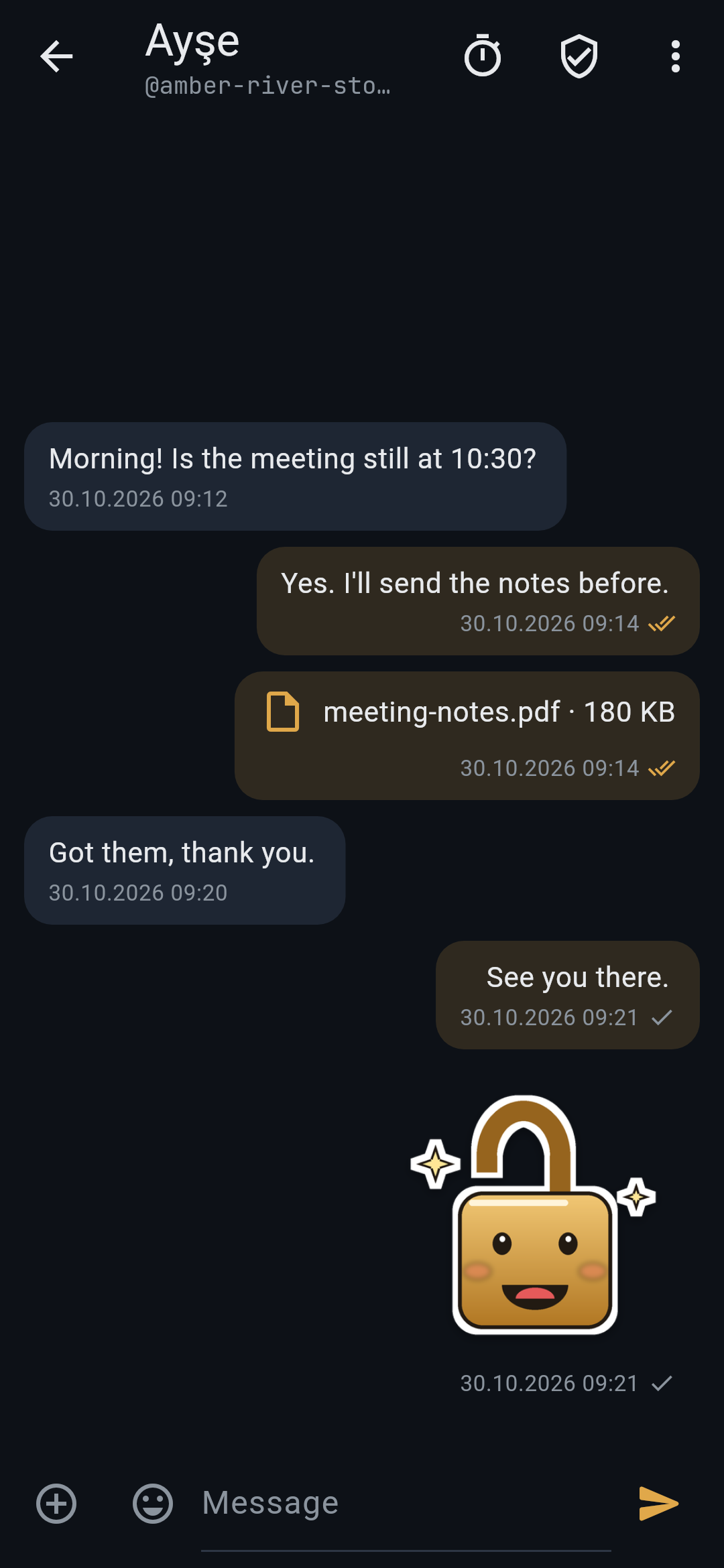
Kilit remains what it was: a messenger and encrypted file vault with no account, no phone number and no server of its own. Messages use the Signal protocol in its post-quantum form and go out only through Tor, to public Nostr relays.
Alpha. Not audited. Kilit has had no independent security review. Do not rely on it where your life or freedom depends on it.
Install
Android. Android 7.0 or later. Before installing, verify the file:
SHA-256 (Kilit-0.1.4-alpha.apk)
274e19b1acea8e53e3b0270d0a8e26d8538fbb205ed9c733d98bc1b4c5aefbed
Signing certificate (apksigner verify --print-certs Kilit-0.1.4-alpha.apk):
SHA-256: DE:B8:42:2C:53:F6:FB:C3:34:7C:5C:0B:84:31:61:17:D2:C9:4A:53:CD:70:FA:6A:B4:E9:50:16:DA:9D:B1:E1
Every release is signed with this same key. 0.1.4 installs over 0.1.1, 0.1.2 and 0.1.3 and keeps your data.
Windows. Windows 10 or later, 64-bit. Two ways, the same app:
- Installer:
Kilit-0.1.4-alpha-windows-setup.exe. It installs for your user only into%LOCALAPPDATA%\Programs\Kilit, needs no administrator rights, and adds a Start menu entry and an uninstaller. Uninstalling leaves your vault in place. The installer is not code-signed yet, so SmartScreen warns about it: check the SHA-256 below, then choose "More info" and "Run anyway". - Portable: unzip
Kilit-0.1.4-alpha-windows-x64.zipand runkilit.exe.
SHA-256
33e7c5ce755c85d1aac6c61153ddd3e958a2de9bffabe48f97441ddc278b26ed  Kilit-0.1.4-alpha-windows-setup.exe
fd62d8b254dcacd41485fae4ad85d164d4fc1017d51d95ecbae1488461cc2c4d  Kilit-0.1.4-alpha-windows-x64.zip
Known limits
- A phone or computer on 0.1.3 or earlier cannot write to your linked computer. Contacts need 0.1.4 for that; older versions keep writing to your phone as before.
- Only a fresh Kilit can link. If the computer's app already has contacts, it must be wiped with the panic code first.
- The computer's QR code is large and dense, because it holds a post-quantum key as well. Hold the phone close to the screen.
- A stranger writing to you for the first time appears only on the phone. Once you accept, the computer learns them too.
- Message history is not copied to a newly linked device.
- Group changes (adding or removing members, leaving) are not tracked for delivery and are not resent. The admin's next message still carries the current member list.
- Groups have no disappearing messages.
- Relays can see when and how many messages reach a mailbox tag on a given day. See THREAT_MODEL.md.
Türkçe: 0.1.4'te bağlı cihazlar var: bir Kilit kimliği artık en çok beş cihazda yaşıyor. Bilgisayar Ayarlar → Bağlı cihazlar'dan ya da boş sohbet ekranındaki düğmeden QR gösteriyor; telefon aynı yoldan okutuyor; iki ekrandaki 6 haneli kod uyuşmalı. Kişilerinizin mesajları her cihaza gidiyor, bir cihazdan yazdığınız öbürüne kopyalanıyor. Windows sürümü ilk kez çıktı: ya kurulum dosyasını (…-windows-setup.exe, yönetici izni istemez; henüz kod imzalı olmadığı için SmartScreen uyarır, özeti denetleyip "Ek bilgi" → "Yine de çalıştır") ya da zip'i kullanın. APK, 0.1.1–0.1.3'ün üzerine kurulur ve verileriniz korunur.
Kilit 0.1.3-alpha
New in 0.1.3
- Emoji. A panel next to the message box puts them where the cursor is.
- Stickers. Twelve of Kilit's own, in chats and groups. A sticker travels as its name only, a few bytes, and each phone draws it.
- Permissions page. Settings, Permissions now says what Kilit really uses: the network for its built-in Tor, and the camera for photos. The leftover text from the first stage is gone.
- Fewer permissions. The storage permissions that plugins added are removed. Files go through the system picker, which needs none.
The first public alpha of Kilit: a messenger and encrypted file vault with no account, no phone number and no server of its own. Messages use the Signal protocol in its post-quantum form and go out only through Tor, to public Nostr relays.
Alpha. Not audited. Kilit has had no independent security review. Do not rely on it where your life or freedom depends on it.
What is in it
- Chats. Your Kilit ID is four words. You share it as a QR code or a
kilit://link. Messages are encrypted with libsignal: PQXDH with Kyber1024 for the first contact, then the SPQR ratchet. - Requests. Strangers who write first land in Requests, and they must pay a proof of work to do so.
- Delivery. Ticks show delivery. A message that was not delivered is sent again once a day for a week.
- Files and photos. Up to 5 MB. Pictures lose their metadata before they are sent, and camera photos never touch the disk.
- Emoji and stickers. A sticker travels as its name only.
- Disappearing messages, set per chat.
- Groups of up to 20 people. Each message is encrypted separately for every member.
- Tor bridges. obfs4, Snowflake or your own bridge lines, with an automatic fallback.
- Vault. An encrypted vault for notes and files (
.klt), and a carrier mode for sending sealed text through other messengers. - PIN and panic code. The PIN is bound to the phone's hardware key. A panic code wipes everything.
- 15 languages.
Install
Android 7.0 or later. Before installing, verify the file:
SHA-256 (Kilit-0.1.3-alpha.apk)
bb762510c5d64c8e772e6900453d36aa9e3c68a0a545159b3364f6531f4561a5
Signing certificate (apksigner verify --print-certs Kilit-0.1.3-alpha.apk):
SHA-256: DE:B8:42:2C:53:F6:FB:C3:34:7C:5C:0B:84:31:61:17:D2:C9:4A:53:CD:70:FA:6A:B4:E9:50:16:DA:9D:B1:E1
Every later release is signed with this same key. 0.1.3 installs over 0.1.1 and 0.1.2 and keeps your data. If you installed an earlier test build, uninstall it once first, because it was signed with a different key.
Known limits
- Group changes (adding or removing members, leaving) are not tracked for delivery and are not resent. The admin's next message still carries the current member list.
- Groups have no disappearing messages.
- There is no Windows build yet.
- Relays can see when and how many messages reach a mailbox tag on a given day. See THREAT_MODEL.md.
Türkçe: 0.1.3'te emoji ve 12 Kilit çıkartması var; çıkartma yalnızca adıyla gider. İzinler sayfası artık doğru bilgiyi gösteriyor ve gereksiz depolama izinleri kaldırıldı. 0.1.1 ve 0.1.2'nin üzerine kurulur, verileriniz korunur.
Kilit 0.1.2-alpha
New in 0.1.2
- Kilit's own icon, a brass padlock on night blue, replaces Flutter's default. It supports adaptive and Android 13 themed icons, and the launch screen matches it.
- In groups, other people's messages now line up on the left, under the sender's name.
- In the chat list, your own last message starts with "You:" instead of an arrow, which some fonts could not show.
The first public alpha of Kilit: a messenger and encrypted file vault with no account, no phone number and no server of its own. Messages use the Signal protocol in its post-quantum form and go out only through Tor, to public Nostr relays.
Alpha. Not audited. Kilit has had no independent security review. Do not rely on it where your life or freedom depends on it.
What is in it
- Chats. Your Kilit ID is four words. You share it as a QR code or a
kilit://link. Messages are encrypted with libsignal: PQXDH with Kyber1024 for the first contact, then the SPQR ratchet. - Requests. Strangers who write first land in Requests, and they must pay a proof of work to do so.
- Delivery. Ticks show delivery. A message that was not delivered is sent again once a day for a week.
- Files and photos. Up to 5 MB. Pictures lose their metadata before they are sent, and camera photos never touch the disk.
- Disappearing messages, set per chat.
- Groups of up to 20 people. Each message is encrypted separately for every member.
- Tor bridges. obfs4, Snowflake or your own bridge lines, with an automatic fallback.
- Vault. An encrypted vault for notes and files (
.klt), and a carrier mode for sending sealed text through other messengers. - PIN and panic code. The PIN is bound to the phone's hardware key. A panic code wipes everything.
- 15 languages.
Install
Android 7.0 or later. Before installing, verify the file:
SHA-256 (Kilit-0.1.2-alpha.apk)
3fc2b7a8995fb5461fb6ca13b8ce157c7050319cc5b06c81879061beb65f9447
Signing certificate (apksigner verify --print-certs Kilit-0.1.2-alpha.apk):
SHA-256: DE:B8:42:2C:53:F6:FB:C3:34:7C:5C:0B:84:31:61:17:D2:C9:4A:53:CD:70:FA:6A:B4:E9:50:16:DA:9D:B1:E1
Every later release is signed with this same key. 0.1.2 installs over 0.1.1 and keeps your data. If you installed an earlier test build, uninstall it once first, because it was signed with a different key.
Known limits
- Group changes (adding or removing members, leaving) are not tracked for delivery and are not resent. The admin's next message still carries the current member list.
- Groups have no disappearing messages.
- There is no Windows build yet.
- Relays can see when and how many messages reach a mailbox tag on a given day. See THREAT_MODEL.md.
Türkçe: 0.1.2'de yeni Kilit ikonu var; grupta başkalarının mesajları artık sola yaslı. 0.1.1'in üzerine kurulur ve verileriniz korunur. Kurmadan önce yukarıdaki SHA-256 özetini ve imza sertifikasını denetleyin. Daha önce bir test sürümü kurduysanız, onu bir kez kaldırın; o sürüm farklı bir anahtarla imzalanmıştı. Ayrıntılar için README.tr.md dosyasına bakın.
Kilit 0.1.1-alpha
0.1.1 replaces 0.1.0, which has been taken down. The 0.1.0 APK was built without the network permission, so it could not connect to Tor. This build fixes that and drops the microphone permission, which Kilit never used.
The first public alpha of Kilit: a messenger and encrypted file vault with no account, no phone number and no server of its own. Messages use the Signal protocol in its post-quantum form and go out only through Tor, to public Nostr relays.
Alpha. Not audited. Kilit has had no independent security review. Do not rely on it where your life or freedom depends on it.
What is in it
- Chats. Your Kilit ID is four words. You share it as a QR code or a
kilit://link. Messages are encrypted with libsignal: PQXDH with Kyber1024 for the first contact, then the SPQR ratchet. - Requests. Strangers who write first land in Requests, and they must pay a proof of work to do so.
- Delivery. Ticks show delivery. A message that was not delivered is sent again once a day for a week.
- Files and photos. Up to 5 MB. Pictures lose their metadata before they are sent, and camera photos never touch the disk.
- Disappearing messages, set per chat.
- Groups of up to 20 people. Each message is encrypted separately for every member.
- Tor bridges. obfs4, Snowflake or your own bridge lines, with an automatic fallback.
- Vault. An encrypted vault for notes and files (
.klt), and a carrier mode for sending sealed text through other messengers. - PIN and panic code. The PIN is bound to the phone's hardware key. A panic code wipes everything.
- 15 languages.
Install
Android 7.0 or later. Before installing, verify the file:
SHA-256 (Kilit-0.1.1-alpha.apk)
c58366e0c40fc5a4266b8f179d7bbe1ed982e597d19bd44053822912985afa6f
Signing certificate (apksigner verify --print-certs Kilit-0.1.1-alpha.apk):
SHA-256: DE:B8:42:2C:53:F6:FB:C3:34:7C:5C:0B:84:31:61:17:D2:C9:4A:53:CD:70:FA:6A:B4:E9:50:16:DA:9D:B1:E1
Every later release is signed with this same key. If you installed an earlier test build, uninstall it once first, because it was signed with a different key.
Known limits
- Group changes (adding or removing members, leaving) are not tracked for delivery and are not resent. The admin's next message still carries the current member list.
- Groups have no disappearing messages.
- There is no Windows build yet.
- Relays can see when and how many messages reach a mailbox tag on a given day. See THREAT_MODEL.md.
Türkçe: Kilit'in herkese açık ilk alfa sürümü. 0.1.1, ağ izni olmadan derlendiği için Tor'a bağlanamayan 0.1.0'ın yerini alır. Kurmadan önce yukarıdaki SHA-256 özetini ve imza sertifikasını denetleyin. Daha önce bir test sürümü kurduysanız, onu bir kez kaldırın; o sürüm farklı bir anahtarla imzalanmıştı. Ayrıntılar için README.tr.md dosyasına bakın.