Repository navigation
Releases
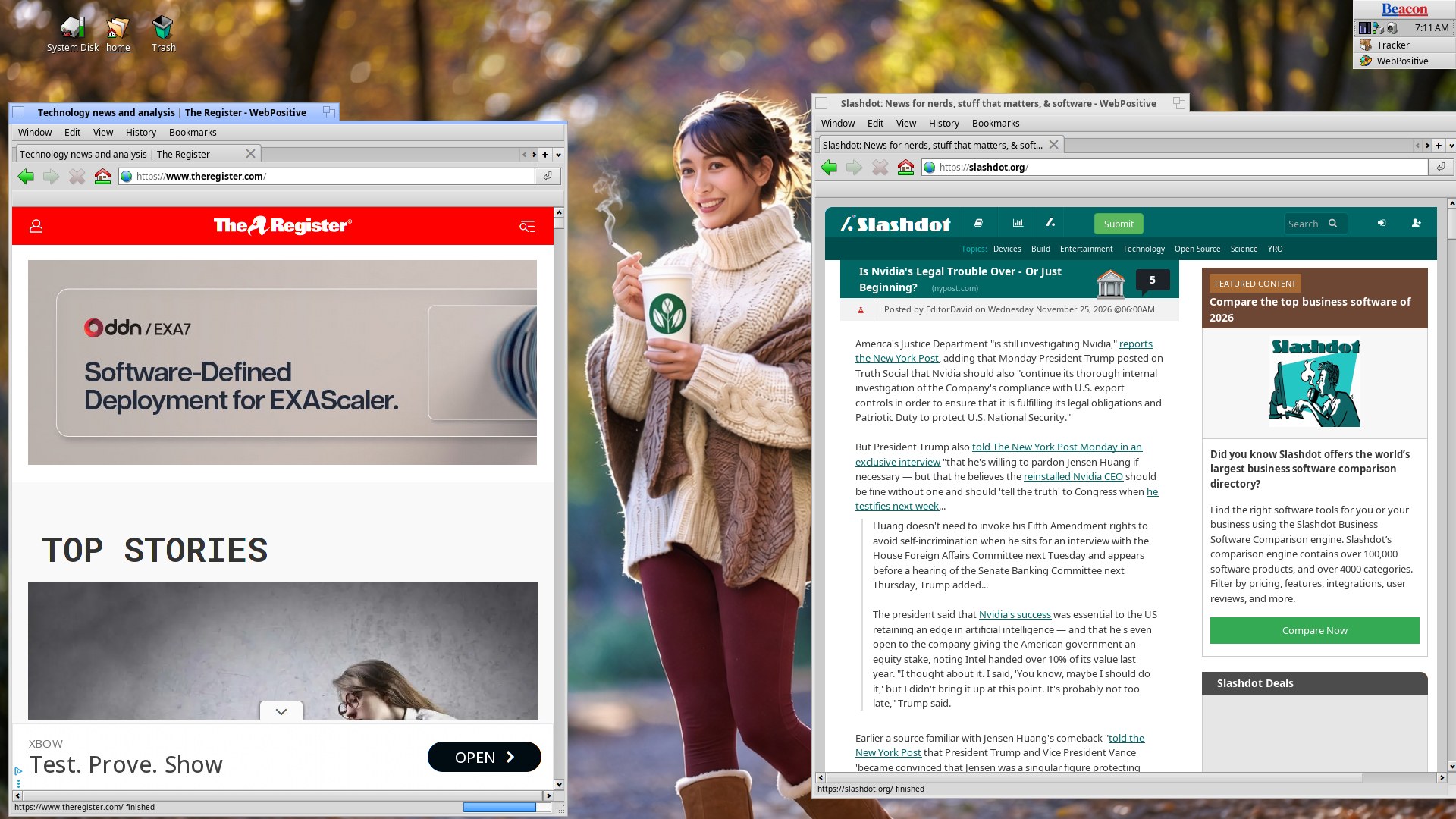
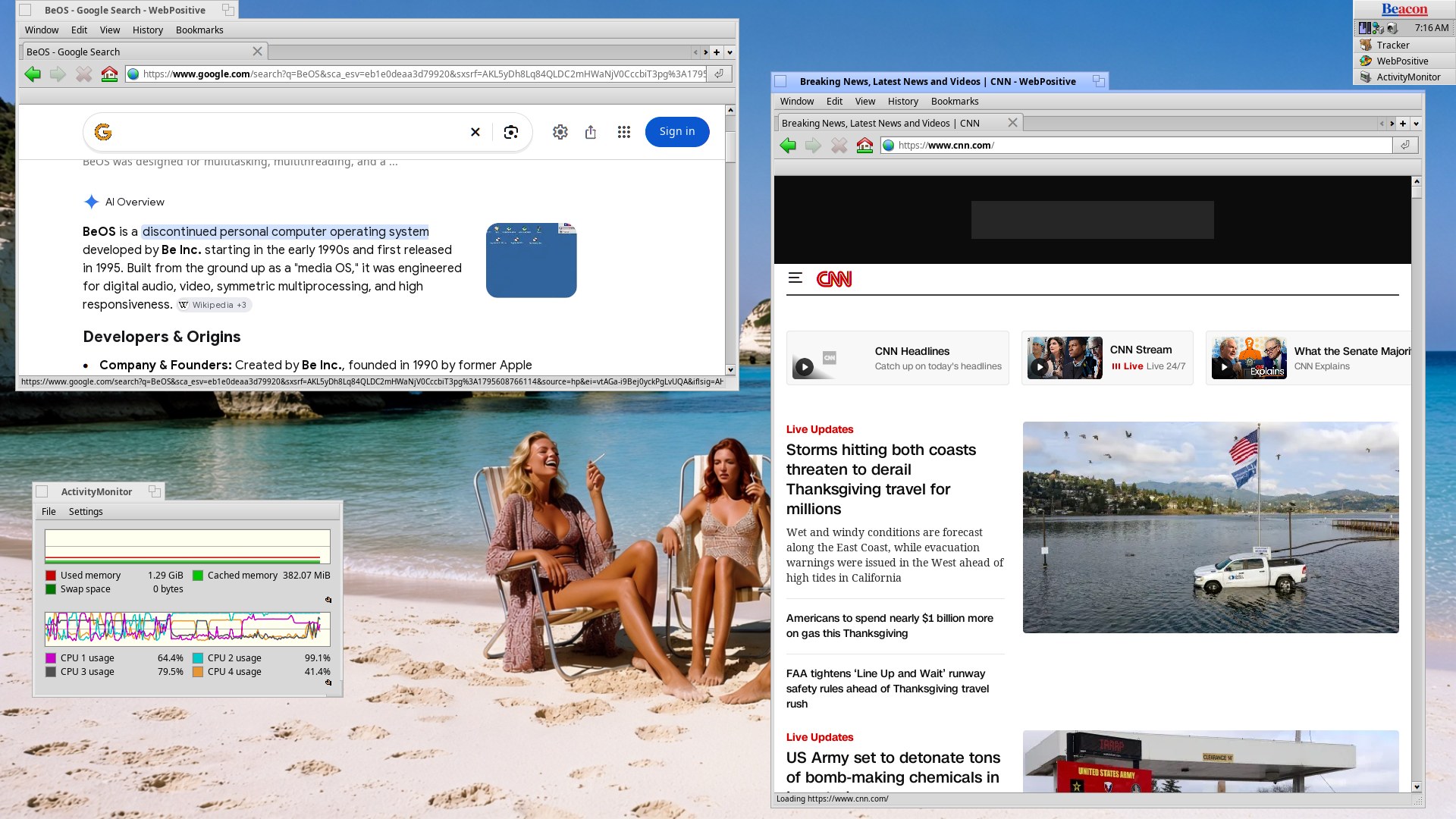
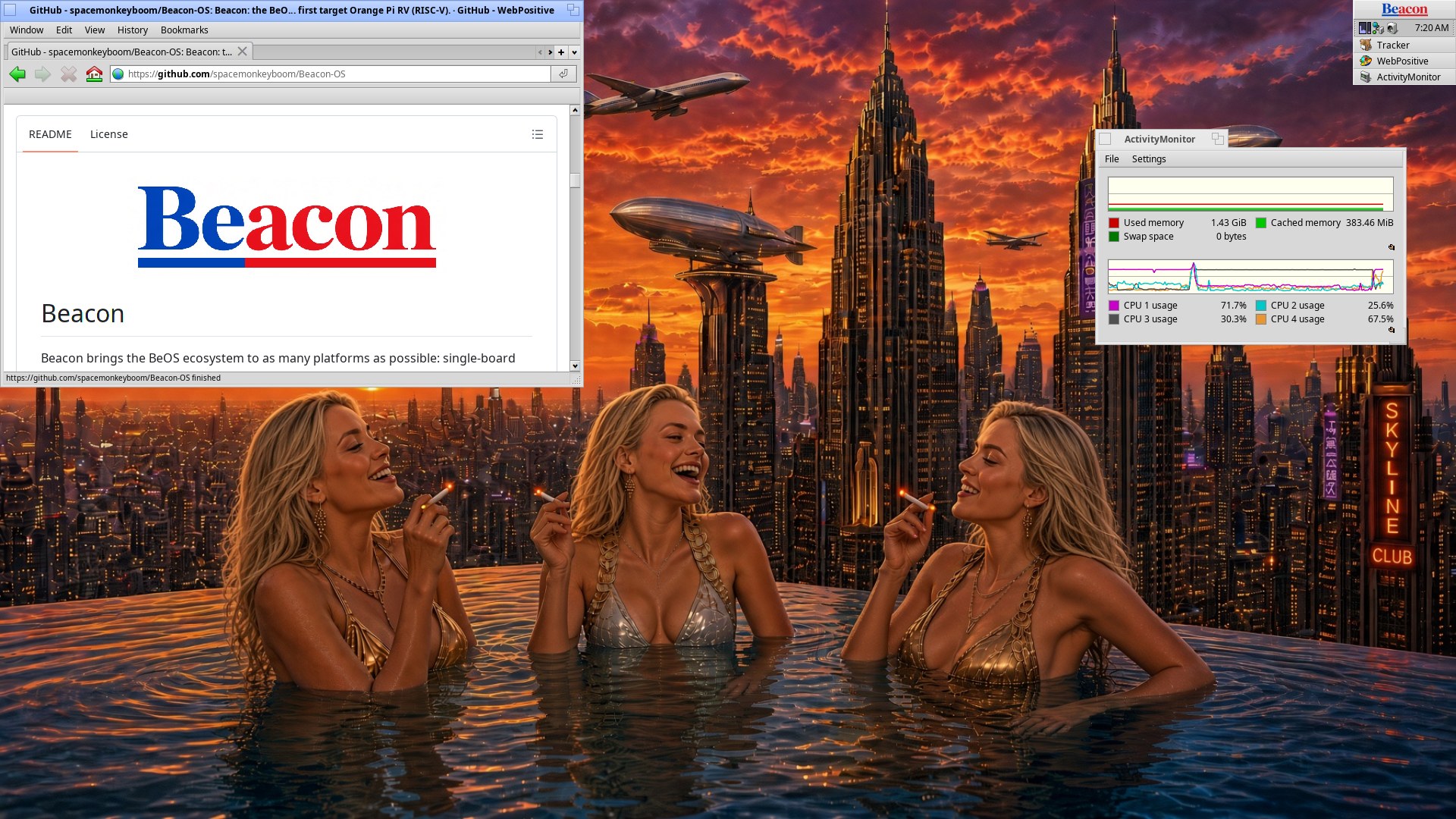
Beacon 0.4.1: a web browser on RISC-V

Beacon 0.4.1: a web browser on RISC-V
WebPositive now runs on Beacon. It's Haiku's native web browser, on
HaikuWebKit 1.10.0, which we cross-built for riscv64 for the first time.
Pages load over HTTPS, and JavaScript runs on WebKit's portable interpreter.
New in 0.4.1
This replaces the 0.4 image, with fixes and polish:
- The clock sets itself. Network time now syncs automatically at boot
(the board has no battery-backed clock), so HTTPS works without setting
the date by hand. The default time zone is New York; change it in
Preferences → Time. - A RISC-V boot screen replaces the firmware's VisionFive 2 logo.
- Cleaner boot screens: the boot splash no longer shows noise.
- Updated wallpaper 5 and the two Christmas wallpapers. 🎄
New in 0.4
- WebPositive and HaikuWebKit 1.10.0 for riscv64. JavaScript runs on
the C_LOOP interpreter; JIT, WebAssembly and WebGL are not available yet. - A new look: light blue window tabs and the Flat window decorator by
default. The Be and Flat decorators and control looks (haiku_extras) are
included; you can switch in Preferences → Appearance. - Wallpapers: a new default (wallpaper 3), wallpapers 4 and 5, and two
Christmas wallpapers for the holidays. 🎄 - Newer libraries from HaikuPorts: zlib, libiconv, readline and ncurses6,
plus libxml2, libxslt, sqlite and others.
We're working toward
- Vulkan (Mesa: software rendering first, then the JH7110's GPU).
- Beacon's own browser, built on Qt 6 WebEngine (Chromium's engine): a
second browser next to WebPositive. Qt 5 already runs on the board; next
come Qt 6 and QtWebEngine 6. (Plan changed 2026-11-25: earlier notes said
Falkon on Qt 5.)
Install on a microSD card (Orange Pi RV)
- Download
beacon-0.4.1-orangepi-rv.mmc.image.xzand check it against the
.sha256file. - Write it to a microSD card of 2 GB or larger with Raspberry Pi Imager
or balenaEtcher (Windows, macOS, Linux). On Linux you can also use
xz -danddd; see the README for the full steps. This erases the
card. - On first boot, give it a few minutes while it sets up its packages.
- Connect to Wi-Fi; the clock sets itself within a minute or two. If HTTPS
sites show certificate errors, check the date in Preferences → Time.
WebPositive for other Haiku riscv64 systems
The packages below should install on any Haiku riscv64 system that uses
the official HaikuPorts repository, not only Beacon. We've only tested them
on Beacon so far, so please report how they work for you.
- Download
haikuwebkit-1.10.0-1-riscv64.hpkgand
webpositive-r1.beta6_hrev60441_53-1-riscv64.hpkgfrom this release. - Install the libraries HaikuWebKit needs from HaikuPorts. In Terminal:
Packages you already have are skipped.
pkgman install brotli libexecinfo libidn2 libpsl libunistring libxml2 libxslt \ sqlite woff2 libiconv readline ncurses6 zlib curl openssl3 icu74 \ libpng16 libjpeg_turbo libwebp gcc_syslibs haiku_datatranslators - Activate the two packages by copying them into your packages folder:
Haiku activates them right away; WebPositive appears in
cp haikuwebkit-1.10.0-1-riscv64.hpkg webpositive-*-riscv64.hpkg ~/config/packages/
Deskbar → Applications. To uninstall, delete the files from
~/config/packages. - Developers:
haikuwebkit_devel-1.10.0-1-riscv64.hpkghas the headers
and link libraries for building apps that embed web views.
haikuwebkit is Beacon's build (vendor "Beacon"). It's not an official Haiku
or HaikuPorts package. We're offering the riscv64 changes to the RenkuOSPorts
project so other forks can share them.
Known issues
- Wi-Fi drops after it has been idle and doesn't reconnect. Workaround:
reconnect from the Network menu, or keep traffic going. To be fixed in the
next release. - Occasional kernel panic ("Failed to acquire spinlock", usually
media_serverat boot): a RISC-V stale-TLB fault on the kernel stack during
an interrupt. This has been possible since 0.2; we're working on a fix.
Reboot if it happens. - The desktop may be white for a moment at startup, with patches of the
desktop colour where the mouse moves, until the wallpaper appears. package_daemonmay show a crash dialog on the first boot. Click
Save report or Terminate; the system works normally afterwards.- JavaScript-heavy sites are slow (no JIT yet). Sites that need WebGL or
WebAssembly don't work. - Audio may pop occasionally. JPEG images can crash some apps (we ship BMP
wallpapers).
Source and licences
- Beacon: https://github.com/spacemonkeyboom/Beacon-OS (tag
v0.4.1).
Beacon's own code is MIT, and Haiku's code keeps its licences. GPL-2.0
drivers and the boot loader are covered in the README. - HaikuWebKit is LGPL-2.1 and BSD. The source is the HaikuWebKit 1.10.0
release (https://codeberg.org/haiku/haikuwebkit) plus
haikuwebkit-1.10.0-riscv64.patch(in this release and in
docs/beacon/webkit/). Build steps are indocs/beacon/WEBKIT.md. - Beacon is independent and AI-assisted. It is not affiliated with or
endorsed by Haiku, Inc. "Haiku" is a trademark of Haiku, Inc. - RISC-V and the RISC-V logo are registered trademarks of RISC-V
International. Beacon is not affiliated with or endorsed by RISC-V
International.
(GitHub shows the WebPositive file name with "." where the package version has "~"; the file and checksum are the same.)
Beacon 0.3 — full desktop
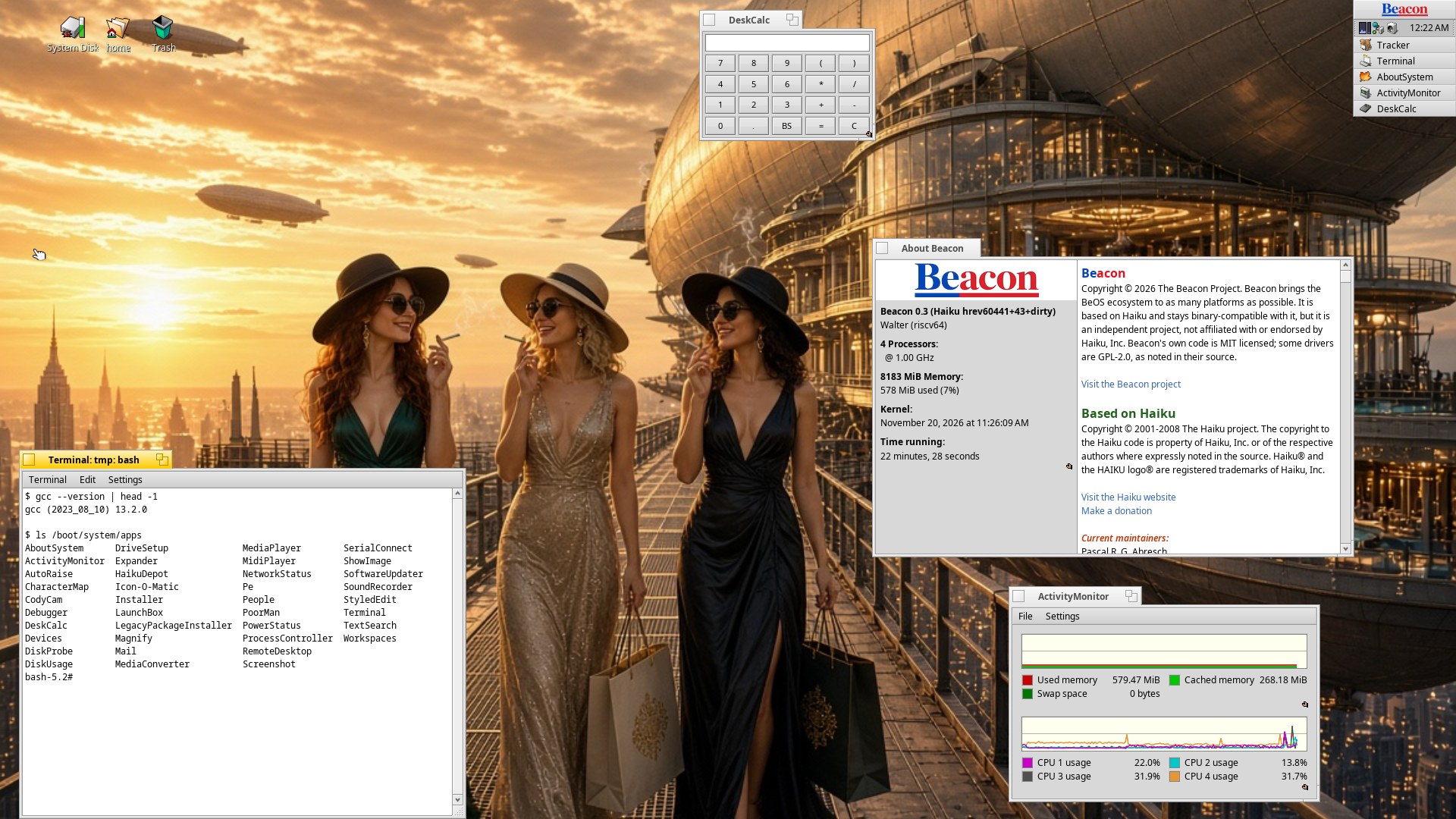
Beacon 0.3 for the Orange Pi RV (StarFive JH7110, RISC-V): the full desktop.
New in 0.3
- Full desktop: 37 apps and 22 preference panels (Mail, StyledEdit, ShowImage, MediaPlayer, Debugger, Icon-O-Matic, HaikuDepot, Installer, DriveSetup, ActivityMonitor, Screenshot, ...).
- Build software on the board: gcc 13, binutils, make, git, perl, Pe and the Haiku headers.
- Wi-Fi stays up under load: fixed the SDIO interrupt being switched off by the kernel during big transfers (the "connected but nothing works" problem). Joins WPA2 home networks.
- Wired Ethernet driver (new; please report results).
- SSH server starts on its own (fixed a missing system account; host keys are created if the first-boot script misses them).
- Ogg/Vorbis libraries, a third wallpaper, and an SD card speed-up (debug tracing off).
Install
Download beacon-0.3-orangepi-rv.mmc.image.xz, check it against the .sha256 file, and write it to a microSD card (2 GB or larger). Windows/macOS: Raspberry Pi Imager ("Use custom") or balenaEtcher, no unpacking needed. Linux: see the README. The first boot takes a few minutes. Nothing on the board itself is changed.
Known issues
- No web browser yet (WebPositive is next).
- Wi-Fi is slow (~170 KB/s: 25 MHz SDIO without DMA).
- JPEG images can crash ShowImage on RISC-V (wallpapers are BMP).
- Audio can pop now and then.
- Not available for riscv64 yet: Mesa (3D), ffmpeg, printer drivers.
Bugs and fixes we found are written up for other projects in docs/beacon/FINDINGS.md.
Licences: Beacon code MIT; Haiku code keeps its licences; some drivers and the riscv64 boot loader are GPL-2.0, with complete source in this repository at tag v0.3.
Beacon 0.2 — Wi-Fi and sound
Second test image of Beacon for the Orange Pi RV (StarFive JH7110, RISC-V). Boots from a single microSD card; nothing on the board is changed.
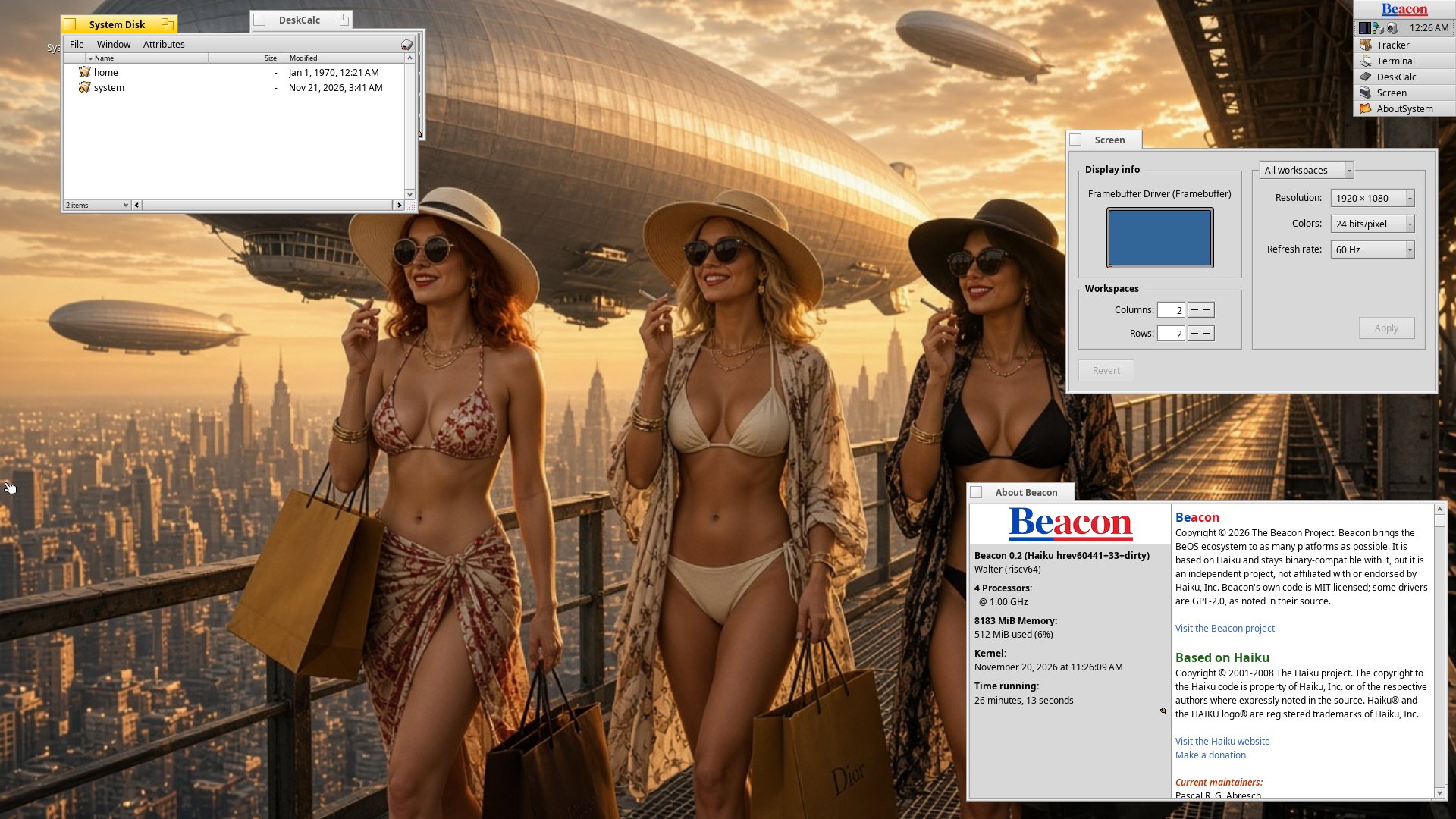
New in 0.2
- Wi-Fi (on-board AP6256 / BCM43456): scan, WPA/WPA2 with the password dialog, DHCP.
- Sound: 3.5 mm jack and HDMI audio, switchable while playing (
audio_output hdmi/audio_output jack, or the Output control in the mixer). MediaPlayer included. - System sounds from Kenney's "Interface Sounds" (CC0);
beepworks. - Fix for random kernel panics on the U74 cores (stale TLB entries).
- Beacon wallpapers, Deskbar logo, About Beacon.
Still works from 0.1: HDMI desktop (1080p), USB keyboard/mouse with hot-plug (VIA VL805), microSD, 4 cores, serial console (115200).
Not yet: wired Ethernet, Bluetooth, a web browser, JPEG images (crash on RISC-V; wallpapers are BMP), Media preferences app.
Flash
xz -d beacon-0.2-orangepi-rv.mmc.image.xz
sudo dd if=beacon-0.2-orangepi-rv.mmc.image of=/dev/disk/by-id/<your-card> bs=4M conv=fsync status=progress
Check the download against beacon-0.2-orangepi-rv.mmc.image.xz.sha256. The first boot unpacks packages and takes a few minutes.
Known issues
- Occasional pops in audio (the feeder timer sometimes runs late).
- Wi-Fi runs the SDIO bus at 25 MHz for now (no tuning yet), so it is not at full speed.
- The serial console is verbose (Wi-Fi debug logging is on).
- Some gaming keyboards (N-key rollover) may not type.
- The HDMI picture is carried over from the board's U-Boot; a real display driver is planned.
Licences
Beacon code is MIT; Haiku code keeps its licences; some drivers are GPL-2.0 (see the ReadMe). The Wi-Fi firmware is Broadcom/Synaptics binary firmware, redistributed under its licence (LICENCE.synaptics, in the image next to the firmware) solely for use with the Synaptics chip on this board; the board NVRAM file comes from Orange Pi's firmware repository. System sounds: Kenney, CC0.
For developers: docs/beacon/FINDINGS.md lists the bugs and hardware quirks we found and how we fixed them.
Please report what you see (board RAM size, what you did, serial log if you have one) in Issues.
Source: this repository at this tag. Built from Haiku hrev60441 plus the Beacon changes.
Beacon 0.1 for Orange Pi RV (test image)
First public test image of Beacon for the Orange Pi RV (StarFive JH7110, RISC-V). Boots from a single microSD card; nothing on the board is changed.
Works: desktop on HDMI (1080p), USB keyboard and mouse with hot-plug (VIA VL805), microSD, 4 cores, serial console (115200).
Not yet: Wi-Fi/Bluetooth, sound, wired Ethernet (drivers in progress).
Flash
xz -d beacon-0.1-orangepi-rv.mmc.image.xz
sudo dd if=beacon-0.1-orangepi-rv.mmc.image of=/dev/disk/by-id/<your-card> bs=4M conv=fsync status=progress
Check the download against beacon-0.1-orangepi-rv.mmc.image.xz.sha256. The first boot unpacks packages and takes a few minutes.
Known issues
- Some gaming keyboards (N-key rollover) may not type.
- The HDMI picture is carried over from the board's U-Boot; a real display driver is planned.
Please report what you see (board RAM size, what you did, serial log if you have one) in Issues.
Source: this repository at this tag. Built from Haiku hrev60441 plus the Beacon changes; GPL-2.0 parts are listed in the ReadMe.