Repository navigation
Releases
FSO Stats v0.2.1 - Update works again, from a safe source

Update works again. If you pressed Update in 0.2.0 and nothing new
appeared, this is the fix - press it once in 0.2.1 and the nine frames
since August Storm arrive: Codename: Cactus, Operation Bagration and
When Eagles Dared. The exe also ships with them already in it.
Your database carries over. Nothing to re-scrape.
Fixed
Update saved nothing. It fetched new frames, said "Added 9
frame(s)", and then none of them showed up. Each frame's log was being
saved without the frame itself, so the list never knew it was there.
Now it is saved properly.
The first launch showed no window. On a brand-new install the app
unpacked its database behind a splash screen and then never showed the
main window - it sat running in the background until you launched it a
second time. If that happened to you, it won't any more.
Changed
Frames now come from aceshigh.events. The old ahevents.net site's
security certificate expired last December, so the app had been talking
to it with its safety checks switched off - and that site has since
turned out not to be trustworthy. Update now reads from aceshigh.events,
the rebuilt events site, over a normal secure connection with every
check on. It is also a lot faster: a whole update takes seconds.
Nothing else is sent anywhere. The app asks aceshigh.events for the
frames posted since your database was built, and that's all.
Frames posted on the new site get full statistics. The new site
doesn't publish team, squad or top-pilot totals, so the app now counts
them from the log itself, using the same rules the old site's totals
followed. Squad boards and frame details work for new frames exactly as
they do for old ones.
Smaller download. 45 MB, down from 47.
FSO Stats v0.2.0 - A light theme, and it tells you when there's an update
Two things AHSTATS just got, now here too: the app tells you when there
is a newer version, and it comes in a light colour scheme as well as the
dark one.
Nothing to re-scrape - your database carries over.
New
It tells you when there's an update. On startup the app asks GitHub
whether a newer version has been released. If there is one, a green
Update available button appears in the top right; click it and the
release page opens in your browser, where the exe is attached. If there
isn't, you see nothing at all.
It asks GitHub one question and reads the answer. Nothing about you,
your pilot or your machine is sent, nothing is recorded anywhere, and
the app never downloads or installs anything by itself. Offline, or
GitHub having a bad day, means the check gives up quietly.
This is separate from the Update button that fetches new frames from
ahevents.net - that one is unchanged.
Light theme. There's a Dark / Light switch in the top right. It
changes the whole app on the spot - grids, graphs, tooltips and all -
with no restart, and remembers which one you picked for next time. The
olive masthead stays olive in both, because that's the app.
Fixed
Scrollbars ignored the theme. Every scrollbar in the app was drawing
itself in Windows' default light grey against the dark grids.
FSO Stats v0.1.0
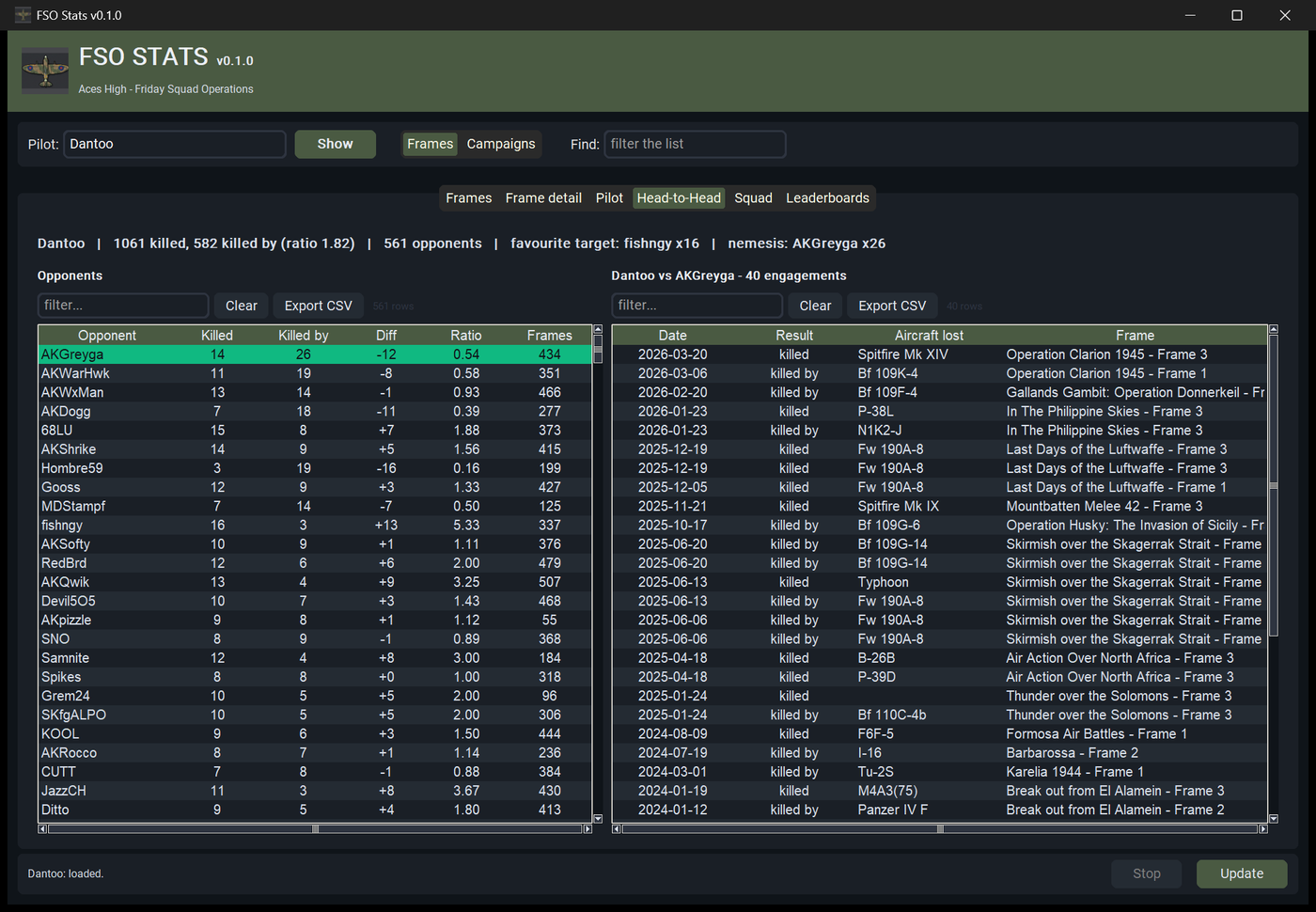
First release. Browse 18 years of Aces High Friday Squad Operations —
583 frames from 2009 to July 2026, 590,741 log entries, 4,318 pilots.
Getting it
Download FSOStats.exe and run it. Everything is inside; there is
nothing to install and no database to fetch. The first launch unpacks
the data into %LOCALAPPDATA%\FSOStats and takes about five seconds,
then opens straight away from then on. Update pulls in new frames
as they're posted, usually one on a Friday.
Windows only, and unsigned — SmartScreen will warn on first run, so
choose More info then Run anyway.
What's in it
- Head-to-head — who you shot down, who shot you down, and the full
record against any named opponent. An FSO log names both parties on
every shootdown, so the whole 18 years of it is recoverable. - Pilot — career totals, aircraft flown with a genuine per-type
K/D, every frame flown, and a kills-per-year trend. - Squad — totals, roster, frame-by-frame history and a trend.
- Frames and campaigns — 583 frames grouped into 201 campaigns,
switchable, with the site's inconsistent titles corrected. - Leaderboards — all-time totals and podium finishes.
Every grid sorts, filters and exports to CSV. Hover a column heading to
see what it actually counts — worth doing, because this data has more
sharp edges than you'd expect.
More screenshots are in the
README.
Some of those sharp edges
The logs are a community record kept by hand for eighteen years. The
app works around these rather than pretending they aren't there:
- A kill entry names the victim's aircraft, not the killer's, so
per-aircraft records are recovered by matching each entry to the
sortie it fell within. - A shootdown is written twice, once per side — counting both would
double-count 46,586 of them. - 73 events have no logs at all; the site can't render them.
- 47 frames hold only one team's log.
- Side labels can't be trusted, so the side each team actually fought
for is inferred from the aircraft it flew, at 97.9% accuracy.
FINDINGS.md
documents all of it with the evidence.
fsostats.db.gz
The prepared database, if you want to build from source without
spending an hour scraping. Put it at fsostats/data/fsostats.db.gz,
or decompress it to fsostats.db in the project root.
You don't need this to run the exe — it's already in there.
Thanks to everyone who has organised and flown an FSO since 2009, and
to the people who keep ahevents.net running.