You signed in with another tab or window. Reload to refresh your session.You signed out in another tab or window. Reload to refresh your session.You switched accounts on another tab or window. Reload to refresh your session.Dismiss alert
Add a Gitea, Forgejo or Codeberg account in Settings → Git — next to GitHub and GitLab, a git account can hold a Gitea / Forgejo Instance URL (the address you open in the browser, port or sub-path included) and a Gitea / Forgejo Access Token, checked as you type so you see which user it belongs to; Create one ↗ opens the token page on your server
A server on plain http:// needs Allow HTTP for this account ticked first; until then the token is never sent to it, and changing the address to https:// turns the option off again
Settings lists the token permissions to grant: repository, issue and user set to Read and write, organization set to Read (Read and write to publish into an organization)
Fetch, pull and push with the account's token — the Git client signs in to remotes on that server with the token, without saving it into the repository; if HTTP isn't allowed yet, it says so instead of falling back to your system credentials
Publish to Gitea — Publish Repository has a Gitea tab for your own account or one of your organizations, plus a New on Gitea ↗ link
Clone from Gitea in Add Project — your Gitea repositories appear in the repository list with a Gitea badge
Commit and file links open on your server — links from the Git client use the server's web address, not the SSH port
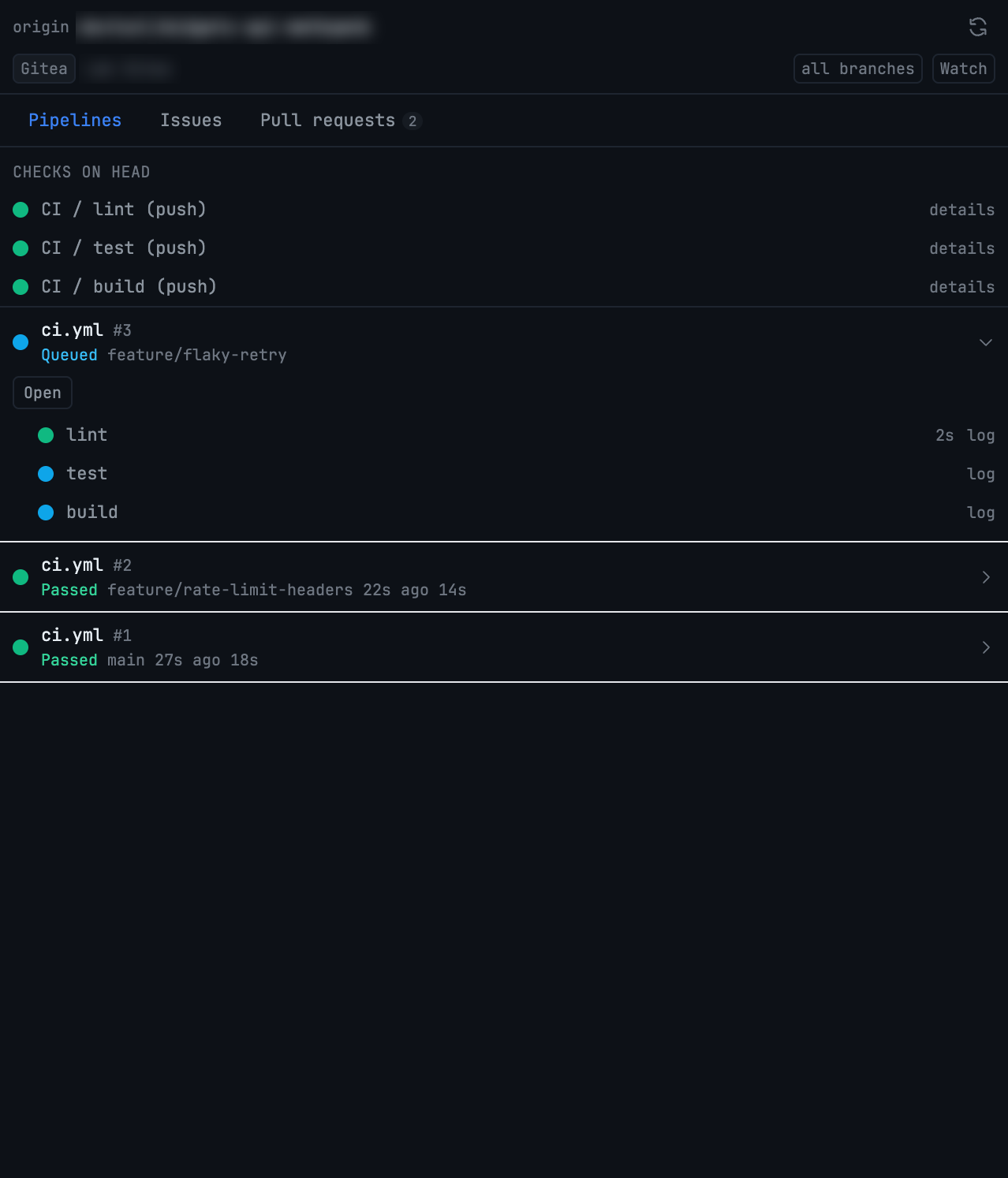
Repo panel — pipelines, issues and pull requests on Gitea and Forgejo
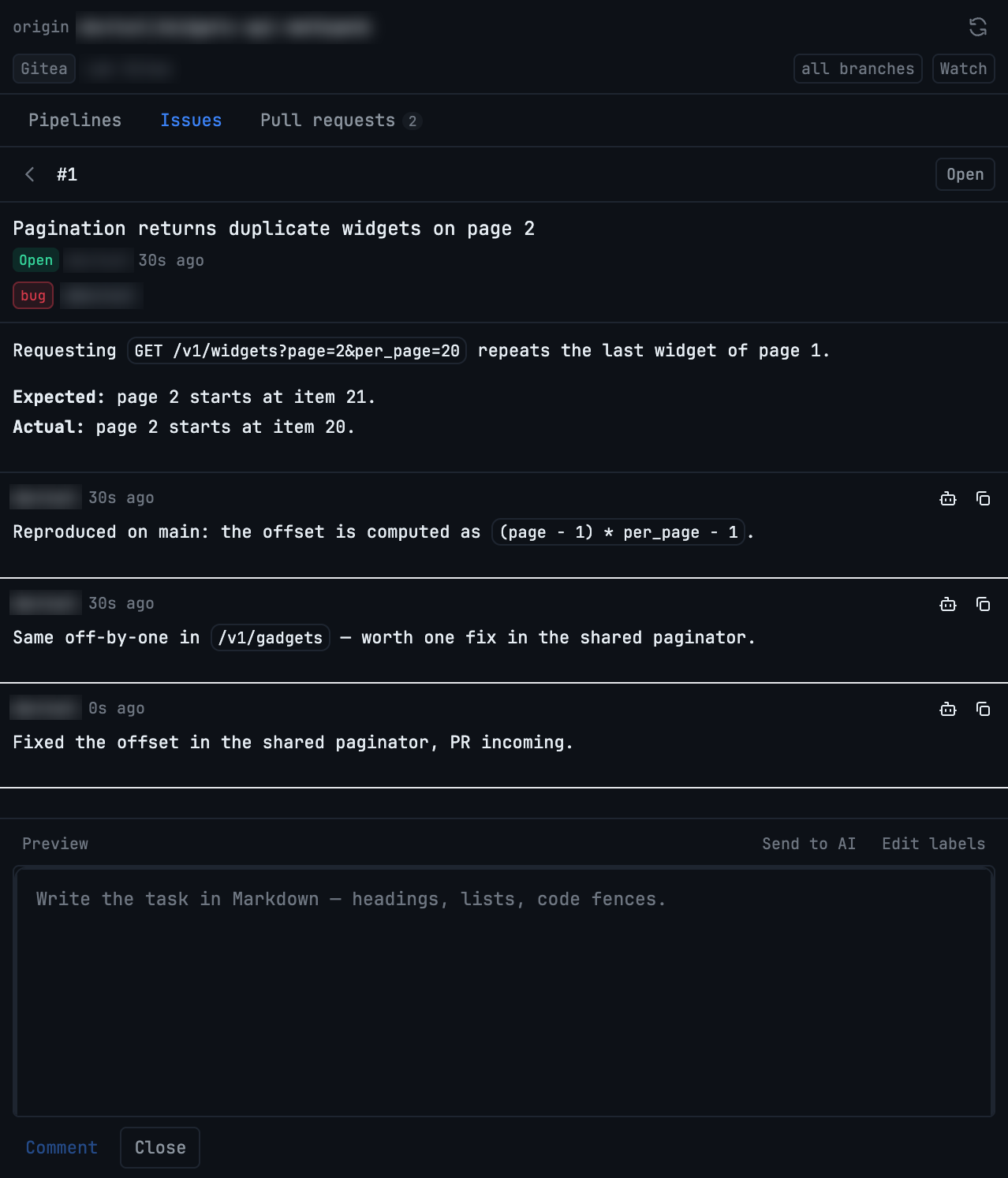
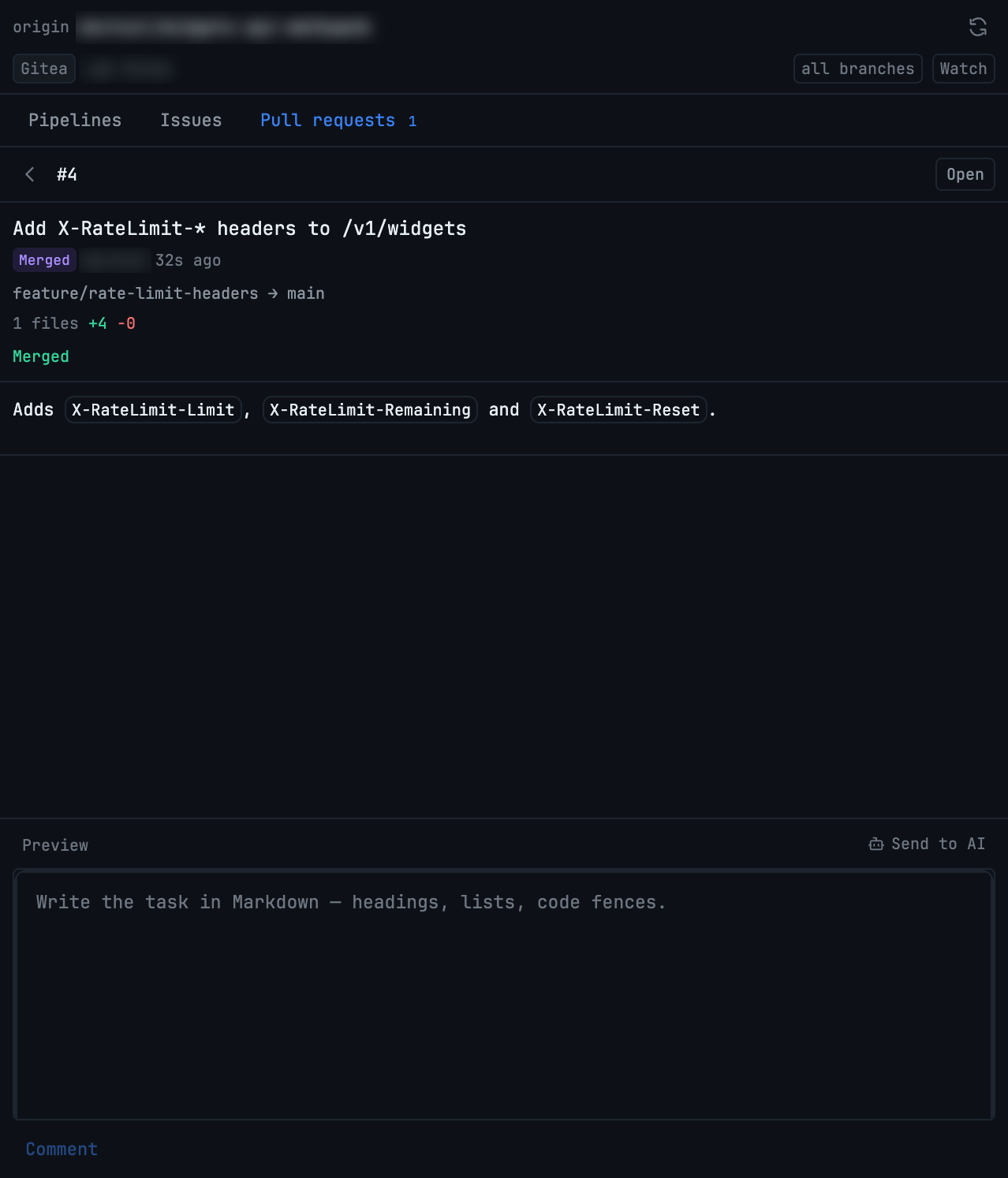
Use the Repo panel with Gitea and Forgejo repositories — the same Pipelines, Issues and Pull requests tabs as for GitHub and GitLab
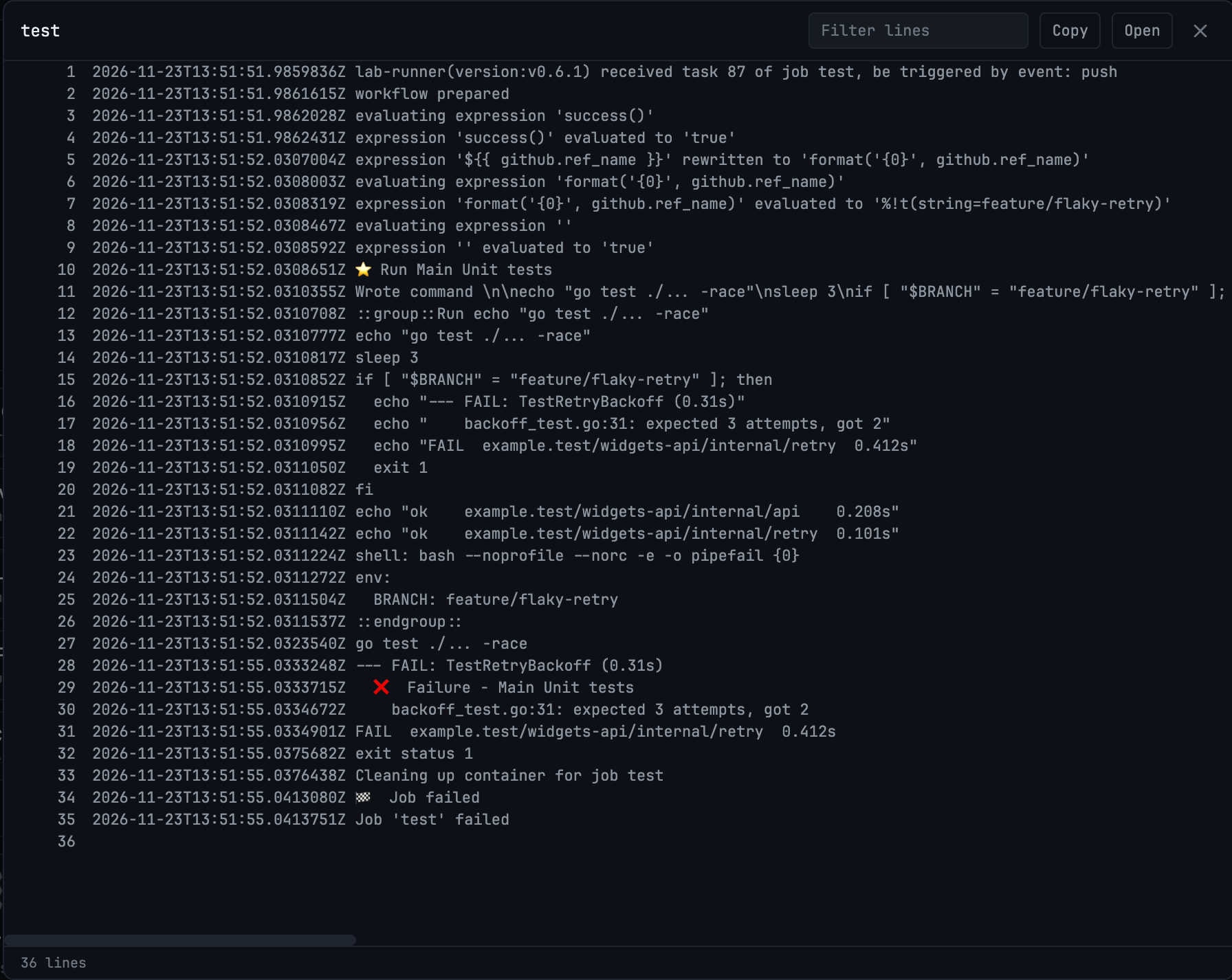
Pipelines — Actions runs on this branch or all branches, each run's jobs and their logs, Re-run and Re-run failed, and Cancel on Forgejo (Gitea offers no way to cancel a run from another app); statuses from other CI, such as Woodpecker or Drone, appear under Checks on HEAD
Issues — filter, search, labels and assignees; comment on, create and close issues
Pull requests — list and open them, comment, close, and merge with a merge commit, squash or rebase
On a plain-HTTP server the panel shows Allow HTTP to use this Gitea instance until the account allows it
Improvements
GitLab tokens stay on their own server — a token saved for a self-hosted GitLab is no longer sent to gitlab.com remotes, and a gitlab.com token is no longer sent to a self-hosted server
Clearer token errors — Settings → Git and the Git client show why a token was rejected without the "Error invoking remote method" text in front
Reveal in Explorer on Windows, Reveal in File Manager on Linux — the file tree, terminal, memory panel and project menus said Reveal in Finder on every system; they now name your system's file manager, and Open Worktree in Finder follows suit
A blocked local network on macOS says how to fix it — when macOS keeps 1DevTool off your local network, connecting to a Gitea server there now tells you to allow 1DevTool in System Settings → Privacy & Security → Local Network, and the macOS permission prompt mentions Git servers you host
Bug Fixes
Fixed the Repo panel still showing "Failed" after a re-run — after Re-run, Re-run failed or Cancel, a run and its jobs kept their old state until the next refresh, up to a minute later; they now update right away, for GitHub, GitLab, Gitea and Forgejo