Repository navigation

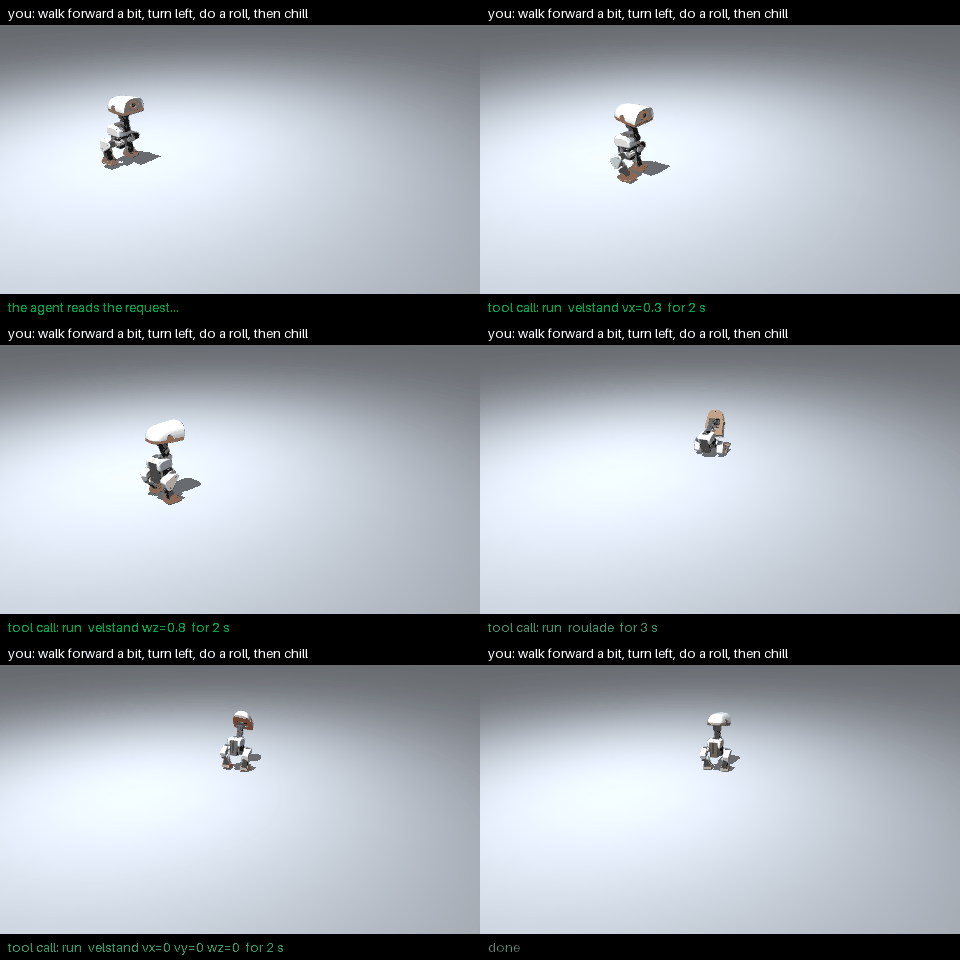
A real agent turn: "walk forward a bit, turn left, do a roll, then chill" → four skill runs, each checked by the robot's safety chain.
0.6.0 is a new library. We rewrote strands-robots around three classes, and the same code now drives a simulated robot, a real one, or a robot on another machine:
| Class | What it is |
|---|---|
Simulation |
A world. MuJoCo on the CPU, MuJoCo-Warp (physics="newton") or Isaac Sim on the GPU. |
Robot |
A body in that world, or a real robot on a serial bus. |
Policy |
Turns an observation into an action: a Python function, an ONNX skill, a LeRobot checkpoint (local or remote), or a recorded episode. |
Around them: one safety chain and e-stop for every robot, LeRobot v3 recording, a mesh for robots on other machines (Zenoh or AWS IoT Core), generated tools for Strands agents, and a browser dashboard with chat and voice.
Breaking: the 0.5.x API is removed. Code written for 0.5.x needs to be ported (see Upgrading from 0.5.x). If you used a 0.6.0 preview, read Upgrading from the 0.6.0 previews.
Quick start
from strands_robots import Policy, Robot

duck = Robot("microduck")                          # joins a shared MuJoCo world
duck.run(Policy("microduck?vx=0.3"), seconds=10)   # ONNX walk skill from the HF Hub; walks ~1.3 m
Give it to an agent:
from strands import Agent

Agent(tools=[duck.tool])("walk forward a bit, turn left, do a roll, then stand still")
The agent picks skills, the skills move the motors, and the safety chain checks every step. Out-of-range commands from an agent are refused, not clipped:
from strands_robots import Robot, RequestRefused

arm = Robot("so101")
try:
    arm.confirm_act({"elbow_flex": 3.1})   # what an agent or the dashboard sends
except RequestRefused as e:
    print(e)   # so101: elbow_flex=3.1000 rad is outside its range [-1.7453, 1.5708]
What's new
One world, many robots
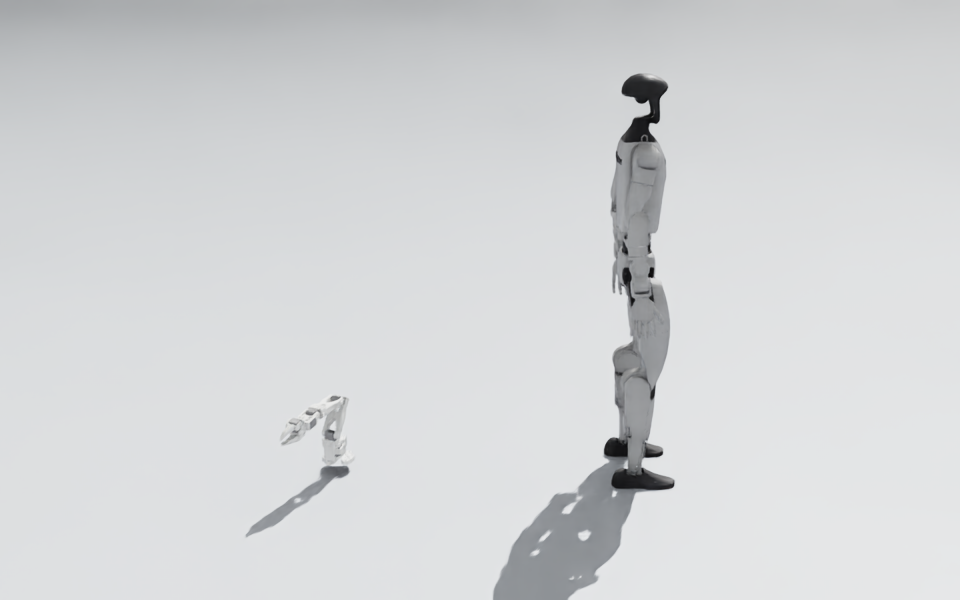
- Any robot from its MJCF or URDF file, a
robot_descriptionsname, or one of the 76 registry presets by name (Robot("so101"),Robot("g1"), …). - Every robot joins
Simulation.default()unless you passsim=. Robots share one world and one clock. - The same scene verbs on every engine:
add_object,camera(including wrist cameras withattach="so101/gripper"),light,set_pose,pose,randomize,contacts,render,reset, andwith sim.editing():for one rebuild. sim.run({arm: policy_a, g1: policy_b}, seconds=1)runs robots in lock-step. If any robot refuses a step, none of them moves on it.
from strands_robots import Robot, Simulation

with Simulation() as sim:
    arm = Robot("so101", sim=sim)
    g1 = Robot("g1", sim=sim, position=[1, 0, 0])
    sim.add_object("cube", shape="box", size=[0.015] * 3, position=[0.25, 0, 0.05])
    sim.camera("wrist", size=(64, 48), attach="so101/gripper")
    sim.run({arm: lambda obs: {"shoulder_pan": 0.4}, g1: lambda obs: obs.joints.positions}, seconds=1)
    image = sim.render("wrist")
Policies
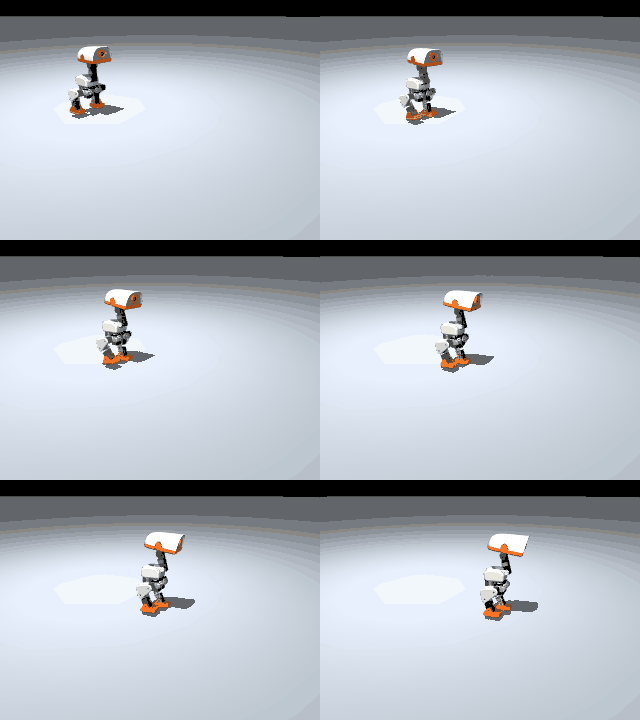
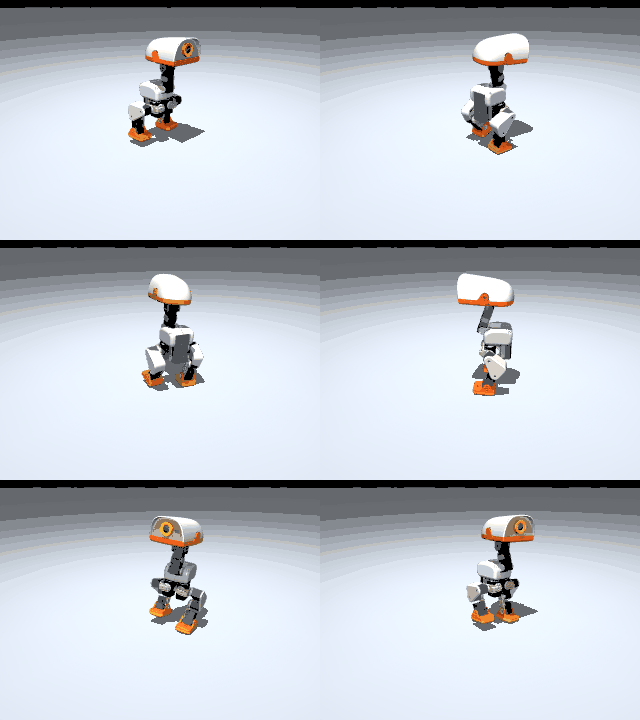
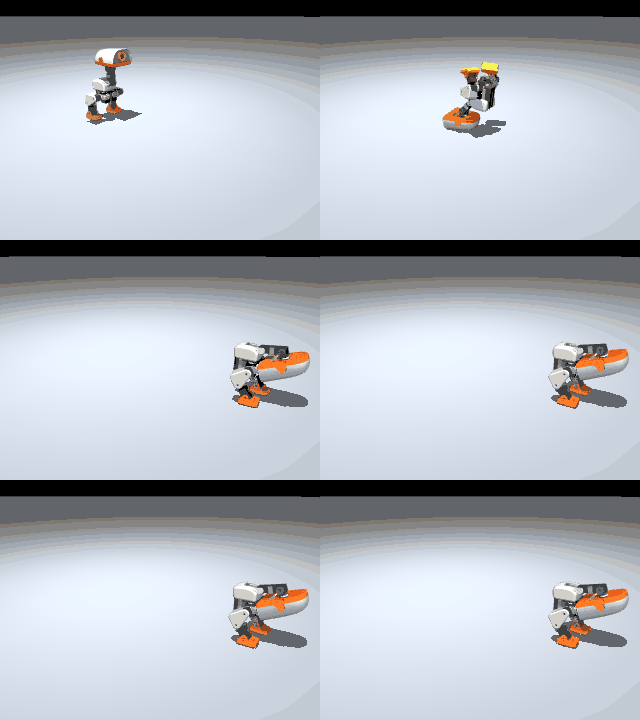
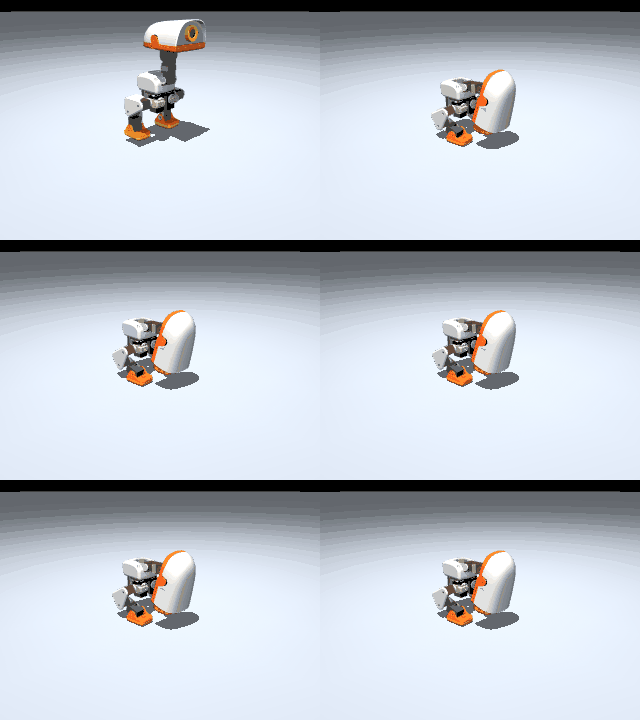
Policy(spec) picks the provider from the form of the spec, and robot.run(policy, hz=, steps=|seconds=) runs any of them:
| Spec | Runs |
|---|---|
any obs -> action callable |
your Python code |
"microduck?vx=0.3&skill=…", "holosoma?vx=0.5" |
ONNX skills (10 microduck skills, G1 holosoma walk), sha256-pinned at a fixed Hub commit |
"<owner>/<repo>" or a local folder |
a LeRobot checkpoint in-process, with LeRobot's own loader |
"zenoh://host:7447/<deployment>" (tls, quic, ws…) |
any lerobot-policy-server, sequential or splice (RTC) execution |
"<dataset dir>?episode=3" |
an exact replay of a recorded episode |
| a LeRobot leader arm | teleop: arm.run(leader, hz=30) |
import math
from strands_robots import Policy, Robot

arm = Robot("so101")
wave = Policy(lambda obs: {"shoulder_pan": 0.8 * math.sin(3 * obs.t)})      # your function
arm.run(wave, hz=30, steps=60, record="data/demo", instruction="wave")
arm.run(Policy("data/demo?episode=0"), hz=30, steps=60)                    # replay that episode exactly

duck = Robot("microduck", position=[0, 1, 0])
duck.run(Policy("microduck?skill=roulade"), seconds=3)                     # an ONNX skill: a forward roll

arm.sim.camera("wrist", position=(0, 0, 0.05), target=(0, -0.1, -0.05), size=(640, 480), attach="so101/gripper")
act = Policy("robotfuel/act_so101_t16b", device="cpu", norm={"*": "degrees", "gripper": "range_0_100"})
arm.run(act, hz=30, steps=30)                                              # a LeRobot ACT checkpoint, in-process
The same policy object drives hardware: Robot("so101", port="/dev/ttyACM0").run(wave, hz=30, steps=60). Units are checked, not assumed: a LeRobot checkpoint's saved stats must match its declared normalisation (the error names the norm= to pass), and a real robot refuses a LeRobot policy that doesn't declare norm=/semantics=. A policy may return None to hold.
Remote policies. Run the model on a GPU machine with LeRobot's lerobot-policy-server and point the robot at it. server_config writes the server's config for your robot:
from pathlib import Path
from strands_robots import Policy, Robot
from strands_robots.policy.lerobot import server_config, write_server_yaml

arm = Robot("so101")
cfg = server_config(arm.description, "robotfuel/act_so101_t16b", deployment="act", endpoint="tcp/127.0.0.1:7450",
                    device="cpu", norm={"*": "degrees", "gripper": "range_0_100"})
write_server_yaml(cfg, Path("act.yaml"))     # then: lerobot-policy-server --config_path=act.yaml (it may pick its own device)

arm.sim.camera("wrist", position=(0, 0, 0.05), target=(0, -0.1, -0.05), size=(640, 480), attach="so101/gripper")
arm.run(Policy("zenoh://127.0.0.1:7450/act"), seconds=3)- Server goes away: the robot holds its last target and reopens the session in the background for
reconnect_s(default 10 s,0faults at once). If the server is back in time, the run carries on. - Network:
network="auto"(default) uses LeRobot's LAN settings for a local address, but first measures the round trip, so a far server behind anssh -Ltunnel on127.0.0.1gets the internet's settings (30 s timeouts, JPEG frames).network="lan"or"wan"sets it yourself. - A simulated robot takes actions over any link. A real robot takes them from another machine only over an authenticated channel: mutual TLS through a
zenohdrouter with LeRobot's roles, where only thepolicy-servercertificate may answer and onlyrobot-clientmay send frames. A plain link to another machine is refused with aPermissionErrorthat says how to fix it. A server on the same machine (zenoh://127.0.0.1:...) needs no setup. One command writes the certificates and the three role configs (router, server, robot):
python -m strands_robots.policy.lerobot zenoh-config --deployment smolvla --out ~/.strands/lerobot/smolvla --host gpu-box
zenohd -c ~/.strands/lerobot/smolvla/router.json5
It prints the server_config(..., zenoh_config=".../server.json5") and Policy("zenoh://tls/gpu-box:7447/smolvla", zenoh_config=".../robot.json5") lines to use. The configs hold absolute paths to certs/: put ca.pem and robot-client*.pem at the same paths on the robot's machine, and keep ca-key.pem where you made them. STRANDS_LEROBOT_ZENOH_CONFIG=<dir>/robot.json5 sets the robot's config for every session. On a link you control, Policy(..., trusted=True) or STRANDS_ZENOH_TRUSTED=1 vouches for it instead. See Running a LeRobot policy.
Agents
Every robot, world and mesh is a Strands agent tool, generated from its manifest and method signatures, so the model is told the units and ranges:
| Tool | Name | Verbs |
|---|---|---|
sim.tool |
sim_world |
add_robot, add_object, camera, contacts, control_step, describe, light, pose, randomize, remove, render, reset, run, set_pose, step |
robot.tool |
robot_<id> |
describe, observe, act, run, stop, hold, estop |
mesh.tool |
use_mesh |
every device on the mesh, with its own rpcs |
An agent can build a world from English and drive it:
from strands import Agent
from strands_robots import Robot, Simulation
from strands_robots.mesh import Mesh

sim = Simulation()
arm = Robot("so101", sim=sim)
agent = Agent(tools=[sim.tool, arm.tool, Mesh("zenoh://", tenant="lab").tool])
agent("put a table with a red cube in front of the arm, add a camera looking at it, and show me")
Behind that sentence the model calls, for example, sim_world with {"rpc": "add_object", "add_object": {"name": "cube", "shape": "box", "size": [0.015, 0.015, 0.015], "position": [0.3, 0, 0.06], "color": [1, 0, 0, 1]}}, then camera, then render, which returns the image. robot.tool(policies={"wave": wave}) lets the agent run your policies by name.
What a model can and cannot do:
- On a simulated robot it acts freely, inside the joint ranges (out of range is refused, not clipped).
- On a real robot, every agent move and run asks the
Robot(operator=)function: with aMovefor one command, once with theRunPlanfor a run. Without it, every agent move is refused. - It can never resume after an e-stop, calibrate, record, push, choose units or type a network policy address. It can always press e-stop.
- It loads a Hugging Face Hub checkpoint only if you list it in
STRANDS_POLICY_REPOS(for exampleSTRANDS_POLICY_REPOS=lerobot/smolvla_base,myorg/*).
Real hardware
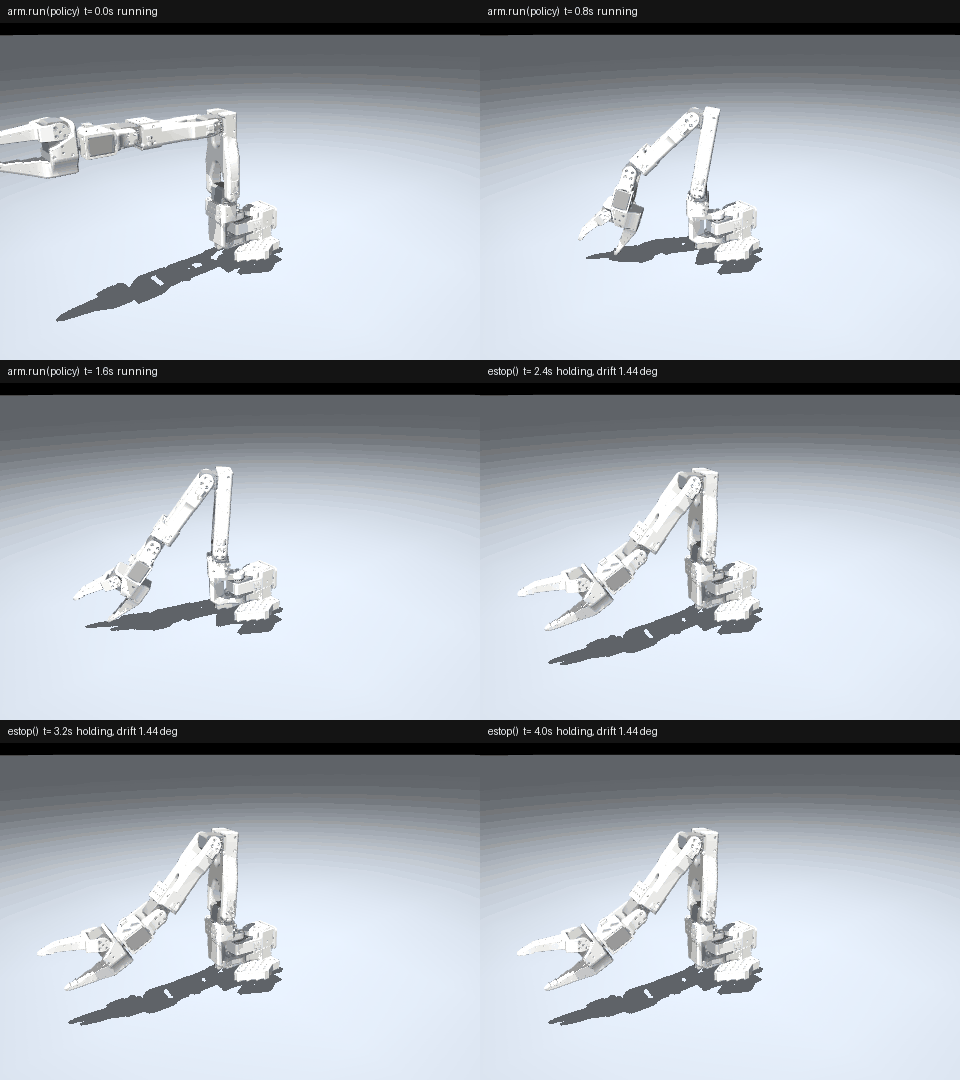
Robot("so101", port="/dev/tty.usbmodem…"): Feetech SO-100 / SO-101 with LeRobot calibration files (Robot(id=)names the file), a 2 rad/s speed cap, and a start-pose ramp.- Unitree G1 / H1 / Go2 and microduck hardware drivers, ROS 2 robots with
driver="ros"(ros2_controlarms and the Unitree G1), plusdriver="memory"for tests. - Cameras by device name:
cameras={"front": "Logi 4K"}. Each camera reads on its own thread, OpenCV cameras ask for MJPEG by default, and a refused mode lists the modes the camera has. - A Feetech arm reads position only on each tick (2 bytes per servo), so
velocitiesandeffortsareNaN. Passread_motion=Trueto read velocity and load too. close()on a Feetech arm now holds the arm with torque on, so quitting never drops a loaded arm. Passdisable_torque_on_disconnect=Truefor LeRobot's release-on-close.- The MuJoCo digital twin is opt-in:
Robot("so101", port=…, twin=True). A hardware-only install doesn't need MuJoCo.
GPU simulation
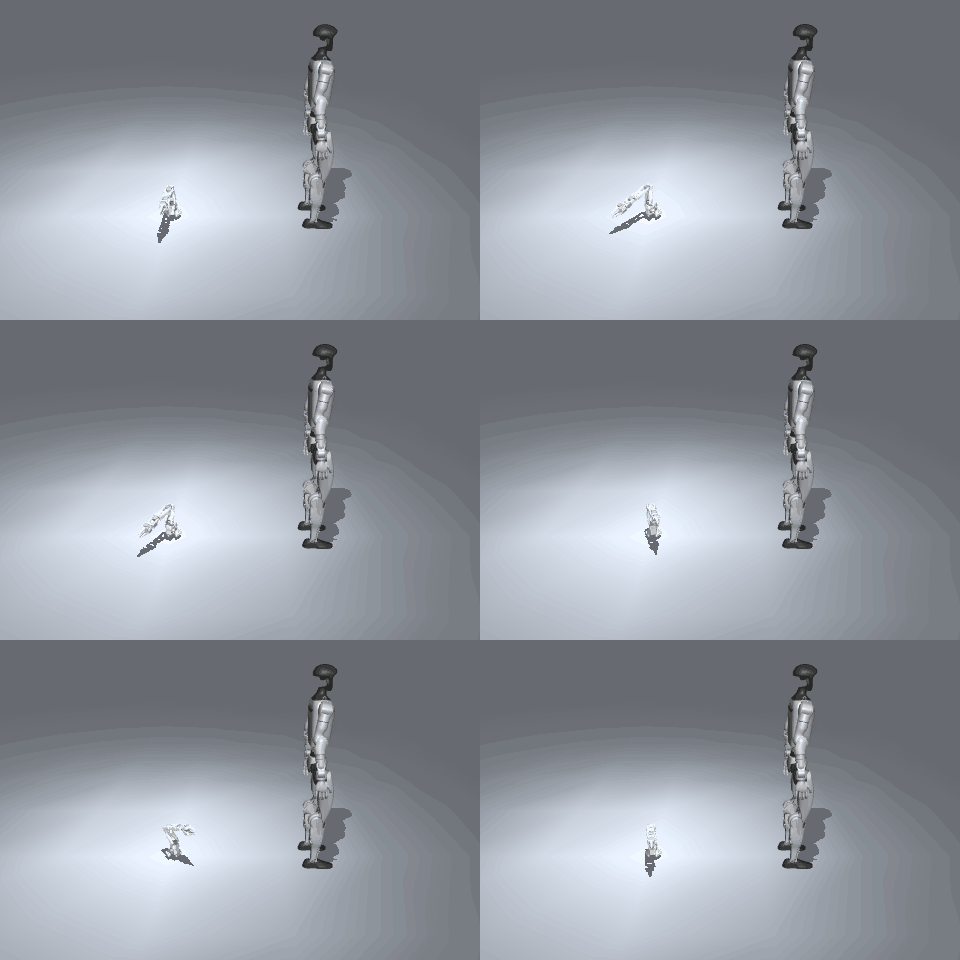
Simulation("mujoco", physics="newton", num_envs=1024)steps the same MuJoCo world on the GPU with MuJoCo-Warp ([newton]extra).Simulation("isaac")runs Isaac Sim / PhysX ([isaac]extra, Python 3.12, CUDA,OMNI_KIT_ACCEPT_EULA=YES).
Safety, on every robot
- Each robot generates a manifest (controls, ranges, safe values,
on_disconnectbehaviour, rpcs). - Agent and dashboard commands go through one safety chain: range → safe → interlocks → validators → operator. Your own code can still write directly.
- On a real body, one
operator=function answers every move from an agent, the dashboard or the mesh (aMove) and every agent run (aRunPlan, asked once with the plan) (#4972). estop()latches from any thread.resume(approved_by="alice")needs a named operator. An agent can always press e-stop but can never release it.- A real robot refuses a model with a driven joint that has no range, and a Feetech calibration that does not fit the servo.
- The run loop reads the robot once per tick, doesn't burst after a slow step, counts late steps (
on_miss="fault"stops at the first one), and puts every control in its safe state the moment a run faults.
Robots on other machines (mesh)
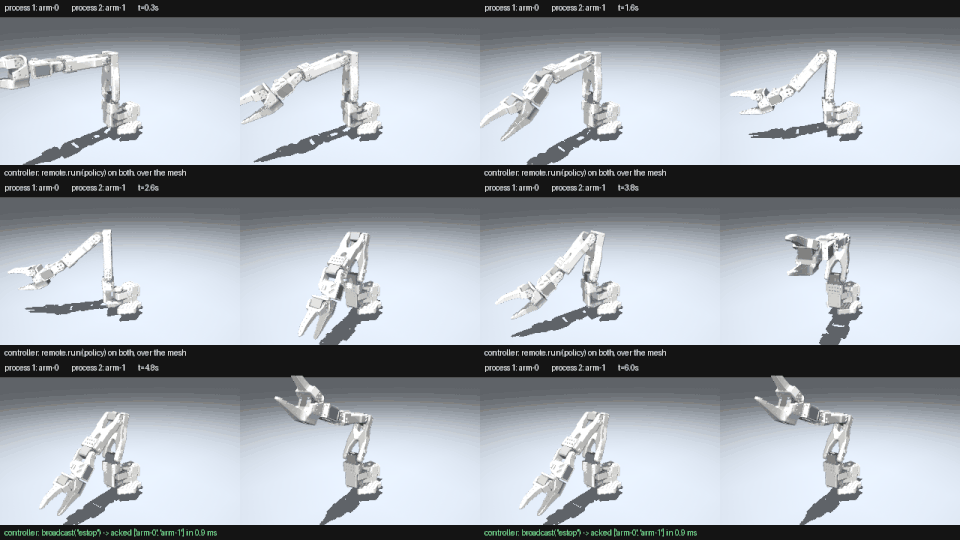
Mesh("zenoh://", tenant="lab"): a mesh on the LAN with no setup, for simulated robots. A real robot on it is observe-only until you give the lab certificates (below).Mesh("iot://us-west-2"): the same API over AWS IoT Core, with shadows, rules, certificate provisioning, fleet claim, PKCS#11 keys, Greengrass and Kinesis Video helpers.discover,invoke,subscribe,connect(returns a fullRobot) andbroadcast("estop").Mesh.mount(robot, skills={"walk": policy})lets a caller start a skill by name, and the policy runs on the device at its own rate instead of one round trip per step.- A device's own safety chain still checks every move. A lost connection stops the robot. An e-stop reaches devices the sender never discovered. Over Zenoh, resume needs Ed25519 operator keys (or an explicit
trust_names=True). An offline robot over IoT drops an e-stop instead of queueing it, so it never fires later.
# terminal 1
from strands_robots import Robot
from strands_robots.mesh import Mesh

mesh = Mesh("zenoh://", tenant="lab")
arm = Robot("so101", id="arm", mesh=mesh)
input("serving; Enter to stop\n")
# terminal 2, anywhere on the LAN
from strands_robots.mesh import Mesh
with Mesh("zenoh://", tenant="lab") as mesh:
mesh.discover("device(*)", min_count=1, timeout=10)
mesh.invoke("arm", "act", action={"shoulder_pan": 0.4}, seconds=1.0)
mesh.connect("arm").run(lambda o: {"elbow_flex": 0.3}, hz=30, steps=30)
mesh.broadcast("estop")Device rpcs. A device can answer its own commands next to the built-in ones. Give mount a handler per name. The device advertises each one in its signed manifest (arguments from the signature, the first doc line, whether it writes), so a caller that never imported the handler can call it:
# on the device
from strands_robots import Robot
from strands_robots.mesh import Mesh, device_rpc

lab = Mesh("zenoh://", tenant="lab")
arm = Robot("so101", id="arm")

def set_gripper(width: float) -> dict:
    """Open the gripper to `width` (0 closed, 1 open)."""
    arm.act({"gripper": width})
    return {"width": width}

def read_battery() -> dict:
    """Battery charge in percent."""
    return {"percent": 87}

lab.mount(arm, rpcs={"gripper": set_gripper, "battery": device_rpc(read_battery, write=False)})
input("serving; Enter to stop\n")
# anywhere on the mesh
from strands_robots.mesh import Mesh
with Mesh("zenoh://", tenant="lab") as me:
me.discover("device(*)", min_count=1, timeout=10)
me.invoke("arm", "battery") # {'percent': 87}
me.invoke("arm", "gripper", width=0.5) # {'width': 0.5}A plain handler is a write: it arms the watchdog like act, and is refused while e-stopped or on an observe-only device. device_rpc(fn, write=False) is a read, answered everywhere. device_rpc(fn, arms=False) is a write the watchdog need not watch (a light, a beep). Arguments are keyword-only JSON values, checked before the handler runs. A built-in name (estop, stop, hold, …), run or calibrate is refused at mount, and a name the device does not offer raises LookupError listing the ones it does. The handler runs on the device as your code: one that moves the body should go through robot.confirm_act so the safety chain sees it. More in Device rpcs (#4971).
A real robot on the mesh: observe-only until it has a certificate
On a plain zenoh:// mesh any machine that reaches the network may join, and the peer id in a request is only a claim. So a real robot there (port= or driver=) answers describe, observe, stop, estop and resume, and its read-only device rpcs, and refuses act, hold, skill and its write device rpcs. The robot's process logs why when it mounts, and a caller gets RequestRefused:
arm is mounted observe-only (a real robot on a mesh any peer may join: give it a mesh identity (`python -m strands_robots.mesh cert`) or vouch with ?trusted=1); act is refused (docs/mesh.md)
To make it movable, give every machine a certificate from one lab CA. Run all of this on one admin machine:
python -m strands_robots.mesh ca                                              # the lab CA, in ~/.strands/mesh/ca
python -m strands_robots.mesh cert lab-pc --serves arm --out ./lab-pc         # the robot's machine
python -m strands_robots.mesh cert alice --out ./alice                        # an operator
--serves lists every robot id that machine mounts (comma-separated, * wildcards). Copy each folder to ~/.strands/mesh/identity on its machine (or point STRANDS_MESH_IDENTITY=<dir> at it). The CA key stays on the admin machine. Nothing else changes: the same Mesh("zenoh://", tenant="lab") code now joins over mutual TLS, signs every message, and the robot takes moves. As with a command from an agent or the dashboard, each move still asks the robot's own operator=:
# the robot's machine, with lab-pc's folder in ~/.strands/mesh/identity
import time
from strands_robots import Robot
from strands_robots.mesh import Mesh

arm = Robot("so101", id="arm", port="/dev/ttyACM0", mesh=Mesh("zenoh://", tenant="lab"),
            operator=lambda req: input(f"{req}? ") == "y")
while True:  # serving; Ctrl-C stops
    time.sleep(1)
Check it worked: the robot's process no longer logs is served observe-only, and the operator's mesh.invoke("arm", "act", ...) returns the pose the arm reached.
Machines with certificates find each other on the LAN with no endpoints. Across subnets, run a zenohd router with its own certificate (zenohd is not on PyPI: brew install zenoh, or a 1.x release from eclipse-zenoh):
python -m strands_robots.mesh cert router --out ./router         # on the admin machine (it prints "an operator: answers for no device": right for a router); copy to the router's ~/.strands/mesh/identity
python -m strands_robots.mesh config --mode router --listen tls/0.0.0.0:7447 -o zenohd.json5   # on the router
zenohd -c zenohd.json5
and connect each process to it: Mesh("zenoh://?connect=tls/<router>:7447", tenant="lab").
What a machine without a lab certificate sees: no link opens (the router logs UnknownCA), discover returns [], and invoke raises an error that starts LookupError: no device 'arm' in tenant 'lab'. A machine with a lab certificate that does not serve arm cannot mount it: ValueError: mesh identity 'alice' may not answer for 'arm'. On a network only the lab reaches (a VLAN or WireGuard), zenoh://?trusted=1 or STRANDS_ZENOH_TRUSTED=1 lets a real robot move without certificates; peer ids there are still claims. Simulated robots are not affected. More in Securing the mesh.
Recording
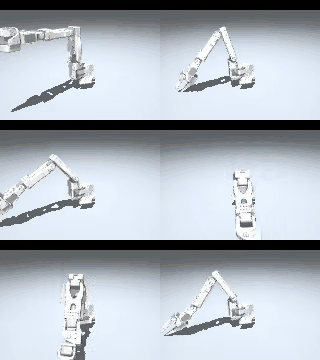
robot.run(policy, record="data/wave") writes a LeRobot v3 dataset with LeRobot's own writer, one episode per run, appending to an existing dataset. Use record="hf://you/so101-wave", push=True to push to the Hub. Units are saved in meta/units.json, each frame stores the time it was read (time.measured, so a stall shows up), and bad setups (wrong fps, robot, cameras or units) are refused before the first step.
import math
from strands_robots import Robot

arm = Robot("so101")
arm.sim.camera("front", position=[0.45, -0.45, 0.35], target=[0, 0, 0.12], size=(160, 120), attach=arm)
arm.run(lambda o: {"shoulder_pan": 0.9 * math.sin(3 * o.t)}, hz=20, steps=60,
        record="data/wave", instruction="wave")
Dashboard
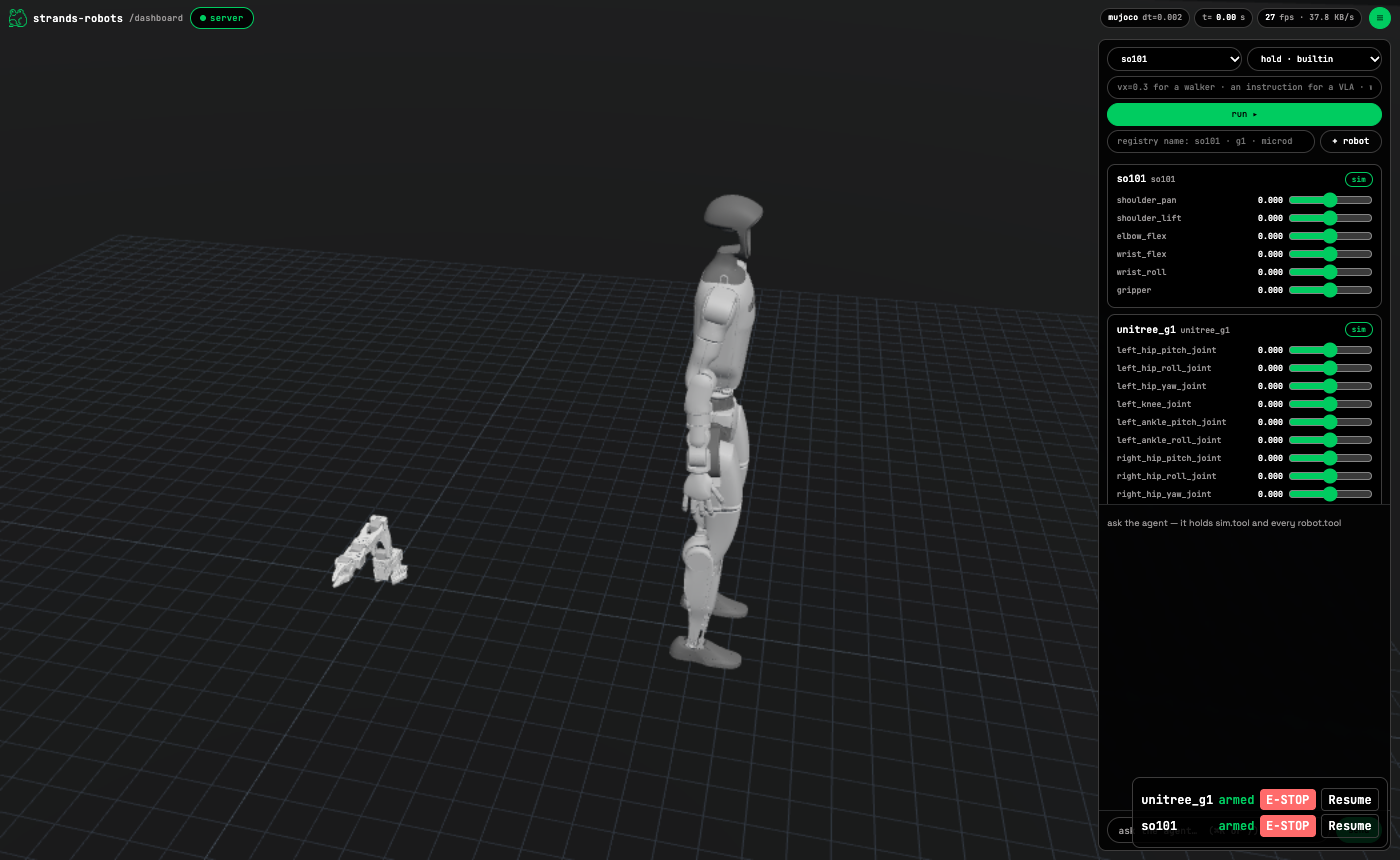
python -m strands_robots.dashboard so101 g1 --model <bedrock model id> --voice auto-
A live 3D view of the simulation in the browser, with joint sliders, cameras, a policy Run row, add-a-robot, per-robot E-STOP/Resume and STOP ALL (Shift+Esc).
-
Chat with an agent that holds
sim.tooland everyrobot.tool. -
Voice: speech-to-speech with a Strands
BidiAgent(gpt-realtime-2, or Nova 2.5 Sonic on Bedrock). -
Record tab (LeRobot v3, same format as
run(record=)) and Connect tab (attach robots and policies over the mesh). -
Sign in with a passkey (Touch ID, Windows Hello, a phone or a security key). On the first start the server prints a one-time link to create the first one:
dashboard: no passkey yet; open http://localhost:8090/?setup=<code> to create one (one-time link)Open
http://localhost, nothttp://127.0.0.1: passkeys only work there. Scripts use--print-tokenand sendAuthorization: Bearer <token>.--no-authturns sign-in off for any local process. -
Loopback-only. Moves, runs and resumes on a real robot need a confirmation in the page. Chat and voice can never send that confirmation.
Install
uv venv -p 3.12 && source .venv/bin/activate
uv pip install "strands-robots[all]"
That one line includes LeRobot 0.7 from PyPI (policies, the SO arm bus and the dataset writer); there is no separate LeRobot install any more.
| Extra | For |
|---|---|
mujoco |
Simulation() and the twin |
feetech |
SO-100 / SO-101 arms |
onnx |
ONNX skills (microduck, holosoma) |
lerobot |
LeRobot policies in-process and over Zenoh (lerobot>=0.7.0,<0.8.0; Python 3.12) |
mesh |
Zenoh mesh, and its certificates |
iot |
AWS IoT Core mesh |
tools |
Strands agent tools |
dashboard |
the dashboard (also needs mujoco) |
voice |
dashboard speech-to-speech |
ros |
ROS 2 robots (empty: rclpy comes from your sourced ROS 2 install, so make the venv with --system-site-packages) |
newton / isaac |
GPU backends (CUDA; not in all) |
all |
every CPU extra |
Python 3.10 or newer. LeRobot and Isaac Sim need 3.12: on 3.10 or 3.11, [all] installs everything except LeRobot. A zenohd router, if you use one, is not on PyPI (brew install zenoh).
Upgrading from the 0.6.0 previews
If you ran a 0.6.0 preview, these change what you see:
| You see | Do |
|---|---|
A real robot on a zenoh:// mesh refuses act, hold, skill and write device rpcs: ... is mounted observe-only ... |
Give each machine a lab certificate (python -m strands_robots.mesh ca / cert, see above), or zenoh://?trusted=1 on a network only the lab reaches |
A real robot refuses a remote LeRobot policy on another machine with PermissionError |
python -m strands_robots.policy.lerobot zenoh-config ... and Policy(..., zenoh_config=".../robot.json5"), or trusted=True |
SO-100 / SO-101 velocities and efforts are NaN |
Robot("so101", port=..., read_motion=True) |
An agent's run(policy="owner/repo") raises PermissionError: ... the operator has not allowed it |
Start the agent's process with STRANDS_POLICY_REPOS=owner/repo (or owner/*) |
TypeError: Robot(...) takes no confirm= (or approve=) |
Robot(..., operator=fn): one fn(Move | RunPlan) -> bool answers both (from strands_robots.robot.run import Move, RunPlan) |
A hardware Robot has no .twin |
Robot("so101", port=..., twin=True) |
The dashboard answers 401 and asks for a passkey |
Open the one-time ?setup= link it prints at start; scripts use --print-token and Authorization: Bearer <token> |
ValueError: <robot>: joint(s) [...] have no range in the model on hardware |
Give each driven joint a range in the MJCF (limited="true" range="lo hi"), or a hardware.safe bound for a joint that turns without end |
pip tries to fetch LeRobot from git |
Remove the old lerobot @ git+... line; [lerobot] or [all] installs it from PyPI |
Upgrading from 0.5.x
There is no compatibility layer and no name-by-name mapping. The new shape is:
- Build a robot with
Robot(name),Robot(name, port=…)orRobot(name, driver=…). The old factory arguments (mode,backend,urdf_path,data_config,peer_id,tool_name) and the old CLI are gone. - Drive it with
robot.run(policy, seconds=|steps=|stop_when=), orobserve()/act()/hold()/estop(). - Agent tools are attributes (
robot.tool,sim.tool,mesh.tool), not a list of@toolfunctions. - Everything inside the library is in radians. LeRobot units are only used at the edges (
units="lerobot",norm=). Robot("g1").idis"g1"(was"unitree_g1"). Giveid=when two robots of the same model share an agent.- Top-level imports:
Robot,Simulation,Policy,Mesh,Description,Body,Observation,Action,JointState,Pose,RequestRefused. Everything else lives in its subpackage.
Start with the quickstart and the 12 notebooks:
| # | Notebook | Shows |
|---|---|---|
| 00 | quickstart | an SO-101 in MuJoCo: observe, act, render, a camera |
| 01 | robot and sim | an SO-101 and a G1 in one world, lock-step runs, manual time |
| 02 | recording | LeRobot v3 datasets, resume, replay, hf:// |
| 03 | agent builds a world | an agent builds a scene from English and looks through its camera |
| 04 | agent drives the robot | poses, named policies, e-stop, the operator gate |
| 05 | policies | functions, ONNX G1 and microduck, a Hub ACT checkpoint, Perturb |
| 06 | remote inference | ACT from a lerobot-policy-server over Zenoh |
| 07 | dashboard | the dashboard, its API and the standalone page |
| 08 | device and safety | the manifest, the safety chain, e-stop, watchdog |
| 09 | mesh | two Zenoh peers, signed resume, use_mesh, the same on IoT |
| 10 | GPU backends | MuJoCo-Warp and Isaac Sim |
| 11 | hub to hardware | one SO-101 and an agent: a recorded demonstration, a Hub policy by name, the same code on the arm, the arm on a mesh |
Notable fixes from the rewrite
Highlights from the changelog:
- Feetech bus reads take under 1 ms for six servos (was 50 ms) and retry a corrupted status packet.
- Joints the policy leaves out hold their last target instead of sagging under gravity.
- Much less memory per robot: eight SO-101 arms in one world take 729 MB instead of 3.0 GB (about 17 MB per added arm, down from about 330 MB).
- Headless Linux picks a working
MUJOCO_GLon import, and EGL no longer prints tracebacks at exit. - Missing MuJoCo now says exactly what to install.
- A paced run sleeps, then spins the last 2 ms, so a 100 Hz run on hardware no longer misses deadlines when the OS wakes it late.
- A Feetech servo that does not answer is named by its own ID.
- The microduck and holosoma skills download their weights at a pinned Hub commit.
Full list: CHANGELOG.md.