Repository navigation
Dialog 1.3.3 - All the Pretty Colours

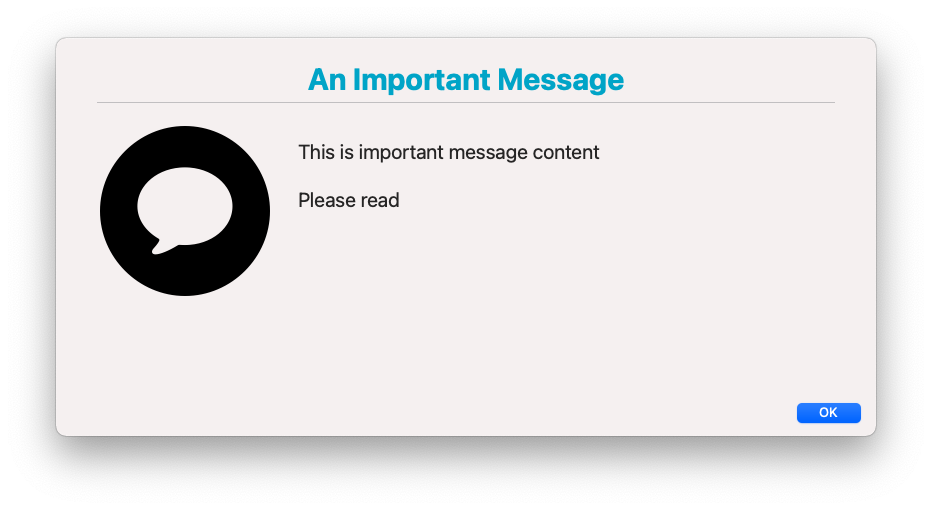
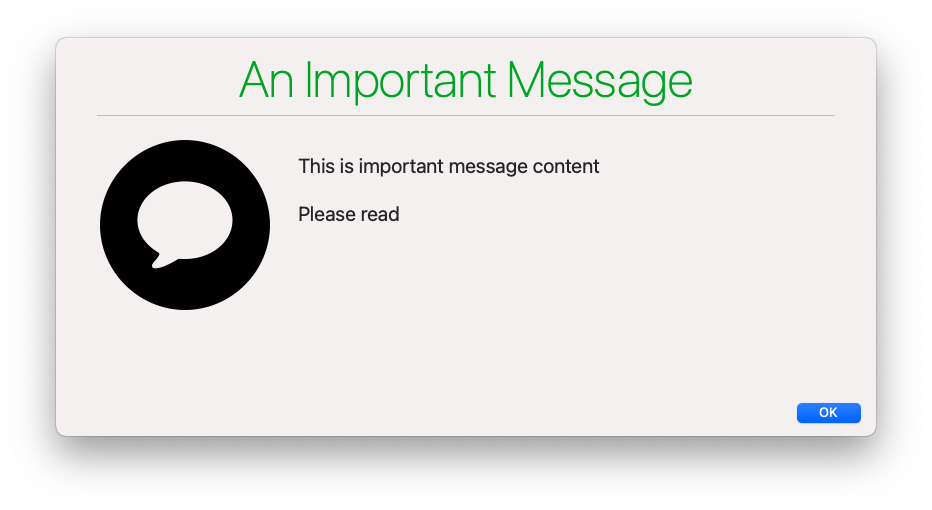
New --titlefont option that lets you modify the size, colour and weight of the title text
 --titlefont <text>
                Lets you modify the title text of the dialog.

                Can accept up to three parameters, in a comma seperated list, to modify font properties.

                    color,colour=<hex_value>  - specified in hex format, e.g. #00A4C7

                    size=<float>              - accepts any float value.

                    weight=<text>             - accepts any of the following values:
                        thin
                        light
                        regular
                        medium
                        heavy
                        bold (default)

                Example: "colour=#00A4C7,weight=light,size=60"
--titlefont "color=#00A4C7"
--titlefont "weight=thin,color=#00A423,size=50"
Also in this release are improvements to the way dialog content is defined and laid out to handle the potential of using larger font sizes in the title and how that would affect where other elements are placed. There will be some minor differences with how dialog looked in previous versions but shouldn't be anything too drastic.