Repository navigation
v0.4.0: live dashboad

Watch offload jobs live
New command: npx -y offload-mcp-server dashboard opens a local web page that shows every job from every session.
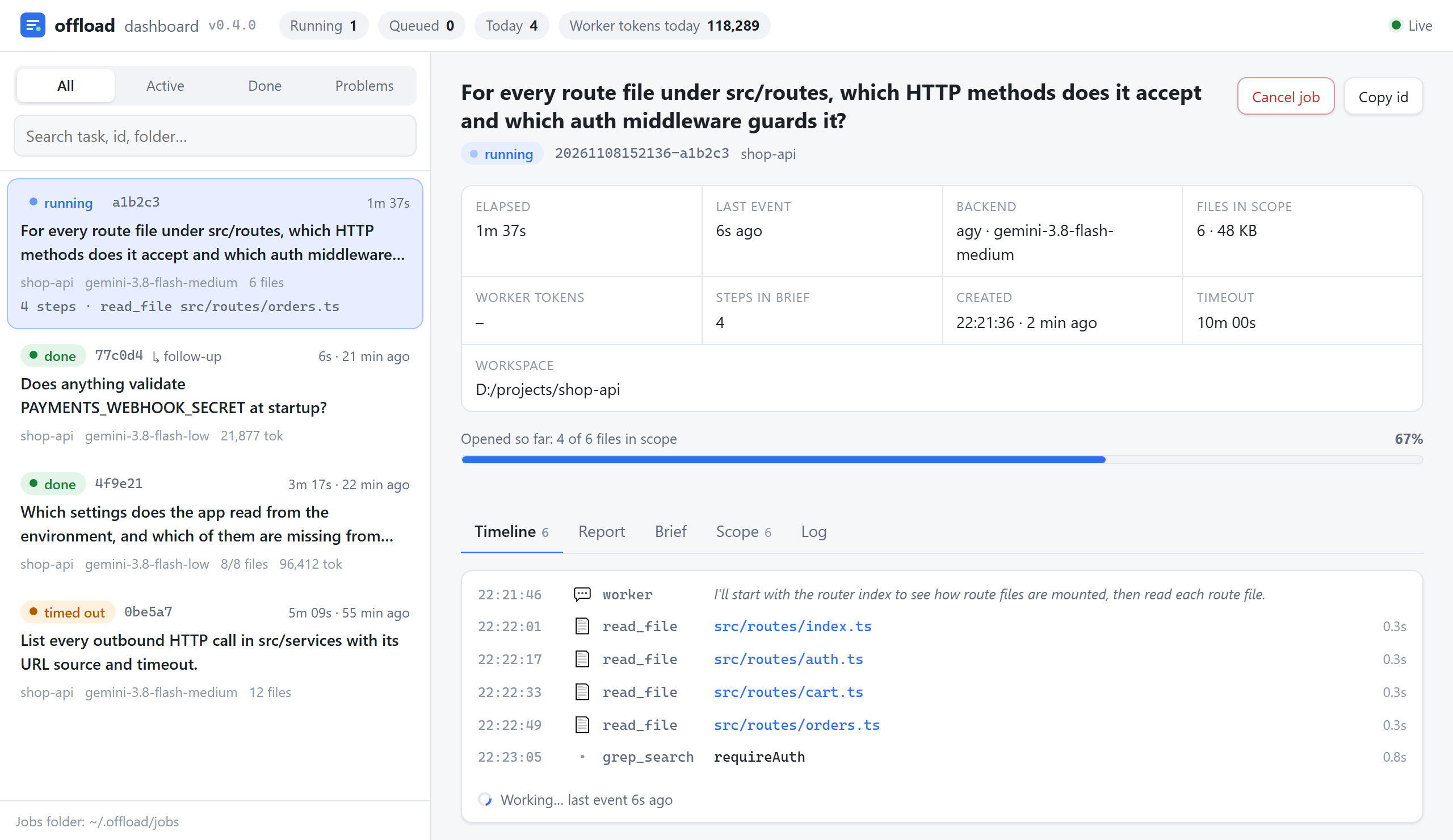
- Live timeline of each file the worker opens, plus its own remarks and the final result
- Coverage bar that fills as the worker reads the files in scope
- The worker's question, brief check, injection and secret warnings at a glance
- Brief, report, scope and log tabs; every
path:linein the report opens in VS Code - Cancel a running job from the page, even one started by another Claude session
- Jobs whose server has exited are marked instead of showing "running" forever
- 11 languages (same as the README); follows your browser, with a picker in the header
- Light and dark themes, works on narrow screens
Local only: listens on 127.0.0.1, needs a one-time token from the printed link (kept in a SameSite=Strict cookie), checks the Host header, and cancel also needs the page's Origin plus a custom header. No new dependencies.
Config: "dashboard": { "port": 7431, "autoOpen": false }. With autoOpen: true the dashboard starts with the first job, and the submit result gives Claude the link for you.
Upgrade: npx -y offload-mcp-server@latest setup, then reload your editor. Full notes in CHANGELOG.md.