Repository navigation
Releases
v2.5.1

v2.4.1
v2.4.0
v2.3.1
v2.3.0
v2.2.1
v2.2.0
v2.1.0
Cortex 2.0 — Precision Editorial Studio
Cortex 2.0 — Precision Editorial Studio
A quieter, resizable studio shell, Warm Light & Dark themes, a unified Command Palette, and a dedicated product page for the live demo.
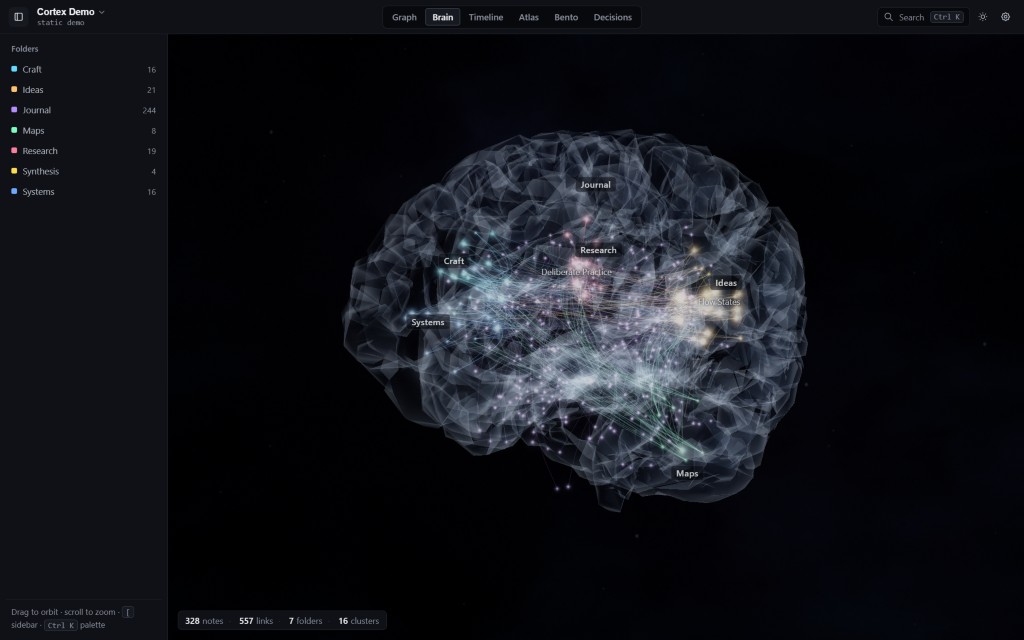
Cortex 2.0 upgrades the entire frame around the six views without giving up what made Cortex fast and trustworthy: zero build step, strict CSP, deterministic layouts, and plain Markdown files in place.
What changed
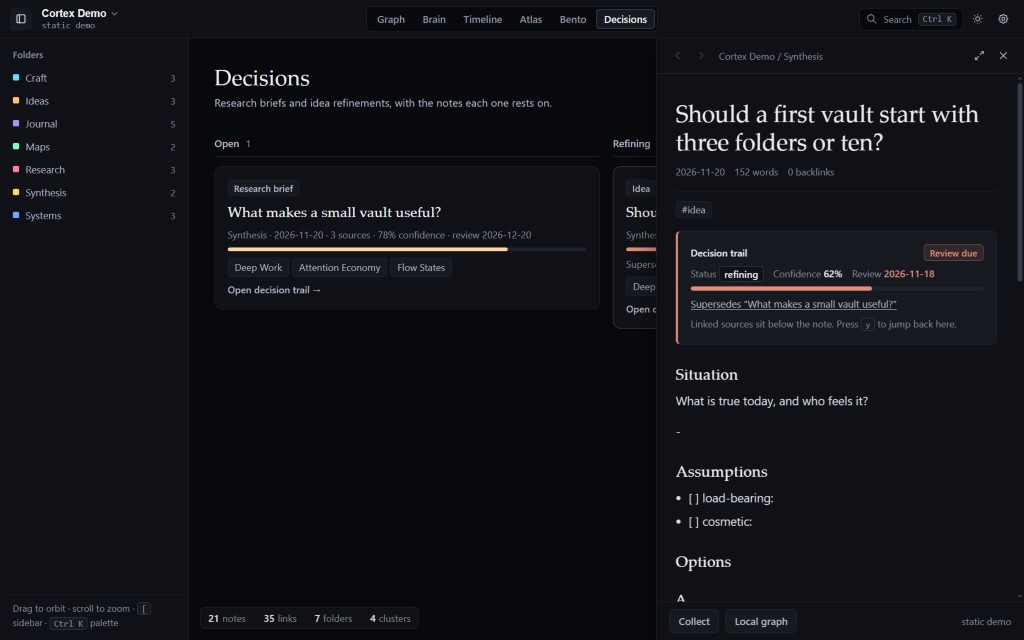
- Precision Editorial Studio aesthetic. Deeper tonal layering, subtle hairline elevation, tabular figures, and sharper hierarchy across the toolbar, sidebar, Launch screen, Decisions cards, and Bento boxes.
- Dark, Warm Light & System themes. Switch appearance from the toolbar or Vault settings without flash of unstyled content. Atlas keeps its cartographic parchment palette across all themes, while Brain, Graph, and Timeline keep their deep obsidian stage so stars and fibre tracts stay sharp.
- Collapsible & drag-resizable workspace. Collapse the sidebar with
[or the toolbar toggle, drag-resize both the sidebar and the note panel (double-click to reset), and keep vault stats in a quiet bottom-left status pill instead of crowding the top bar. - Studio Reader & compact Edit bar. Expand any note into a centered Focus reader, browse Sources / Backlinks / Mentions / Related in accessible tabs, inspect visual confidence meters on Decision trails, and format Markdown with a compact Edit toolbar backed by native undo.
- Unified Command Palette (
Ctrl K/⌘K). Search notes and trigger actions (views, theme, sidebar, reframe, today's note, tour, settings) from one overlay; type>to filter commands only. - Dedicated GitHub Pages landing site.
https://thijnperd.github.io/obsidian-cortex/now opens a zero-build product page with an interactive 6-view showcase and OS-aware downloads, while the live demo moves to/demo/with automatic redirects for existing?view=links.
Install
Download the build for your platform from the assets below.
cortex                 # open the last vault, or choose a folder
cortex seed-demo demo  # a 328-note vault to try the loop
cortex serve ~/Notes   # open a folder directly
Full changelog: v1.3.0...v2.0.0
Full Changelog: v1.3.0...v2.0.0
Cortex 1.3 — Your Notes, as a Brain
Cortex 1.3 — Your Notes, as a Brain
The Brain view is now the front door, and the mark finally looks like it.
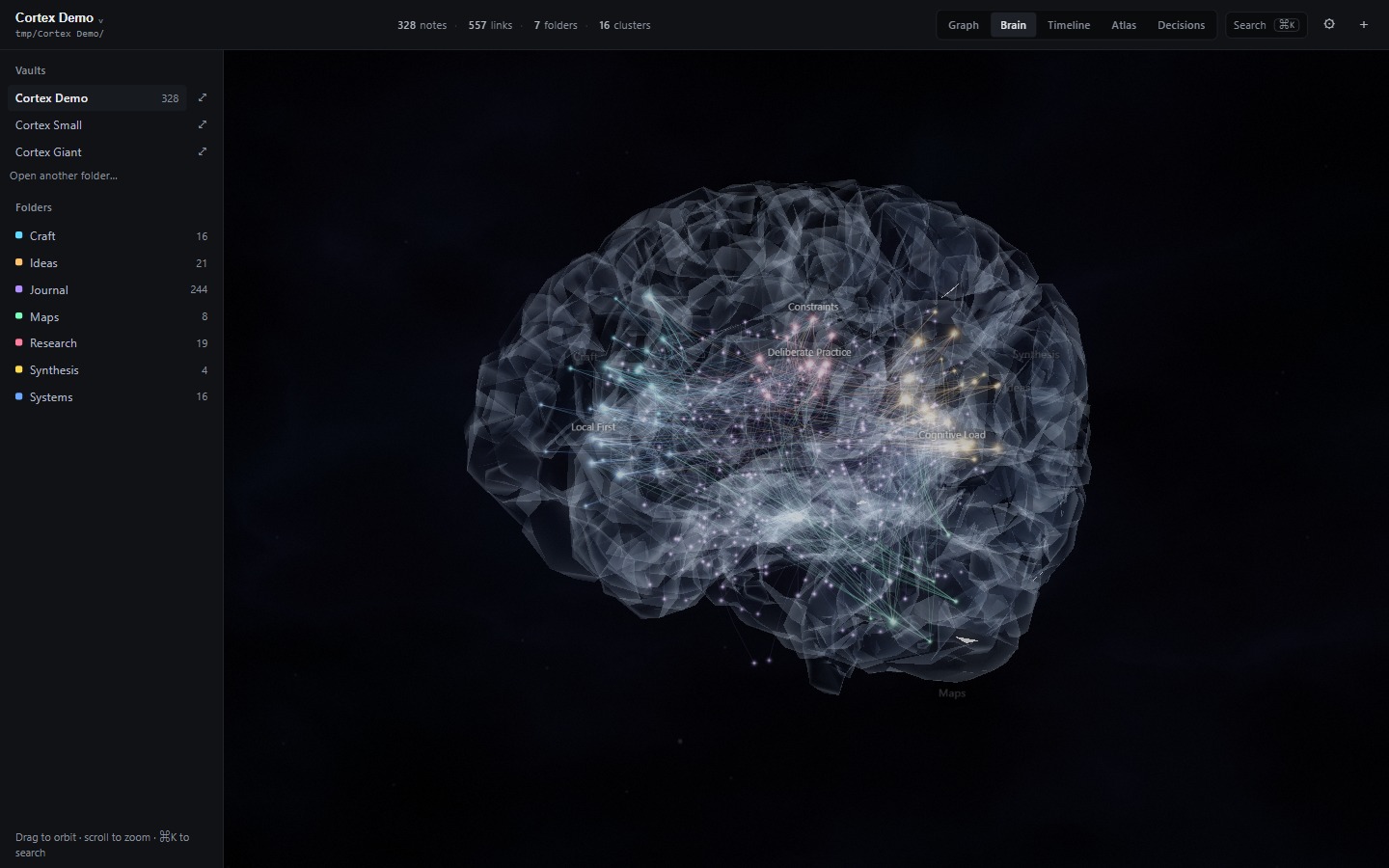
Cortex is named after the cortex, so 1.3 stops burying the best view below a
decision-board banner. The README, the social card and the live demo all open on
the Brain: 328 notes, 557 links, one cortical surface, links drawn as fibre
tracts. Decisions are still here — they are the proof that the shape is not
decoration — but they are the second beat now.
What changed
- Brain-first README and demo. The hero is a real Brain screenshot, not a
mock-up. The live demo link uses?view=brain, so the first click lands in the
Brain.?view=accepts every named view. - A mark that survives 16px. The icon is redrawn from the supplied mark: one
solid, four-lobed brain silhouette, a vertical seam and a single double-band
thinking trail. The scalloped cloud outline and the hairline spiral artifacts
are gone. PNGs,.ico,.icns, tray glyphs, the window icon, the README mark
and the favicon all come from the same geometry. - Tabler icons in the chrome. Toolbar and panel glyphs are inline Tabler
icons, bundled as a sprite. No network request, no font dependency. - Keys for the OS you are on. Shortcut hints now render as
⌘Kon macOS and
Ctrl Kon Windows and Linux. The other platform's modifier is no longer
shown. - The positioning is written down.
docs/marketing.mdrecords the
brain-first hierarchy, the options considered and what would change the
decision.docs/research/v1.3-brain-first.mdcollects the primary sources.
The proof: decisions
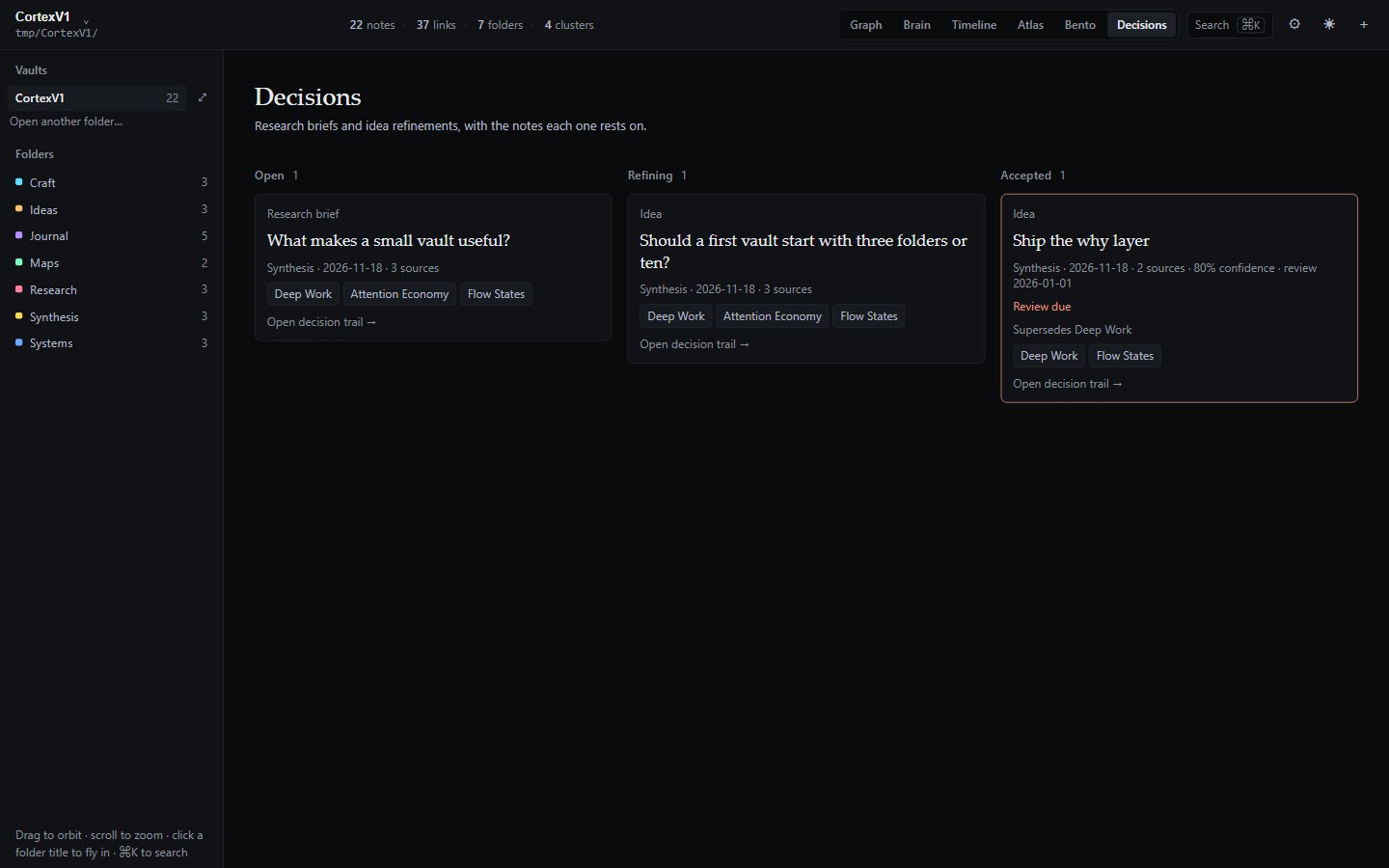
The Brain is the hook; the decision trail is why it is not decoration. The
board still carries confidence, review dates and supersession, and every trail
is an ordinary note you can read in any editor.
Linux, honestly
Linux still uses the browser path in 1.3. Wry would link WebKitGTK 4.1, GTK 3
and libsoup 3 into a binary that is currently self-contained; that trade is
recorded in ADR 0009 and left to a later release.
Install
Download the build for your platform from the assets below.
cortex                 # open the last vault, or choose a folder
cortex seed-demo demo  # a 328-note vault to try the loop
cortex serve ~/Notes   # open a folder directly
The Windows installer is per user and needs no admin rights. macOS ships
Cortex.app inside cortex-macos-arm64.tar.gz; it is ad-hoc signed, so a
downloaded copy still needs the usual Gatekeeper approval until notarization is
set up. Linux ships the self-contained binary.
Full changelog: v1.2.0...v1.3.0