Repository navigation
Releases: tombanaszek1-sketch/TaskManagerPlus
Releases · tombanaszek1-sketch/TaskManagerPlus
Release list
Task Manager+ 1.5.1

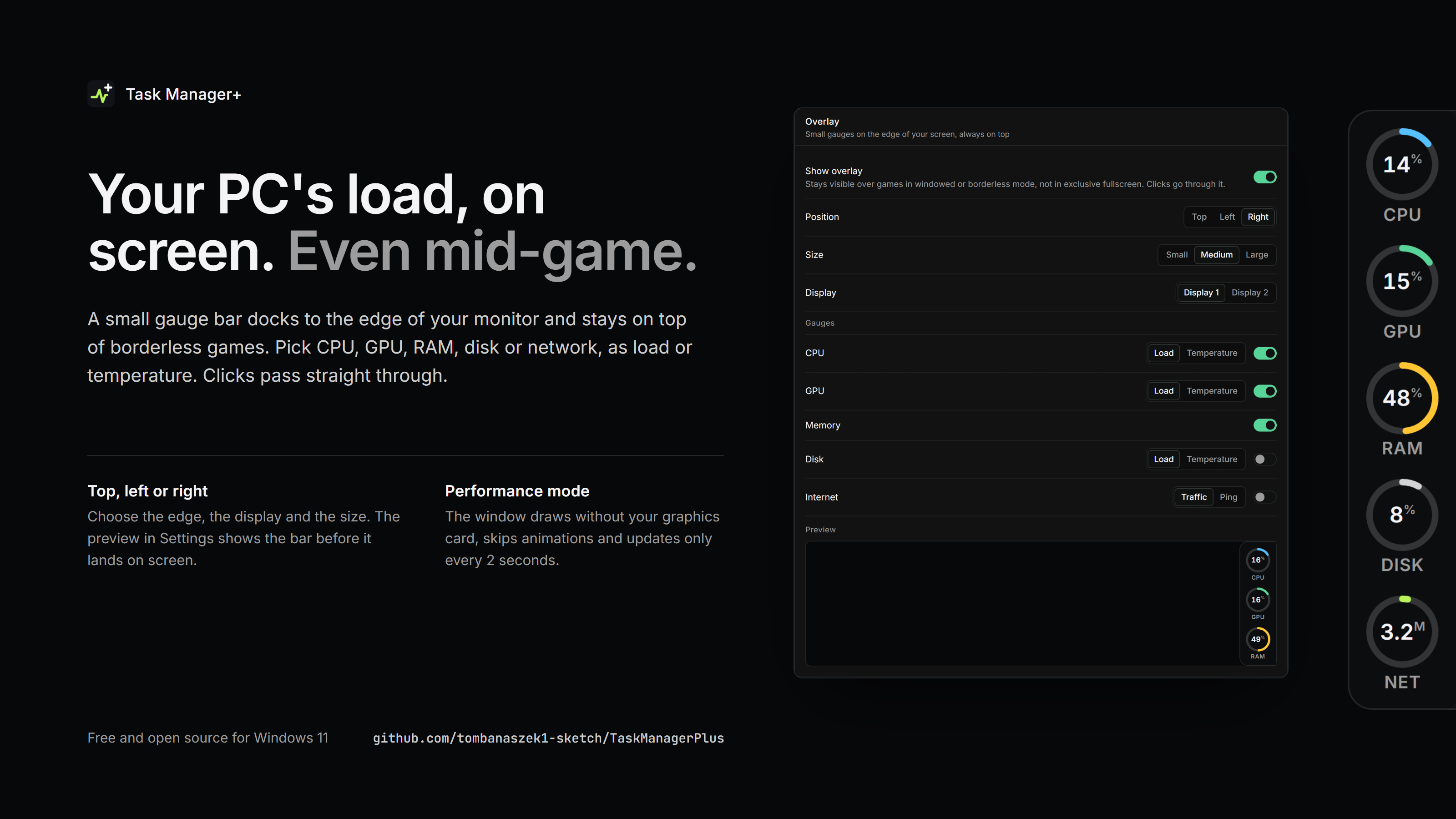
New: an always-on-top overlay with CPU, GPU, RAM, disk and network gauges for gaming, plus a performance mode that runs the window without the graphics card. Free and open source for Windows 10 and 11.
What's new
- Overlay. A small bar of ring gauges that docks to the top, left or right edge of a display and stays on top of games in windowed or borderless mode (not in exclusive fullscreen). Configure it under Settings > Overlay:
- gauges for CPU, GPU, RAM, disk and network, each as load or temperature (network as traffic or ping),
- position, display and three sizes, with a live preview,
- gauges turn red at 95 % load or 90 °C.
The bar is drawn natively without a browser, uses almost no memory and lets clicks pass through.
- Performance mode (Settings > Behavior). The window renders without the graphics card, animations are turned off and data updates at most every 2 seconds. Hardware sensors are read less often.
Downloads
TaskManagerPlus-1.5.1-win-x64.msi: installer. Installs toC:\Program Files\Task Manager+with Start menu and desktop shortcuts, sets up the sensor driver, and replaces older installed versions.TaskManagerPlus-1.5.1-win-x64.exe: single portable executable. Download and run, no installation needed.TaskManagerPlus-1.5.1-win-x64.zip: the portable executable with license and third-party notices, for browsers or networks that block.exedownloads.
Windows 10 or 11, 64-bit. The app asks for administrator rights when it starts. The files are not code-signed, so Windows SmartScreen may ask for confirmation the first time: choose More info > Run anyway.