Repository navigation
Can I edit a .bru file with a text editor? #9537


|
I have a repo where I save all of my Brune files, so I can migrate them from desktop to laptop, and back again. I found that I had made a mistake in one of them, but for some reason when I edited it in Bruno, it didn't save it. So, I thought I'd edit it with VS Code. I saved it, committed it locally, the pushed to the remote. Then I created a PR to migrate what I'd done in the child branch back to the However, later when I looked at it in GitHub.com, it was still wrong. This makes me wonder if the Bruno application saves the file in some format, that VS Code doesn't save? |
Replies: 2 comments 8 replies

|
Yes, So the problem is almost certainly on the git side, not the file format. A few things worth checking:
On the edit not saving inside Bruno: it only writes to disk when you save the request (Ctrl+S / Cmd+S), so if the tab was closed or the app quit before that, the change is lost. |

|
That's the cause then. And yes, Remove is the one: in current Bruno versions it's what "close" became. It only removes the collection from Bruno's sidebar and doesn't delete anything. The confirmation dialog even says the files "will still be available in the filesystem at the above location". One thing first: the copy Bruno has been using may contain edits you made in Bruno that never reached your repo. Compare the two folders (or just open that request's Then:
After that, Bruno, VS Code and git all work on the same files. Once everything matches, you can delete or archive the old folder so this can't happen again. |

|
Hi @sknoyon324234234234, I've compared and made the necessary adjustments. Then I started removing collections from the repo I want to ignore, and Open Collection from the location I want to use. However, Bruno still showed it being in the wrong location. Do I do an Import Collection instead? |
|
No, skip Import Collection. That makes a brand new copy somewhere else, which is the opposite of what you want here. Bruno opens collections purely by folder path, so if it opened the folder from your repo, it can't show the old location. What usually happens is one of these:
What I'd do for a clean slate:
If it still points at the old place after that, could you post the two paths, the one Reveal shows and the one of your repo? That'll make it obvious what's going on. |
|
OK, thank you, I'll work on this later today, hopefully |
|
@sknoyon324234234234 there are 4 Bruno.json files in the folder structure, that I was using. 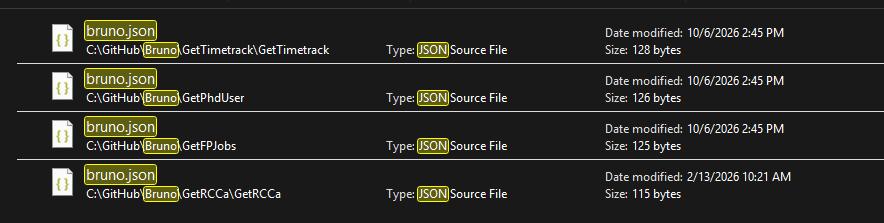
I'll try to use them all. |

|
Also verify there's no If this helps you track it down, please mark this comment as the answer — thanks! |


Yes,
.brufiles are plain text, so editing them in VS Code is completely fine. There's no hidden or binary format, and Bruno watches the collection folder, so it picks up changes made outside the app.So the problem is almost certainly on the git side, not the file format. A few things worth checking:
mainon GitHub keeps showing the old version.main, so before the merge you'll see the old content there.git log -p -- path/to/your-request.brushows every change to that file. Make sure your fix is in there.