Repository navigation
v0.1.0: The first complete release — all eight V1 milestones are done.

v0.1.0 — the first complete release
All eight V1 milestones are done. Understand any Python codebase in minutes, not days —
point Semantic Vision at a repo and get a live, explorable map of it: an interactive call
graph, one-click impact analysis, AI-generated documentation, and now, a function's actual
execution flowchart. Everything runs on your machine.
✨ What's in this release
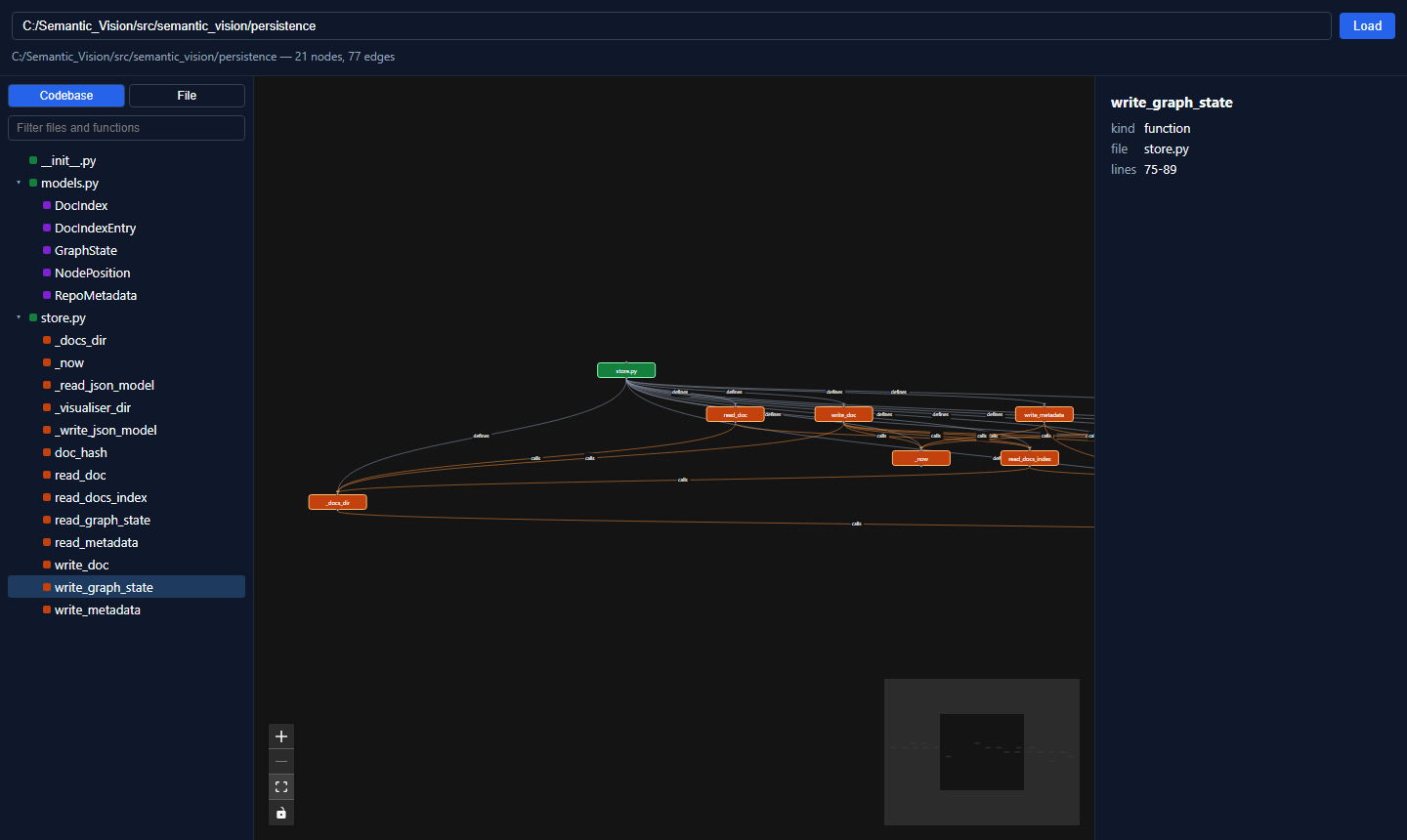
🕸️ Interactive call graph — every directory, file, class, and function as a zoomable,
color-coded graph with call/import/defines edges.
🔍 Searchable structure tree with real-time filtering and a Codebase/File view toggle.
💥 Impact analysis — direct and transitive callers for any function, circular call chains
flagged instead of silently mishandled, highlighted live on the graph.
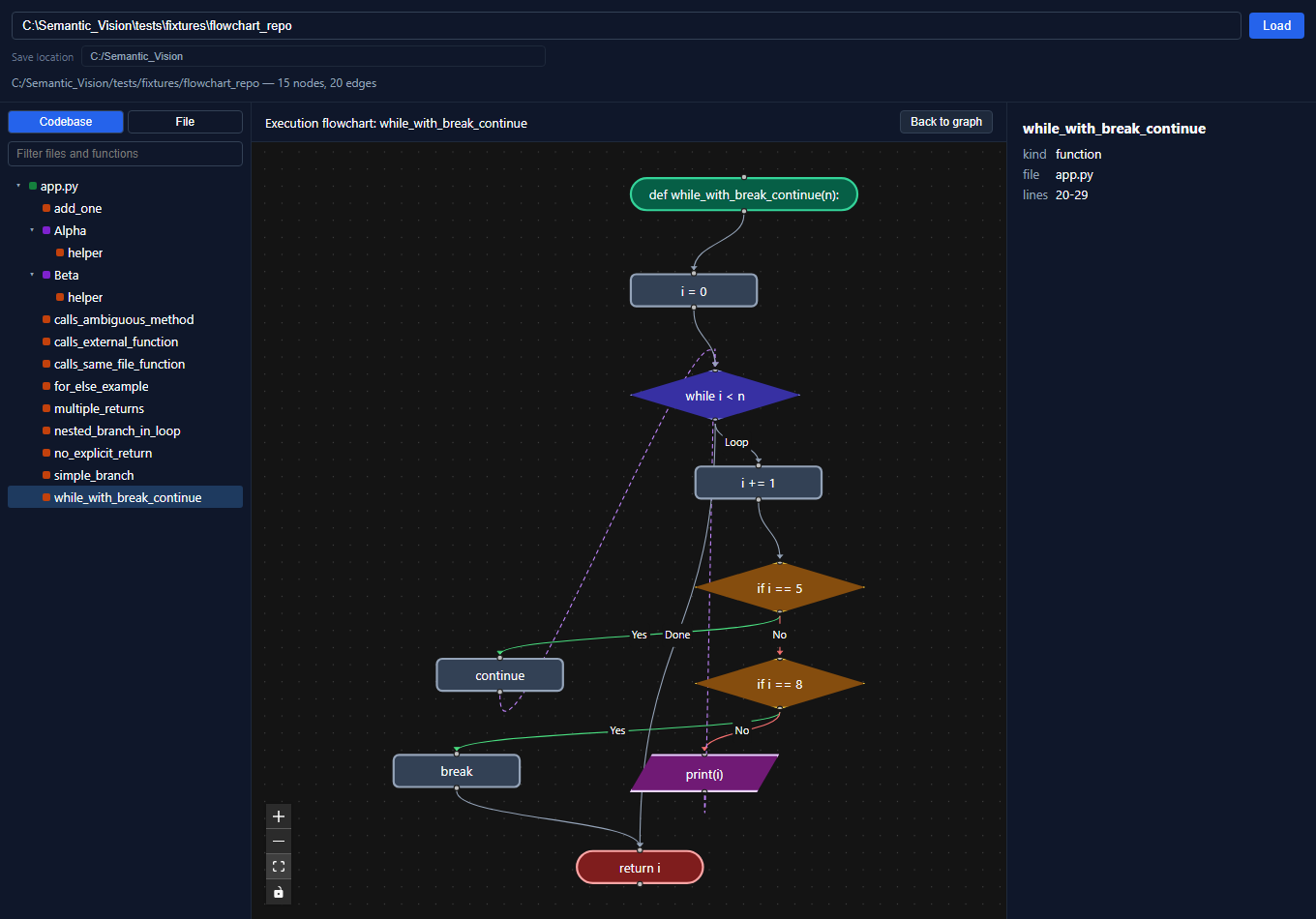
🧭 Execution flowcharts — a function's real control flow built from its AST, not a rough
summary: decisions, loops with visible back-edges, I/O, and calls out to other functions in
the repo, each in a conventional flowchart shape.
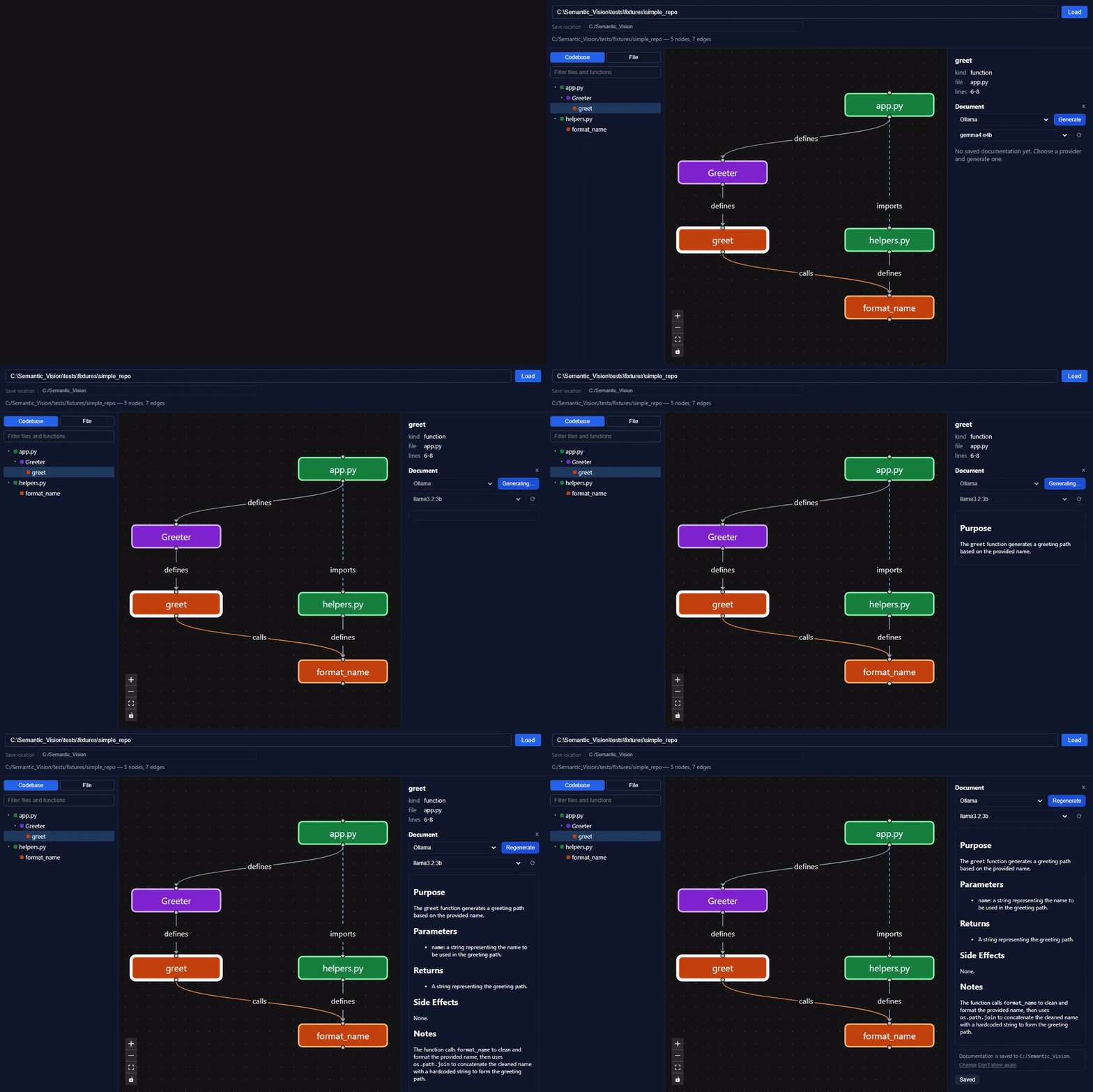
📝 AI-generated documentation, streamed live from a local Ollama model, OpenAI, or
Anthropic, assembled from a function's real source, callers, callees, and parent class:
💾 Persistent layout and analysis state, saved locally inside the inspected repo.
🐳 Docker packaging — docker compose up starts the whole stack.
✅ Quality
108 backend tests, 136 frontend tests, all green. ruff, tsc, and oxlint all clean. Every
milestone went through at least one round of adversarial review before being considered done.
🚀 Try it
git clone https://github.com/venom21adi/Semantic_Vision.git
cd Semantic_Vision
cp .env.example .env
docker compose up --build
Then open http://localhost:5173. See the README
for the non-Docker quick start and full feature documentation.