Repository navigation
RemCTL 2.0.0

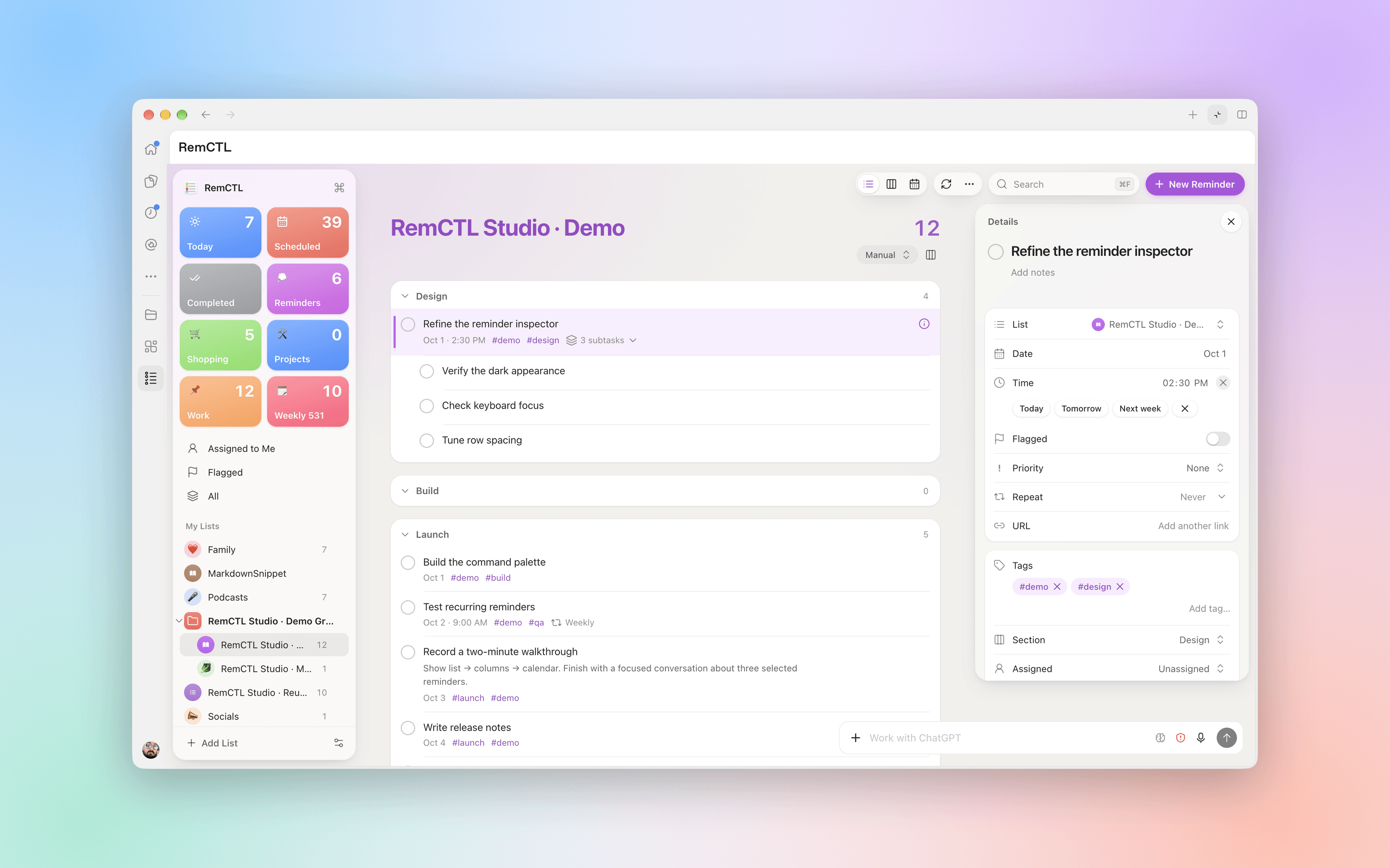
RemCTL 2.0 changes how you install and use RemCTL. There's a notarized download that needs no Xcode or Python, a free build-from-source route, an MCP server for AI apps, and a full Reminders workspace inside Codex.
Install
- Download (Apple silicon). Download
RemCTL-arm64.dmgbelow, open it, and double-click 'Install RemCTL.command'. - Build it yourself (free). Install Apple's Command Line Tools, clone the repo, and run
./install.sh --from-source --bootstrap. This is also the route for Intel Macs, though it hasn't been tested on one yet.
Both routes ask for your Mac password once, to install RemCTL's own Python under /Library/RemCTL.
Upgrade
- From 1.7.1:
git pull, then./install.sh --from-source --adopt-existing-install --bootstrap. - From 1.7.0 or older: run
./uninstall.sh --keep-configfrom your old checkout, thengit pulland install as new. - From a 2.0 prerelease built from
main:git pull, then./install.sh --from-source. Your certificate and permissions carry over.
RemCTL 1.x had no Capability Host, so coming from 1.x means granting permissions once to the new app. The README covers every starting point.
What's new
- RemCTL Capability Host. One signed app holds the Reminders, Automation, and Full Disk Access permissions. The terminal, scripts, and AI apps go through it, so none of them need their own grants.
- Bundled Python. RemCTL ships Python 3.13 in a root-owned folder, checked against a signed manifest. It never touches your system or Homebrew Python.
- Codex plugin. A Reminders workspace with a sidebar that works like the Reminders app: list, column, and calendar layouts, an inspector for every field, a command palette, quick add, drag and drop, smart lists, templates, and Recently Deleted. It follows your Mac's light and dark appearance, remembers the layout for each list, and can attach reminders to a conversation.
- MCP server.
remctl mcp installconnects Claude Code, Codex, Claude Desktop, and other apps, with 21 tools and an interactive widget.remctl mcp install --client tailscaleserves it to your other devices over Tailscale. - Recently Deleted.
deletedandrestoreshow and recover deleted reminders, subtasks included. - Search, batches, and locations. Search covers rich links and pages through every match;
done,undone, anddeletetake up to 50 ids;--location-addressturns a street address into a location alarm. - Guided onboarding.
remctl onboardwalks through permissions, a health check, and connecting AI apps.
Plus a long list of fixes. The changelog has everything.
Validation: 844 tests; TypeScript, interaction, and MCP Apps SDK contract checks; app and disk image notarized by Apple with stapled tickets; Gatekeeper checks for the app and disk image; installed from this DMG on macOS 27 with zero doctor failures; Codex workspace verified in the ChatGPT app.
SHA-256 (RemCTL-arm64.dmg): bd22e3de8b436003a2bed21ddc2c7310b5b0883be7eec476b519f9ff11c9e9ef