Repository navigation
Preview Release 0.9.0 - I'm in a Meeting
Pre-release
This release brings significant improvements to the PIM tools, connecting Android Contacts and Calendar (if allowed), implementing the Pre3 style calendar on small screens, fixing long-existing Palm calendar bugs, and updating sync for modern servers (still no OAUTH... that's next).
Also system management/Settings improvements and integrations with Android, fixing a bug with the brightness slider.
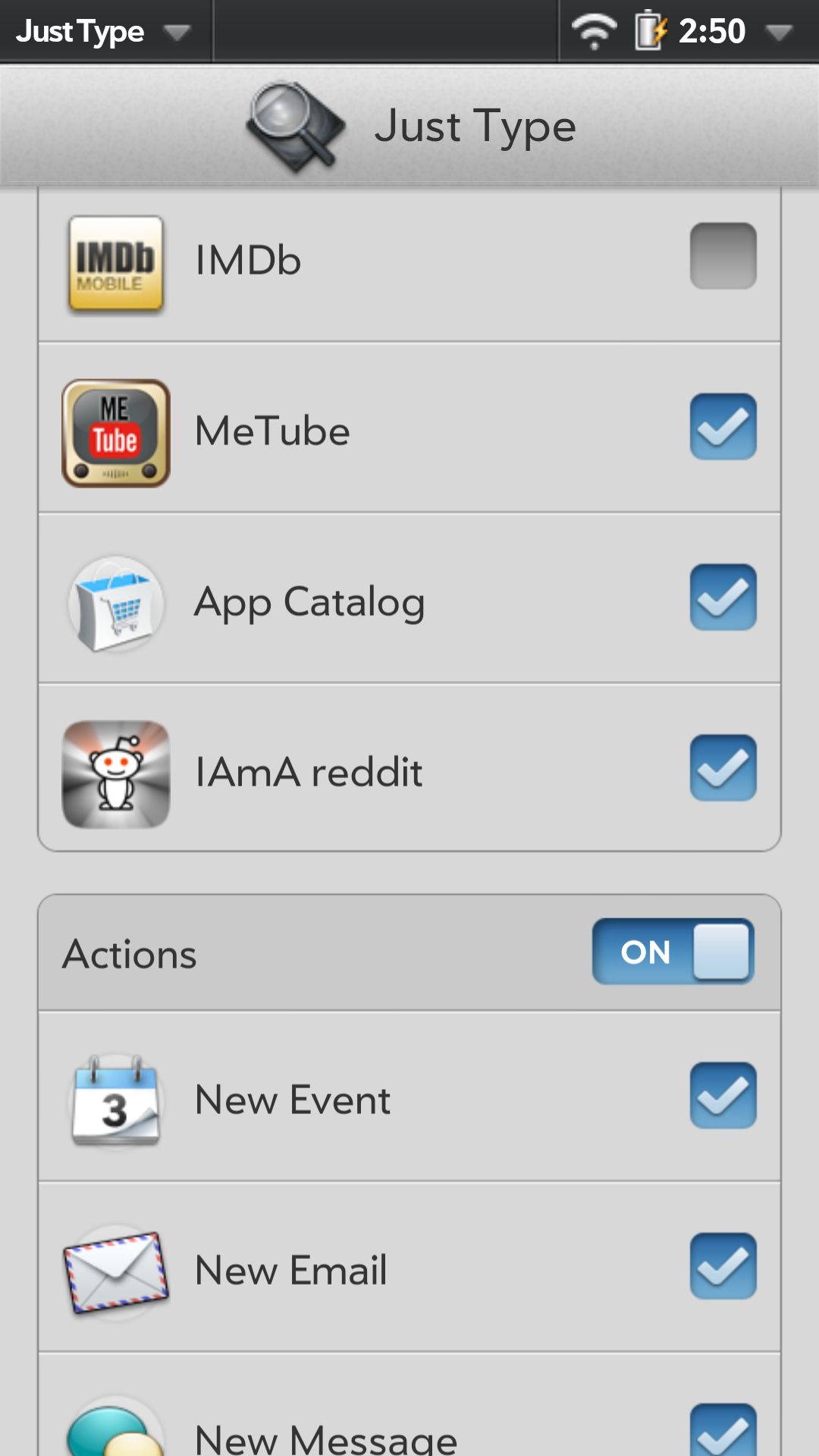
Finally expanding the JustType integration to app actions, as implemented on webOS. Plus continued broadened support for games.
Please test Guitar Hero 5, Family Guy, The Oregon Trail and H.A.W.X. as well as previously supported games.
Contacts and Calendar
- New “Android” account: copies Android’s contacts and calendars into webOS, one way only. Lunacy never writes to Android. It’s off until you add it, and each calendar can be chosen. Copying reminders is a switch you control. Please test this feature!
- Import vCards (Contacts) and Import Calendar (.ics files), from webOS CE, both into the on-device account.
- On a phone or a folded Fold:
- Calendar draws the Pre3’s layout.
- Contacts gets a list-or-contact layout of its own, instead of Phone Zoom.
- Calendar repeats: webOS CE’s rewrite of repeat expansion. Repeats across daylight-saving changes come out right, and Android’s time-zone rules decide daylight saving.
- Exchange time zones: zones from Exchange servers are chosen as a TouchPad chose them. Sydney is no longer read as Brisbane, and US Eastern events keep daylight saving.
- Outlook’s Windows zone names (e.g. “Eastern Standard Time”) are understood, so webcal events no longer shift an hour after a clock change.
- Privacy: contacts’ and calendar events’ details no longer appear in Android’s system log.
- App Menu fix: the App Menu now opens in an app that was started cold, such as Calendar.
System menu and settings
- The status bar’s system menu is now the TouchPad’s whole menu. Its brightness slider comes down as well as up, dims at once, and the menu’s tab fades with it.
- New settings shortcuts open Android’s own screens under the TouchPad’s names and icons: Bluetooth, Date & Time, Location Services and Regional Settings.
- The launcher’s Settings page starts in alphabetical order, as on webOS.
- Help shows the TouchPad’s tablet layout on a tablet.
- First Use’s last page says where to find the new Android account.
Just Type
- Apps’ own Just Type additions now work: their searches, Quick Actions and content (Memos, Calendar events, bookmarks and history).
- Web search engines can be chosen and turned on or off.
- Palm’s Just Type settings app is bundled.
- App icons in Just Type are drawn smoothly instead of jagged.
PDK games
- Guitar Hero 5, Family Guy, The Oregon Trail and H.A.W.X. now play.
- Phone games take taps where you touch.
- Two games running at once no longer crash the shell.
- Games with intro movies no longer hang or crash; the movies are skipped, for this release. A PDK video player will need to be implemented before 1.0.
Web
On a narrow card, the progress bar runs along the bottom of the chrome.
Apps and installs
An older installed copy of a bundled app no longer hides the newer bundled one. App Catalog stops asking to update itself.
Reliability and security code review changes
- Bus replies: a reply containing certain rare Unicode characters (U+2028/U+2029) no longer vanishes.
- WebSQL: an app can no longer attach Lunacy’s other databases to its own, as WebKit refused too.
- Logins: credentials are no longer sent on to a different site after a redirect.
- File names: names supplied by apps can’t reach outside their folders: wallpapers, package names, sounds, and images saved from Web.
- Crashes: a malformed request or a crafted email can no longer crash Lunacy.
- Music: files with “+” in their names play.
- Foldables: folding or unfolding no longer loses pending shell actions.
- Backups: Android’s backup no longer includes saved account passwords.