Repository navigation
Releases
v0.0.12

v0.0.11
Changes in this release
- Add automatic updates check
- Add a settings page with options to enable/disable the automatic updates check, manually check for updates, and reset the extension
- Improve the styling of the popup window
v0.0.10
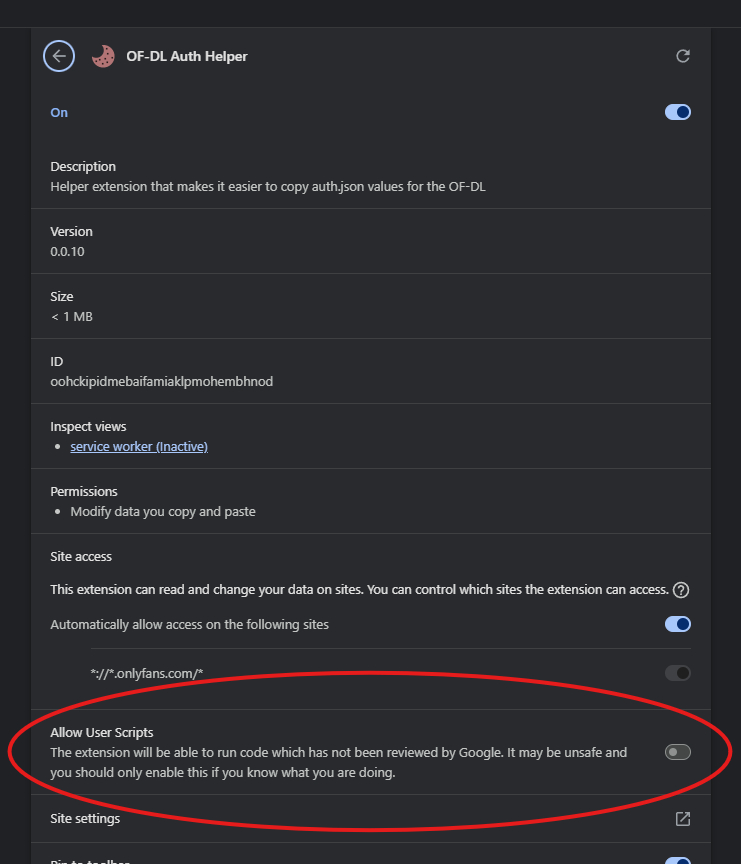
This release includes the ability to see the video duration of PPV messages. To enable this functionality, you will need to grant the extension permission to execute userscripts. To do this, click on the extension's cookie icon in your extension list/toolbar. At the bottom of the popup window, you will see instructions and a button to request the permission. Follow the instructions. After you grant the necessary permissions, refresh the page.

Firefox permission prompt


Chrome permission prompt

v0.0.9
There have been reports of intermittent issues when using OF-DL due to unnecessary cookies being included in the auth.json file. I have not experienced this issue, but this release includes a change to only output the auth_id and sess cookies.
I have tested this release in Firefox and Chromium. As mentioned in the README, the extension may work in other chrome-based web browsers (Brave, Microsoft Edge, Vivaldi, Opera, etc), but I cannot guarantee success. Feel free to create an issue if you experience any problems with the extension.
v0.0.8
The extension has been removed from Firefox's Add-On store (AMO) due to:
Acceptable Use, specifically Sexual content: This content contains sexual or pornographic content that violates Mozilla’s Acceptable Use Policy. (See https://www.mozilla.org/about/legal/acceptable-use/.)
Therefore, the Firefox extension's id has changed in v.0.0.8. This means that if you are updating your Firefox extension to version v0.0.8, you'll need to remove your existing "OF-DL Auth Helper" extension first to prevent duplicate extensions being installed.