Repository navigation
Releases: yayguru/logos-node-windows
Release list
Build 9: Logos Node for Windows (node 0.3.4)

Warning
Unofficial community build for the Logos testnet. Not affiliated with, endorsed by or supported by the Logos project. Provided "as is", without warranty.
Build 9: the project is now called Logos Node for Windows (formerly "LogosMiner"). Node logos-blockchain-node 0.3.4 (unchanged from build 8).
What's new
- New names:
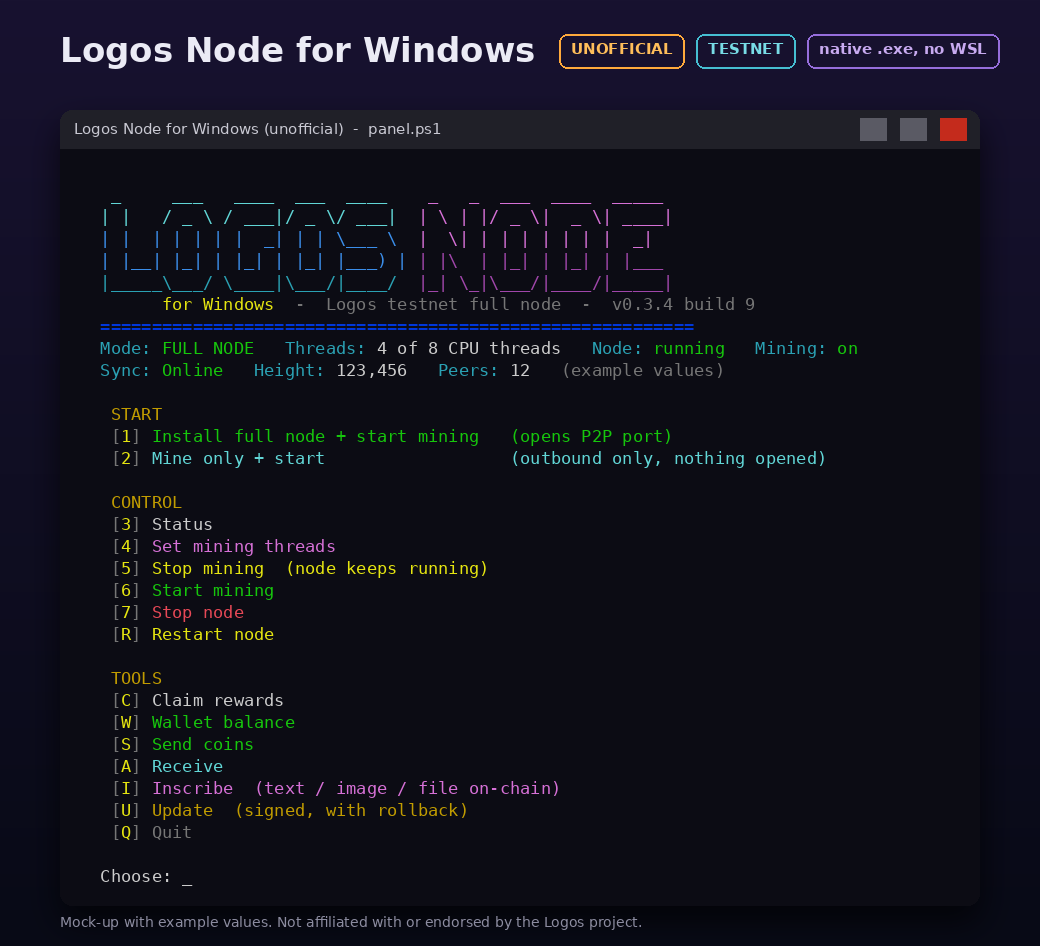
LogosNode.bat,logos-node.ini,LogosNode-win64-0.3.4-v9.zip. - Fix: after the update (menu U) or after starting the node from the menu, "Press Enter" sometimes did nothing. A hidden helper window took the keyboard focus; helpers are now started fully hidden and the panel keeps the focus.
- After a successful update the panel opens the new panel in a new window by itself.
Updating from LogosMiner (builds 6 to 8)
Use menu U as before. Nothing has to be renamed: your folder, LogosMiner.bat, logos-miner.ini and data\ stay as they are, the panel adds LogosNode.bat next to LogosMiner.bat (both work) and keeps using logos-miner.ini. Rollback to build 8 still works.
If "Press Enter" does nothing at the end of this one update (it is still the old panel running it), click once inside the window or just close it and start LogosNode.bat.
New install
- Download
LogosNode-win64-0.3.4-v9.zipandSHA256SUMS, check the hash (Get-FileHash). - Unzip (for example to
C:\LogosNode), double-clickLogosNode.bat, choose1(full node) or2(mine only). - Do not unzip over an old LogosMiner folder; update it with menu U instead.
SHA-256 (zip): 25bfb41658a9048bae9d0f070c8d5d6b5572c5556334ef0469bdd0e2bf4d1a8a
Build 8 – Logos node 0.3.4 for Windows (unofficial)
Warning
Unofficial community build for the Logos testnet. Not affiliated with, endorsed by or supported by the Logos project. Provided "as is", without warranty. Testnet coins have no guaranteed value and the network may be reset.
Unofficial native Windows build of the Logos blockchain full node (project formerly "LogosMiner"), build 8: bundles logos-blockchain-node 0.3.4 (upstream tag 0.3.4, commit f7ab0323). No WSL, no Docker.
What's new
- Node 0.3.4. An existing 0.3.2 config is converted on first start; the original is kept as
data\user_config.yaml.0.3.2.bak. - The panel runs
--check-configbefore every start; a rollback from the Update menu also restores the previous config. - Send (S) and Receive (A) menus.
Install (new users)
- Download
LogosMiner-win64-0.3.4-v8.zipandSHA256SUMSbelow, and check the hash:Get-FileHash .\LogosMiner-win64-0.3.4-v8.zipmust matchSHA256SUMS. - Unzip (for example to
C:\LogosMiner) and double-clickLogosMiner.bat. - Choose
1(full node) or2(mine only). Back updata\keystore.yamland never share it. - The binaries are not code-signed, so SmartScreen warns: "More info" -> "Run anyway", only for a zip you verified.
Update (builds 6 and 7)
Menu U in the panel. The update is signed; the panel checks the signature and every file hash, keeps a backup and rolls back if the new node does not start. Your data\, logos-miner.ini and LogosMiner.bat are not changed.
More
README | Changelog | Security | Build from source | Report a bug
Third-party licences: THIRD-PARTY-NOTICES.txt and LICENSES\ inside the zip.