Repository navigation
Need help on how to enable switching tabs through vertical scroll #52


Hello! First of all, I love this project with how intuitive and seamlessly clean the UI looks. However, I cant seem to get the sidebery option of being able to switch tabs using vertical scroll to work with the FlexFox configuration despite having it enabled in the settings. Is there a possible workaround for this? |
Replies: 1 comment 1 reply

|
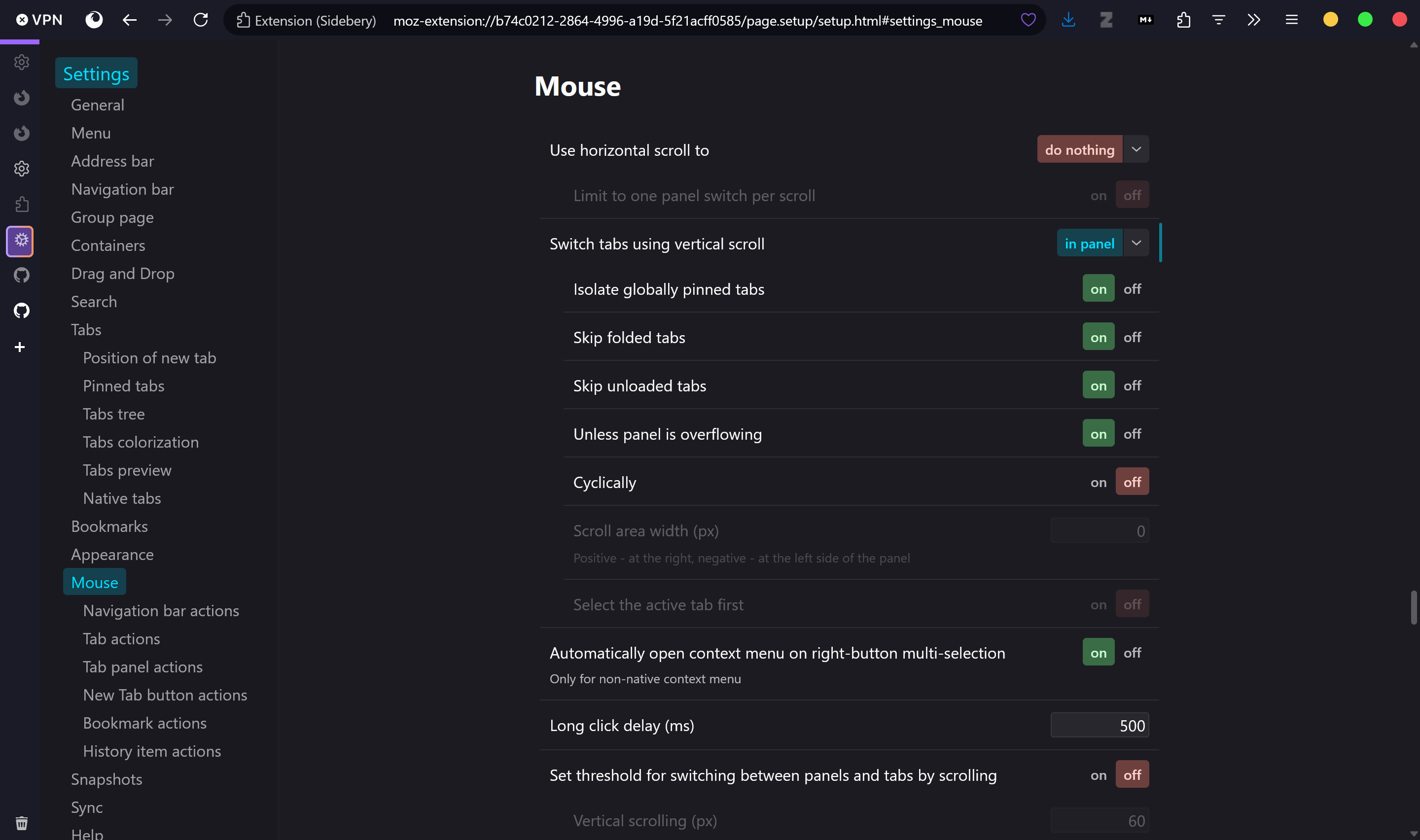
The Sidebery settings FlexFox ships turn this off. In Sidebery/sidebery-settings.json, scrollThroughTabs is none. That is the wheel switch. scrollThroughTabsExceptOverflow is also true, so even after you turn scrolling on, the wheel only changes tabs when the list is longer than the panel. In Sidebery, open settings, then Mouse, and set scroll through tabs to the panel instead of none. If you only have a few tabs, also turn off the option that skips this unless the list overflows. FlexFox hides the sidebar until you hover it. Scroll while the sidebar is open. If the wheel hits the page, it will not change tabs. Reinstalling the FlexFox settings puts scrollThroughTabs back to none. |

|
That got it to work again, thank you! |


The Sidebery settings FlexFox ships turn this off. In Sidebery/sidebery-settings.json, scrollThroughTabs is none. That is the wheel switch. scrollThroughTabsExceptOverflow is also true, so even after you turn scrolling on, the wheel only changes tabs when the list is longer than the panel.
In Sidebery, open settings, then Mouse, and set scroll through tabs to the panel instead of none. If you only have a few tabs, also turn off the option that skips this unless the list overflows.
FlexFox hides the sidebar until you hover it. Scroll while the sidebar is open. If the wheel hits the page, it will not change tabs.
Reinstalling the FlexFox settings puts scrollThroughTabs back to none.
@ashtha…